Can You Use Your Phone As A Projector For Movie Nights
Yes, you can use your phone as a projector for movie nights with the right tools and setup. Whether you own an iPhone or Android, connecting your device to a projector or using screen mirroring opens up a world of entertainment. This guide covers every method, from HDMI cables to wireless streaming, so you can turn any room into your personal theater.
Have you ever wanted a big screen for movie nights but did not own a projector? Your phone might be the answer. Using your phone as a projector sounds like magic, but it is actually quite simple. You just need the right tools and a little know-how. In this guide, we walk you through every option available. You will learn how to connect, what gear works best, and how to get the most out of your setup.
Movie nights are better on a big screen. There is something about watching your favorite film on a wall that makes it feel special. And the good news is, you do not need a fancy projector to make it happen. Your phone already has everything you need. The trick is knowing how to send that content to a larger display. This article breaks it all down in plain language.
Key Takeaways
- Multiple methods exist: You can use HDMI adapters, wireless casting, or even smart projector apps to display your phone screen.
- You do not need expensive gear: Basic cables and affordable adapters can get you started right away.
- Audio matters too: Pairing your phone with a Bluetooth speaker or sound system greatly improves the experience.
- Picture quality varies: Lighting, resolution, and the projection surface all affect how your content looks on the big screen.
- Movie nights become easy: With the right setup, you can stream, share photos, and play games on a large display for friends and family.
📑 Table of Contents
- Why Use Your Phone As A Projector For Movie Nights?
- Methods To Connect Your Phone To A Projector
- What You Need For A Great Setup
- Phone To Projector: HDMI Vs Wireless Comparison
- Common Mistakes To Avoid
- Expert Tips For The Best Movie Night Experience
- Can You Use Your Phone As A Projector For Outdoor Movie Nights?
- Frequently Asked Questions
- Conclusion
Why Use Your Phone As A Projector For Movie Nights?
There are many reasons to try this approach. First, most people already carry a powerful mini theater in their pocket. Your phone can play high-quality video, stream from all major apps, and connect to external displays. Using your phone as a projector saves you money and space. You do not need to buy a separate device just for movie nights.
Here are some key benefits:
- Portability: You can set up a screening anywhere, indoors or outdoors.
- Cost savings: No need to invest in an expensive projector right away.
- Convenience: Your phone handles both the content and the display output.
- Flexibility: Switch between movies, games, and photos in seconds.
- Simplicity: Most methods require just one cable or a wireless connection.
Think about how often you use your phone for entertainment. You stream shows, watch videos, and share clips with friends. Turning that experience into a shared event is a natural next step. Movie nights become more fun when everyone gathers around a big wall instead of huddling around a small screen.
Methods To Connect Your Phone To A Projector
Several methods let you project your phone screen. Each has its own advantages. Some work better for certain devices, while others offer more flexibility. Let us explore the most popular options you can try at home.
Method 1: HDMI Cable Connection
The most reliable way to connect your phone to a projector is through a cable. You need an HDMI adapter that matches your phone. For iPhones, this means a Lightning to HDMI adapter. For Android phones, a USB-C to HDMI adapter works best. Once connected, your phone screen mirrors directly onto the projector.
This method offers several advantages:
- Stable connection: No lag or buffering during playback.
- Simple setup: Plug in and go. No apps or software needed.
- Broad compatibility: Works with most projectors and displays.
- Audio support: Sound travels through the cable to the projector.
If you want to learn more about connecting phones with cables, check out our guide on Can I Connect My Phone To Projector With Hdmi. It covers the exact adapters and cables you need for each phone model.
Method 2: Wireless Screen Mirroring
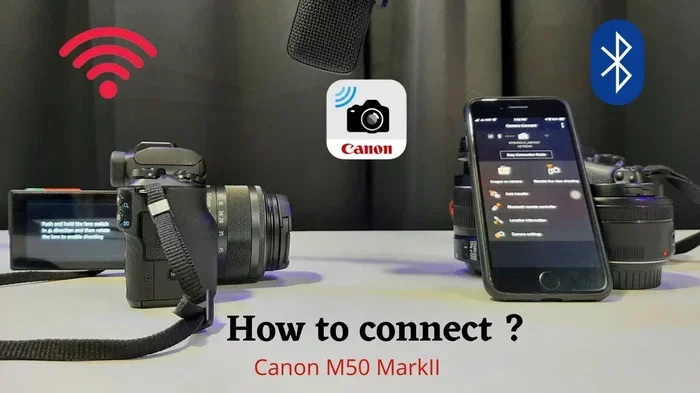
Wireless connections offer freedom from cables. Many modern projectors support screen mirroring through Wi-Fi or Bluetooth. You can cast your phone screen directly without any extra hardware. This method works well for casual movie nights where convenience matters most.
Here is what you need for wireless projection:
- A projector or smart TV with screen mirroring support.
- Both devices on the same Wi-Fi network.
- Built-in casting features like AirPlay for iPhones or Google Cast for Android.
Wireless mirroring is great for quick setups. However, it can sometimes experience slight delays or lower quality than a wired connection. For the best results, make sure your Wi-Fi signal is strong in the room where you are projecting.
Method 3: Using A Streaming Device
Another popular option is to use a streaming stick or device. Products like a fire stick plugged into a projector let you stream content directly. Your phone acts as a remote control while the streaming device handles the video output.
This approach has some clear benefits:
- Better apps: Streaming devices often have more app support than projectors.
- Smoother performance: Dedicated hardware handles video decoding better.
- Easy navigation: Use your phone as a remote with a familiar interface.
- No cables from your phone: Keep your phone free for other tasks.
If you are considering this route, our article on Can I Use A Fire Stick On A Projector provides detailed setup tips and compatibility info.
Method 4: Smart Projector Apps
Some apps claim to turn your phone into a projector using clever software. These apps use your phone screen to cast content to a compatible device. They work best when paired with a mini projector that supports app-based connections.
Keep in mind that these apps have limitations. They depend on your phone’s screen brightness and resolution. They also require a second device or projector that receives the signal. For true movie night quality, a hardware-based connection like HDMI usually wins.
What You Need For A Great Setup
Setting up your phone for movie nights is easier than you think. A few key pieces of equipment make all the difference. Let us look at what you need to get started.
The Right Cable Or Adapter
Your cable is the backbone of any wired setup. Make sure you buy a high-quality adapter that matches your phone model. Cheap adapters can cause flickering or no signal at all. Look for adapters that support 1080p or 4K output for the best picture quality.
For the best results, consider these tips:
- Buy adapters from reputable brands.
- Check that your cable supports the resolution you want.
- Keep spare cables on hand for movie night guests.
- Test your setup before the big event.
Audio Solutions
Video looks great, but sound makes or breaks the experience. Many projectors have weak built-in speakers. Connecting your phone to a better audio source transforms the whole setup. You can use a Bluetooth speaker, soundbar, or even your home stereo system.
If you want to use Bluetooth for audio while keeping HDMI for video, that is absolutely possible. This setup gives you the best of both worlds. Our guide on Can I Use Hdmi For Video And Bluetooth For Audio explains exactly how to set this up step by step.
The Projection Surface
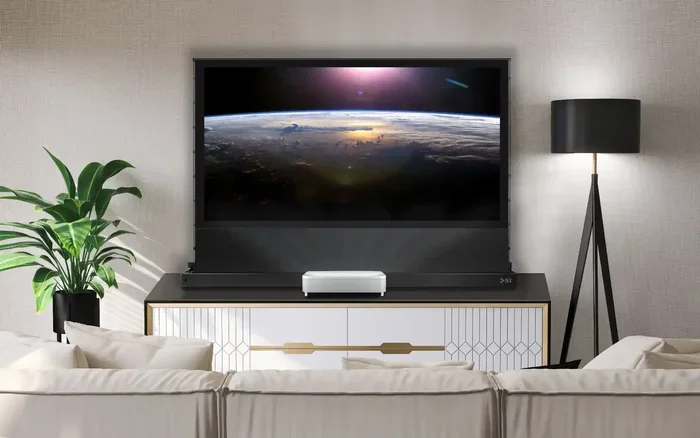
Where you project matters a lot. A white wall works in a pinch, but a dedicated projector screen looks much better. The surface should be smooth and light-colored for the sharpest image. Avoid projecting onto textured walls or dark surfaces.
Quick tips for the best projection surface:
- Use a white or light gray wall for the clearest picture.
- A pull-down projector screen dramatically improves image quality.
- Minimize ambient light by closing curtains or blinds.
- Test the distance between your projector and the wall for the right image size.
Phone To Projector: HDMI Vs Wireless Comparison
Not sure which method to choose? Let us compare the two main approaches side by side. This table helps you decide based on your needs and setup.
| Feature | HDMI Connection | Wireless Mirroring |
|---|---|---|
| Setup Difficulty | Easy – plug and play | Easy – connect to same Wi-Fi |
| Picture Quality | Excellent – stable and crisp | Good – can vary with signal |
| Latency | Minimal – no delay | Slight – may have small lag |
| Cable Needed | Yes | No |
| Audio Quality | Good through projector | Good through Bluetooth |
| Portability | Moderate | Excellent |
| Best For | Reliable movie nights | Quick casual viewing |
Most people find that a hybrid approach works best. Use HDMI for video and Bluetooth for audio. This gives you the highest quality picture and sound without any compromise. Experiment with both methods to see which fits your setup and preferences.
Common Mistakes To Avoid
Even with the right gear, some common mistakes can ruin your movie night experience. Knowing what to avoid saves you time and frustration.
Using The Wrong Adapter
Not all adapters are created equal. Some cheap adapters do not support video output at all. Others only work with certain phone models. Always check compatibility before purchasing. If you are unsure, our guide on Can I Connect My Phone To Tv With Hdmi Cable covers adapter compatibility in detail.
Ignoring Audio Quality
It is easy to focus on video and forget about sound. But poor audio ruins the whole experience. Projectors with tiny built-in speakers simply cannot compete with a good Bluetooth speaker or external sound system. Always plan your audio setup before movie night.
Projecting In Bright Rooms
Ambient light is the enemy of projection. A bright room washes out the image and makes everything hard to see. Close all blinds and turn off overhead lights. If you must project during the day, consider a high-brightness projector or a darker room.
Forgetting To Test Your Setup
Never set up for the first time when guests are arriving. Test everything the day before. Check the cable connection, audio output, and streaming apps. A quick test run prevents awkward technical issues during your movie night.
Expert Tips For The Best Movie Night Experience
Want to take your setup to the next level? These expert tips help you create an unforgettable movie night with your phone as the hub.
Optimize Your Phone Settings
Before you start projecting, adjust a few settings on your phone. Turn off auto-brightness so your screen stays consistent. Disable notifications to avoid interruptions. Put your phone in airplane mode to prevent calls or messages from disrupting the show.
Use A Phone Stand Or Mount
Your phone needs to stay steady during the entire movie. A small stand or mount keeps it in place and at the right angle. This is especially important for wired connections where the cable can pull or tilt your device. A stable phone means a stable, flicker-free projection.
Create Ambiance With Lighting
The right lighting sets the mood for any movie night. Use dim lamps or LED strips behind the projection screen. Avoid overhead lights. A cozy, dark room makes the projected image pop and creates a true theater feel.
Plan Your Content Ahead
Download movies or shows before the event in case your Wi-Fi is slow. Create a playlist or queue up your picks in advance. Having everything ready means no awkward buffering or searching during the movie. Your guests will appreciate the smooth, uninterrupted experience.
Can You Use Your Phone As A Projector For Outdoor Movie Nights?
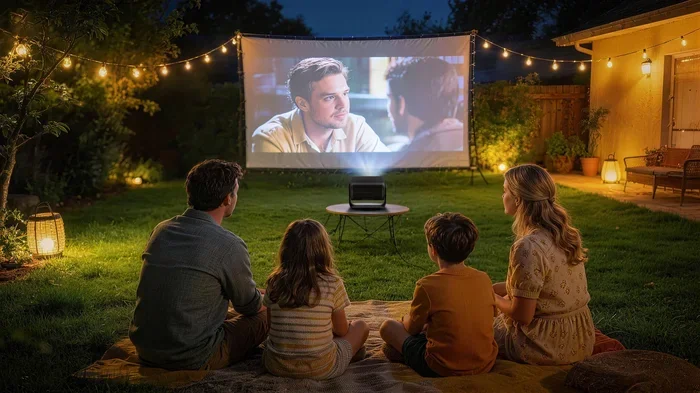
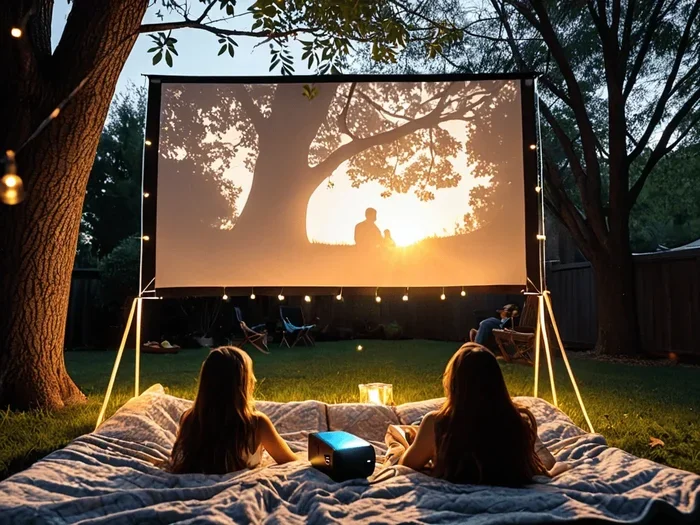
Outdoor movie nights are a blast, and your phone can power them. The setup works best in low-light conditions. Use a portable projector and connect your phone via HDMI or wirelessly. Make sure you have a white sheet or portable screen to project onto.
For outdoor setups, consider these factors:
- Power source: Bring a battery pack or extension cord.
- Screen option: A white bedsheet works great in a pinch.
- Sound: Bluetooth speakers are perfect for outdoor use.
- Weather: Set up under a covered area to protect your gear.
You can also check out our article on Can I Hook My Tablet Up To A Monitor for additional tips on connecting mobile devices to external displays. The same principles apply whether you are using a phone or a tablet.
Frequently Asked Questions
Do I Need A Special Projector To Use My Phone As A Projector?
No, you do not need a special projector. Any projector with an HDMI input works fine. You can also use wireless mirroring if your projector supports it. The key is having the right connection method for your phone.
Can I Use My iPhone As A Projector For Movie Nights?
Yes, you can. You need a Lightning to HDMI adapter for wired connections. AirPlay also works wirelessly with compatible projectors or smart TVs. The setup is simple and works great for movie nights.
Why Is My Projected Image Blurry Or Fuzzy?
Blurry images usually come from a few common causes. Check that your adapter supports the resolution you are using. Make sure the projection surface is clean and smooth. Also, reduce ambient light in the room for a sharper picture.
Can I Use My Phone As A Projector Without Wi-Fi?
Yes, you can. A wired HDMI connection does not need Wi-Fi at all. You can also use a mobile hotspot if your projector requires a network connection. This makes it easy to project anywhere, even without home internet.
What Is The Best Budget Setup For Phone Projection?
The best budget setup uses a USB-C to HDMI adapter and any basic projector. You likely already own the phone and cable. A simple white wall or bedsheet serves as your screen. Add a Bluetooth speaker for better sound, and you are ready for movie night.
Does Screen Mirroring Affect Battery Life?
Yes, screen mirroring uses more battery than normal phone use. Your phone is constantly processing and sending video data. Keep your phone plugged in during movie nights to avoid running out of battery mid-film.
Conclusion
Using your phone as a projector for movie nights is totally doable and a lot of fun. You have many options, from simple HDMI cables to wireless mirroring and streaming devices. Each method has its strengths, and the best choice depends on your setup and preferences.
The key is to start simple. Grab the right adapter, connect your phone, and test the setup before your guests arrive. Pay attention to audio quality and lighting for the best experience. With a little planning, you can turn any room into a home theater that rivals the cinema.
Your phone is already a powerful entertainment device. Adding a projector to the mix unlocks a whole new level of sharing and enjoyment. So gather your friends, pick a great movie, and enjoy the show. Your next movie night is going to be one to remember.