How Do I Change Station On Monster Bluetooth FM Transmitter
Changing the station on your Monster Bluetooth FM transmitter is simple once you know the right steps. This guide walks you through pairing your device, selecting the best FM channel, and troubleshooting any issues you might face. You will learn how to enjoy crystal-clear music in your car without any hassle.
If you have a Monster Bluetooth FM transmitter, you already know how handy it is. It lets you stream music from your phone through your car speakers wirelessly. But one question comes up again and again: how do you change the station? Whether you are new to FM transmitters or have been using one for a while, knowing how to switch channels properly makes a big difference. In this guide, we will walk you through everything you need to know.
The process is simpler than most people think. You do not need any special tools or technical skills. A few minutes and some basic steps are all it takes. We will cover the setup, the station-changing process, and tips to get the best sound quality. By the end of this article, you will feel confident using your transmitter every time you get behind the wheel.
Key Takeaways
- Easy Pairing: Connecting your phone to the Monster Bluetooth FM transmitter takes just a few simple steps.
- Frequency Matters: Finding the right FM frequency is the key to avoiding static and getting clear sound.
- Troubleshooting Helps: Most common issues can be fixed quickly with simple resets or repositioning.
- Performance Tips: A few small tweaks can significantly improve your audio quality and range.
- Compatibility Is Key: Make sure your car stereo and transmitter work well together for the best results.
- Keep It Updated: Firmware and app updates can unlock new features and fix bugs.
📑 Table of Contents
- What Is a Monster Bluetooth FM Transmitter and How Does It Work
- Step-by-Step: How to Change the Station on Your Monster FM Transmitter
- Finding the Best FM Frequency for Your Transmitter
- Troubleshooting When You Cannot Change the Station
- Tips to Get the Most Out of Your Bluetooth FM Transmitter
- Final Thoughts
What Is a Monster Bluetooth FM Transmitter and How Does It Work
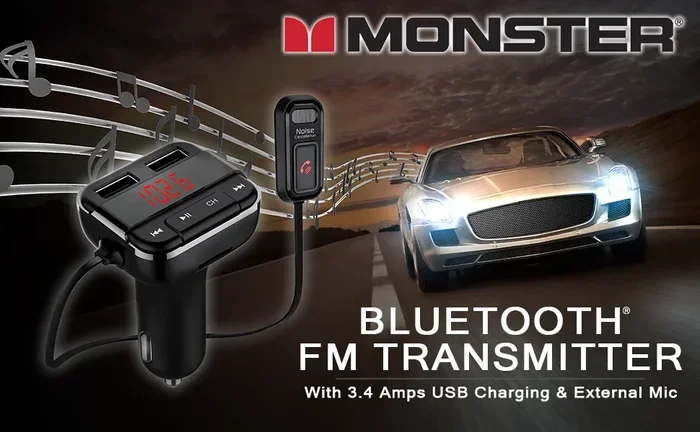
A Monster Bluetooth FM transmitter is a small device that plugs into your car’s power outlet. It sends audio from your phone to your car stereo over an FM frequency. Think of it as a bridge between your phone and your car speakers. The transmitter broadcasts your phone’s audio on a specific FM channel that your car radio can pick up.
Most Monster transmitters come with a built-in microphone too. This means you can take hands-free calls while driving. The device pairs with your phone just like any other Bluetooth accessory. Once paired, any sound on your phone plays through the car speakers. This includes music, podcasts, navigation apps, and even voice commands.
If you are wondering whether your phone already has FM transmitter capabilities, you can check our guide on does your phone have an FM transmitter. It covers the basics of built-in FM features and when a separate transmitter is needed.
Why Use an FM Transmitter Instead of Other Options
You might ask why you need a transmitter at all. After all, many newer cars have Bluetooth built in. That is true, but not everyone has a modern car. Older vehicles often lack wireless audio connections. An FM transmitter fills that gap without expensive upgrades. It is also portable, so you can use it in different cars or even move it to a friend’s vehicle.
Compared to other options like auxiliary cables or USB connections, a Bluetooth transmitter offers more freedom. There are no wires to trip over. You can control your music from your phone without reaching for the dashboard. For many drivers, this convenience is worth the small investment.
Step-by-Step: How to Change the Station on Your Monster FM Transmitter
Now let us get to the main topic. Changing the station on your Monster Bluetooth FM transmitter is a straightforward process. Follow these steps carefully and you will be listening to your favorite tunes in no time.
Step 1: Power On the Transmitter
Plug the transmitter into your car’s 12V power outlet, also known as the cigarette lighter. Wait for the power light to turn on. Most Monster transmitters have an LED indicator that shows they are active. If the light does not come on, try a different outlet or check the cable connection.
Step 2: Turn on Bluetooth on Your Phone
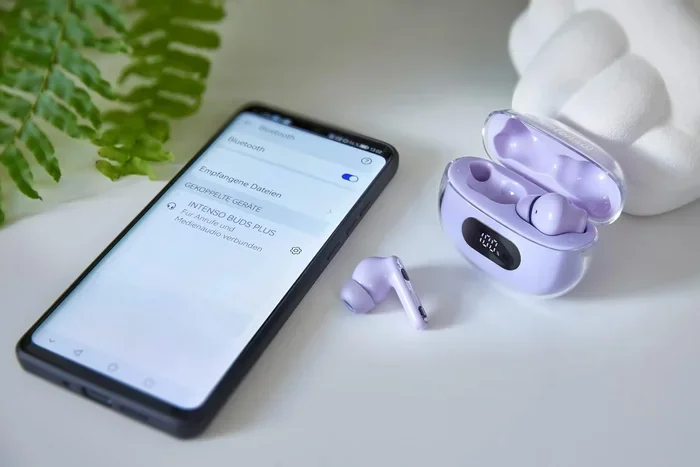
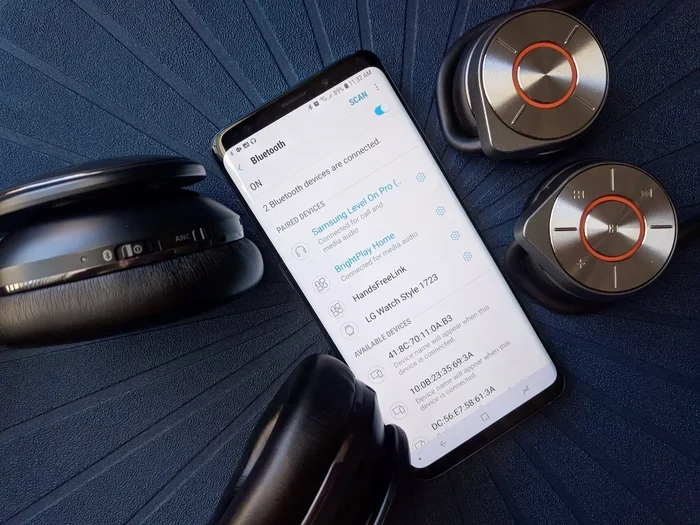
Go to your phone’s settings and enable Bluetooth. Make sure it is set to be visible to other devices. On most phones, you can do this by swiping down from the top of the screen and tapping the Bluetooth icon. Then go to the Bluetooth settings to make sure it is turned on and discoverable.
Step 3: Pair Your Phone with the Transmitter
Your Monster transmitter should appear in the list of available Bluetooth devices. Tap on its name to start pairing. You may need to enter a PIN, which is usually 0000 or 1234. Check the user manual if you are unsure. Once paired, the transmitter and your phone will connect automatically in the future.
Step 4: Set Your Car Radio to the FM Frequency
This is the key step. Turn on your car radio and tune it to the FM frequency that matches your transmitter. Most Monster transmitters default to a specific frequency, often around 88.1 or 107.9 MHz. Use the radio dial or preset buttons to find that frequency. You should hear a faint music or static sound when you are on the right channel.
Step 5: Change the Station Using the Transmitter Controls
To change the station, use the buttons on the transmitter itself. Most Monster models have up and down buttons or a dial that lets you scroll through FM frequencies. Press the button to move to your desired channel. Some models also allow you to save favorite stations for quick access later.
If your transmitter has a companion app, you can also change the station from your phone. Download the app from the App Store or Google Play, connect to the transmitter, and use the on-screen controls. This method gives you more precision and often lets you see the exact frequency number.
Step 6: Fine-Tune for the Clearest Sound
Once you have selected a station, listen for any static or interference. If the sound is not clear, try adjusting the frequency slightly. Move up or down by small increments, like 0.1 or 0.2 MHz. The goal is to find a frequency that is not being used by any local radio station. This minimizes overlap and reduces static.
Finding the Best FM Frequency for Your Transmitter
Not all FM frequencies work equally well. The best frequency depends on where you live and what radio stations are already broadcasting in your area. Finding the right one takes a little patience, but the results are worth it.
Why Frequency Selection Matters
FM radio waves have a limited range and can overlap with existing stations. If your transmitter broadcasts on a frequency that a local station already uses, you will hear both signals mixed together. This creates a terrible listening experience. Choosing a clear, unused frequency ensures your music sounds clean and uninterrupted.
How to Identify Open Frequencies
Start by scanning your car radio across the FM band. Listen for stations with weak signals or dead spots. These areas often indicate unused frequencies. Write down a few frequencies that do not have any strong stations. Then try those frequencies on your transmitter one by one.
Another trick is to look at a radio frequency map for your area. Many websites and apps show which FM frequencies are in use near you. This can save you a lot of trial and error. Pick a frequency that is far away from any strong local stations.
If you are looking to upgrade your car audio setup, you might also consider upgrading your car stereo to Bluetooth. This eliminates the need for a transmitter altogether and gives you a more seamless connection.
Troubleshooting When You Cannot Change the Station
Sometimes things do not go as planned. You might find that you cannot change the station on your Monster transmitter. Before you panic, know that most issues have simple fixes. Here are the most common problems and how to solve them.
The Transmitter Will Not Connect to My Phone
This is the most common issue. First, make sure Bluetooth is turned on and your phone is discoverable. Then try turning the transmitter off and back on. If that does not work, delete the transmitter from your phone’s Bluetooth memory and pair it again from scratch. Sometimes a fresh connection solves everything.
I Hear Static Even on the Right Frequency
Static usually means the frequency is crowded or there is interference. Try moving to a different frequency, preferably one that is far from any active radio stations. Also, check the transmitter’s position. If it is loose in the power outlet, it might not make proper contact. A firm push or a different outlet can help.
The Station Keeps Resetting to the Default Frequency
Some Monster transmitters reset to factory settings when you turn off the car. To prevent this, save your preferred station in the transmitter’s memory. Check the user manual for instructions on how to save a station. On many models, you simply hold down a preset button for a few seconds until it beeps.
My Phone Disconnects Frequently
Bluetooth disconnections can be frustrating. Make sure your phone is not too far from the transmitter. Keep it within a few feet. Also, check if other Bluetooth devices are interfering. Turn off any unnecessary Bluetooth connections and see if that helps. If the problem persists, restart both your phone and the transmitter.
For more Bluetooth troubleshooting tips, you might find our article on using Bluetooth headphones with Switch helpful. It covers common Bluetooth connectivity issues and solutions.
Tips to Get the Most Out of Your Bluetooth FM Transmitter
Once you have your station set up, a few extra tips can make a big difference. These small adjustments improve sound quality, range, and overall performance.
Keep the Transmitter Close to Your Car Stereo
The closer the transmitter is to your car’s antenna, the stronger the signal will be. Place the transmitter in the center console or the glove box if possible. Avoid putting it in the back seat or trunk, as this increases the distance and weakens the signal.
Use a High-Quality Audio Source
The quality of your music depends on the source. Streaming services like Spotify or Apple Music sound great on Bluetooth. But if you are playing low-quality MP3 files, the sound will be mediocre no matter what transmitter you use. Always use high-quality audio files or streams for the best results.
Avoid Interference from Other Devices
Other electronic devices can cause interference. USB chargers, dash cams, and even phone cases with metal parts can disrupt the Bluetooth signal. Keep the transmitter away from these devices and make sure nothing is blocking the connection.
Update Your Firmware and Apps
Monster occasionally releases firmware updates for their transmitters. These updates can improve performance and fix bugs. Check the Monster website or the companion app for any available updates. Similarly, keep your phone’s Bluetooth drivers up to date for the best compatibility.
If you want to explore more ways to bring Bluetooth into your car, check out our article on putting a Bluetooth radio in your car. It covers additional options for wireless car audio.
Consider Making Your Old Stereo Bluetooth
If you have an older stereo system at home or in another vehicle, you can make it Bluetooth compatible. This opens up more options for wireless audio streaming. Our guide on making your old stereo Bluetooth shows you how to do it with simple adapters and transmitters.
Final Thoughts
Changing the station on your Monster Bluetooth FM transmitter does not have to be complicated. With the right steps and a little patience, you can enjoy wireless music in your car with minimal effort. The key is finding the right frequency, keeping your devices updated, and troubleshooting problems quickly when they arise.
Remember that every car and every transmitter is a little different. What works perfectly for one person might need slight adjustments for another. Do not get discouraged if the first frequency you try has static. Just keep experimenting until you find the clear channel that works best for your location.
A good FM transmitter is one of the most affordable ways to modernize your car’s audio system. It gives you wireless streaming, hands-free calling, and easy control right from your phone. Once you set it up properly, you will wonder how you ever drove without one.
Take the time to learn your specific Monster model. Read the user manual, explore the companion app, and experiment with different frequencies. The more you know about your transmitter, the better your experience will be. Happy listening, and enjoy every drive with your favorite music playing through your car speakers.