Can You Use Any USB to USB C Cable Without Problems
Not all USB to USB C cables are the same. Using the wrong cable can slow down charging, limit data transfer, or even damage your device. This guide explains everything you need to know about USB to USB C compatibility, including which cables work, which ones to avoid, and how to choose the best option for your needs.
You have a USB C port on your laptop, your phone, or your tablet. You dig through a drawer full of cables and pull out a standard USB cable. Can you use any USB to USB C cable without problems? The short answer is: it depends.
USB C has become the go-to connector for almost everything. Laptops, phones, tablets, headphones, and even gaming consoles now use it. But not every USB to USB C cable works the same way. Some charge fast. Some transfer data at lightning speed. Others barely get the job done. Using the wrong cable can lead to slow charging, frustratingly slow file transfers, or even hardware issues.
In this guide, we will walk you through everything you need to know. We will cover how USB C cables differ from regular USB cables, what to look for when buying one, and common mistakes people make. By the end, you will know exactly which cable to pick and why it matters. Whether you are charging your phone or backing up your laptop, this guide has you covered.
Connectivity matters more than most people realize. Think about your daily routine. You plug in your device, transfer photos, or charge overnight. A bad cable can turn a simple task into a headache. Let us break down the details so you never have to wonder again.
Key Takeaways
- USB-C is universal, but not all cables are equal: Different cables support different speeds and power levels.
- Cable quality matters a lot: Cheap cables may not deliver the full power or data speeds your device needs.
- Check your device specs before buying: Not every USB to USB C cable supports fast charging or high-speed data transfer.
- Thunderbolt and USB 3.0 cables offer the best performance: They handle faster data and more power than older standards.
- Using the wrong cable can cause real problems: From slow charging to potential device damage.
- Always look for certified cables: USB-IF certification ensures safety and performance standards.
📑 Table of Contents
Understanding USB to USB C Cables
Before you grab any cable off the shelf, it helps to understand what makes USB C different from older USB types. The USB C connector is small, reversible, and designed to do a lot more than just charge your phone. But the cable itself has its own specs that determine how well it works.
What Makes USB C Different?
The USB C connector is tiny and oval-shaped. Unlike older USB Type A plugs, it fits in both directions. You do not have to flip it around three times to get it right. That alone makes it a huge upgrade in convenience.
But the shape is only part of the story. USB C supports newer standards like USB 3.1, USB 3.2, and USB4. These standards determine how fast data moves and how much power flows through the cable. A basic USB to USB C cable might only support USB 2.0 speeds, which tops out at 480 Mbps. That is fine for charging but painfully slow for large files.
Here are the main USB standards you will encounter:
- USB 2.0: Max speed of 480 Mbps. Fine for charging, slow for data.
- USB 3.0 (USB 3.2 Gen 1): Max speed of 5 Gbps. Good for everyday transfers.
- USB 3.1 (USB 3.2 Gen 2): Max speed of 10 Gbps. Great for large files.
- USB4 and Thunderbolt 3/4: Max speed of 40 Gbps. Best overall performance.
So when you ask yourself, can you use any USB to USB C cable, the real question is: what does your cable support? The answer changes everything.
USB-A to USB-C vs. USB-C to USB-C
There are two main types of USB to USB C cables. The first is USB-A to USB-C. This is the cable that connects your older USB port to a newer USB C device. You see these a lot with flash drives, keyboards, and older chargers.
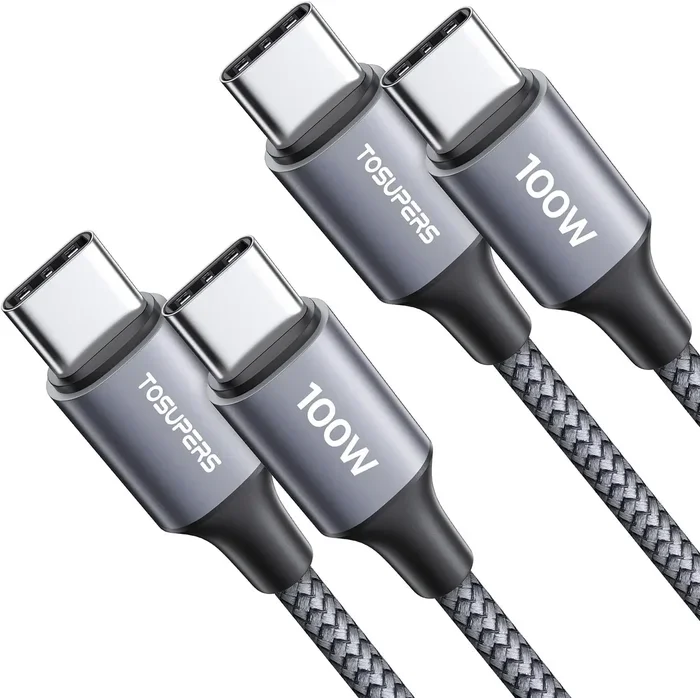
The second type is USB-C to USB-C. Both ends use the USB C connector. These cables are becoming more common and tend to support faster speeds and higher power delivery. If your device has a USB C port on both ends, a USB-C to USB-C cable is usually the better choice.
Here is a quick comparison:
- USB-A to USB-C: Works with older devices. Often limited to USB 2.0 or 3.0 speeds. Good for basic charging and file transfers.
- USB-C to USB-C: Supports the latest standards. Better for fast charging and high-speed data. More future-proof.
When shopping, check both the connector type and the cable standard. These two things together determine what your cable can do.
Can You Use Any USB to USB C Cable Without Problems?
The honest answer is no, not every cable will work perfectly. A lot depends on what your device needs and what the cable can deliver. Let us look at the main areas where cable choice matters.
Charging Speed
Not all USB to USB C cables handle the same amount of power. A basic cable might only push 2.5 watts of power. That is enough to trickle-charge a phone overnight but useless if you want fast charging. Modern devices like the latest smartphones and laptops need 18 watts, 45 watts, or even 100 watts to charge quickly.
Power Delivery, or PD, is the standard that allows USB C cables to carry more power. If your cable does not support USB PD, you will not get the full charging speed your device is capable of. This is one of the biggest reasons people ask, can you use any USB to USB C cable and expect fast results.
Here are some quick tips for better charging:
- Always check the wattage rating on your cable.
- Use a cable that supports USB Power Delivery.
- Match the cable to your device’s charging needs.
- Avoid cheap, unmarked cables for fast charging.
Data Transfer Speeds
If you use your USB C cable to move files between devices, the cable’s data standard matters a lot. A USB 2.0 USB C cable will transfer files at a crawl compared to a USB 3.1 or USB4 cable.
For example, transferring a 5 GB video file over USB 2.0 could take several minutes. The same file over USB 3.1 or USB4 might take just seconds. If you work with large files regularly, investing in a high-quality cable pays off fast.
Many people do not realize that the cable is often the bottleneck. The device might support fast speeds, but a cheap cable limits the performance. This is especially true for external hard drives, SSDs, and cameras that rely on USB C for data transfer.
Device Compatibility
Different devices have different USB C capabilities. A phone might support USB 3.0 speeds, while a laptop might need Thunderbolt 4 for its full potential. Using a cable that does not match your device’s capability means you leave performance on the table.
Some devices also use USB C for video output. If you want to connect your laptop to a monitor, you need a cable that supports DisplayPort or Thunderbolt Alt Mode. Not every USB to USB C cable can do this.
When in doubt, check your device manual or the manufacturer’s website. They usually list which cable standards are supported. This small step can save you a lot of frustration and wasted money.
What Happens When You Use the Wrong Cable?
Using the wrong USB to USB C cable can cause several problems. Some are minor annoyances. Others can actually damage your devices. Let us look at what can go wrong.
Slow Charging
This is the most common issue. You plug in your device and wait. And wait. A cable that only supports low power delivery will charge your phone or laptop at a fraction of the speed it should. You might think your battery is dying, but really it is just the cable holding you back.
Data Transfer Failures
Some cheap cables cannot handle high-speed data. You plug in an external drive and your computer shows an error. Or files become corrupted during transfer. This happens more often than you would think, especially with no-name cables from gas stations or dollar stores.
Overheating and Safety Risks
This is the most serious concern. Poorly made cables can overheat during use. In extreme cases, they can damage the charging port on your device or even pose a fire risk. This is why buying certified cables from reputable brands is so important.
Connectivity between your devices depends on more than just plugging in a cable. The cable itself is a critical part of the connection. Think of it like a highway: a narrow road limits how much traffic can pass through, no matter how fast the cars can go.
How to Choose the Right USB to USB C Cable
Now that you know the risks, let us talk about how to pick the right cable. A few simple steps can make sure you get a cable that works well and keeps your devices safe.
Check for USB-IF Certification
The USB Implementers Forum, or USB-IF, is the organization that sets USB standards. Cables that pass their testing get certified. Look for the USB-IF logo on the packaging or the cable itself. This is the easiest way to ensure you are getting a quality product.
Match the Cable to Your Needs
Think about what you will use the cable for most often. If you just need to charge your phone, a basic USB-A to USB-C cable is fine. If you need fast data transfers, look for USB 3.1 or higher. If you want to connect to a monitor or use with a Thunderbolt device, make sure the cable supports that.
Here is a simple guide to help you choose:
- Basic charging: Any USB to USB C cable works. Look for at least 3 amps.
- Fast charging: Choose a cable that supports USB Power Delivery and at least 60 watts.
- High-speed data: Pick a USB 3.1 or USB4 cable rated for 10 Gbps or higher.
- Video output: Get a Thunderbolt or DisplayPort Alt Mode compatible cable.
- All-around use: A USB4 or Thunderbolt 4 cable covers everything.
Consider Cable Length
Longer cables are convenient, but they can also reduce power delivery and data speed. A 6-foot cable might charge slightly slower than a 1-foot cable of the same quality. For best results, keep your cables as short as your setup allows.
Buy from Reputable Brands
Brand name cables from companies like Anker, Belkin, or Cable Matters tend to be more reliable. They also usually come with warranties. Spending a few extra dollars on a trusted cable is always worth it compared to replacing a damaged device.
When picking accessories for your tech setup, quality matters across the board. A great cable paired with a reliable charger and a protective case goes a long way. Check out some of the best gadgets that make life easier for inspiration on building a solid tech kit.
Common Mistakes People Make with USB C Cables
Even smart people make mistakes with their cables. Here are the most common ones to avoid.
Assuming All USB C Cables Are the Same
This is the biggest mistake. Just because two cables both have USB C connectors does not mean they perform the same. One might support 100 watts of power and 40 Gbps data. Another might only handle 5 watts and 480 Mbps. Always check the specs.
Ignoring the USB Standard
People often buy a cable based on the connector shape alone. They do not check whether it is USB 2.0, USB 3.0, or USB4. This leads to slow speeds and frustration. Take five minutes to read the label before you buy.
Using Damaged Cables
A frayed or bent cable might still work, but it is a safety risk. Damaged cables can cause short circuits, inconsistent charging, and data corruption. If a cable looks worn out, replace it right away.
Mixing Cheap Chargers with Good Cables
A great cable paired with a cheap, unregulated charger is still a bad combination. The charger controls how much power goes out. A bad charger can ruin even the best cable and potentially harm your device.
Expert Tips for Getting the Most from Your USB C Cables
We asked tech experts for their top tips on USB C cable usage. Here is what they recommend.
Label Your Cables
Keep a piece of tape on each cable with its specs written on it. This way you always know which cable supports fast charging and which one is just for basic use. It sounds simple, but it saves a ton of time.
Rotate Your Cables
Using the same cable every day wears it out faster. Rotate between a few cables to extend their lifespan. Keep one at your desk, one in your bag, and one at home.
Keep Cables Away from Heat
Heat is the enemy of cables. Do not leave them in direct sunlight or near heating vents. Hot cables degrade faster and can become a safety hazard.
Update Your Cables When Standards Change
USB standards evolve fast. A cable that was great two years ago might not support the latest devices today. Every few years, review your cable collection and upgrade as needed.
Staying connected with the right gear makes a huge difference. Whether you are setting up a home office or just keeping your devices charged, the right accessories matter. If you are curious about other connectivity topics, you might enjoy reading about whether all rings connect to WiFi to understand how wireless and wired connections compare in everyday life.
The Bottom Line
So, can you use any USB to USB C cable without problems? The answer is clear: not all cables are created equal. The right cable ensures fast charging, reliable data transfer, and safe operation. The wrong cable can cause slow performance, data loss, and even safety risks.
Take a few minutes to understand what your devices need. Check the cable standards. Look for certifications. Buy from trusted brands. These small steps make a big difference in how your devices perform every day.
Your USB C cables are more than just wires. They are the bridge between your devices and the power and data they need. Treat them with care, choose wisely, and you will enjoy a smooth, hassle-free experience every single time.
Whether you are charging your phone, backing up your laptop, or connecting to a monitor, the right cable makes all the difference. Do not settle for less. Pick the right USB to USB C cable and get the most out of your devices.
For more tips on phone settings and accessories, check out our guide on adding prefixes to numbers on iPhone to keep your contacts organized and your calls running smoothly.
Frequently Asked Questions
Can I use a regular USB cable with a USB C port?
Yes, but only if the cable has a USB C connector on one end. A standard USB-A cable cannot plug directly into a USB C port. You would need an adapter or a USB-A to USB-C cable to make the connection work properly.
Why is my USB C cable charging so slowly?
Slow charging usually means your cable does not support enough power delivery. Cheap or older cables may only handle low wattage. Check if your cable supports USB Power Delivery and matches your device’s charging requirements for the best results.
Are all USB C cables the same for data transfer?
No, they are not. USB C cables come in different standards like USB 2.0, USB 3.0, USB 3.1, and USB4. Each standard supports different maximum data speeds. A USB 2.0 cable will transfer data much slower than a USB 3.1 or USB4 cable.
Can a bad USB C cable damage my device?
Yes, it can in rare cases. Poorly made or damaged cables can overheat, cause short circuits, or deliver inconsistent power. This can potentially harm your device’s charging port or battery. Always use certified cables from reputable brands to stay safe.
How do I know if my USB C cable supports fast charging?
Look for USB Power Delivery support on the cable packaging. Check the wattage rating, which should match or exceed your device’s fast charging needs. USB-IF certification is also a reliable indicator of quality and fast-charging capability.
Do I need a USB C to USB C cable or a USB A to USB C cable?
It depends on your devices. If both your charger and device have USB C ports, use a USB C to USB C cable for the best performance. If your charger has a USB A port, a USB A to USB C cable is the right choice for the connection.
=== CONCLUSION ===
The world of USB C cables can feel confusing at first. But once you understand the basics, choosing the right cable becomes simple. Remember that not every USB to USB C cable delivers the same speed, power, or reliability. Your devices deserve better than a random cable from a junk drawer.
Take the time to check cable standards, look for certifications, and match your cables to your device needs. A small investment in the right cable pays off with faster charging, smoother data transfers, and peace of mind. The right USB to USB C cable makes everything easier.