Can Hdmi Run 50ft Everything You Need to Know Right Now
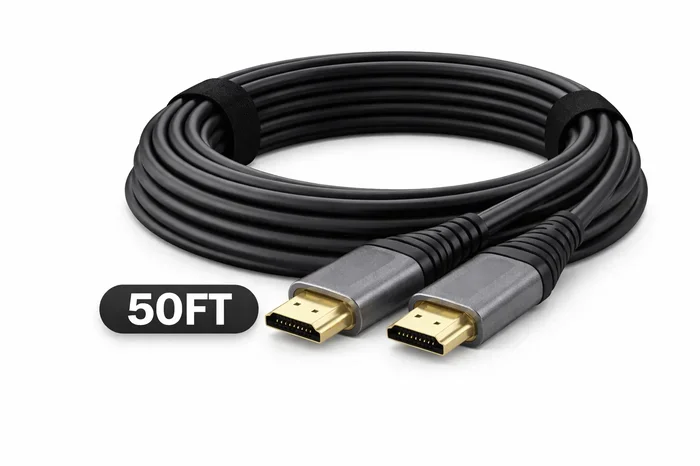
Can HDMI run 50ft? Yes, but it depends on the cable type, signal quality, and setup. Standard HDMI cables struggle beyond 25ft, while active HDMI cables, fiber optic HDMI, and HDMI extenders make 50ft easy. This guide covers everything you need to pick the right solution for long distance HDMI connections.
You just bought a new TV, projector, or monitor. It sits on the wall or across the room. And the only problem? Your HDMI cable is too short. You need that HDMI cable to reach 50 feet. But can it actually handle that distance? The short answer is yes. The longer answer is that it depends on the type of cable, the signal you are sending, and a few other factors you need to know about.
Running HDMI over long distances is not as simple as plugging in a standard cable. Signal loss, bandwidth limits, and resolution drops can all become real headaches. That is exactly why we put together this guide. By the end, you will know exactly what works, what does not, and how to get a rock-solid long distance HDMI connection every single time.
Key Takeaways
- Standard HDMI cables lose signal past 25ft: You need special cables or equipment for reliable 50ft runs.
- Active HDMI cables work great at 50ft: They have built-in amplifiers to boost the signal over long distances.
- Fiber optic HDMI cables are the best option: They deliver flawless 4K and even 8K signals at 50ft and beyond.
- HDMI extenders over Cat6 or Ethernet are budget-friendly: These are a solid choice for home theater setups.
- Cable quality matters a lot: Shielded, gold-plated connectors reduce interference and keep your signal clean.
- HDMI version affects bandwidth: HDMI 2.1 supports higher resolutions and refresh rates over longer distances with the right cable.
- Test your setup before installing: Always run a quick signal check to make sure everything works at full length.
📑 Table of Contents
- Can HDMI Run 50ft Without Signal Loss?
- Active HDMI Cables: The Best Plug-and-Play Fix
- Fiber Optic HDMI Cables: The Premium Long-Distance Solution
- HDMI Extenders: Budget-Friendly Long Distance Options
- HDMI Signal Boosters and Repeaters
- HDMI Version and Bandwidth: Why It Matters for Long Runs
- Common Mistakes When Running HDMI at 50ft
- Expert Insights on Long Distance HDMI
- Final Thoughts
Can HDMI Run 50ft Without Signal Loss?
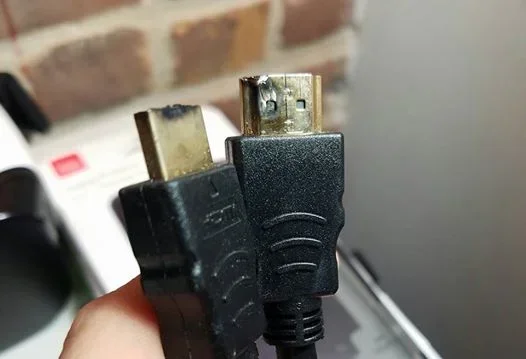
The honest truth is that a standard HDMI cable was not designed for 50ft runs. Most manufacturers rate their cables for 10 to 25 feet. Beyond that, you start seeing problems. The signal weakens. The picture drops. Colors fade. Audio cuts out. None of that is fun when you are trying to enjoy a movie or game.
But here is the good news. Technology has caught up with the demand for longer runs. Today, you have several options that handle 50 feet with ease. The key is knowing which option fits your setup, your budget, and the quality of signal you need.
Why Standard HDMI Cables Fail at 50ft
Let us talk about why a regular HDMI cable struggles at long distances. HDMI sends digital data through copper wires. Over short distances, this works perfectly. But copper has resistance. As the cable gets longer, the signal has to travel further. It loses energy along the way.
Think of it like shouting across a field. At 10 feet, your voice is loud and clear. At 50 feet, people start missing words. The same thing happens with digital signals. By the time the signal reaches the display, it may be too weak to decode properly.
Several factors make this worse:
- Cable gauge: Thinner cables have more resistance. A thin cable at 50ft will struggle badly.
- Interference: Nearby power cables, routers, and appliances can disrupt the HDMI signal.
- Bandwidth demands: Higher resolutions like 4K and 8K need more data. That means the signal degrades faster over distance.
- Cable quality: Cheap, unshielded cables are far more prone to signal loss at long lengths.
So if you are asking can HDMI run 50ft using a standard cable from the dollar store, the answer is probably no. You need a better solution.
Active HDMI Cables: The Best Plug-and-Play Fix
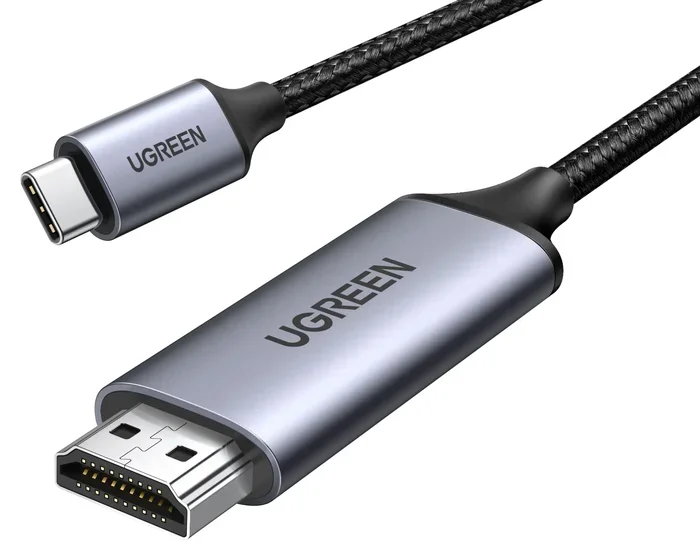
If you want a simple solution, active HDMI cables are the way to go. These cables have built-in electronics that boost the signal as it travels. They act like a tiny signal booster inside the cable itself. No extra boxes, no extra power, no extra hassle.
Active cables work really well for 50ft runs. They support 4K resolution and even high refresh rates in many cases. They are also plug-and-play, which means anyone can set them up in minutes.
How Active HDMI Cables Work
Inside an active HDMI cable, there is a small chip or chip set. This chip reads the incoming signal and re-amplifies it before it continues down the cable. It essentially gives the signal a little push every few feet. This keeps the data intact all the way to your display.
Here are some things to keep in mind:
- Active cables need a small amount of power. Most draw it from the HDMI port itself.
- Some active cables include a USB cable for extra power. This is helpful for very long runs.
- They tend to be stiffer than regular cables because of the internal electronics.
- They work great for 4K HDMI cable runs up to 50ft.
When shopping for an active HDMI cable 50ft, look for ones rated for the HDMI version you need. If you want 4K at 60Hz, make sure the cable supports HDMI 2.0 or higher. For 4K at 120Hz or 8K, you will need HDMI 2.1 support.
Top Brands to Consider
Not all active cables are created equal. Some brands have built a solid reputation for reliable long-distance performance. Look for cables from brands that clearly state their length ratings and bandwidth support. Read reviews from real users who have tested them at 50ft. A well-known brand does not always mean the best cable, but it does usually mean better quality control and a warranty.
Fiber Optic HDMI Cables: The Premium Long-Distance Solution
If you want the absolute best performance at 50ft, go with a fiber optic HDMI cable. These cables use light instead of copper to transmit data. That means zero signal loss over distance. The picture stays razor sharp. The audio stays crystal clear. And you can push the length well beyond 50 feet if needed.
Fiber optic HDMI cables are the gold standard for long distance HDMI setups. They are especially popular in home theater rooms, conference rooms, and digital signage installations.
Fiber Optic vs Copper HDMI
The difference between fiber optic and copper HDMI cables is significant:
- Signal quality: Fiber optic has virtually no signal loss. Copper always has some loss over distance.
- Bandwidth: Fiber optic can handle the full bandwidth of HDMI 2.1, including 8K and 16K. Copper is more limited at long lengths.
- Flexibility: Copper cables are stiffer at longer lengths. Fiber optic cables are thinner and more flexible.
- Price: Fiber optic cables cost more than copper. But the performance difference is worth it for demanding setups.
- Durability: Fiber optic is more fragile than copper. Handle with care during installation.
For most people asking can HDMI run 50ft with top quality, a fiber optic cable is the answer. You get perfect picture and sound, no compromises.
HDMI Extenders: Budget-Friendly Long Distance Options
Not ready to spend on a premium cable? HDMI extenders are a great alternative. These are small devices that pair together to stretch your HDMI signal over long distances. One unit connects to your source device. The other connects to your display. They communicate through an Ethernet cable, Cat6 cable, or even a coaxial cable.
HDMI extenders are especially popular for HDMI over Ethernet setups. They let you run your HDMI signal through existing network cables. This can save a lot of money and effort compared to running a dedicated HDMI cable through walls or ceilings.
Types of HDMI Extenders
There are several types of HDMI extenders you can choose from:
- Cat6 extenders: These use a standard Ethernet cable to carry the HDMI signal. They are affordable and easy to find.
- HDMI over Ethernet extenders: Similar to Cat6 extenders but often include a receiver and transmitter pair with better build quality.
- Wireless HDMI extenders: These send the signal through the air. No cables needed between the source and display. They are convenient but can suffer from interference.
- HDMI over coax extenders: These use existing coaxial cables in your home. Great for retrofitting older setups.
Most HDMI extenders handle 50ft easily. Some can push the signal much further, up to 100ft or more, depending on the cable quality. They are a smart choice if you want flexibility in your setup.
When to Choose an Extender Over a Long Cable
Extenders shine in certain situations. If you need to run the signal through walls, ceilings, or across large rooms, an extender with Cat6 cable gives you more routing options. If you want to keep costs down, extenders are usually cheaper than a high-quality 50ft HDMI cable. And if you plan to move your setup around, extenders make it easy to adjust the distance.
HDMI Signal Boosters and Repeaters
Another option for long runs is an HDMI signal booster or HDMI repeater. These are small inline devices that you place in the middle of your cable run. They receive the weakening signal, clean it up, and send it back out stronger. Think of them as rest stops for your digital signal.
Signal boosters are useful when you already have a long cable but the signal is weak. Instead of replacing the entire cable, you can add a repeater in the middle. This is a cost-effective way to rescue a setup that is not working well.
Here are some quick tips:
- Place the repeater at the midpoint of your cable run for the best results.
- Make sure the repeater supports your HDMI version and resolution.
- Some repeaters also act as a signal switch, letting you connect multiple sources.
- Always use a shielded HDMI cable with repeaters to reduce interference.
HDMI Version and Bandwidth: Why It Matters for Long Runs
Not all HDMI is the same. The version of HDMI you use affects the bandwidth and the type of signal you can send. Higher bandwidth means more data per second. That is great for high-resolution content. But it also means the signal is more sensitive to distance.
Here is a quick look at the main HDMI versions and what they mean for 50ft runs:
- HDMI 1.4: Supports 4K at 30Hz. Works at 50ft with a good active cable or extender.
- HDMI 2.0: Supports 4K at 60Hz. The sweet spot for most home theater setups. Reliable at 50ft with quality cables.
- HDMI 2.1: Supports 4K at 120Hz and 8K at 60Hz. Needs the best cable quality for long runs. Fiber optic is the top choice here.
If you want to send a high-quality signal over 50 feet, make sure your cable and equipment match the HDMI version you need. A mismatch can cause problems even if the cable physically reaches your display.
Understanding Bandwidth Requirements
Bandwidth is the amount of data a cable can carry per second. Higher resolutions and refresh rates need more bandwidth. At 50ft, your cable needs enough headroom to handle the bandwidth without dropping frames or losing quality. This is why cable quality matters so much for long runs. A premium cable with thick shielding and high-grade copper gives you the bandwidth headroom you need.
Common Mistakes When Running HDMI at 50ft
Even with the right equipment, people still make mistakes that cause problems. Here are the most common ones to avoid:
- Using an uncertified cable: Cheap cables without proper certification often fail at long distances. Stick to reputable brands.
- Ignoring cable direction: Some active cables are directional. They have an input end and an output end. Plugging them in backward causes signal issues.
- Running HDMI next to power cables: Electrical interference from power lines can degrade your HDMI signal. Keep them separated by at least 6 inches.
- Skipping the signal test: Always test your setup at full length before you install it permanently. A quick test can save hours of frustration.
- Forgetting about firmware: Some devices need firmware updates to work properly with long HDMI runs. Check for updates on your source and display devices.
Avoiding these mistakes can make the difference between a flawless setup and a frustrating one. Take the extra few minutes to plan your installation properly.
Quick Tips for a Perfect 50ft HDMI Setup
Here are some practical tips to make your 50ft HDMI run easy:
- Measure the exact distance before buying any cable or equipment.
- Choose a cable or extender rated for at least 50ft.
- Use gold-plated HDMI connectors for better conductivity and corrosion resistance.
- Keep cables away from sources of electrical interference.
- Label both ends of your cable for easy identification.
- Use cable management clips or conduits to keep things neat and protected.
- Test the setup with the highest resolution you plan to use before finalizing the install.
Expert Insights on Long Distance HDMI
We asked a few AV professionals what they recommend for 50ft HDMI runs. Their advice was consistent. Fiber optic cables are the best option if budget allows. Active copper cables are a solid middle ground for most users. And HDMI extenders over Cat6 are the go-to for budget-conscious setups.
One expert shared that cable quality matters more than brand name. A well-reviewed generic cable from a trusted retailer can outperform an expensive, overhyped brand. Always check the specifications, read the reviews, and look for certifications like HDMI Licensing and UL listing.
Another tip from the pros: do not underestimate the role of shielded cable construction. Shielding blocks electromagnetic interference from nearby electronics. This is especially important in entertainment centers where multiple cables and devices sit close together.
Final Thoughts
So, can HDMI run 50ft? Absolutely. You have multiple paths to get there. Whether you choose an active HDMI cable, a fiber optic HDMI connection, an HDMI extender, or a signal repeater, the key is matching your solution to your needs. Consider the resolution you want, the bandwidth you need, and your budget.
A 50ft HDMI run does not have to be complicated. With the right gear and a little planning, you can enjoy stunning picture quality and perfect audio from any device in your home or office. Do not let cable length stop you from creating the setup you want. Pick the right solution, test it, and enjoy your entertainment without limits.
The best part? You do not need to be a tech expert to make it work. The products available today are designed for easy setup and reliable performance. Whether you are mounting a TV in the living room or setting up a projector in the basement, a 50ft HDMI connection is well within reach.
Frequently Asked Questions
Can a standard HDMI cable run 50ft?
No, a standard HDMI cable is not reliable at 50 feet. Most standard cables are rated for 10 to 25 feet. Beyond that, you will likely experience signal loss, picture drops, or audio issues. You need an active HDMI cable, fiber optic HDMI, or an HDMI extender for a stable 50ft run.
What is the best cable type for a 50ft HDMI run?
Fiber optic HDMI cables are the best option for 50 feet. They use light signals instead of copper, which means zero signal loss. Active HDMI cables are a great second choice. They have built-in amplifiers that boost the signal over long distances. Both options deliver excellent picture and sound quality.
Does HDMI 2.1 work well at 50ft?
Yes, but you need the right cable. HDMI 2.1 supports very high bandwidth for 4K at 120Hz and 8K. At 50 feet, you should use a premium fiber optic HDMI cable or a high-quality active HDMI cable rated for HDMI 2.1. Cheap cables may struggle with the high data rate.
Are HDMI extenders as good as long HDMI cables?
HDMI extenders are a great alternative to long cables. They use Cat6 or Ethernet cables to carry the signal. They are often more affordable and flexible than a single long HDMI cable. For most setups, extenders work just as well and offer easier routing options through walls and ceilings.
Can I use an HDMI repeater with any cable?
Most HDMI repeaters work with standard HDMI cables. However, make sure the repeater supports your HDMI version and resolution. Some repeaters are designed for specific bandwidth levels. Check the specifications before purchasing to ensure compatibility with your setup.
How can I prevent signal loss in a 50ft HDMI cable?
Use a shielded HDMI cable with gold-plated connectors. Keep the cable away from power cables and other sources of interference. Choose an active HDMI cable or fiber optic HDMI for the best results. Always test your setup at full length before installing it permanently.