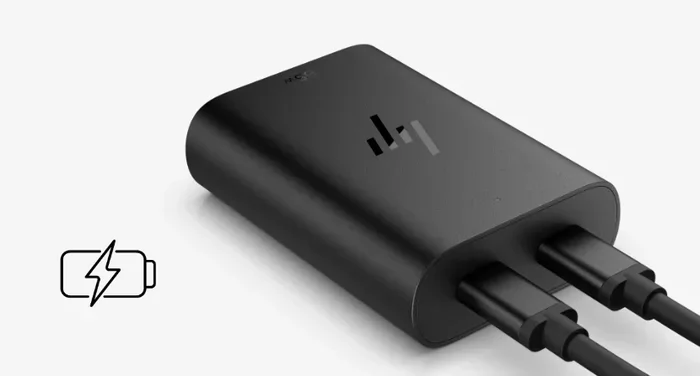
Are Hp Laptop Chargers Universal and Fit All Models
Hp laptop chargers are not truly universal. Different HP models require specific connector types, voltages, and wattages to charge safely and effectively. Using the wrong charger can damage your laptop or fail to charge it at all. In this guide, we break down exactly which chargers fit which HP models, how to check compatibility, and what to look for when replacing your Hp laptop charger.
Key Takeaways
- Not Universal: Hp laptop chargers are not one-size-fits-all. Different models need different connectors, voltages, and wattages.
- Check the Label: Always check your current charger’s voltage and amperage before buying a replacement.
- Connector Types Matter: Hp uses several different barrel plug sizes and USB-C ports depending on the model line.
- Wattage Is Key: Using a charger with too low wattage can lead to slow charging or no charging at all.
- USB-C Is Changing Things: Newer Hp laptops support USB-C charging, adding more flexibility but also more confusion.
- Third-Party Works: You can use third-party chargers as long as they match the voltage and connector size.
- When in Doubt: Check Hp’s official website or your laptop’s manual for the exact charger specifications.
📑 Table of Contents
- Are Hp Laptop Chargers Universal? The Short Answer
- Understanding Hp Laptop Charger Types
- Hp Charger Compatibility by Model Line
- How to Check Your Hp Laptop’s Charger Requirements
- Can You Use a Third-Party Charger With an Hp Laptop?
- Common Mistakes When Buying Hp Laptop Chargers
- Hp Laptop Charger Replacement Guide
- Hp Fast Charge and USB-C Charging: What You Need to Know
- Frequently Asked Questions About Hp Laptop Chargers
- Final Thoughts
Are Hp Laptop Chargers Universal? The Short Answer
If you own an Hp laptop and have ever lost or damaged your charger, you might be wondering: are Hp laptop chargers universal? The honest answer is no. Hp laptop chargers are not universal in the way many people hope they are. Each Hp laptop model has specific charging requirements that match its power needs.
Think of it like phone chargers. Apple uses Lightning cables for older iPhones and USB-C for newer ones. Hp does something similar with its laptop chargers. The connector type, voltage, and wattage all vary across different product lines. A charger that works perfectly on an Hp Pavilion might not work on an Hp EliteBook.
Using the wrong charger can lead to problems. At best, your laptop simply won’t charge. At worst, it could damage the battery or even the motherboard. That is why understanding charger compatibility matters so much.
In this article, we will walk you through everything you need to know about Hp laptop charger compatibility. We will cover connector types, voltage requirements, wattage guidelines, and how to find the right charger for your specific model.
Understanding Hp Laptop Charger Types
Hp makes many different laptop lines. Each line uses a specific type of charger. Let us break down the main charger types you will encounter.
Barrel Plug Chargers
The most common Hp charger is the barrel plug type. This is the classic cylindrical plug that slides into a port on the side of your laptop. Hp uses several different barrel sizes, and they are not interchangeable.
Here are the most common barrel plug sizes for Hp laptops:
- 4.5mm x 3.0mm: Found on older Hp models and some budget laptops like the Hp Stream.
- 5.5mm x 1.7mm: One of the most common sizes used across many Hp Pavilion and Hp Envy models.
- 6.5mm x 4.4mm: Used on some larger Hp laptops and older business models.
- 7.4mm x 5.0mm: Found on select Hp Omen gaming laptops.
Notice how each size is different? This is exactly why Hp laptop chargers are not universal. You cannot swap a 5.5mm plug into a 4.5mm port. It simply will not fit.
USB-C Chargers
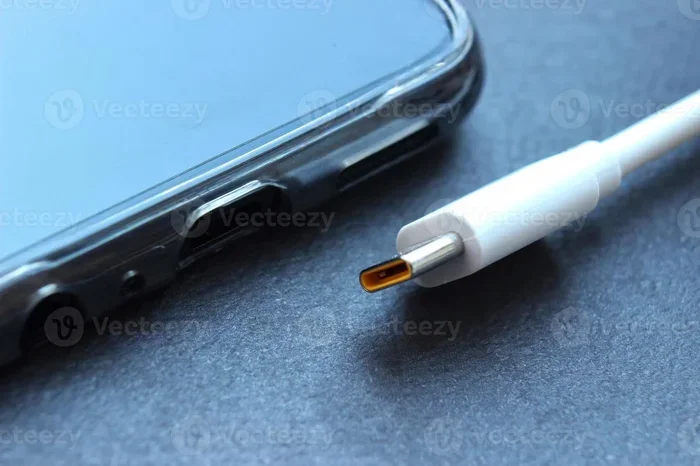
Newer Hp laptops are starting to use USB-C for charging. This is great news because USB-C is more widely available. Many phones, tablets, and other devices use USB-C now.
However, not all USB-C chargers work with Hp laptops. You need a charger that supports Power Delivery (PD) and provides enough wattage. Most Hp laptops that use USB-C charging require at least 45 watts, and some need 65 watts or more.
If you have a newer Hp Spectre or Hp Envy x360, check whether it supports USB-C charging before buying a new charger.
Hp Docking Station Chargers
Some Hp business laptops come with docking stations that provide power. These docks use their own power adapters. The charger that comes with the dock is specific to that dock and cannot be used as a standalone laptop charger.
Hp Charger Compatibility by Model Line
Hp organizes its laptops into several product lines. Each line has its own charging requirements. Here is a detailed look at how charger compatibility works across the major Hp model lines.
Hp Pavilion
The Hp Pavilion is one of Hp’s most popular consumer lines. Most Pavilion laptops use a 5.5mm x 1.7mm barrel plug charger. Common wattages range from 45W to 65W.
Some newer Pavilion models support USB-C charging. However, the barrel plug remains the primary charging method for most Pavilion laptops. If you are replacing a Pavilion charger, match the voltage and connector size exactly.
Hp Envy
Hp Envy laptops are a step up from the Pavilion in terms of build quality and performance. Envy chargers typically use the same 5.5mm x 1.7mm barrel plug as Pavilion models.
Wattage requirements for Envy laptops usually fall between 45W and 65W. Some larger 17-inch Envy models may require higher wattage chargers. Always check the label on the bottom of your laptop or in the user manual.
Hp EliteBook
Hp EliteBook laptops are designed for business users. These laptops often use different chargers than consumer models. Many EliteBook models use a 6.5mm x 4.4mm barrel plug or a USB-C charger.
EliteBook laptops also support Hp Fast Charge technology. This means you need a compatible charger to take advantage of fast charging speeds. Using a generic charger may still work but could charge your laptop more slowly.
Hp Omen
Hp Omen is the company’s gaming laptop line. Omen laptops have higher power demands than most other Hp models. They typically require 120W to 180W chargers.
The Omen charger uses a 7.4mm x 5.0mm barrel plug in most cases. Because of the high wattage, Omen chargers are not compatible with non-gaming Hp laptops. And vice versa, a standard Hp charger will not power an Omen laptop.
Hp Spectre
Hp Spectre laptops are the company’s premium line. Many Spectre models use USB-C charging exclusively. They rely on USB-C Power Delivery for power.
Some older Spectre models still use barrel plugs, but the trend is moving toward USB-C. If you own a Spectre, check your model’s charging port before purchasing a replacement.
How to Check Your Hp Laptop’s Charger Requirements
Not sure what charger your Hp laptop needs? Here is a simple step-by-step process to find out.
- Check the label on your current charger. Look for the output voltage (V) and amperage (A). Multiply these numbers to get the wattage (W).
- Look at the bottom of your laptop. Hp prints the model number and sometimes the charger specifications on a sticker on the underside.
- Visit Hp’s support website. Enter your laptop model number on hp.com/support and look up the power adapter specifications.
- Check your user manual. The manual that came with your laptop lists the exact charger requirements.
- Use Hp’s product lookup tool. Hp offers a tool on their website where you can enter your model and find compatible accessories.
Following these steps will ensure you buy the right charger the first time. This saves you money and protects your laptop from damage.
Quick Tip: What to Look for on Your Charger Label
When you look at your charger label, you will see several numbers. Here is what they mean:
- OUTPUT: This is the power the charger delivers to your laptop. It shows voltage (V) and amperage (A).
- INPUT: This is the power the charger draws from the wall outlet. This is usually 100-240V AC and works worldwide.
- Connector Size: If your charger has a barrel plug, the label will list the diameter measurements.
- Polarity: This tells you the positive and negative connections. Most Hp chargers use center-positive polarity.
Matching all of these specs is essential for safe and proper charging.
Can You Use a Third-Party Charger With an Hp Laptop?
Many people ask whether they can use a charger from another brand with their Hp laptop. The short answer is yes, but with important caveats.
A third-party charger will work as long as it meets these conditions:
- The voltage matches exactly (within 1V is acceptable).
- The amperage is equal to or higher than what your laptop requires.
- The connector size fits your laptop’s charging port.
- The polarity matches (center-positive for most Hp laptops).
- The wattage is sufficient to power your laptop while it is in use.
If all of these match, your third-party charger should work perfectly. Many reputable brands like Anker, Belkin, and Targus make excellent Hp-compatible chargers.
When Third-Party Chargers Can Cause Problems
Using a cheap or uncertified charger can cause real issues. Here are some warning signs that your third-party charger is not right for your laptop:
- Your laptop charges very slowly or not at all.
- The charger gets unusually hot during use.
- Your battery drains even while the laptop is plugged in.
- You see error messages about the power source.
- The connector feels loose or does not fit snugly.
If you notice any of these problems, stop using the charger immediately. A bad charger can permanently damage your laptop battery or internal components.
Common Mistakes When Buying Hp Laptop Chargers
Buying a laptop charger seems simple, but people make mistakes all the time. Here are the most common ones to avoid.
Assuming All Hp Chargers Are the Same
This is the biggest mistake. Not all Hp laptop chargers are universal. Different models need different connectors and power levels. Always verify compatibility before purchasing.
Ignoring Wattage Requirements
Some people buy the cheapest charger they can find without checking the wattage. If the charger provides too little power, your laptop may not charge while you are using it. It might even drain the battery slowly while plugged in.
Buying Based on Looks Alone
A charger might look similar to your old one but have a different connector size. Always measure the barrel plug diameter or check the specifications before buying.
Overlooking USB-C Compatibility
If your newer Hp laptop has a USB-C port, you might assume any USB-C charger will work. But USB-C chargers need to support Power Delivery and provide enough watts. A standard phone charger will not cut it for most laptops.
Purchasing From Unreliable Sellers
Cheap chargers from unknown sellers on online marketplaces can be dangerous. They may not meet safety standards and could overheat or short-circuit. Always buy from reputable brands or authorized retailers.
Hp Laptop Charger Replacement Guide
If you have determined that your charger needs replacing, here is how to do it the right way.
Step 1: Identify Your Laptop Model
Find the model number on the sticker on the bottom of your laptop. Write it down or take a photo of it. You will need this when shopping for a replacement charger.
Step 2: Find the Charger Specifications
Look up your model on Hp’s website or check your user manual. Note the voltage, amperage, connector size, and wattage requirements.
Step 3: Choose Your Charger Source
You have several options for replacement chargers:
- Hp Official Store: Buy directly from Hp for guaranteed compatibility.
- Authorized Retailers: Stores like Best Buy or Amazon sell Hp-approved chargers.
- Third-Party Brands: Brands like Anker and Targus offer compatible chargers at lower prices.
- Used or Refurbished: You can find original Hp chargers on resale sites, but inspect them carefully.
Step 4: Verify Before You Buy
Double-check the specifications against your laptop’s requirements. Make sure the connector type matches and the wattage is sufficient.
Step 5: Test Your New Charger
Once your new charger arrives, plug it in and check that your laptop charges normally. Monitor the charging speed and temperature of the charger during the first few uses.
For accessories and peripherals shopping tips, you might also explore apps that help you find the right products, much like how 4 apps that are like Uber for finding dog walkers help users locate specific services quickly and efficiently.
Hp Fast Charge and USB-C Charging: What You Need to Know
Hp has introduced fast charging technology in many of its newer laptops. This feature allows your laptop to charge much faster than with a standard charger.
To use Hp Fast Charge, you need three things:
- A laptop that supports the feature (most recent Hp EliteBook and Omen models do).
- A compatible Hp Fast Charge power adapter.
- The correct USB-C or barrel cable.
USB-C charging has become more common across Hp’s lineup. It offers the convenience of using one cable for multiple devices. However, you must use a charger that supports USB-C Power Delivery at the correct wattage.
Here is a quick comparison of Hp’s charging options:
- Standard Barrel Plug: Reliable and widely available. Works with most Hp consumer laptops.
- USB-C Power Delivery: More versatile and future-proof. Requires a PD-compatible charger.
- Hp Fast Charge Adapter: Charges up to 50% in about 30 minutes on supported models.
Choosing the right charging method depends on your laptop model and your needs. When in doubt, stick with the charger that came with your laptop or one recommended by Hp.
When looking for the right accessories for your Hp laptop, it helps to understand what makes each charger unique. Just like finding the right tools for specific tasks, whether it is apps that work like Uber for finding dog walkers or a compatible charger for your device, matching the right product to your needs is essential.
Frequently Asked Questions About Hp Laptop Chargers
Can I Use Any Usb-C Charger With My Hp Laptop?
Not all USB-C chargers work with Hp laptops. Your charger must support USB Power Delivery and provide enough wattage. Most Hp laptops need at least 45W over USB-C. Check your laptop’s manual to confirm the exact USB-C charging requirements before buying a USB-C charger.
What Happens If I Use A Charger With Too High Voltage?
Using a charger with too high voltage can seriously damage your laptop. It can fry the motherboard, destroy the battery, or even cause a fire. Always match the voltage exactly and ensure the amperage is equal to or higher than your laptop’s requirement.
Are Hp Laptop Chargers Interchangeable Between Models?
No, Hp laptop chargers are not interchangeable between most models. Different Hp lines use different connector sizes and power requirements. A charger designed for an Hp Pavilion will not necessarily work on an Hp EliteBook or Hp Omen. Always verify compatibility before swapping chargers between devices.
How Do I Know If My Hp Charger Is Genuine?
Genuine Hp chargers have a clear label with output specifications, a serial number, and Hp branding. They also feel solid and well-built. If a charger looks cheaply made or lacks proper labeling, it is likely counterfeit. Buy from authorized retailers to ensure authenticity.
Can I Charge My Hp Laptop With A Power Bank?
Yes, some Hp laptops with USB-C charging can be powered by a USB-C power bank. However, the power bank must support Power Delivery and provide enough wattage. Most standard power banks are not powerful enough to charge a laptop effectively. Look for power banks rated at 65W or higher for best results.
Why Does My Hp Laptop Say “Plugged In, Not Charging”?
This message usually means your charger or battery has a problem. It could be caused by a faulty charger, a damaged charging port, or a battery that needs replacement. Try using a different Hp-compatible charger first. If the problem persists, contact Hp support for further troubleshooting.
Final Thoughts
The answer to the question “Are Hp laptop chargers universal?” is a clear no. Hp uses different connectors, voltages, and wattages across its many laptop lines. This means you cannot simply grab any Hp charger and expect it to work with your laptop.
However, finding the right charger is not as difficult as it might seem. By checking your laptop model, reading the charger label, and matching the specifications, you can find a compatible charger with confidence.
Whether you need a replacement for your Hp Pavilion, Hp Envy, Hp EliteBook, or Hp Omen, the key is to match the voltage, connector size, and wattage exactly. When buying a third-party charger, verify that it meets all of these requirements.
Taking the time to get the right charger protects your investment and keeps your laptop running smoothly. Never compromise on charger quality or compatibility. Your laptop depends on it.
Always remember that safe charging habits extend the life of your battery and your device. Use the right charger, store it properly, and your Hp laptop will serve you well for years to come.