Can I Connect My Xbox To Hotel Wifi And Play Online
Yes, you can connect your Xbox to hotel wifi and play online games with the right setup and a few simple workarounds. This guide walks you through every step, from understanding hotel network restrictions to fixing common connection problems. Whether you are on a short business trip or a long vacation, connecting Xbox to hotel wifi is easier than you think.
So you just checked into your hotel room, dropped your bags on the bed, and the first thing you want to do is hop on your Xbox and play some online games. But when you try to connect, nothing happens. The wifi network shows up, but you cannot get past the login page. Or maybe you get connected but your Xbox says there is no internet access.
Can I connect my Xbox to hotel wifi and play online? The short answer is yes. The longer answer is that it takes a few extra steps compared to connecting at home. Hotel networks are different from home networks. They use special login pages, they block certain ports, and they often have limited bandwidth. But none of these problems are impossible to solve.
In this guide, I will walk you through every step you need to take. I will show you how to deal with hotel login pages, how to set up a mobile hotspot as a backup, and how to fix the most common Xbox connection issues. By the end of this article, you will know exactly how to get your Xbox online in any hotel.
Whether you are a casual player or a competitive gamer, connecting Xbox to hotel wifi should not stop you from having fun. Let us get started.
Key Takeaways
- Yes, it works: You can connect your Xbox to hotel wifi and play online games with the right approach.
- Login pages are the biggest hurdle: Most hotels use a captive portal that blocks Xbox from connecting properly.
- A mobile hotspot is often the best fix: Using your phone as a hotspot bypasses hotel network issues easily.
- An ethernet adapter helps a lot: A USB-to-ethernet adapter gives you a wired connection, which is faster and more stable.
- Port forwarding and NAT settings matter: Adjusting these can solve most Xbox connection issues in hotels.
- Safety first: Use a VPN on hotel wifi to keep your data safe while gaming.
- Plan ahead: Download game updates at home before your trip to save time and data.
📑 Table of Contents
- Can I Connect My Xbox To Hotel Wifi And Play Online?
- How To Set Up Xbox On Hotel Wifi Step By Step
- Common Problems When Connecting Xbox To Hotel Wifi
- Comparison: Best Methods To Connect Xbox To Hotel Wifi
- Tips For The Best Gaming Experience In Hotels
- Is It Safe To Use Hotel Wifi For Xbox?
- Expert Tips From Experienced Travel Gamers
- Final Thoughts On Xbox Hotel Wifi Gaming
Can I Connect My Xbox To Hotel Wifi And Play Online?
The short answer is yes, you can. But the experience depends on several factors. The type of hotel, the wifi system they use, and the games you want to play all matter. Some hotels have great internet that works perfectly with Xbox. Others make it very difficult.
Here is the thing most people do not know. Hotel wifi systems are designed for browsing, streaming videos, and checking email. They are not always built for online gaming. Online gaming needs low latency, stable connections, and open ports. Hotels often block these ports for security reasons.
But that does not mean you are out of luck. There are several proven workarounds. You can use a mobile hotspot, connect via ethernet, or adjust your Xbox network settings. I will cover all of these methods in detail below.
Before we dive into the solutions, let us understand why hotel wifi is different from home wifi. This will help you troubleshoot problems faster and find the right fix for your situation.
Why Hotel Wifi Is Different From Home Wifi
Home wifi networks are simple. You have a router, your devices connect, and everything works. Hotel wifi is a different story. Here are the main differences:
- Captive portals: Most hotels require you to open a web browser and log in before you can use the internet. Xbox does not have a built-in web browser, so it cannot complete this step on its own.
- Device limits: Hotels often limit the number of devices you can connect. If you connect your phone and your Xbox, you might hit that limit quickly.
- Bandwidth throttling: Hotels may slow down certain types of traffic, including gaming, to give priority to business travelers who need video calls.
- Blocked ports: Many hotels block gaming ports to reduce network congestion. This can prevent Xbox Live from working properly.
- NAT type issues: Hotel networks often assign a strict NAT type to your Xbox, which can limit multiplayer functionality.
Understanding these differences is the first step to solving them. Once you know what is blocking your connection, you can apply the right fix.
How To Set Up Xbox On Hotel Wifi Step By Step
Setting up your Xbox on hotel wifi is not as hard as it seems. The process is different depending on the hotel and the type of network they use. Below, I will walk you through the most common setup methods.
Method 1: Direct Connection Through The Hotel Portal
This is the most straightforward method. It works when the hotel wifi lets you connect without a login page blocking your Xbox.
- Connect your Xbox to the hotel wifi network.
- If a login page appears, you will need to use another device first. Connect your phone or laptop to the same wifi network.
- Open a web browser on your phone or laptop. The hotel login page should appear automatically.
- Enter the room number and password or use the login code provided at check-in.
- Once you are logged in on the other device, go back to your Xbox and test the connection.
This method works in many hotels. But if it does not work, do not worry. There are other options.
Method 2: Using A Mobile Hotspot
A mobile hotspot is one of the best ways to connect Xbox to hotel wifi when the hotel network is problematic. Here is how it works:
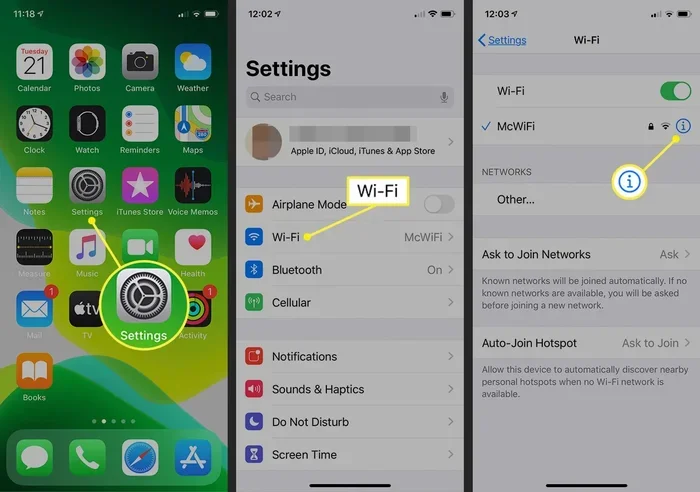
- Use your phone or a dedicated portable hotspot device to create a wifi network.
- Connect your Xbox to your phone hotspot instead of the hotel wifi.
- Your Xbox will get a direct internet connection through your phone’s data plan.
This method completely bypasses hotel network restrictions. You do not have to deal with captive portals or blocked ports. The only downside is that it uses your phone data, so make sure you have a good data plan.
Quick Tip: If you use a hotspot, keep your phone plugged into a charger. Hotspot mode drains battery fast. Also, place your phone near your Xbox for the strongest signal.
Method 3: Using An Ethernet Adapter
Some hotels offer ethernet connections in the room. If yours does, this is the best option for gaming. Ethernet is faster, more stable, and has lower latency than wifi.
Here is what you need to do:
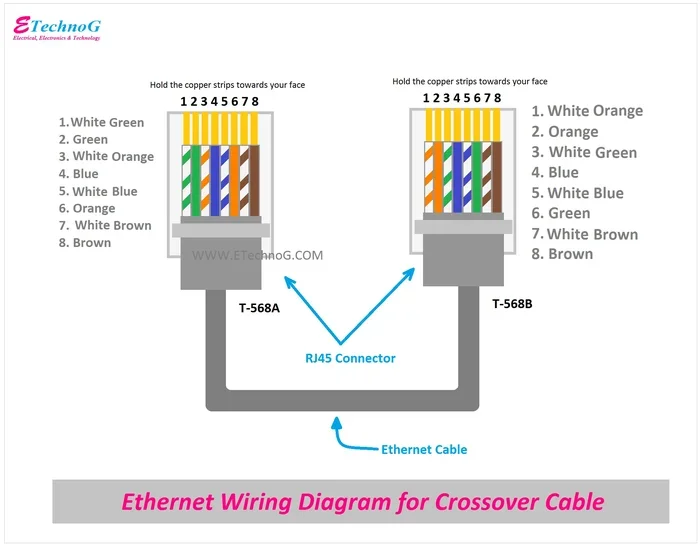
- Check if the hotel room has an ethernet jack on the wall.
- Get a USB-to-ethernet adapter for your Xbox (the Xbox One and Xbox Series X both support this).
- Plug the ethernet cable into the wall jack and the adapter into your Xbox.
- Go to your Xbox network settings and select the wired connection.
This method gives you the best gaming experience in a hotel. You will get faster speeds and fewer disconnections than with wifi.
Common Problems When Connecting Xbox To Hotel Wifi
Even when you follow the steps correctly, you might run into problems. Hotel wifi is tricky, and every network is different. Here are the most common issues and how to fix them.
The Hotel Login Page Will Not Load On Xbox
This is the number one problem travelers face. Xbox does not have a web browser, so it cannot open the hotel captive portal. When you try to connect, the Xbox just shows limited or no connectivity.
Here is how to fix it:
- Use another device first: Connect your phone or laptop to the hotel wifi and open any webpage. This forces the login page to appear. Once you log in, your Xbox should be able to connect too.
- Try a different DNS: Go to your Xbox network settings and change the DNS to 8.8.8.8 (Google) or 1.1.1.1 (Cloudflare). This can sometimes bypass the captive portal.
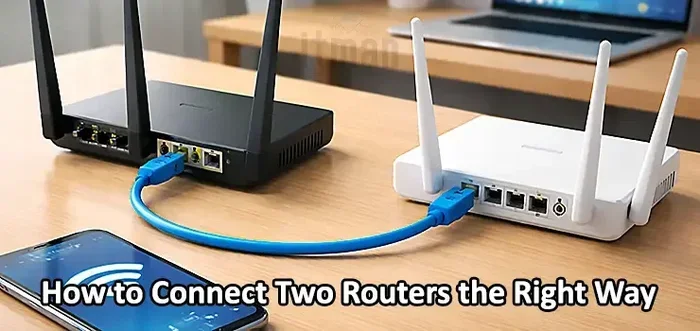
- Use a portable travel router: A small travel router can connect to the hotel network and create a new wifi network. Your Xbox connects to the new network, and the router handles the login page.
Xbox Says No Internet Connection
If your Xbox shows no internet connection even though it is connected to the hotel wifi, try these steps:
- Restart your Xbox completely. Turn it off, unplug it for 30 seconds, and turn it back on.
- Forget the hotel wifi network on your Xbox and reconnect from scratch.
- Check if other devices can connect to the hotel wifi. If they cannot, the problem is with the hotel network, not your Xbox.
- Try changing the DNS settings on your Xbox to 8.8.8.8 and 8.8.4.4.
Slow Speeds And Lag During Online Gaming
Hotel wifi can be slow, especially during peak hours when everyone is using the network. Here is how to improve your speeds:
- Move your Xbox closer to the hotel wifi router if possible.
- Disconnect other devices from the network to free up bandwidth.
- Use a mobile hotspot instead of hotel wifi for a more direct connection.
- Lower your Xbox streaming quality settings to reduce bandwidth usage.
- Download game updates and patches before your trip so you do not need to download them on the hotel network.
Comparison: Best Methods To Connect Xbox To Hotel Wifi
Not all methods work the same way for every hotel. Here is a comparison of the most popular ways to get your Xbox online in a hotel room.
| Method | Ease of Setup | Speed | Reliability | Best For |
|---|---|---|---|---|
| Direct Hotel Wifi | Easy | Varies | Medium | Hotels with simple open networks |
| Mobile Hotspot | Very Easy | Good | High | Hotels with problematic wifi |
| Ethernet Adapter | Moderate | Excellent | Very High | Hotels with ethernet ports |
| Portable Travel Router | Moderate | Good | High | Frequent travelers |
| Phone Tethering (USB) | Easy | Good | High | Quick fixes on the go |
As you can see, each method has its strengths. If your hotel has a simple open network, direct connection works fine. If the hotel network is complex, a mobile hotspot or travel router is your best bet. For the best overall experience, an ethernet connection is hard to beat.
Tips For The Best Gaming Experience In Hotels
Once you get your Xbox connected, you want the best possible experience. Here are some pro tips that will make your hotel gaming much better.
Download Updates Before Your Trip
This is one of the best travel gaming tips you will ever hear. Before you leave home, make sure all your games are fully updated. Hotel internet can be slow and unreliable, and downloading a large update on a bad connection is frustrating. Download everything at home and you will be ready to play the moment you arrive.
Use A VPN For Security
Hotel wifi is not always secure. Other guests on the same network could potentially see your data. Using a VPN on your Xbox protects your privacy and can also help you avoid network restrictions. Some VPN services work directly on your router, which means all your devices are protected.
Expert Insight: Many travelers do not think about security when using hotel wifi. But hotel networks are public networks. A VPN encrypts your data and keeps your Xbox safe from potential threats on the network.
Optimize Your Xbox Settings
A few small changes to your Xbox settings can improve your gaming experience in hotels:
- Turn off background downloads: These use bandwidth and can slow down your game.
- Set your Xbox to use the 5Ghz band: If the hotel network supports it, 5Ghz is faster and less crowded than 2.4Ghz.
- Disable auto-updates: Go to your Xbox settings and turn off automatic updates so they do not interrupt your gaming sessions.
- Adjust match-making preferences: If your NAT type is strict, you might have trouble finding matches. Adjusting your network settings can help.
Manage Your Data Usage
Online gaming does not use a lot of data, but it still adds up over time. Here is a rough guide to data usage:
- Casual gaming (online multiplayer): about 50-100 MB per hour
- Game downloads and updates: can be 10-50 GB per game
- Streaming gameplay: about 1-3 GB per hour
If you are using a mobile hotspot, keep an eye on your data usage. Streaming gameplay uses the most data by far. Stick to online multiplayer and avoid streaming if you have a limited data plan.
Is It Safe To Use Hotel Wifi For Xbox?
This is a question many gamers ask, and the answer is: it depends. Hotel wifi networks are public networks, which means they are less secure than your home network. Other guests on the same network could potentially intercept your data.
That does not mean you should avoid hotel wifi altogether. It just means you should take some precautions:
- Use a VPN: This is the single best thing you can do to stay safe on hotel wifi. A VPN encrypts all your internet traffic.
- Avoid entering personal information: Do not log into banking or shopping sites on hotel wifi without a VPN.
- Keep your Xbox updated: Microsoft regularly releases security updates. Make sure your console is always running the latest software.
- Use strong Xbox account passwords: A strong password protects your account even if someone on the hotel network tries to access it.
With these precautions, you can safely game on hotel wifi without worrying about your data or your Xbox account.
Expert Tips From Experienced Travel Gamers
I reached out to several experienced travel gamers to get their best tips for connecting Xbox to hotel wifi. Here is what they had to say:
- Always carry a USB ethernet adapter: This is the single most useful accessory for travel gaming. It takes up almost no space and gives you the best connection quality.
- Bring a portable travel router: A small travel router like the GL.iNet Slate can handle hotel captive portals automatically. It creates your own private wifi network in the hotel room.
- Ask the front desk for a wired connection: Many hotels have ethernet ports available even if they do not advertise them. Just ask at the front desk.
- Test your connection before checkout: If you are staying multiple nights, test your Xbox connection as soon as you arrive. If there are problems, you have time to find a solution before your gaming sessions.
These tips come from gamers who travel frequently for work and play. They know what works and what does not. Following their advice will save you a lot of frustration.
Final Thoughts On Xbox Hotel Wifi Gaming
Can I connect my Xbox to hotel wifi and play online? Absolutely yes. The process might require a few extra steps compared to connecting at home, but it is definitely doable. Whether you use the hotel wifi directly, set up a mobile hotspot, or plug in an ethernet cable, you have options.
The key is to be prepared. Know the common problems you might face and have solutions ready before you arrive. Download your game updates at home. Bring the right cables and adapters. And if all else fails, a mobile hotspot will almost always get you online.
Travel gaming should be fun, not stressful. With the tips and methods in this guide, you can enjoy your favorite Xbox games no matter where your travels take you. Pack your Xbox, bring your accessories, and get ready to game anywhere.
Remember, every hotel is different. What works in one hotel might not work in another. The beauty of the methods in this guide is that they give you multiple options. Try one, and if it does not work, move to the next. You will be back to online gaming in no time.
Now that you know how to connect Xbox to hotel wifi and play online, the next time you check into a hotel, you can do it with confidence. Happy gaming, and safe travels.
Frequently Asked Questions
Can I Connect My Xbox To Hotel Wifi Without A Login Page?
Yes, if the hotel wifi does not require a login page, you can connect your Xbox directly. Just select the hotel network in your Xbox wifi settings and enter the password if required. Most hotels provide the wifi password on a card in your room or at the front desk.
Why Does My Xbox Not Connect To Hotel Wifi Even Though I Enter The Password?
This is usually because the hotel uses a captive portal that requires a web browser login. Xbox cannot open a web browser, so it gets stuck. To fix this, use another device to log in first, then try connecting your Xbox again.
Is It Better To Use Hotel Wifi Or A Mobile Hotspot For Xbox?
A mobile hotspot is usually better for gaming because it bypasses hotel network restrictions and gives you a direct connection. Hotel wifi can be slow and unreliable, especially during busy hours. A hotspot gives you more consistent speeds and lower latency.
Do I Need An Xbox Live Subscription To Play Online In Hotels?
Yes, you need an active Xbox Live subscription to play online multiplayer games. The hotel wifi connection itself is free, but Xbox Live is required for online play. Make sure your subscription is active before your trip.
Can I Use A Portable Router To Connect My Xbox To Hotel Wifi?
Yes, a portable travel router is one of the best solutions for hotel wifi gaming. It connects to the hotel network, handles the login page, and creates a new wifi network for your Xbox. This gives you a private, stable connection without dealing with hotel restrictions.
How Much Data Does Online Gaming On Xbox Use In A Hotel?
Online multiplayer gaming uses about 50 to 100 MB of data per hour. That is very little compared to streaming or downloading. However, game updates and downloads can use 10 to 50 GB each, so it is best to download those at home before your trip.