Does It Matter What Bluetooth Dongle I Get Right Now
Yes, the Bluetooth dongle you choose makes a real difference in speed, range, and audio quality. Not all dongles are equal, and picking the wrong one can lead to lag, dropped connections, and frustration. This guide breaks down everything you need to know about Bluetooth dongles so you can make a smart buy.
You just bought a shiny new pair of Bluetooth headphones or a wireless speaker, and now you need a Bluetooth dongle to get things working. But here is the thing — not all dongles are created equal. Picking the wrong one can leave you with choppy audio, annoying lag, and a connection that drops every few minutes.
So does it really matter what Bluetooth dongle you get? The short answer is yes. The longer answer is that several factors come into play, and understanding them can save you money, time, and a whole lot of frustration. Whether you want to pair Bluetooth headphones to a console, stream music wirelessly, or connect a Bluetooth speaker to your PC, the right dongle makes all the difference.
In this guide, we will walk through everything you need to know. We will cover Bluetooth versions, range, codecs, compatibility, and much more. By the end, you will know exactly what to look for when shopping for a USB Bluetooth adapter. Let us dive in.
Key Takeaways
- Bluetooth version matters: Newer versions like 5.0 and 5.3 offer better speed, range, and power efficiency.
- Codec support affects audio quality: High-quality codecs like aptX and LDAC deliver noticeably better sound.
- Range varies widely: Some dongles work up to 30 feet while others struggle past 10 feet.
- Multipoint pairing is a game-changer: It lets you connect two devices at once without re-pairing.
- Compatibility is key: Not every dongle works with every device or operating system.
- Price does not always equal quality: Affordable dongles can outperform expensive ones in real-world use.
📑 Table of Contents
- What Exactly Is a Bluetooth Dongle
- Bluetooth Versions: Why the Number Matters
- Audio Codecs and Sound Quality
- Range and Connection Stability
- Multipoint Pairing: Connect Two Devices at Once
- Compatibility: Will It Work With Your Device
- Common Mistakes When Buying a Bluetooth Dongle
- Quick Tips for Getting the Most Out of Your Bluetooth Dongle
- Final Thoughts
What Exactly Is a Bluetooth Dongle
A Bluetooth dongle is a small USB device that adds wireless connectivity to your computer or laptop. Think of it as a tiny transmitter that sends and receives wireless audio signals between your devices. Many modern laptops come with built-in Bluetooth, but older machines and some desktops do not. That is where a dongle steps in.
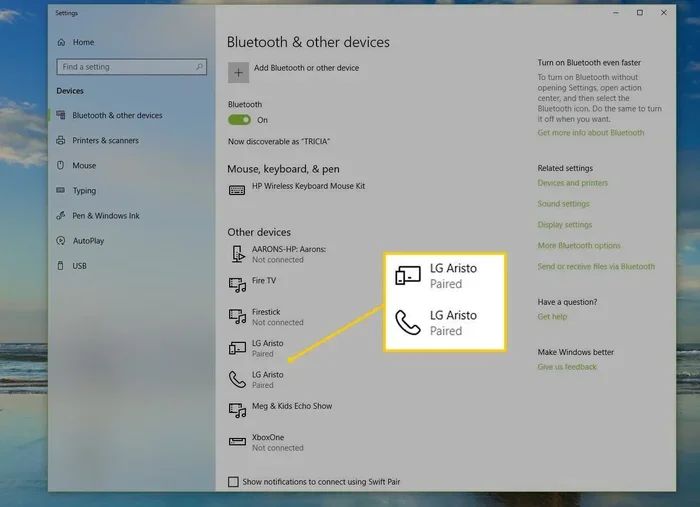
You plug the dongle into a USB port, install the driver if needed, and your device becomes wirelessly connected to headphones, speakers, keyboards, and more. It is a simple solution that opens up a world of wireless connectivity without needing to open up your computer or buy expensive equipment.
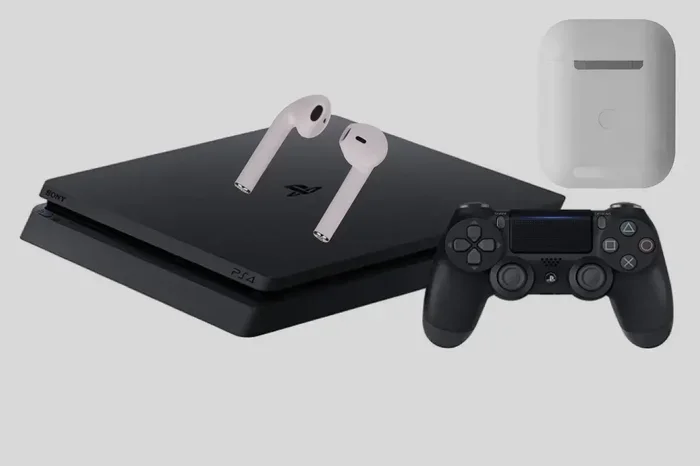
Some people wonder if they can turn regular speakers into Bluetooth ones using a dongle, and the answer is often yes. Similarly, if you are trying to make wired headphones Bluetooth, a dongle can be part of the solution. The key is choosing the right one for your needs.
Bluetooth Versions: Why the Number Matters
Not all Bluetooth dongles use the same version of the Bluetooth protocol. The version number might seem like a minor detail, but it has a huge impact on performance. Here is a quick look at what the different versions mean for your daily use.
Bluetooth 4.0 and Older
These older versions are still around in budget dongles. They work fine for basic tasks like connecting a keyboard or mouse. But when it comes to audio streaming, they fall short. The range is limited, and you may notice lag when watching videos or listening to music. If you are trying to use Bluetooth headphones for gaming, a 4.0 dongle will likely disappoint you.
Bluetooth 5.0 and 5.1
This is where things start to get interesting. Bluetooth 5.0 doubled the speed and range compared to version 4.0. You get up to about 800 feet of range in ideal conditions, though real-world performance is usually around 30 to 50 feet. The audio quality improves too, and latency drops significantly. For most users, a 5.0 dongle hits the sweet spot between price and performance.
Bluetooth 5.2 and 5.3
The newest versions bring even better wireless connectivity. Bluetooth 5.3 improves power efficiency and connection stability. These dongles handle multiple devices better and are ideal if you want to pair Bluetooth headphones to Xbox One or connect to several devices at once. They also support the latest Bluetooth codecs, which we will cover next.
| Version | Max Range | Speed | Best For |
|---|---|---|---|
| 4.0 and older | ~30 feet | Slow | Basic peripherals |
| 5.0 / 5.1 | ~800 feet | 2x faster | Audio streaming |
| 5.2 / 5.3 | ~800 feet | 2x faster | Gaming, multipoint |
Audio Codecs and Sound Quality
Here is something many people overlook when buying a Bluetooth dongle — the codec it supports. A codec is the technology that compresses and sends audio wirelessly. Different codecs deliver different levels of sound quality, and not all dongles support every codec.
If you care about sound quality, look for dongles that support codecs like aptX, aptX HD, or LDAC. These codecs transmit more audio data, which means richer bass, clearer vocals, and overall better sound. Cheap dongles often only support the basic SBC codec, which is fine for casual listening but not ideal for audiophiles.
For gaming, low latency codecs matter most. You do not want your audio lagging behind what you see on screen. Some dongles specifically target gaming with ultra-low latency wireless audio transmission. This is especially important if you are trying to use Bluetooth headphones with Switch or connect to a gaming PC.
Range and Connection Stability
The range of a Bluetooth dongle depends on the version, the antenna design, and your environment. In a quiet office with few walls, you can expect solid performance at 30 to 50 feet. But add walls, furniture, and other electronic devices, and that range shrinks fast.
One thing that catches people off guard is interference. Wi-Fi routers, microwaves, and even USB 3.0 ports can disrupt Bluetooth signals. If you experience dropouts, try moving your dongle away from other USB devices or use a USB extension cable to place it closer to your Bluetooth device.
Some premium dongles come with better antennas that improve range and stability. If you need a dongle that works across a large room or through walls, investing in one with a stronger signal is worth it. You might also consider whether you need a Bluetooth radio in your car, which has its own set of range and compatibility considerations.
Multipoint Pairing: Connect Two Devices at Once
One of the most useful features in a modern Bluetooth dongle is multipoint pairing. This lets you connect two devices simultaneously. For example, you could have your dongle paired with your laptop and your phone at the same time. When a call comes in on your phone, the audio switches automatically.
This feature is a lifesaver if you work from home and switch between a computer and a phone all day. You do not need to constantly disconnect and reconnect devices. Just a few dongles on the market support this, so check the specs before buying.
Keep in mind that multipoint pairing works best with Bluetooth 5.0 or newer. Older dongles simply do not have the processing power to handle multiple connections smoothly. If you are exploring options to use a Bluetooth speaker to amplify your voice or connect multiple audio devices, multipoint is a feature worth prioritizing.
Compatibility: Will It Work With Your Device
Before you buy any Bluetooth dongle, check whether it works with your device. Most dongles are designed for Windows or Mac, and some work with Linux too. If you are running a specific operating system, make sure the dongle has driver support for it.
Another compatibility factor is the operating system version. Some newer Bluetooth codecs like aptX Adaptive require recent versions of Windows or macOS. If your system is outdated, you might not be able to take full advantage of a high-end dongle. Always check the minimum system requirements before purchasing.
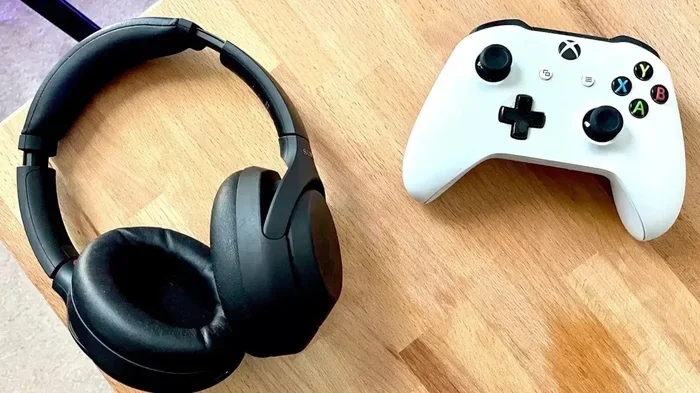
If you are wondering about specific use cases, many people ask whether they can use Bluetooth headphones with Switch or pair Bluetooth headphones to Xbox One. The answer depends on the dongle and the console. Some consoles have built-in Bluetooth limitations, and a compatible dongle can help bridge that gap.
Common Mistakes When Buying a Bluetooth Dongle
Buying the wrong Bluetooth dongle is easier than you think. Here are some common mistakes to avoid so you do not end up with a dongle that does not meet your needs.
- Ignoring the Bluetooth version: A cheap 4.0 dongle might seem like a good deal, but it will hold you back if you want good audio quality and range.
- Skipping codec support: If you care about sound quality, make sure the dongle supports high-quality codecs like aptX or LDAC.
- Not checking driver support: Some dongles do not work well with certain operating systems. Always verify compatibility first.
- Overlooking range requirements: If you need to move around a large room, a basic dongle with weak signal will cause constant dropouts.
- Assuming all dongles are the same: There is a huge difference between a $10 dongle and a $50 one. The price difference usually reflects real improvements in performance.
Another mistake people make is buying a dongle based only on brand name. Some lesser-known brands offer excellent performance at a fraction of the cost. Read reviews and compare specs before you commit. If you are trying to remove Intel wireless Bluetooth from your system and use a USB dongle instead, make sure the replacement is fully compatible with your hardware.
Quick Tips for Getting the Most Out of Your Bluetooth Dongle
Once you have your new Bluetooth dongle, a few simple tips can help you get the best performance out of it.
- Update your drivers regularly. Manufacturers often release updates that improve stability and performance. Check the dongle manufacturer’s website for the latest drivers.
- Place the dongle in a central location. Keeping it close to the device you are connecting reduces signal loss and interference.
- Use a USB 2.0 port if possible. USB 3.0 ports can sometimes cause interference with Bluetooth signals. If you experience issues, try a USB 2.0 port.
- Keep your devices updated. Make sure your phone, laptop, or speaker has the latest firmware. Updates often improve Bluetooth compatibility and fix bugs.
- Restart devices when needed. A simple restart can fix most connection issues. It clears the cache and forces a fresh pairing between devices.
These small steps can make a big difference. You will notice smoother audio, fewer dropouts, and a more reliable connection overall. If you ever want to explore other wireless audio setups, check out how to use a Bluetooth speaker without Bluetooth built in, or learn about using Alexa as a Bluetooth speaker for smart home integration.
Final Thoughts
So does it matter what Bluetooth dongle you get? Absolutely. The right dongle gives you better sound, longer range, lower latency, and fewer connection headaches. The wrong one leaves you frustrated and searching for a replacement.
When shopping, focus on the Bluetooth version, codec support, range, and compatibility with your devices. Do not just grab the cheapest option off the shelf. Take a few minutes to compare options and read reviews. Your ears and your patience will thank you.
Whether you are connecting Bluetooth headphones to a PC, streaming music through a speaker, or setting up a wireless audio system, the right dongle is the foundation. Choose wisely, and you will enjoy wireless audio that just works. Choose poorly, and you will be dealing with problems for months.
Take what you have learned here, apply it to your next purchase, and you will be ahead of most buyers. A great Bluetooth dongle is a small investment that pays off every single day in better sound and a better experience.
Frequently Asked Questions
Can I use any Bluetooth dongle with my laptop?
Most Bluetooth dongles work with laptops that have a USB port and support the right operating system. However, you should check driver compatibility before buying. Some dongles are designed specifically for Windows, while others work with Mac or Linux systems.
Does a more expensive Bluetooth dongle sound better?
Not always, but in most cases, pricier dongles offer better codecs, stronger signals, and lower latency. The price difference often reflects real improvements in audio quality and connection stability. That said, some affordable dongles punch well above their price point.
Can I connect a Bluetooth speaker and headphones to the same dongle at once?
This depends on whether the dongle supports multipoint pairing. Most standard dongles only connect to one device at a time. If you need to connect multiple audio devices simultaneously, look for a dongle that specifically advertises multipoint support.
What is the best Bluetooth version to look for in a dongle?
Bluetooth 5.0 or newer is the best choice for most users. It offers faster speeds, longer range, and better power efficiency. If you want the latest features and best performance, look for Bluetooth 5.2 or 5.3 dongles.
Will a Bluetooth dongle work with my gaming console?
It depends on the console and the dongle. Some consoles have built-in Bluetooth limitations that a compatible dongle can help overcome. For example, you can pair Bluetooth headphones to Xbox One with the right adapter, but you should always check console compatibility first.
How do I know if a Bluetooth dongle supports high-quality audio codecs?
Check the product specifications for mentions of aptX, aptX HD, LDAC, or AAC codecs. If the listing only mentions SBC, the audio quality will be basic. For the best sound, choose a dongle that supports at least one high-quality codec beyond SBC.
=== CONCLUSION ===
Choosing the right Bluetooth dongle does not have to be confusing. Now that you understand the key factors — Bluetooth version, codec support, range, and compatibility — you can make a confident decision. The right dongle transforms your setup with reliable wireless audio and seamless connectivity.
Take your time, compare your options, and pick the dongle that fits your specific needs. Whether you are a gamer, a music lover, or someone who just wants a simple wireless connection, there is a perfect Bluetooth dongle out there for you. Happy shopping!