Can I Use Bluetooth Headphones With Nintendo Switch
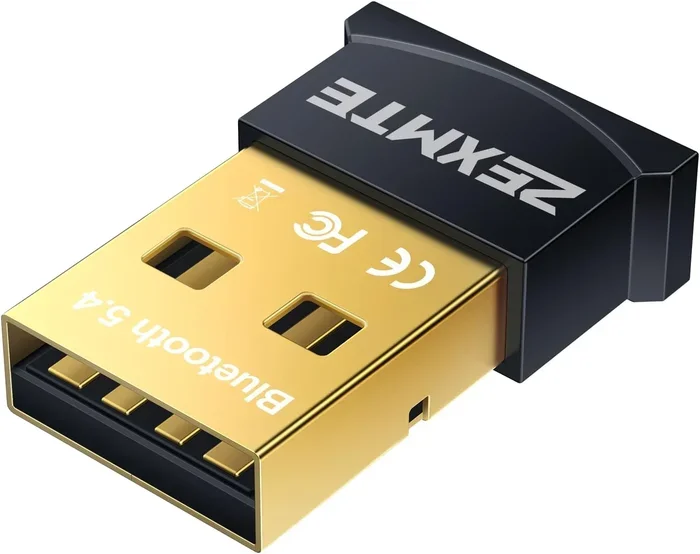
Yes, you can use Bluetooth headphones with Nintendo Switch, but it requires a workaround since the console does not support native Bluetooth audio. Using a compatible Bluetooth adapter or transmitter is the most reliable way to get wireless game audio. This guide walks you through every method, from adapter setups to troubleshooting tips, so you can enjoy lag-free wireless sound while gaming.
Nintendo Switch is an amazing gaming console. It lets you play on your TV or in handheld mode. But one thing trips up many players. The Switch does not support Bluetooth audio natively. So if you want to use wireless headphones, you need a workaround.
This guide answers the big question: Can I Use Bluetooth Headphones With Nintendo Switch? The short answer is yes. But the full answer involves a few extra steps. We will walk you through every method. You will learn about adapters, pairing, and the best headphones for the job. By the end, you will know exactly how to set up wireless audio on your Switch.
Millions of gamers love the Nintendo Switch. It is portable, fun, and versatile. But the lack of native Bluetooth audio support is a real limitation. Many players want to game without wires. They want to hear every sound effect clearly. They do not want to disturb others in the room. This guide helps you make that happen.
Key Takeaways
- Nintendo Switch lacks built-in Bluetooth audio support: You need a third-party Bluetooth adapter or transmitter to connect wireless headphones.
- A Bluetooth 5.0 adapter with aptX Low Latency is the best option: It minimizes audio delay and keeps game audio and voice chat in sync.
- The 3.5mm headphone jack works in both docked and handheld modes: You can plug in a transmitter to the Switch dock or directly to the console.
- Not all Bluetooth headphones work equally well: Look for low-latency codecs and headphones with strong battery life for the best experience.
- Common issues like audio lag and disconnection can be fixed: Simple steps like firmware updates and proper pairing usually resolve most problems.
- Wired headphones remain the simplest plug-and-play option: But Bluetooth offers freedom of movement and a more immersive gaming experience.
📑 Table of Contents
- Why Does Nintendo Switch Not Support Bluetooth Audio?
- How to Connect Bluetooth Headphones to Nintendo Switch
- Comparison: Best Ways to Get Wireless Audio on Nintendo Switch
- Best Bluetooth Headphones for Nintendo Switch
- Common Bluetooth Audio Issues and How to Fix Them
- Expert Tips for the Best Wireless Audio Experience
- Can You Use Bluetooth for Voice Chat on Nintendo Switch?
- Final Thoughts
Why Does Nintendo Switch Not Support Bluetooth Audio?
Nintendo made a design choice with the Switch. The console uses Bluetooth for controllers only. It does not include Bluetooth audio support. This means your wireless headphones will not connect directly to the Switch. The console relies on a 3.5mm headphone jack for wired audio output.
There is a reason behind this. Bluetooth audio uses a lot of bandwidth. Nintendo wanted to keep the wireless connection stable for Joy-Con and Pro Controllers. Adding Bluetooth audio could cause interference. So they kept the two systems separate. This is good for controller stability. But it is not ideal for wireless audio lovers.
The 3.5mm Headphone Jack
Every Nintendo Switch model has a 3.5mm audio jack. The Switch OLED, the original Switch, and the Switch Lite all include this port. You can plug in any wired headphones directly. The audio works perfectly in both docked and handheld modes. But this does not help if you want to go wireless.
Here is the good news. You can use the 3.5mm jack to connect a Bluetooth transmitter. This small device bridges the gap. It sends audio from the Switch to your wireless headphones. It is a simple and effective solution. More on this below.
How to Connect Bluetooth Headphones to Nintendo Switch
Connecting wireless headphones to your Switch is straightforward. You just need the right adapter. There are a few methods you can use. Each has its own pros and cons. Let us explore them one by one.
Method 1: Bluetooth Transmitter for the Dock
This is the most popular method. You buy a Bluetooth adapter that plugs into the Switch dock. The adapter connects to the 3.5mm port on the dock. Then it pairs with your wireless headphones. This method works great for TV play.
Here is how it works step by step:
- Plug the Bluetooth transmitter into the dock’s 3.5mm jack.
- Power on the dock and put the Switch into docked mode.
- Put your headphones in pairing mode.
- Select your headphones from the adapter’s Bluetooth list.
- Wait for the connection to complete.
Once paired, your game audio goes wirelessly to your headphones. This method is simple and reliable. Most Bluetooth transmitters cost between 15 and 40 dollars. They are a worthwhile investment for any Switch player.
Method 2: Bluetooth Transmitter for Handheld Mode
What if you want to play in handheld mode? You can use a different approach. Some Bluetooth transmitters plug directly into the 3.5mm jack on the Switch itself. These are small, lightweight devices. They do not block the screen or the Joy-Con rails.
This method works well for portable gaming. You can walk around the room while you play. Your audio stays wireless and clear. Just make sure the transmitter is lightweight. A heavy adapter can make the console uncomfortable to hold.
Method 3: Use a Bluetooth Audio Transmitter with USB
Some advanced transmitters use USB connections. These are less common for the Switch. But they can work with certain docks and hubs. This method is more technical. It is best for experienced users who want the lowest latency possible.
If you go this route, look for a transmitter that supports aptX Low Latency. This codec reduces audio delay significantly. You will hear game sounds in real time. This matters a lot in fast-paced games.
Comparison: Best Ways to Get Wireless Audio on Nintendo Switch
There are several ways to get wireless audio on your Switch. Here is a comparison of the most popular methods.
| Method | Setup Difficulty | Audio Lag | Cost | Best For |
|---|---|---|---|---|
| Bluetooth Adapter for Dock | Easy | Low to Medium | $15 – $40 | TV mode gaming |
| Direct 3.5mm Transmitter | Easy | Low to Medium | $15 – $35 | Handheld mode gaming |
| USB Bluetooth Transmitter | Moderate | Very Low | $30 – $60 | Low-latency gaming |
| Wired Headphones (Direct) | Very Easy | None | $10 – $50 | Simple plug-and-play |
| Bluetooth Headphone + Controller Mic | Moderate | None for voice | Free (uses existing gear) | Voice chat only |
Each method has its place. The dock adapter is the most popular choice. It is easy to set up and works well for most games. The direct transmitter is better for handheld players. The USB option gives the best audio quality. But it requires more setup.
Best Bluetooth Headphones for Nintendo Switch
Not all wireless headphones are equal. Some work better with the Switch than others. When choosing headphones for this setup, look for a few key features. These features make a big difference in your experience.
What to Look For in Bluetooth Headphones
Here are the most important factors to consider:
- Low latency support: Headphones with aptX Low Latency or similar codecs reduce audio delay. This keeps game audio in sync with what you see on screen.
- Battery life: Long gaming sessions need long-lasting headphones. Look for at least 20 hours of battery life.
- Comfort: You might wear headphones for hours. Choose a pair that feels good even during long play sessions.
- Microphone quality: If you play online, you need a good mic. Some headphones have built-in mics. Others work with the Switch Pro Controller mic.
- Multipoint connection: This lets your headphones connect to two devices at once. You can switch between your Switch and your phone easily.
Top Picks for Switch Gaming
Here are some popular choices among Switch players:
- Sony WH-1000XM4: Great sound quality and noise cancellation. Battery life lasts up to 30 hours. Works well with Bluetooth adapters.
- Apple AirPods Pro 2: Lightweight and comfortable. Good for handheld mode. Supports low-latency audio with compatible adapters.
- Jabra Elite 85t: Solid sound and a great microphone. Good for online multiplayer sessions. Comfortable for long wear.
- Samsung Galaxy Buds2 Pro: Compact and reliable. Good battery life. Works well with most Bluetooth transmitters.
These are just a few options. Many other headphones work well too. The key is to choose a pair that supports low-latency codecs. This will give you the best experience with your Switch.
Common Bluetooth Audio Issues and How to Fix Them
Using wireless headphones with the Switch is not always perfect. You might run into some issues. Most of these problems have simple fixes. Here are the most common ones and how to solve them.
Audio Lag or Delay
Audio lag is the most common complaint. You hear the sound a split second after you see the action. This happens because Bluetooth has inherent delay. The further away you are from the adapter, the worse it gets.
Here is how to reduce audio lag:
- Use a transmitter that supports aptX Low Latency.
- Keep your headphones within 10 feet of the adapter.
- Avoid walls and obstacles between the adapter and headphones.
- Turn off other Bluetooth devices nearby to reduce interference.
Connection Drops or Disconnects
Sometimes your headphones disconnect randomly. This is frustrating during intense gaming moments. It usually happens because of signal interference.
Try these fixes:
- Move closer to the Bluetooth adapter.
- Remove other wireless devices from the area.
- Restart both the adapter and your headphones.
- Update the firmware on your Bluetooth adapter.
- Forget the device on your headphones and re-pair.
No Sound or Low Volume
If you cannot hear anything, check a few things first. Make sure the adapter is properly plugged in. Check that your headphones are connected. Also check the Switch volume settings. Sometimes the volume is low on the console itself.
You can also try adjusting the volume on your headphones. Many wireless headphones have their own volume controls. Balancing both can give you the best sound level.
Expert Tips for the Best Wireless Audio Experience
Getting the most out of your wireless headphones on the Switch takes a little know-how. Here are some expert tips that make a real difference.
Update Your Adapter Firmware
Bluetooth adapters get firmware updates. These updates improve performance and fix bugs. Check the manufacturer’s website regularly. A simple update can solve many audio problems. It can also improve connection range and stability.
Use the Right Audio Codec
Not all Bluetooth codecs are the same. Some compress audio more than others. This affects sound quality and delay. Look for adapters that support aptX or AAC codecs. These deliver better sound with less latency. Avoid older codecs like SBC if possible.
Prepare Your Headphones Before Gaming
Make it a habit to charge your headphones before you play. Nothing ruins a gaming session faster than dead batteries. Also, keep your headphones fully charged when not in use. This extends the overall battery lifespan over time.
Test in Both Docked and Handheld Modes
Your audio setup may work differently in each mode. Test everything before a big gaming session. Make sure the connection is stable. Check the volume levels. Confirm there is no audio lag. A few minutes of testing saves frustration later.
Keep Your Adapter Clean
Dust and debris can collect in the 3.5mm port. This affects the connection quality. Use a soft brush or compressed air to clean it gently. A clean connection means better audio and fewer dropouts. This simple habit goes a long way.
Can You Use Bluetooth for Voice Chat on Nintendo Switch?
Voice chat is a big part of online gaming. The Switch does not support Bluetooth for voice chat through headphones. You cannot connect wireless headphones directly for in-game chat. But there are workarounds.
One option is to use the Switch Pro Controller. It has a 3.5mm jack for headsets. You can plug in a wired headset just for chat. Then use your Bluetooth headphones for game audio. This gives you the best of both worlds. Another option is the Nintendo Switch Online app. It lets you chat on your phone while playing on the Switch.
Some Bluetooth headphones with built-in mics can work for chat. But you need a separate connection for the microphone. The Switch does not handle this through Bluetooth. So the wired headset for chat and wireless headphones for audio remains the most reliable setup.
Final Thoughts
Can I Use Bluetooth Headphones With Nintendo Switch? Yes, absolutely. While the Switch does not support Bluetooth audio natively, the workarounds are simple and effective. A Bluetooth adapter or transmitter solves the problem quickly. You can enjoy wireless game audio in both docked and handheld modes.
Choose the right adapter. Pick headphones with low-latency support. Follow the setup steps carefully. And remember that a little troubleshooting goes a long way. Most issues have easy fixes. Once you set everything up, you will wonder how you ever played with wires.
Wireless audio changes the gaming experience. You can move freely around the room. You will not trip over cables. The sound feels more immersive and personal. With the right setup, your Nintendo Switch gaming sessions become more enjoyable. So grab your adapter, pair your headphones, and get back to gaming.
The Switch is a fantastic console for gamers of all ages. Adding wireless headphones makes it even better. You get the freedom to play without disturbing others. You get clear, high-quality audio. And you get the convenience of wireless connectivity. It is a small investment that makes a big difference. Your ears will thank you.
Frequently Asked Questions
Can I connect Bluetooth headphones directly to Nintendo Switch without any adapter?
No, the Nintendo Switch does not support Bluetooth audio natively. You need a third-party Bluetooth adapter or transmitter to connect wireless headphones. The adapter plugs into the 3.5mm headphone jack on the dock or the console itself.
Why is there audio lag when using Bluetooth headphones with Nintendo Switch?
Bluetooth inherently has some delay, which causes audio lag. This is more noticeable in fast-paced games. Using a Bluetooth adapter that supports aptX Low Latency significantly reduces this delay. Keeping your headphones close to the adapter also helps minimize lag.
Can I use Bluetooth headphones for voice chat on Nintendo Switch?
The Switch does not support Bluetooth for voice chat. You will need a wired headset connected to the Pro Controller for in-game chat. However, you can use Bluetooth headphones for game audio and a separate wired headset for voice chat at the same time.
What is the best Bluetooth adapter for Nintendo Switch?
The best adapters support aptX Low Latency and have a 3.5mm audio input. Popular choices include the 1Mii B06 Plus and the Avantree Oasis. Look for adapters with good battery life and stable connection range for the best experience.
Does the Nintendo Switch Lite support Bluetooth headphones?
Yes, the Switch Lite supports Bluetooth headphones the same way as other Switch models. You use a Bluetooth transmitter that plugs into the 3.5mm headphone jack. Since the Switch Lite is handheld only, a compact and lightweight transmitter works best.
Will using a Bluetooth adapter void my Nintendo Switch warranty?
No, using a Bluetooth adapter does not void your warranty. The adapter simply uses the existing 3.5mm headphone jack. It does not modify or damage the console in any way. Just make sure you use a reputable adapter and handle all connections gently.
=== CONCLUSION ===
Can I Use Bluetooth Headphones With Nintendo Switch? The answer is a clear yes. You just need the right setup. A Bluetooth adapter or transmitter bridges the gap between your Switch and your wireless headphones. The process is simple and affordable. You can game in docked mode or handheld mode with wireless audio. Just pick a good adapter, choose compatible headphones, and follow the pairing steps. If you run into issues, the fixes are quick and easy. With the right gear, you will enjoy immersive, lag-free wireless sound every time you play. Upgrade your setup today and experience your favorite Switch games the way they were meant to be heard.