Find Out How Big The Screen On Hisense L5 Really Is
The Hisense L5 is a compact portable projector with a sleek design. Its screen can project images up to 100 inches, making it perfect for movie nights. In this guide, we break down the exact screen dimensions, resolution, and what you need to know before buying.
Have you ever wondered how big the screen on Hisense L5 really is? If you are thinking about buying this popular portable projector, knowing the exact screen size matters a lot. It affects everything from where you place it to how many people can comfortably watch a movie.
The Hisense L5 is a compact smart projector that has gained a lot of attention in the portable entertainment space. People love it for its small size and big picture capability. But “big screen” means different things depending on the context. In this article, we will walk you through every detail about the Hisense L5 screen size, how it compares to other projectors, and what you can realistically expect.
Whether you want to set up a portable home theater in your bedroom or take it to a backyard party, understanding the screen dimensions helps you make the right choice. Let us dive into everything you need to know.
Key Takeaways
- Screen Size: The Hisense L5 projects up to 100 inches, giving you a cinematic feel at home.
- Portable Design: Weighing just a few pounds, it is easy to carry anywhere for outdoor entertainment.
- Resolution: It supports Full HD 1080p, delivering sharp and clear images on the projected screen.
- Brightness: With 500 ANSI lumens, it works well in dim to moderately lit rooms.
- Smart Features: It runs Android TV, so you can stream content directly without extra devices.
- Setup Flexibility: You can place it on a shelf, tripod, or even hold it for quick setups.
📑 Table of Contents
- What Is the Hisense L5 Screen Size?
- Hisense L5 Resolution and Picture Quality
- Setting Up the Hisense L5 for the Best Screen Size
- Hisense L5 vs. Other Portable Projectors
- Smart Features and Connectivity
- Common Mistakes to Avoid with the Hisense L5
- Expert Insights on Portable Projector Screen Size
- Who Is the Hisense L5 Best For?
- Final Thoughts on the Hisense L5 Screen Size
What Is the Hisense L5 Screen Size?
The Hisense L5 is a portable LED projector. It can project images ranging from about 30 inches all the way up to 100 inches diagonally. This is a huge range for a device this small. The actual screen size you get depends on how far you place the projector from the wall or screen.
Here are the key measurements you should know:
- Minimum Projection Distance: About 1.6 feet for a 30-inch image.
- Maximum Projection Distance: Around 10 feet for a 100-inch image.
- Device Dimensions: The projector itself is roughly 7.5 x 7.5 x 3.5 inches.
- Weight: Approximately 2.2 pounds, making it very portable.
Because it uses LED light technology, the Hisense L5 display stays cool and energy efficient. You do not need a bulky cooling system, which is why the overall device stays so small. The compact size is one of the biggest selling points for people who want a portable projector they can toss in a bag.
How Projection Distance Affects Screen Size
The distance between the projector and the wall directly changes the screen size. Move the projector closer, and the image shrinks. Move it farther away, and the image grows. This is true for all projectors, but the Hisense L5 has a short throw lens that works well in smaller rooms.
For example, if you place the projector on a desk about 4 feet from a blank wall, you will get roughly a 60-inch image. That is plenty for a cozy movie night for two or a small group. If you move it back to about 8 feet, the image expands to around 90 inches, which feels very cinematic.
Quick Tip: Use a projector screen instead of a bare wall for the best results. A white sheet or dedicated screen helps the colors pop and improves sharpness. If you want a budget option, check out whether you can use a black sheet as a projector screen for better contrast.
Hisense L5 Resolution and Picture Quality
Screen size is only one part of the picture quality equation. The Hisense L5 supports Full HD 1080p resolution. This means the projected image has 1,920 by 1,080 pixels. At 100 inches, this resolution still looks sharp and detailed to the naked eye.
Here is what you get with the Hisense L5 picture quality:
- Native Resolution: 1080p Full HD
- Brightness: 500 ANSI lumens
- Contrast Ratio: 1,000:1
- Light Source: LED with a long lifespan
- Color Accuracy: Decent for the price range
The 500 ANSI lumens of brightness means this projector works best in dim or dark rooms. If you try to use it in a brightly lit living room during the day, the image will look washed out. For the best experience, close the curtains and dim the lights. Think of it like a mini home theater setup.
LED vs. Traditional Projectors
Older projectors often used lamps that needed frequent replacement. The Hisense L5 uses LED lighting, which lasts much longer and uses less power. LEDs also produce less heat, so the device stays quiet during use. This makes it ideal for portable entertainment at campsites, dorm rooms, or movie nights with friends.
The LED technology also contributes to better color reproduction over time. Traditional projectors tend to lose brightness and color accuracy as the lamp ages. With the Hisense L5, you can expect consistent picture quality for thousands of hours of use.
Setting Up the Hisense L5 for the Best Screen Size
Getting the right screen size on your Hisense L5 comes down to placement. You have several options depending on your space and preferences.
Option 1: Tabletop Placement
The simplest way to use the Hisense L5 is to place it on a flat surface like a table or shelf. The projector sits upright and projects the image onto a wall or screen in front of it. This works great in bedrooms, small apartments, or dorm rooms.
If you are tight on space, placing the projector closer to the wall gives you a smaller but still enjoyable image. For a larger image, push it farther back. The short throw design means you do not need a huge room to get a big picture.
Make sure the surface is stable. Even a small vibration can make the image shake during movies or games. A sturdy shelf or table works perfectly.
Option 2: Ceiling or Tripod Mount
For a more permanent setup, you can mount the Hisense L5 on the ceiling or use a tripod. This frees up table space and gives you more control over the projection angle. Ceiling mounting works well in dedicated home theater rooms or basements.
Just make sure the projector is level. A tilted projector creates a distorted image, which is called keystoning. The Hisense L5 has some keystone correction built in, but it is always better to set it up level from the start.
Option 3: Outdoor Use
One of the best things about the Hisense L5 is its portability. You can take it outside for movie nights in the backyard or camping trips. For outdoor use, project onto a white wall or a portable projector screen.
Keep in mind that outdoor use works best after sunset or in shaded areas. Bright sunlight will wash out the image no matter what. A dark blanket or sheet can serve as a makeshift screen in a pinch.
Where to Place Your Projector
Not sure where to put the Hisense L5? You can place it on a shelf with ease. The compact size fits on most shelving units. If you want ideas for shelf placement, check out our guide on whether you can put a projector on a shelf for more tips.
Hisense L5 vs. Other Portable Projectors
How does the Hisense L5 stack up against other portable projectors on the market? Let us compare a few key factors.
| Feature | Hisense L5 | Typical Portable Projector |
|---|---|---|
| Max Screen Size | 100 inches | 80-120 inches |
| Resolution | 1080p Full HD | 720p to 1080p |
| Brightness | 500 ANSI lumens | 300-800 ANSI lumens |
| Weight | 2.2 lbs | 2-5 lbs |
| Smart OS | Android TV | Varies |
| Light Source | LED | LED or Lamp |
| Price Range | Mid-range | Budget to Premium |
As you can see, the Hisense L5 holds its own against competitors. The 100-inch maximum screen size is generous for a device under 3 pounds. The built-in Android TV system is a big plus because you do not need a separate streaming device. But if you want to add one, you might wonder whether you can use a fire stick on a projector to boost your streaming options.
The resolution of 1080p matches or beats most projectors in this price range. Some cheaper portable projectors only offer 720p, which looks noticeably less sharp at larger screen sizes. The Hisense L5 gives you that extra clarity without a huge price jump.
Smart Features and Connectivity
The Hisense L5 is more than just a projector. It is a smart entertainment hub. It runs Android TV, which gives you access to Netflix, YouTube, Disney+, and thousands of other apps right from the device.
Here are the connectivity options available:
- Wi-Fi: Connect to your home network for streaming
- Bluetooth: Pair wireless speakers or headphones
- HDMI: Connect gaming consoles, laptops, or Blu-ray players
- USB: Play media directly from a USB drive
- Audio Out: 3.5mm headphone jack for private listening
The wireless capabilities make it easy to set up without a mess of cables. You can stream content directly from the internet or mirror your phone screen for presentations or sharing photos with friends. The Bluetooth feature lets you connect wireless speakers for richer sound, since the built-in speakers on portable projectors are usually small.
If you are a gamer, you might be interested to know that the Hisense L5 works well with gaming consoles. You can connect an Xbox or PlayStation via HDMI and enjoy games on a big projected screen. It is a fun way to upgrade your gaming setup without buying a huge television.
Common Mistakes to Avoid with the Hisense L5
Before you start using your Hisense L5, here are some common mistakes people make that can ruin the experience.
- Placing it too close or too far: Getting the distance wrong results in an image that is too small or too blurry. Check the recommended projection distance in the manual.
- Using it in bright rooms: The 500 lumens are not enough for daylight viewing. Always dim the room for the best picture.
- Forgetting to keystone correct: If the image looks tilted or trapezoidal, use the keystone settings to fix it.
- Blocking the vents: The projector needs airflow to stay cool. Do not place it against a wall or in a closed cabinet.
- Using the wrong surface: Projecting onto a dark or textured wall reduces image quality. Use a white or light-colored flat surface for the best results.
Avoiding these simple mistakes will help you get the most out of your Hisense L5 and enjoy a crisp, bright picture every time.
Expert Insights on Portable Projector Screen Size
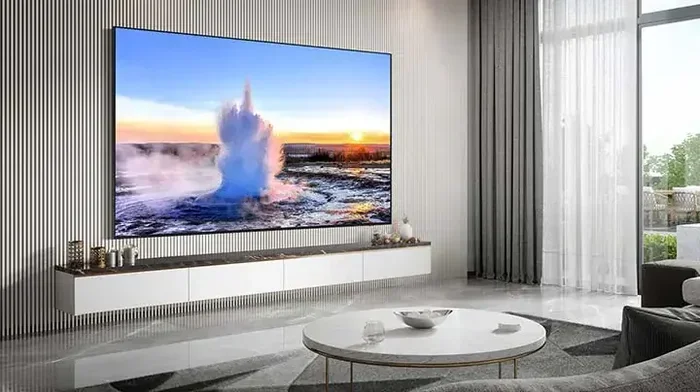
When it comes to portable projectors, screen size is the number one factor that determines the overall experience. Experts agree that a 100-inch image is the sweet spot for portable devices. It is big enough to feel immersive but not so big that you lose picture quality.
The Hisense L5 hits this sweet spot very well. At 100 inches, you get a watching experience that rivals a medium-sized television but with the flexibility of a portable device. You can move it from room to room or take it outdoors, which no TV can match.
Another expert tip is to consider the aspect ratio. The Hisense L5 projects in a 16:9 ratio, which is the standard for most movies and TV shows. This means you will not see black bars on the sides when watching widescreen content. It is a small detail that makes a big difference in how enjoyable the viewing experience is.
If you are curious about how this projector compares to using a tablet for watching content, you might want to check out whether you can browse the internet on a tablet for a side-by-side comparison of screen experiences.
Who Is the Hisense L5 Best For?
The Hisense L5 is a versatile device that suits many different users. Here are some examples of who benefits most from it:
- College students: It is small enough to fit in a dorm room and creates a big-screen experience for movie nights with friends.
- Families: Parents can set up a backyard movie night for kids with ease. The portable design means you can move it wherever you need it.
- Gamers: Playing games on a 100-inch projected screen is a thrilling experience, especially with a wireless controller connected to your phone or console.
- Professionals: The HDMI and USB ports make it great for presentations. You can connect a laptop and share content on a large screen in a conference room.
- Travelers: The lightweight design makes it easy to pack for trips. You can enjoy your favorite shows and movies in hotel rooms or cabins.
No matter who you are, the Hisense L5 offers a big-screen experience in a small package. The 100-inch projection capability is genuinely impressive for a device this size and price point.
Final Thoughts on the Hisense L5 Screen Size
So, how big is the screen on the Hisense L5? The answer is up to 100 inches, and that is a big deal for a portable projector this compact. The combination of Full HD resolution, LED lighting, and smart features makes it one of the best options in its category.
If you are looking for a projector that delivers a cinematic experience without the bulk, the Hisense L5 is a strong contender. It is easy to set up, simple to use, and produces a picture that looks great in the right conditions.
Remember, the screen size you actually get depends on your placement and the distance to the wall. Take some time to experiment with different distances to find the sweet spot for your space. A little planning goes a long way toward getting the best possible picture.
For more tips on projector setup and placement, check out our guide on whether you can put a projector on a shelf for practical advice on organizing your viewing space.
Enjoy your movies, games, and presentations on a big, bright screen with the Hisense L5. Once you go big, you will not want to go back.
Frequently Asked Questions
What is the maximum screen size the Hisense L5 can project?
The Hisense L5 can project images up to 100 inches diagonally. The actual size depends on how far you place the projector from the wall or screen. Moving it closer gives you a smaller image, while moving it farther back creates a larger one.
Is the Hisense L5 screen size good for watching movies?
Yes, absolutely. A 100-inch projected screen provides a very cinematic experience for movies. The Full HD 1080p resolution ensures the picture stays sharp and detailed even at the maximum size. For the best results, watch in a dim or dark room.
How far should I place the Hisense L5 from the wall?
Place the projector about 4 to 8 feet from the wall for a screen size between 60 and 90 inches. For a full 100-inch image, position it around 10 feet away. The exact distance may vary slightly based on your room setup and surface.
Can I use the Hisense L5 outdoors for a big screen?
Yes, you can use it outdoors, but the screen size and quality depend on lighting conditions. Use it after sunset or in shaded areas for the best picture. A portable white screen or light-colored wall works well for outdoor projection.
Does the Hisense L5 come with a screen?
The Hisense L5 does not include a projection screen in the box. You will need to project onto a wall, a portable screen, or a flat white surface. You can also use a black sheet for a projector screen if you want better contrast and color depth.
Can I connect other devices to the Hisense L5 for a bigger viewing experience?
Yes, the Hisense L5 has HDMI and USB ports that let you connect laptops, gaming consoles, and media players. You can also pair wireless speakers via Bluetooth for better sound. If you want to add streaming sticks, you can use a fire stick on a projector for extra app options.
=== CONCLUSION ===
The Hisense L5 delivers an impressive screen size for its compact size. With the ability to project up to 100 inches, it brings a true cinematic experience into any room or outdoor space. The combination of Full HD resolution, LED brightness, and smart features makes it a standout choice in the portable projector market.
Whether you are a student, a gamer, a movie lover, or a professional, the Hisense L5 screen size gives you the flexibility to enjoy big visuals wherever you go. Set it up on a table, mount it on a shelf, or take it outside for a group viewing session. The possibilities are wide open.
Take the time to find the right projection distance for your space, avoid common setup mistakes, and you will enjoy a fantastic viewing experience every time. The Hisense L5 proves that big screen entertainment does not require a big setup.