Ever Wondered Do All Mobile Devices Have Bluetooth
Not all mobile devices come with Bluetooth built in. While most modern smartphones and tablets include Bluetooth, older or budget models sometimes skip it. Understanding Bluetooth capability helps you choose the right device and accessories.
Have you ever grabbed a new gadget and immediately wondered, “Do all mobile devices have Bluetooth?” It is a fair question. We live in a world where wireless connectivity rules our daily lives. From streaming music to connecting smartwatches, Bluetooth has become essential. But the truth is, not every mobile device includes it.
In this guide, we break down everything you need to know about Bluetooth on mobile devices. You will learn which devices have it, which do not, and how to check your own phone. We also explore wireless pairing tips and common Bluetooth problems. By the end, you will feel confident about your device’s connectivity options.
Bluetooth has come a long way since its early days. What started as a simple wireless protocol for short-range connections now powers countless devices. Let us dive into the details and answer this question once and for all.
Key Takeaways
- Most modern phones include Bluetooth: Nearly all smartphones released in the last decade come with Bluetooth built in.
- Older and budget devices may lack it: Some basic phones and older tablets do not support Bluetooth at all.
- Bluetooth versions matter: Newer versions like Bluetooth 5.0 offer better range and faster connections.
- You can add Bluetooth to non-Bluetooth devices: Adapters and dongles let you add wireless connectivity to older gadgets.
- Device compatibility varies: Not all Bluetooth devices pair with every phone, so check before buying.
- Bluetooth uses are expanding: From audio to smart home control, Bluetooth now handles many tasks beyond just wireless audio.
📑 Table of Contents
- What Is Bluetooth and Why Does It Matter?
- Do All Mobile Devices Have Bluetooth?
- How to Check If Your Device Has Bluetooth
- Bluetooth Versions and Why They Matter
- How to Add Bluetooth to Devices That Do Not Have It
- Common Bluetooth Problems and How to Fix Them
- Expert Tips for Getting the Most Out of Bluetooth
- Frequently Asked Questions
- Conclusion
What Is Bluetooth and Why Does It Matter?
Bluetooth is a wireless technology standard that lets devices talk to each other over short distances. It uses radio waves to send data between gadgets. You probably use Bluetooth every day without even thinking about it.
Here are some common uses for Bluetooth on mobile devices:
- Wireless audio: Connecting headphones, earbuds, and speakers to your phone.
- File sharing: Sending photos or documents between devices quickly.
- Smart device control: Connecting fitness trackers, smartwatches, and home gadgets.
- Car connectivity: Playing music and taking calls through your car stereo.
- Internet tethering: Sharing your phone’s data connection with a laptop or tablet.
The importance of Bluetooth in today’s mobile world cannot be overstated. When you turn your phone into a Bluetooth speaker, you are using one of many powerful features this technology offers. It makes your gadgets more useful and more convenient every single day.
Do All Mobile Devices Have Bluetooth?
The short answer is no. Not every mobile device comes with Bluetooth built in. However, the vast majority of modern devices do include it. Let us look at the different types of mobile devices and their Bluetooth status.
Smartphones and Bluetooth
Most smartphones today come with Bluetooth as a standard feature. Whether you use an iPhone or an Android phone, Bluetooth is almost always included. In fact, Bluetooth enabled devices have become the norm rather than the exception in the smartphone world.
Here is what you should know about smartphones and Bluetooth:
- Virtually all iPhones from the iPhone 3GS onward support Bluetooth.
- Most Android phones from the last ten years include Bluetooth.
- Budget smartphones sometimes omit Bluetooth to cut costs.
- Older flagship phones may have older Bluetooth versions with limited range.
When you are shopping for a new phone, always check the specifications for Bluetooth support. You want to make sure your device can connect to your favorite mobile accessories like headphones and speakers.
Tablets and Bluetooth
Tablets generally include Bluetooth, but this is not guaranteed. iPads from Apple almost always have Bluetooth. Many Android tablets do too. However, some budget tablets, especially older models, may skip Bluetooth entirely.
If you plan to use a tablet with wireless earbuds or a keyboard, check the specs first. You do not want to buy a tablet and then find out it cannot connect to your wireless accessories.
Basic Phones and Feature Phones
Basic phones, sometimes called feature phones, are a different story. These are the simple phones that make calls and send texts. Many of them do not include Bluetooth. Some newer basic phones do add Bluetooth, but it is not universal.
If you or a family member uses a basic phone, do not assume it has Bluetooth. Always check the product listing or the user manual before buying.
How to Check If Your Device Has Bluetooth
Not sure if your mobile device supports Bluetooth? Checking is easy. Here are simple steps for the most common devices.
Checking Bluetooth on iPhone
On an iPhone, open the Control Center by swiping down from the top right corner. Look for the Bluetooth icon. If it looks like a stylized “B,” Bluetooth is available on your device.
You can also go to Settings and tap Bluetooth. If you see the Bluetooth toggle switch, your iPhone supports it. This works on all iPhones that have Bluetooth capability.
Checking Bluetooth on Android
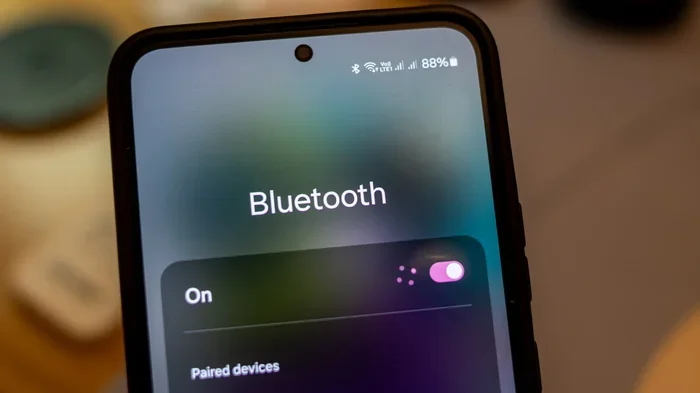
On most Android phones, swipe down from the top of the screen to open the quick settings panel. Look for the Bluetooth icon. Tapping it turns Bluetooth on or off.
You can also go to Settings, then Connections or Network & Internet, and look for Bluetooth. If you find it there, your device supports Bluetooth.
Checking Bluetooth on Tablets
The process for tablets is similar to phones. On iPads, go to Settings and tap Bluetooth. On Android tablets, swipe down and look for the Bluetooth icon in quick settings.
If you cannot find Bluetooth in your settings, your tablet may not support it. This is more common with older or very budget tablets.
Bluetooth Versions and Why They Matter
Not all Bluetooth is the same. Bluetooth has gone through several versions over the years. Each new version brings improvements in speed, range, and battery efficiency. Understanding these versions helps you make smart choices about your mobile technology.
Bluetooth 4.0 and Earlier
Bluetooth 4.0 was a big step forward when it came out. It introduced low energy Bluetooth, which uses less battery. Many older phones and devices still use this version. It works fine for basic tasks like connecting headphones, but it has shorter range than newer versions.
Bluetooth 5.0 and Newer
Bluetooth 5.0, released in 2016, brought major improvements. It doubled the range and quadrupled the speed compared to Bluetooth 4.2. If your device supports Bluetooth 5.0, you get better performance and fewer connection drops.
Here is a quick comparison of Bluetooth versions:
- Bluetooth 4.0: Good range, low energy use, standard for older devices.
- Bluetooth 4.2: Slight improvements in speed and security over 4.0.
- Bluetooth 5.0: Double the range, faster data transfer, better battery efficiency.
- Bluetooth 5.3: The latest version with improved connectivity and lower power use.
If you are buying new wireless headphones or speakers, look for ones that work well with newer Bluetooth versions. This ensures a smoother and more reliable connection. For example, if you are an iPhone user, you might want to check how Beats headphones work with iPhone before making a purchase.
How to Add Bluetooth to Devices That Do Not Have It
Do you have a device that does not support Bluetooth? Do not worry. You have options. Adding Bluetooth to a non-Bluetooth device is easier than you might think.
Bluetooth Adapters and Dongles
The easiest way to add Bluetooth to a device is with a Bluetooth adapter. These small dongles plug into USB ports or audio jacks. They give your device wireless connectivity without any complicated setup.
Here are some popular ways to add Bluetooth:
- USB Bluetooth dongles: Plug into a computer or tablet with a USB port.
- 3.5mm Bluetooth adapters: Connect to the headphone jack on speakers or stereos.
- Bluetooth receiver modules: For more advanced users who want to modify devices.
These adapters are affordable and work well for most needs. They let you connect wireless headphones, speakers, and other Bluetooth enabled devices to older gadgets that lack built-in Bluetooth.
Turning Wired Gear Into Wireless Gear
One of the most popular uses for Bluetooth adapters is making wired headphones wireless. If you love a pair of wired headphones but want the freedom of wireless, a simple Bluetooth adapter can do the job. You can also make your wired headphones Bluetooth with the right adapter.
This is a great option if you have a favorite pair of wired headphones that you do not want to replace. Just plug in the adapter, pair it with your phone, and enjoy wireless audio.
Adding Bluetooth to Car Stereos
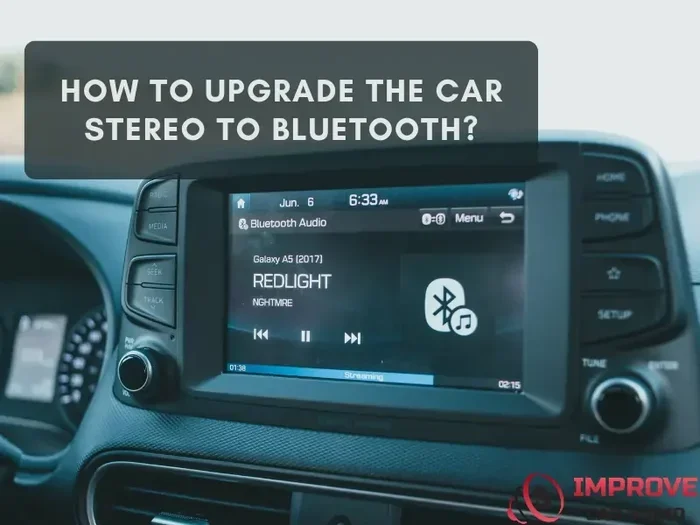
Many older cars do not have Bluetooth in the stereo system. You can fix this with a Bluetooth car adapter. These devices plug into your car’s audio input and pair with your phone. You can then stream music and take calls hands-free.
If you want to upgrade your car’s connectivity, consider upgrading your car stereo to Bluetooth. It is a simple upgrade that makes driving safer and more enjoyable.
Common Bluetooth Problems and How to Fix Them
Bluetooth is convenient, but it is not perfect. You may run into connection issues from time to time. Here are some common problems and easy fixes.
Device Will Not Pair
If your phone will not connect to a Bluetooth device, try these steps:
- Turn Bluetooth off and back on again.
- Make sure the other device is in pairing mode.
- Restart both devices.
- Check if the devices are too far apart.
- Remove the device from your Bluetooth list and try pairing again.
Poor Audio Quality
Bluetooth audio quality can suffer if there is interference. Walls, other wireless devices, and distance can all affect sound quality. Move closer to the connected device for better performance.
If you use Bluetooth headphones for gaming, audio lag can be frustrating. Bluetooth headphones for gaming work best when you are close to the source device and there is minimal interference.
Battery Drain
Bluetooth uses power, especially older Bluetooth versions. If you notice your phone battery draining fast, Bluetooth might be the cause. Turn off Bluetooth when you are not using it to save battery life.
Expert Tips for Getting the Most Out of Bluetooth
Want to get the best experience from your Bluetooth connections? Follow these simple tips from the experts.
Keep Your Devices Updated
Software updates often include improvements to Bluetooth performance. Keep your phone and connected devices updated to the latest firmware. This ensures you get the best compatibility and features.
Manage Connected Devices
Your phone can connect to many Bluetooth devices at once. But having too many connected devices can slow things down. Go through your Bluetooth settings and remove devices you no longer use. This keeps your connection clean and fast.
Understand Bluetooth Range
Most Bluetooth devices work within a range of about 30 feet. Walls and obstacles can reduce this range. Keep your devices in the same room for the best experience. If you need longer range, look for devices that support Bluetooth 5.0 or newer.
Use the Right Bluetooth Profile
Bluetooth uses different profiles for different tasks. The most common ones include A2DP for audio, HFP for calls, and HSP for headset functions. Making sure your device supports the right profile ensures smooth connectivity.
For everyday use, most people rely on the A2DP profile for streaming music and the HFP profile for phone calls. Understanding these profiles helps you troubleshoot when something does not work as expected.
Frequently Asked Questions
Do all smartphones have Bluetooth?
No, not all smartphones have Bluetooth. While the vast majority of modern smartphones include Bluetooth, some very budget or older models may not. Always check the device specifications before purchasing if Bluetooth is important to you.
Can I use Bluetooth without Wi-Fi?
Yes, Bluetooth works independently of Wi-Fi. It uses its own radio frequency to connect devices. You do not need an internet connection to pair Bluetooth headphones, speakers, or other accessories to your phone.
Is Bluetooth safe to use on mobile devices?
Yes, Bluetooth is generally safe. It uses low-power radio waves that are considered safe for everyday use. Modern Bluetooth versions include built-in security features that protect your data during wireless pairing.
How far can Bluetooth reach on mobile devices?
Standard Bluetooth range is about 30 feet or 10 meters. Bluetooth 5.0 and newer versions can reach up to 800 feet in ideal conditions. Walls and other obstacles reduce the effective range in everyday use.
What should I do if my device does not have Bluetooth?
You can add Bluetooth to most devices using a Bluetooth adapter or dongle. USB Bluetooth adapters work well for computers and tablets. 3.5mm Bluetooth adapters work for speakers and headphones. These are affordable and easy to set up.
Does Bluetooth drain phone battery quickly?
Bluetooth does use battery, but modern versions are very efficient. Bluetooth 5.0 uses even less power than older versions. Turning off Bluetooth when you are not using it helps preserve battery life throughout the day.
Conclusion
So, do all mobile devices have Bluetooth? The answer is no, but most modern ones do. Bluetooth capability has become standard on smartphones, tablets, and many other mobile gadgets. However, older devices, basic phones, and some budget models may still lack this feature.
Understanding your device’s Bluetooth status helps you make better purchasing decisions. It also helps you troubleshoot connection problems when they come up. Whether you are listening to music, connecting a smartwatch, or sharing files, Bluetooth makes your mobile experience much better.
If your device does not have Bluetooth, you can always add it with an adapter. This gives you the freedom to connect wireless accessories without buying a new device. The world of wireless connectivity is at your fingertips. Embrace it and enjoy the convenience that Bluetooth brings to your everyday life.