Does A Nintendo Switch Have Bluetooth Connectivity
Yes, the Nintendo Switch does have Bluetooth connectivity, but it works differently than most other consoles. The Switch uses a custom wireless protocol for most accessories, which means standard Bluetooth devices need a special adapter. You can connect wireless headphones, speakers, and other peripherals with the right setup. This guide covers everything you need to know about Nintendo Switch Bluetooth pairing, limitations, and workarounds.
Key Takeaways
- The Nintendo Switch supports Bluetooth, but only for specific accessories and with limitations.
- Wireless headphones can connect to the Switch using a Bluetooth adapter or the USB-C dock.
- Most standard Bluetooth devices like keyboards and mice do not work directly with the Switch.
- A Bluetooth adapter is the easiest way to connect non-Nintendo wireless devices.
- Bluetooth audio quality on the Switch can vary depending on the adapter and device used.
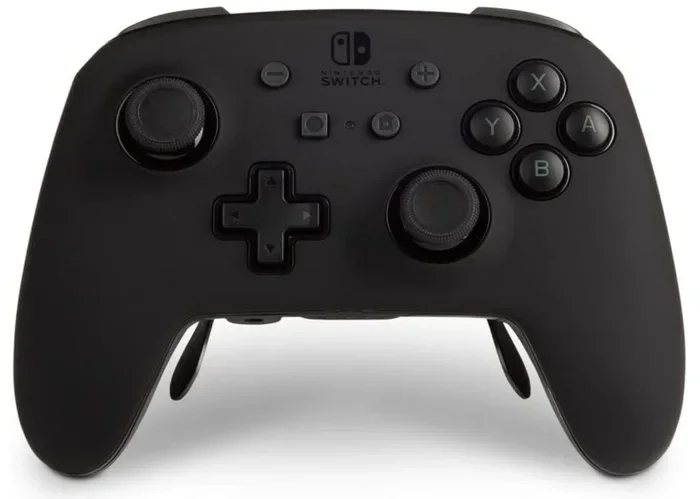
- The Switch Pro Controller uses Bluetooth to connect to the console wirelessly.
- Third-party accessories may require additional setup to work with the Switch.
📑 Table of Contents
- Does A Nintendo Switch Have Bluetooth Connectivity?
- How Bluetooth Works On The Nintendo Switch
- What Bluetooth Devices Work With The Nintendo Switch
- How To Connect Wireless Headphones To Your Switch
- Bluetooth Limitations On The Nintendo Switch
- Tips For Better Bluetooth Performance On Your Switch
- Can You Use Bluetooth With The Switch In Handheld Mode?
- Expert Insights On Nintendo Switch Bluetooth
- Final Thoughts
Does A Nintendo Switch Have Bluetooth Connectivity?
The short answer is yes. The Nintendo Switch does have Bluetooth built in. But here is the catch. It does not work like the Bluetooth on your phone or laptop. Nintendo uses a proprietary wireless protocol for most of its accessories. This means that not every Bluetooth device will just pair up and work out of the box.
If you have ever tried to connect a pair of wireless headphones to your Switch and failed, you are not alone. Many gamers run into this problem. The Switch is designed to work best with Nintendo-made wireless gear. But that does not mean you are stuck with wired audio forever. There are ways to make it work.
In this article, we will walk you through everything you need to know. We will cover how Bluetooth works on the Switch, what devices you can connect, and the best ways to set things up. Whether you want to use wireless headphones while gaming late at night or connect a speaker for a party, we have you covered.
How Bluetooth Works On The Nintendo Switch
The Nintendo Switch uses a custom wireless technology that is not standard Bluetooth. This is important to understand. When you connect your Joy-Con controllers or the Switch Pro Controller, they do not use regular Bluetooth. They use Nintendo’s own wireless protocol. This gives Nintendo more control over the connection and reduces lag.
The Wireless Protocol Behind The Switch
Nintendo designed its own wireless system for several reasons. First, it helps reduce input lag. When you are playing a fast-paced game, even a tiny delay can ruin the experience. Second, it allows Nintendo to support up to eight controllers at once. Third, it keeps the connection stable between the console and the controllers.
Standard Bluetooth devices like wireless headphones and speakers use a different protocol. This is why the Switch does not recognize them directly. The console simply does not have the software support for generic Bluetooth audio devices. This is a known limitation of the Switch hardware.
What The Switch’s Bluetooth Chip Can Do
The Switch does have a Bluetooth chip inside. But it is limited in what it can do. The chip handles controller connections and the Switch Pro Controller pairing. It also supports the Joy-Con wireless connection. However, it does not support the standard Bluetooth profiles that audio devices use, like A2DP for music streaming.
This is why you cannot just go into the Switch settings and pair your favorite wireless headphones the way you would with a smartphone. The Switch simply does not have the built-in support for that. But do not worry. There are workarounds.
What Bluetooth Devices Work With The Nintendo Switch
Not all Bluetooth devices are created equal when it comes to the Switch. Some work great. Some need extra gear. And some just will not work at all. Let us break this down.
Devices That Work Natively
The following devices connect to the Switch without any extra accessories:
- Nintendo Switch Pro Controller – This is the official wireless controller. It pairs directly with the Switch using Bluetooth.
- Joy-Con controllers – Both left and right Joy-Cons connect wirelessly to the console.
- Nintendo Switch Online wireless controllers – Some third-party controllers designed for the Switch use the same protocol.
These devices work because Nintendo built them to use the same wireless technology as the Switch. They communicate seamlessly without any extra steps.
Devices That Need An Adapter
If you want to use wireless headphones, Bluetooth speakers, or other audio devices, you will need a Bluetooth adapter. The Switch does not support these devices natively. But with the right adapter, you can connect them easily.
Some popular options include USB Bluetooth adapters that plug into the Switch dock. These adapters add standard Bluetooth support to the console. This lets you connect wireless headphones and speakers for private listening or group gaming sessions.
You can also check out our guide on Can I Use Bluetooth Headphones With Switch for more details on compatible headsets and adapters.
Devices That Do Not Work At All
Some Bluetooth devices simply will not work with the Switch, even with an adapter. These include:
- Standard Bluetooth keyboards and mice
- Bluetooth gamepads from other consoles
- Bluetooth fitness trackers and smartwatches
- Most Bluetooth car audio systems
The Switch has strict compatibility requirements. It only recognizes devices that use its specific wireless protocol or devices that are explicitly supported through a working adapter setup.
How To Connect Wireless Headphones To Your Switch
Connecting wireless headphones to the Nintendo Switch is the most common Bluetooth question we get. And it is also the most requested feature. Nintendo has not added native Bluetooth audio support yet. But there are several ways to get wireless sound working.
Method 1: Use A Bluetooth USB Adapter
This is the most popular method. You buy a small Bluetooth USB adapter and plug it into the Switch dock. The adapter adds Bluetooth audio support to the console. Then you can pair your wireless headphones just like you would with a phone.
Here is how to do it:
- Plug the Bluetooth adapter into the USB port on the Switch dock.
- Put your headphones in pairing mode.
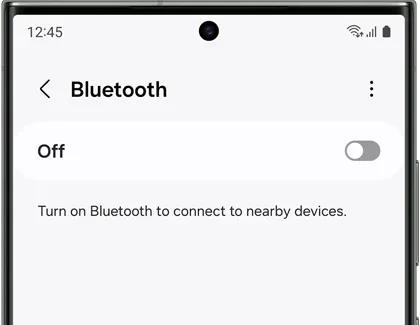
- Go to the Switch settings and look for the Bluetooth option.
- Select your headphones from the list of available devices.
- Wait for the connection to establish.
Once paired, your headphones should work for both game audio and chat audio. The quality will depend on the adapter you buy. Look for adapters that support Bluetooth 5.0 or higher for the best experience.
Method 2: Use The 3.5mm Headphone Jack
If you do not want to buy an adapter, you can always use a wired connection. The Switch dock has a 3.5mm headphone jack. You can plug in any wired headphones or use a 3.5mm to Bluetooth adapter to make them wireless.
This method is simple and reliable. The downside is that you are tethered to the dock. You cannot walk around freely with a wired connection. But for stationary gaming setups, it works great.
Method 3: Use A Compatible Wireless Headset
Some wireless headsets are designed specifically for the Nintendo Switch. These headsets connect using the same proprietary wireless protocol as the controllers. They do not need Bluetooth at all. They work directly with the Switch.
Brands like SteelSeries and Turtle Beach have made Switch-compatible headsets. These offer great audio quality and low latency. They are the best option if you want a hassle-free wireless audio experience.
For more information on using speakers with the Switch, check out our guide on Can I Use A Bluetooth Speaker To Amplify My Voice which covers speaker connectivity options.
Bluetooth Limitations On The Nintendo Switch
It is important to understand the limitations of Nintendo Switch Bluetooth. The console was not designed with full Bluetooth audio support. This means you will face some restrictions.
No Native Bluetooth Audio Support
The biggest limitation is that the Switch does not support Bluetooth audio natively. You cannot go into the settings and pair your AirPods or Sony WH-1000XM headphones directly. This frustrates many users. But it is a design choice by Nintendo, not a bug.
Nintendo likely made this choice to keep the console’s wireless bandwidth focused on controller connections. Audio streaming over Bluetooth requires a lot of data. Adding it would complicate the wireless management system.
Limited Range And Stability
When you use a Bluetooth adapter with the Switch, the range can be limited. Most adapters work well within about 10 to 15 feet. If you walk too far from the console, you may experience audio dropouts or lag.
This is not a problem with the adapter itself. It is a limitation of the Switch’s wireless hardware. The console was not designed to handle long-range Bluetooth connections. Keep this in mind when setting up your gaming space.
No Multi-Device Pairing
The Switch also does not support multi-device Bluetooth pairing. You cannot switch between your phone and the Switch for audio output. You need to manually disconnect one device before connecting another. This can be annoying if you use the same headphones for your phone and your Switch.
Tips For Better Bluetooth Performance On Your Switch
If you are using Bluetooth with your Switch, these tips will help you get the best experience.
Keep The Adapter Close To The Console
Place the Bluetooth adapter as close to the Switch as possible. Do not stick it in a far USB port on your TV stand. The closer it is, the stronger the signal. A direct connection on the dock is best.
Use Bluetooth 5.0 Or Higher
Older Bluetooth versions have more lag and lower audio quality. Look for adapters that support Bluetooth 5.0 or newer. These offer better range, faster connections, and improved audio quality.
Reduce Wireless Interference
Other wireless devices can interfere with your Bluetooth connection. Keep your Switch away from Wi-Fi routers, microwaves, and other Bluetooth devices. This helps maintain a stable connection.
Keep Your Adapter Firmware Updated
Some Bluetooth adapters have firmware updates. These updates can improve compatibility and performance. Check the manufacturer’s website for updates and follow the instructions to install them.
Test Different Audio Codecs
If your adapter supports multiple audio codecs, try different ones. Some codecs offer better quality but more latency. Others offer lower quality but less lag. Find the right balance for your needs. If you enjoy gaming with audio output, you might also want to check out Can I Turn Regular Speakers Into Bluetooth for creative audio solutions.
Can You Use Bluetooth With The Switch In Handheld Mode?
This is a great question. The answer is yes, but with some caveats. When you play in handheld mode, the Switch still uses its built-in wireless chip. You can connect Bluetooth headphones using the adapter method we discussed earlier.
Just make sure the adapter is compatible with handheld mode. Some adapters only work when the Switch is docked. Look for adapters that are specifically designed for portable use. These small adapters plug directly into the Switch’s USB-C port.
Using Bluetooth headphones in handheld mode is perfect for late-night gaming or when you do not want to disturb others. Just remember that battery life may be slightly shorter when using wireless audio.
Expert Insights On Nintendo Switch Bluetooth
According to gaming tech experts, the lack of native Bluetooth audio on the Switch remains one of the most requested features. Many users feel that Nintendo has fallen behind competitors in this area. Both the PlayStation and Xbox support Bluetooth audio natively.
However, Nintendo has its reasons. The company prioritizes wireless controller stability over audio features. This makes sense for competitive gaming where input lag matters most. For casual players, the lack of Bluetooth audio is more annoying than problematic.
The good news is that third-party solutions have improved significantly. Bluetooth adapters are now small, affordable, and reliable. You can get a good adapter for under $20. This makes wireless audio on the Switch more accessible than ever.
You might also be interested in Can I Use Bluetooth Speaker Without Bluetooth for alternative speaker connectivity options.
Final Thoughts
So, does the Nintendo Switch have Bluetooth? Yes, it does. But it is not the full Bluetooth experience you might be used to. The Switch uses a custom wireless protocol for controllers and does not support standard Bluetooth audio natively.
This does not mean you cannot use wireless headphones or speakers. With a Bluetooth adapter, you can connect most wireless audio devices to your Switch. The setup is simple and affordable. You just need the right gear.
Keep the limitations in mind. The range is limited. The connection can be less stable than native Bluetooth. And you cannot pair multiple audio devices at once. But for most gamers, these trade-offs are worth it. Wireless audio makes the Switch a much more versatile console.
Whether you are playing Mario Kart at midnight with wireless headphones or setting up a speaker for a game night, you now know how to make Bluetooth work on your Nintendo Switch. The key is patience and the right adapter. Happy gaming.
Frequently Asked Questions
Can I connect wireless headphones directly to the Nintendo Switch without an adapter?
No, the Nintendo Switch does not support standard Bluetooth audio devices natively. You need a Bluetooth USB adapter or a compatible wireless headset designed for the Switch. The console uses a custom wireless protocol for its controllers and accessories, which is different from standard Bluetooth audio profiles.
What is the best Bluetooth adapter for the Nintendo Switch?
Look for a Bluetooth 5.0 USB adapter that is small enough to fit in the Switch dock. Popular options include adapters from brands like TP-Link and ASUS. Make sure the adapter supports audio profiles like A2DP and AVRCP for full functionality.
Why does the Nintendo Switch not support Bluetooth audio natively?
Nintendo designed the Switch to prioritize wireless controller connections over audio streaming. The console’s wireless hardware and software focus on maintaining stable connections with Joy-Con and Pro Controllers. Adding native Bluetooth audio support would require additional hardware and software resources.
Can I use Bluetooth speakers with the Nintendo Switch?
Yes, you can use Bluetooth speakers with the Switch, but you need a Bluetooth adapter. Plug the adapter into the Switch dock, pair your speaker, and you will have wireless audio output. This works great for casual gaming and party setups where you want sound from a speaker instead of headphones.
Does the Nintendo Switch OLED have better Bluetooth than the original Switch?
No, the Switch OLED uses the same wireless hardware as the original Switch and the Switch Lite. It does not have improved Bluetooth audio support. All Switch models require a Bluetooth adapter for wireless audio devices.
Is there any lag when using Bluetooth headphones with the Nintendo Switch?
Some lag is possible when using Bluetooth headphones with the Switch, especially with older adapters. Using a Bluetooth 5.0 adapter can reduce lag significantly. The amount of lag also depends on the distance between the adapter and your headphones. Keeping them close together helps minimize any delay.