Does Bluetooth Work When Your Phone Is Switched Off
Does Bluetooth work when your phone is switched off? The short answer is no. Bluetooth requires power to function, and once your phone is fully off, the Bluetooth module shuts down completely. However, there are exceptions and workarounds that keep your wireless devices running even when your phone is dead.
We rely on Bluetooth every single day. It connects our headphones, speakers, smartwatches, and car audio systems without a single wire. But what happens when you power down your phone? Does Bluetooth work when your phone is switched off? This is a question many people ask, especially when they want to use wireless devices without draining their battery or when their phone dies at the worst possible moment.
The truth is, Bluetooth needs active power to send and receive signals. When your phone is completely off, the Bluetooth module stops working too. But the full story is more interesting than a simple yes or no. There are exceptions, workarounds, and specific scenarios where Bluetooth-like functionality still exists even when your phone is dead. Let us walk you through everything you need to know about Bluetooth connectivity when your phone is not powered on.
Understanding how wireless technology works on your device helps you make better decisions. Whether you are trying to save battery, troubleshoot a connection issue, or figure out if your headphones will work without your phone, this guide covers it all. We will break down the technical details in simple terms so anyone can understand them.
Key Takeaways
- Bluetooth needs power: Your phone must be on or in a low-power state for Bluetooth to work.
- Some devices have independent Bluetooth: Certain accessories can connect without your phone being active.
- Airplane mode kills Bluetooth: Even if your phone is on, turning on airplane mode disables Bluetooth.
- Bluetooth Low Energy (BLE) helps: Some devices use less power and stay connected longer.
- You can still use Bluetooth speakers and headphones: With the right setup, wireless audio works independently.
- Check your Bluetooth settings: Knowing how to manage connections saves time and battery.
📑 Table of Contents
- How Bluetooth Works on Your Phone
- Why Bluetooth Needs Power to Function
- Can Bluetooth Work Without Your Phone Being On?
- Bluetooth Low Energy and Its Role
- Common Myths About Bluetooth and Phone Power
- Quick Tips for Managing Bluetooth When Your Phone Is Off
- What to Do When Bluetooth Stops Working After Your Phone Turns Back On
- The Future of Bluetooth and Phone Connectivity
- Final Thoughts
How Bluetooth Works on Your Phone
Bluetooth is a wireless communication standard that lets devices talk to each other over short distances. It uses radio waves in the 2.4 GHz frequency band to send data between your phone and connected accessories. When you pair a Bluetooth headset or speaker with your phone, they create a small personal network called a piconet.
Here is how the process works in simple steps:
- Your phone broadcasts a Bluetooth signal to find nearby devices.
- The other device responds and confirms the connection.
- Once paired, they exchange data using a Bluetooth profile specific to the task, like audio streaming or file transfer.
- The connection stays active as long as both devices have power.
The Bluetooth module inside your phone is always listening when Bluetooth is turned on. It uses a small amount of battery even when you are not actively using it. This is why turning off Bluetooth when you do not need it helps save power. But the key point is this module needs your phone to be awake and powered to function.
What Happens to Bluetooth When Your Phone Is Off
When you switch off your phone, the Bluetooth module loses its power source. The radio transmitter stops broadcasting, and the receiver stops listening. This means no device can find your phone, and your phone cannot find any other Bluetooth devices. The connection is completely severed.
Think of it like a walkie-talkie. If one person turns off their device, the other person cannot reach them anymore. The same principle applies here. Bluetooth does not work when your phone is switched off because the hardware simply has no energy to operate.
However, some people confuse a powered-off phone with a phone in sleep mode or low-power mode. When your phone is asleep, Bluetooth can still function. It is only when the phone is completely powered down that Bluetooth stops. This distinction matters a lot when you are trying to troubleshoot connection problems.
Why Bluetooth Needs Power to Function
Bluetooth relies on a tiny computer chip and a radio transmitter inside your phone. Both of these components need electricity to run. When your phone is off, the battery stops supplying power to all circuits except those needed for basic functions like charging detection. The Bluetooth chip is not one of them.
Here is what happens inside your phone when it powers down:
- The processor shuts down and stops all active tasks.
- The Bluetooth radio transmitter powers off completely.
- The Bluetooth receiver stops scanning for nearby devices.
- All paired device connections are dropped.
- The phone can no longer discover new Bluetooth devices.
This is why you cannot use Bluetooth headphones or Bluetooth speakers when your phone is fully off. The phone acts as the central hub that controls the Bluetooth connection. Without the hub, the peripherals have nothing to connect to.
There is one small exception. Some phones have a feature called “Bluetooth wake” or “wake on Bluetooth.” This allows a Bluetooth device to partially power on your phone when it detects a connection request. But even this feature requires the phone to have some residual power, and it does not work when the battery is completely dead.
Can Bluetooth Work Without Your Phone Being On?
Now here is where things get interesting. While Bluetooth does not work when your phone is completely off, there are scenarios where wireless devices can still function independently. Let us explore these situations in detail.
Bluetooth Speakers That Work Without a Phone
Many modern Bluetooth speakers can store and play audio without being connected to a phone. You can pair a speaker with another device, like a tablet or laptop, and it will keep working. Some speakers even have built-in memory or SD card slots that let you play music directly from the speaker without any phone at all.
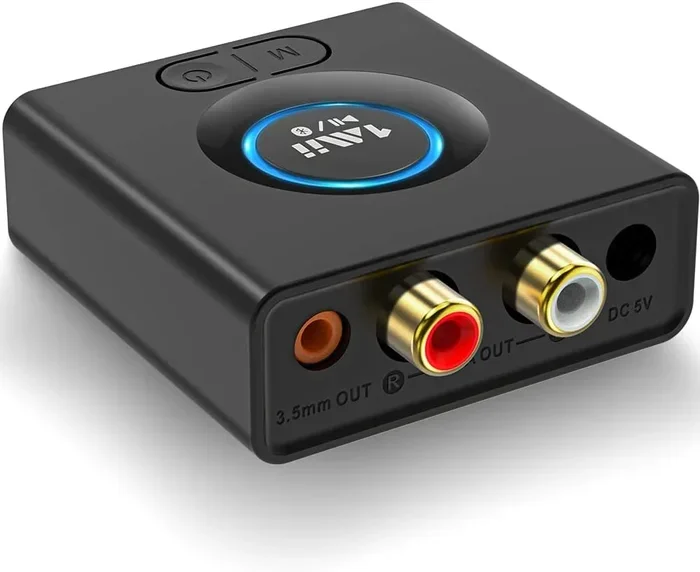
If you want to use audio without your phone, you can also turn regular speakers into Bluetooth using a Bluetooth receiver. This small adapter plugs into your speaker and gives it wireless capability. The receiver has its own power source, so it works independently of your phone.
Using Bluetooth Headphones Independently
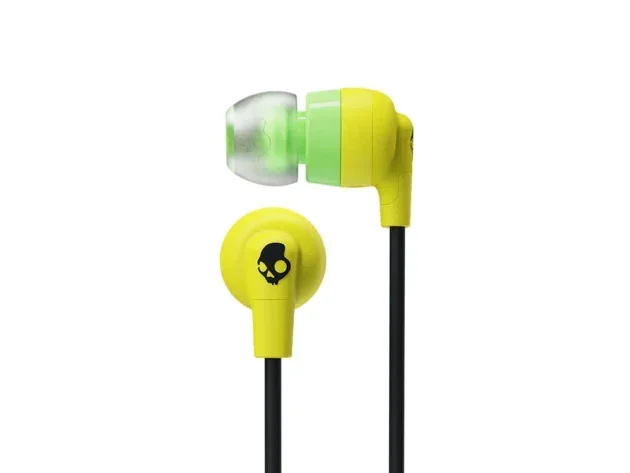
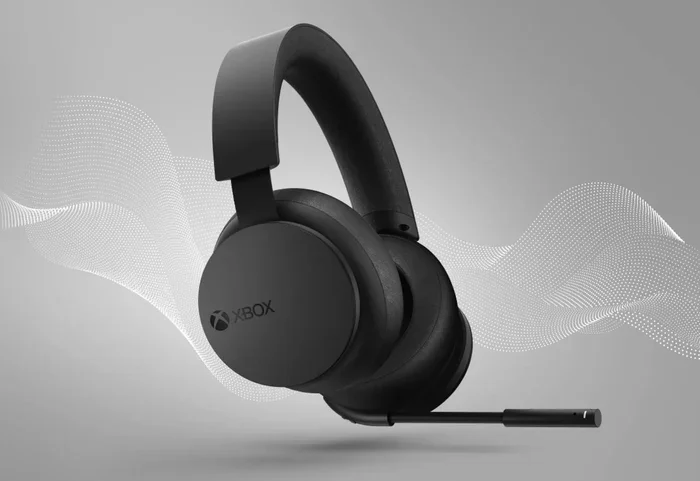
Some Bluetooth headphones have onboard storage and can play music without being paired to a phone. You can load songs directly onto the headphones through a USB cable or SD card slot. In this case, the headphones use their own battery and Bluetooth chip, so they do not need your phone to be on.
This is different from normal Bluetooth headphone use, where the phone streams audio to the headphones in real time. With onboard storage, the headphones become a standalone music player. The phone is no longer part of the equation.
If you want to make your regular wired headphones wireless, you can make your wired headphones Bluetooth using a small Bluetooth adapter. These adapters have their own battery and can connect to music sources independently of your phone.
Bluetooth in Cars and Other Devices
Car audio systems with Bluetooth have their own processors and power sources. When you pair your phone with your car stereo, the car handles the audio output. If your phone dies while driving, the car stereo simply stops receiving audio, but the Bluetooth system in the car is still fully functional and ready to connect to your next device.
You can also put a Bluetooth radio in your car as an aftermarket addition. These standalone units have their own power supply and Bluetooth hardware. They work perfectly whether your phone is on, off, or not even in the car.
The same principle applies to smart home devices. A Bluetooth speaker used as a smart home hub can continue functioning even if your phone goes off. The speaker connects directly to your Wi-Fi network or operates independently, depending on its design.
Bluetooth Low Energy and Its Role
You may have heard of Bluetooth Low Energy or BLE. This is a special version of Bluetooth designed to use very little power. It is what powers fitness trackers, smartwatches, and IoT devices. BLE devices can run for months or even years on a small coin cell battery because they use so little energy.
But here is the important part. Even BLE requires some power to operate. Your phone still needs to be on for BLE to work properly. When your phone is off, the BLE module stops functioning just like the regular Bluetooth module does.
However, BLE does have one advantage in standby situations. When your phone is asleep or in low-power mode, BLE devices can maintain a connection using very little battery. This is why your smartwatch can still track your heart rate and sync data even when your phone is idle but not fully powered off.
If you are interested in how Bluetooth compares to other wireless technologies, you might want to check out using HDMI for video and Bluetooth for audio. This shows how different wireless and wired technologies serve different purposes in your device ecosystem.
Common Myths About Bluetooth and Phone Power
There are several myths floating around about Bluetooth and phone power. Let us clear up the most common ones so you have accurate information.
Myth 1: Bluetooth Works in Airplane Mode
Many people think that turning on airplane mode and then enabling Bluetooth will let their devices connect even when the phone is off. This is not true. Airplane mode disables all wireless radios, including Bluetooth. You need to turn airplane mode off first and then enable Bluetooth separately.
Airplane mode is designed to cut all wireless connections for safety during flights. Even if you manually turn Bluetooth back on while in airplane mode, your phone must still be powered on for it to work.
Myth 2: Bluetooth Can Find Your Phone When It Is Off
Some people believe that Bluetooth can still locate a powered-off phone. This is false. When your phone is off, it cannot broadcast any signal, including Bluetooth. The only way to find a powered-off phone is through its last known location or through carrier network pings, which also stop when the phone is completely dead.
Myth 3: Bluetooth Uses a Lot of Battery
Modern Bluetooth uses very little battery, especially Bluetooth Low Energy. Leaving Bluetooth on all day typically drains less than 1 to 2 percent of your battery. The real battery hogs are your screen, GPS, and heavy apps, not Bluetooth.
Quick Tips for Managing Bluetooth When Your Phone Is Off
Here are some practical tips to help you get the most out of Bluetooth and avoid frustration when your phone is off or low on power.
- Turn off Bluetooth when not in use. This saves battery and prevents unwanted connections.
- Use Bluetooth devices with onboard storage. This lets you enjoy audio even when your phone is dead.
- Keep a Bluetooth receiver handy. A small adapter can give any speaker or headphones wireless capability without needing your phone.
- Check your Bluetooth settings before turning off your phone. Make sure you are not leaving Bluetooth on unnecessarily.
- Use airplane mode wisely. Remember that airplane mode disables Bluetooth along with all other wireless connections.
- Charge your phone before long trips. A dead phone means no Bluetooth connectivity for your accessories.
- Consider standalone Bluetooth devices. Many speakers and headphones work perfectly fine without a phone nearby.
What to Do When Bluetooth Stops Working After Your Phone Turns Back On
Sometimes Bluetooth does not reconnect automatically after you power your phone back on. This can be frustrating, but it is usually easy to fix. Here are some steps you can take:
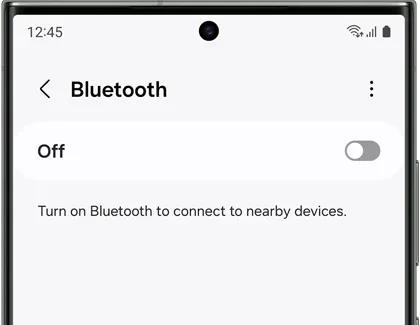
- Turn Bluetooth off and then back on from your phone settings.
- Remove the paired device and pair it again from scratch.
- Restart your phone to refresh the Bluetooth module.
- Check if the other device is within range and has power.
- Update your phone software, as updates often fix Bluetooth bugs.
- Reset network settings on your phone if the problem persists.
Following these steps resolves most Bluetooth connection issues. If the problem continues, it might be a hardware issue with your phone’s Bluetooth chip, and you should consider getting it checked by a professional.
The Future of Bluetooth and Phone Connectivity
Bluetooth technology is evolving fast. New versions like Bluetooth 5.3 and beyond offer faster speeds, longer range, and lower power consumption. Some experts predict that future devices will be able to maintain wireless connections even when the primary device is in a deep sleep or low-power state.
We are also seeing the rise of smart accessories that have their own processors and connectivity. These devices do not need your phone to be on to function. They can connect directly to the internet, to each other, or to other hubs in your home.
For now, though, the rule remains simple. Bluetooth needs power. When your phone is switched off, Bluetooth stops working. But the technology is getting smarter every year, and the gap between a powered-off phone and a connected device is getting smaller.
Understanding how Bluetooth works gives you an edge in troubleshooting and in choosing the right devices for your needs. Whether you are at home, in the car, or on the go, knowing what to expect from your wireless connections saves time and frustration.
Final Thoughts
So, does Bluetooth work when your phone is switched off? No, it does not. Bluetooth requires your phone to be powered on to send and receive signals. When your phone is completely off, the Bluetooth module shuts down, and all connected devices lose their connection.
But that does not mean you are out of options. Many Bluetooth devices have their own power and storage, which lets them work independently. You can use standalone speakers, headphones with onboard memory, and Bluetooth adapters to keep your audio flowing even when your phone is dead.
The key takeaway is to understand how Bluetooth works and plan accordingly. Keep your phone charged, use the right accessories, and know your options when your phone is not available. With the right setup, you will never have to worry about losing your wireless connection.
For more tips on getting the most out of your wireless devices, explore our other guides on phone connectivity and Bluetooth technology. Stay connected, stay informed, and enjoy the freedom that wireless technology brings to your everyday life.
Frequently Asked Questions
Can I use Bluetooth headphones when my phone is off?
No, Bluetooth headphones cannot connect to your phone when it is powered off. The phone’s Bluetooth module needs active power to send and receive signals. However, some headphones with onboard storage can play music independently without any phone connection at all.
Does Bluetooth work when airplane mode is on?
No, airplane mode disables all wireless connections including Bluetooth. You must turn airplane mode off before Bluetooth can function. Even if you manually enable Bluetooth while in airplane mode, it will not work until airplane mode is disabled.
Can a Bluetooth speaker work without a phone?
Yes, many Bluetooth speakers can work without a phone. You can connect them to a tablet, laptop, or any other Bluetooth-enabled device. Some speakers also have built-in storage or SD card slots that let you play music directly without any external device.
How do I save battery when using Bluetooth?
Turn off Bluetooth when you are not actively using it. Use Bluetooth Low Energy devices whenever possible. Keep your phone software updated, as updates often improve power management for wireless connections. Also, reduce the distance between your phone and the Bluetooth device to minimize power usage.
Why does my Bluetooth disconnect when my phone dies?
When your phone battery reaches zero, all wireless modules including Bluetooth lose their power source and shut down immediately. This causes an automatic disconnection from all paired devices. Once you recharge and power on your phone, you can reconnect to your Bluetooth devices.
Can I connect a Bluetooth device to my phone after it is turned back on?
Yes, once your phone powers back on, it will automatically search for and reconnect to previously paired Bluetooth devices. If it does not reconnect, go to your Bluetooth settings, turn Bluetooth off and back on, or remove and re-pair the device.