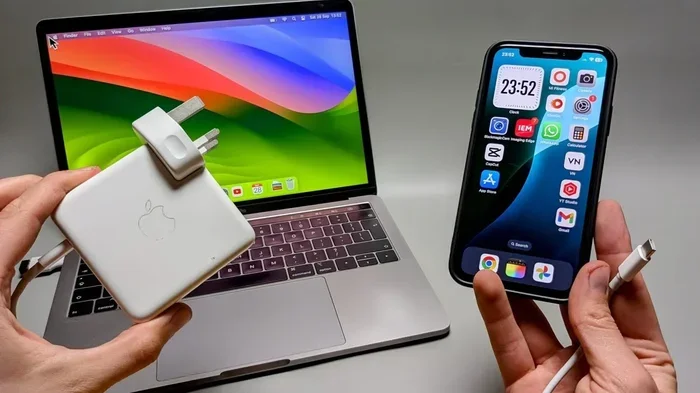
Can I Charge My Macbook With A Phone Charger Safely
Yes, you can charge your MacBook with a phone charger, but it comes with important limitations and risks. Phone chargers typically deliver much lower wattage than MacBook chargers, which means charging will be significantly slower and may not even keep up with power usage during heavy tasks. Using the wrong charger repeatedly can also harm your battery health over time, so it is essential to understand compatibility and wattage requirements before you plug in.
Many people have been in that frustrating situation. You are sitting at a desk or sitting in a café, and you realize your MacBook charger is not where you left it. Maybe it is at the office, or maybe it simply stopped working overnight. Your phone is sitting right next to you, and the cable looks almost the same. So the obvious question pops up: can you charge a MacBook with a phone charger? The answer is more complicated than a simple yes or no, and it depends on several factors that most people do not think about.
Charging your MacBook with a phone charger is technically possible in many cases, but it is not always safe or effective. The power output of a typical phone charger is far lower than what a MacBook needs to charge properly. This means you could end up waiting hours for a small battery gain, or worse, your MacBook might not charge at all if you are running demanding apps. Understanding how MacBook charging works and what your phone charger can actually deliver is the first step toward making a smart decision.
In this guide, we will walk through everything you need to know. We will cover compatibility, risks, the best scenarios for using a phone charger, and how to choose the right charger for your needs. By the end, you will know exactly when it is safe to use a phone charger and when you should look for a proper laptop charger instead.
Key Takeaways
- Phone chargers can charge a MacBook, but slowly: Most phone chargers deliver 5 to 20 watts, while MacBooks need 30 to 100 watts depending on the model.
- USB-C compatibility matters: Only modern phone chargers with USB-C and Power Delivery support can even attempt to charge a MacBook.
- Using the wrong charger risks battery damage: Low wattage can cause your MacBook to drain faster than it charges, especially during intensive tasks.
- It works in emergencies only: A phone charger is fine for a quick top-up or light use, but it should not replace your original MacBook charger long-term.
- Check wattage and voltage first: Always match or exceed your MacBook’s minimum power requirements for safe and efficient charging.
- High-wattage USB-C phone chargers exist: Some premium phone chargers output 30 to 65 watts and can work as a temporary MacBook charger.
- Avoid cheap knockoff chargers: Low-quality chargers may lack proper safety certifications and could damage your device.
📑 Table of Contents
Understanding MacBook Charging Requirements
Before you can figure out whether a phone charger will work, you need to understand what your MacBook actually requires. Every MacBook model has specific power requirements that are measured in watts. These requirements vary depending on the size of the screen, the processor, and the overall design of the device.
What Wattage Does Your MacBook Need?
The wattage your MacBook needs depends on which model you own. Here is a quick breakdown of common MacBook models and their recommended charger wattage:
| MacBook Model | Recommended Charger Wattage | Charging Port Type |
|---|---|---|
| MacBook Air (M1/M2/M3) | 30W to 36W | USB-C |
| MacBook Air (M1/M2/M3, 15-inch) | 35W to 67W | USB-C |
| MacBook Pro 13-inch | 61W to 67W | USB-C / MagSafe |
| MacBook Pro 14-inch | 67W to 96W | USB-C / MagSafe 3 |
| MacBook Pro 16-inch | 96W to 140W | USB-C / MagSafe 3 |
As you can see, even the most basic MacBook Air needs at least 30 watts to charge at a normal speed. Most phone chargers deliver between 5 and 20 watts. That is a huge gap. A 5-watt phone charger might take 10 hours or more to fully charge a MacBook Air, and that is only if the MacBook is turned off and not running any apps.
How USB-C and USB Power Delivery Changed Everything
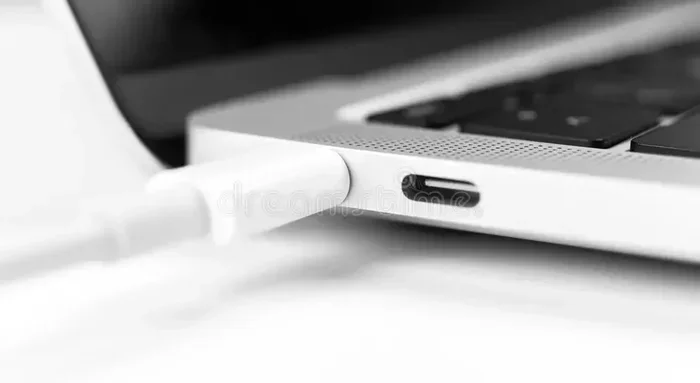
Older MacBooks used a proprietary charging connector, which made it impossible to use any charger other than the official one. But Apple switched to USB-C starting with the MacBook in 2015, and the USB Power Delivery standard made it possible for different devices to negotiate power delivery dynamically.
USB Power Delivery, or USB PD, is a smart protocol that allows a charger and a device to communicate and agree on the right amount of power. This is why some fast charging phone chargers can actually deliver higher wattage through USB-C. However, the phone charger must support USB PD and output enough watts to meet your MacBook’s minimum requirement.
Can You Actually Use a Phone Charger for MacBook?
The short answer is yes, but with significant caveats. Whether a phone charger can charge your MacBook depends on three key factors: the connector type, the wattage output, and the charging protocol support.
Connector Compatibility: USB-C vs Lightning
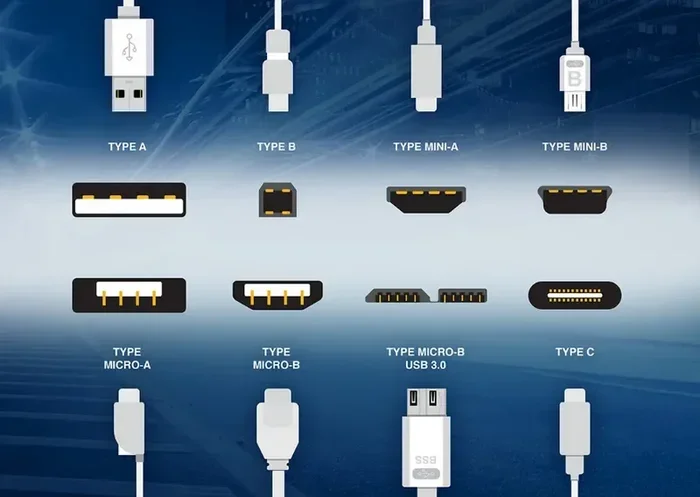
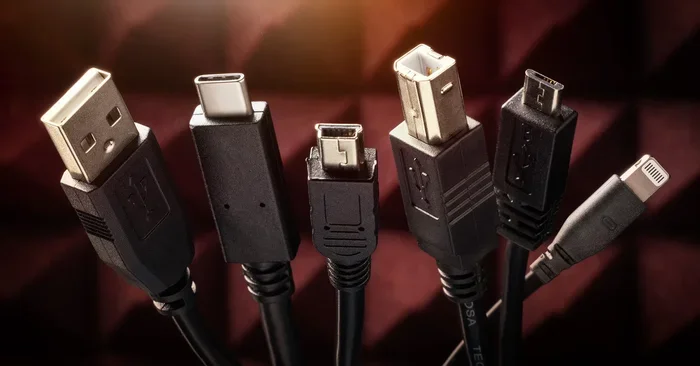
If you have a phone with a Lightning connector, like older iPhone models, the cable will not physically fit into a modern MacBook. You would need a USB-C to Lightning cable, and even then, the charger itself must be a USB-C power brick, not a wall adapter with a USB-A port. USB-A chargers simply cannot deliver enough power for a MacBook.
On the other hand, if you have a phone with a USB-C port, like most Android phones or newer iPhones, the cable compatibility is already there. The question then shifts entirely to whether the charger itself can push enough watts.
Wattage Output: The Real Deciding Factor
Wattage is the measure of power delivery, and it is the most important factor. A phone charger that outputs 5 to 10 watts will barely make a dent in a MacBook battery. Even a 20-watt charger, which is common for phones like the iPhone, will only charge a MacBook Air slowly, and it may not charge at all if you are using the laptop for demanding tasks like video editing or running multiple apps.
For a phone charger to effectively charge a MacBook, it should ideally output at least 30 watts. Some premium phone chargers, like certain Samsung or Google models, can output 45 watts or more through USB-C PD, making them viable temporary MacBook chargers.
Charging Speed Comparison: Phone Charger vs MacBook Charger
Here is a direct comparison of what to expect when you use different chargers with a MacBook Air:
| Charger Type | Typical Wattage | MacBook Air Charging Speed | Best Use Case |
|---|---|---|---|
| 5W iPhone Charger | 5W | Extremely slow or no charge | Emergency only |
| 12W iPad Charger | 12W | Very slow | Light use, standby charging |
| 20W Phone Charger | 20W | Slow, may drain under load | Quick top-up |
| 30W USB-C Charger | 30W | Normal charging speed | Temporary replacement |
| 67W MacBook Charger | 67W | Fast, full-speed charging | Everyday use |
As the table shows, there is a clear difference in performance. Using a low-wattage phone charger for your MacBook is like trying to fill a bathtub with a teaspoon. It works eventually, but it is painfully slow and impractical for daily use.
The Risks of Using a Phone Charger for MacBook
While using a phone charger once in a while is not going to destroy your MacBook, there are real risks involved that you should understand before you make it a habit.
Battery Health Degradation
One of the biggest concerns with incompatible charging is long-term battery health. MacBooks are designed to receive a specific amount of power at the right voltage. When you supply less power than the MacBook needs, the battery may not charge properly, or it may charge very slowly while the laptop is simultaneously draining power from the battery because the apps you are running require more energy than the charger is providing.
Over time, this constant cycle of partial charging and draining can wear out your battery faster than normal. Apple designed the MagSafe charger and USB-C charging system to deliver stable, consistent power, and deviating from that can affect the overall lifespan of your battery.
Overheating and Safety Concerns
Cheap, uncertified phone chargers are a different story entirely. Low-quality chargers may not have proper internal regulation, which means they can overheat, deliver unstable voltage, or even cause electrical damage to your MacBook. This is a safety concern that should never be taken lightly.
Always look for chargers that have proper safety certifications, such as UL listing or MFi certification for Apple devices. If the charger is significantly cheaper than the genuine article, it probably lacks the internal safeguards that protect your device.
Common Mistakes People Make
Here are some common errors people make when trying to charge a MacBook with a phone charger:
- Using a USB-A to USB-C cable with a phone charger: USB-A ports on phone chargers cannot deliver enough power. You need a USB-C charger and a USB-C cable.
- Assuming any USB-C charger works: Not all USB-C chargers support USB Power Delivery. Some only output 5 watts, which is useless for a MacBook.
- Ignoring the amperage and voltage specs: A charger might say it outputs 5 volts but only 2 amps, giving you just 10 watts. Check both voltage and amperage to calculate the actual wattage.
- Using a damaged or frayed cable: A damaged charging cable can cause intermittent charging, slow speeds, or even short circuits. Always inspect your cable before use.
- Running heavy apps while charging on a weak charger: This creates a worst-case scenario where the battery drains faster than the charger can supply power, leading to a dead battery even while plugged in.
Sometimes dealing with charging issues can feel like troubleshooting a line that won’t delete in Microsoft Excel – frustrating, but usually avoidable with the right knowledge and the right tool for the job.
When It Might Work in a Pinch
There are certain situations where using a phone charger for your MacBook is perfectly fine and even practical. Understanding these scenarios can save you from panic when you are away from your proper charger.
Emergency Top-Up Situations
If your MacBook battery is at 10 percent and you need to check an email or send a quick message, plugging in a 20-watt phone charger for 15 to 20 minutes can give you enough juice to get through the rest of the day. It is not ideal, but it beats having a dead laptop.
Light Use and Standby Charging
If you are using your MacBook for very light tasks like reading a document, browsing the web with low brightness, or listening to music, a 30-watt or higher USB-C phone charger can maintain your battery level or even slowly charge it. The key is keeping your power usage low so the charger can keep up.
Travel and On-the-Go Scenarios
Travel is where a phone charger truly shines as a backup. A compact USB-C power bank or a multi-port phone charger can be a lifesaver during long flights or when you are working from a location without access to a wall outlet. Just make sure the power bank supports USB PD and has enough capacity to deliver meaningful power.
Expert Insights on Temporary Charging
According to tech experts, using a phone charger as a temporary replacement is perfectly acceptable as long as you understand the limitations. The charging speed will be slower, and you should avoid intensive tasks while charging. Think of it as a bridge solution, not a permanent replacement for your original MacBook charger.
Best Practices for Charging Your MacBook Safely
Whether you use your original charger or a phone charger as a backup, following best practices will help you protect your battery and get the best performance from your MacBook.
Choosing the Right Charger for Your MacBook
When shopping for a charger, whether it is a dedicated MacBook charger or a versatile USB-C charger that can also charge your phone, look for these features:
- USB Power Delivery support: This ensures the charger can negotiate the right power output with your MacBook.
- Wattage that meets or exceeds your MacBook’s requirement: Check the table above for your specific model.
- Certification from a recognized safety organization: UL, CE, or MFi certification are good indicators of quality.
- Brand reputation: Stick with well-known brands like Anker, Belkin, Apple, or Samsung for reliable performance.
- Right cable length and quality: A good USB-C cable rated for high wattage is just as important as the charger itself.
Quick Tips for Better Battery Health
- Avoid letting your MacBook battery drop below 20 percent regularly.
- Keep your MacBook in a cool, well-ventilated area while charging.
- Remove thick cases while charging to prevent heat buildup.
- Enable Optimized Battery Charging in your MacBook settings if available.
- Use the original charger or a certified replacement for daily use.
- Unplug your MacBook once it reaches 100 percent to avoid long-term trickle charging.
How to Check Your MacBook’s Charging Status
You can easily check whether your MacBook is charging properly by looking at the battery icon in the menu bar. If you see a lightning bolt, your MacBook is charging. If the battery icon shows an X or says “Not Charging,” your charger may not be delivering enough power or may be incompatible. You can also check the battery health status in System Settings under Battery, where you will find information about your battery cycle count and overall condition.
What to Do If You Only Have a Phone Charger
If you find yourself stuck with nothing but a phone charger, here is a step-by-step approach to get the most out of the situation:
- Check the wattage on the charger label: Look for the output rating, usually printed on the charger itself or on the packaging. If it says 5V/3A, that is 15 watts. If it says 20V/3.25A, that is 65 watts and will work well.
- Use a quality USB-C cable: Make sure your cable supports USB PD and high-wattage charging. A cheap cable can limit power delivery even if the charger is capable.
- Turn off unnecessary apps and lower screen brightness: This reduces power consumption so the charger can focus on charging the battery.
- Put your MacBook to sleep if you are not actively using it: A sleeping MacBook uses very little power, allowing even a modest charger to make progress.
- Monitor the charging progress: If your MacBook is getting hotter than usual or the battery percentage is not increasing, unplug it and try a different charger when possible.
Remember, a phone charger is a temporary solution, not a long-term replacement. If you regularly find yourself without your proper charger, it is worth investing in a second compatible charger that matches your MacBook’s power requirements.
Final Thoughts
So, can you charge a MacBook with a phone charger? The answer is yes, but it is not always the best idea. The feasibility depends on your charger’s wattage, the connector type, and what you plan to do while charging. A phone charger works well for emergency top-ups and light use, but it cannot replace a proper MacBook charger for everyday use.
The risks of using an incompatible or low-wattage charger include slow charging, battery degradation, and potential safety hazards from cheap, uncertified products. Always prioritize using the right charger for your device, and treat a phone charger as a backup solution rather than a primary one.
By understanding your MacBook’s power needs and choosing the right charger, you can keep your device running safely and efficiently. Whether you are at home, at work, or on the go, a little knowledge about charging goes a long way in protecting your investment and ensuring your MacBook stays powered up when you need it most.
Frequently Asked Questions
Can I use any phone charger to charge my MacBook?
No, not any phone charger will work. Your phone charger must have a USB-C output and support USB Power Delivery. It also needs to output enough watts to meet your MacBook’s minimum requirement, which is typically 30 watts or more for most models.
Will charging my MacBook with a phone charger damage the battery?
Using a phone charger occasionally will not cause immediate damage, but doing it regularly can degrade your battery health over time. Low wattage means slow or incomplete charging, which puts extra stress on the battery when you are simultaneously running apps that draw power.
How long does it take to charge a MacBook with a phone charger?
It depends on the wattage of the charger and the MacBook model. A 20-watt phone charger might take 6 to 8 hours or more to fully charge a MacBook Air, compared to about 2 hours with the original 30-watt charger. During heavy use, the battery may not charge at all.
Can a power bank charge a MacBook?
Yes, but only if the power bank supports USB Power Delivery and outputs enough watts. Most standard power banks are designed for phones and tablets and will not charge a MacBook. Look for a power bank rated at 30 watts or higher with USB-C PD support.
Is it safe to leave my MacBook charging with a phone charger overnight?
It is generally not recommended. A low-wattage phone charger may not regulate power properly for extended charging sessions, and it can lead to overheating or battery stress. Always use a charger that matches your MacBook’s requirements for overnight charging.
What is the difference between a MagSafe charger and a USB-C charger for MacBook?
MagSafe is Apple’s magnetic charging connector that was used on older MacBook Pro models before 2021. Newer MacBooks use USB-C for charging, which is a universal standard. Both deliver the same power when matched to the correct wattage, but USB-C is more versatile and compatible with a wider range of devices and chargers.
=== CONCLUSION ===
Charging your MacBook with a phone charger is possible, but it requires careful consideration of compatibility, wattage, and safety. The key takeaway is that MacBook charging needs sufficient power delivery, and most standard phone chargers simply cannot provide enough. Use a phone charger only as a temporary backup, and invest in a proper USB-C charger that meets your MacBook’s power requirements for everyday use. Your battery health and overall device safety depend on making the right charging choices.