Does Bluetooth Need A Receiver And Why It Matters
Bluetooth does not always need a separate receiver, but many devices rely on one to enable wireless connectivity. A Bluetooth receiver acts as a bridge between non-Bluetooth devices and your wireless audio sources. Whether you want to stream audio to older speakers or upgrade your car stereo, understanding Bluetooth technology is essential.
Bluetooth has become one of the most important wireless technologies in our daily lives. From headphones to car stereos, it connects our devices without cables. But here is a question many people ask: does Bluetooth need a receiver to work? The short answer is sometimes yes, sometimes no. It depends entirely on the device you are using and what you want to achieve.
If you have a modern smartphone or laptop, chances are it already has Bluetooth built in. But what about your older speakers, your car audio system, or your TV? Those devices might need a little help. That is where a Bluetooth receiver comes into play. In this guide, we will break down everything you need to know about Bluetooth receivers, how they work, and why they matter for your wireless audio setup.
Whether you are trying to make your old speakers Bluetooth compatible or improve your car audio, understanding this technology gives you the power to make smarter buying decisions. Let us dive in.
Key Takeaways
- Bluetooth receivers are not always required: Many modern devices have built-in Bluetooth chips that handle wireless connectivity without extra hardware.
- Older devices often need a receiver: If your speaker, car stereo, or headphones lack native Bluetooth support, a Bluetooth adapter fills the gap.
- Different types exist for different needs: USB dongles, 3.5mm receivers, and car-specific adapters each serve unique purposes.
- Wireless range and version matter: Bluetooth signal strength and Bluetooth version directly impact your listening experience.
- Setup is usually simple: Most receivers plug in and pair within minutes, making wireless connectivity accessible to everyone.
- Common issues are fixable: Interference, pairing failures, and weak signals can often be resolved with basic troubleshooting.
📑 Table of Contents
- What Is a Bluetooth Receiver?
- How Bluetooth Technology Works
- Does Every Bluetooth Device Need a Separate Receiver?
- When Do You Need a Bluetooth Receiver?
- Types of Bluetooth Receivers Available
- How to Choose the Right Bluetooth Receiver
- Setting Up Your Bluetooth Receiver
- Common Bluetooth Receiver Problems and Solutions
- Frequently Asked Questions
- Conclusion
What Is a Bluetooth Receiver?
A Bluetooth receiver is a small device that picks up Bluetooth signals from a source device and converts them into audio output. Think of it as a translator between your phone and your non-Bluetooth speaker. It receives the wireless transmission and turns it into sound you can hear.
Not all Bluetooth devices need a separate receiver. Many modern gadgets come with Bluetooth built in. But older equipment often does not. A Bluetooth adapter bridges that gap and lets you enjoy wireless connectivity without replacing your entire audio setup.
How a Bluetooth Receiver Works
A Bluetooth receiver listens for signals from a Bluetooth enabled device like your phone or tablet. Once it finds a match, it pairs with that device. The audio signal then travels wirelessly from your phone to the receiver. The receiver sends that signal to your speaker or headphones through a cable or an audio output.
This process happens in milliseconds. You press play on your phone, and the sound comes through your speaker almost instantly. The whole wireless transmission relies on short-range radio waves. These waves carry the audio data between devices. The better the signal strength, the clearer and more stable your connection.
How Bluetooth Technology Works
To understand whether you need a receiver, you first need to understand how Bluetooth technology works at a basic level. Bluetooth is a wireless protocol that allows devices to exchange data over short distances. It uses radio waves in the 2.4 GHz frequency band. This is the same band used by Wi-Fi and microwaves.
When two Bluetooth devices want to communicate, they go through a process called pairing. One device advertises its availability. The other device detects it and connects. Once paired, they can stream audio, share files, or transfer data. All of this happens without wires.
The Role of Bluetooth Protocols
Bluetooth protocols are the rules that govern how devices communicate. These protocols ensure that a phone from one brand can connect to headphones from another brand. The Bluetooth Special Interest Group (SIG) manages these standards. Every new version of Bluetooth improves speed, range, and audio quality.
Most Bluetooth receivers support the latest protocols. This means they can handle high-quality audio streaming with low latency. If you are into gaming or watching videos, you want a receiver that supports the newest Bluetooth version. Older versions may cause delays or lower audio quality.
Bluetooth Versions and Their Impact
Bluetooth versions have evolved significantly over the years. Each version brought improvements. Here is a quick look at the major versions:
- Bluetooth 4.0: Introduced low energy consumption. Great for fitness trackers and basic audio streaming.
- Bluetooth 4.2: Improved security and data transfer speed. Better for smart home devices.
- Bluetooth 5.0: Doubled the range and speed. Supports multi-device connections.
- Bluetooth 5.3: The latest version. Offers better stability and lower power usage.
If your Bluetooth receiver supports Bluetooth 5.0 or higher, you will get the best wireless audio experience. Older receivers may still work, but they might not deliver the same quality or range.
Does Every Bluetooth Device Need a Separate Receiver?
The answer to this question depends on your device. Many modern devices have Bluetooth built in and do not need an external receiver. Your smartphone, tablet, and newer laptop likely already have everything you need for wireless connectivity.
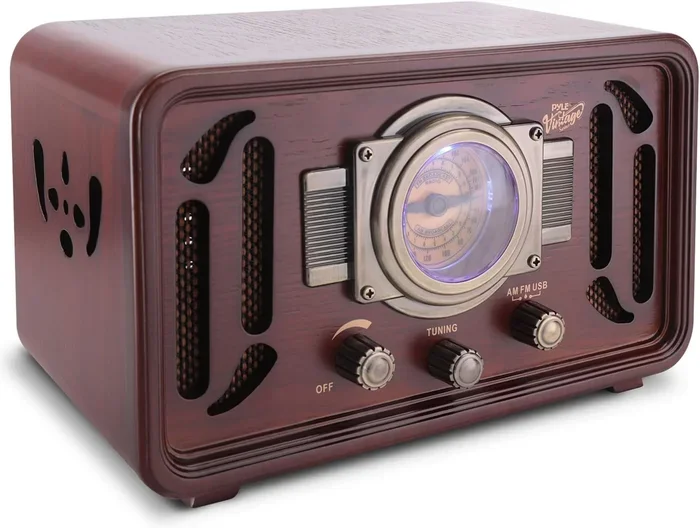
However, older or simpler devices often lack this capability. A traditional bookshelf speaker, an older car stereo, or a desktop computer from several years ago might not support Bluetooth natively. In these cases, you absolutely need a receiver or adapter.
Built-in Bluetooth vs. External Receivers
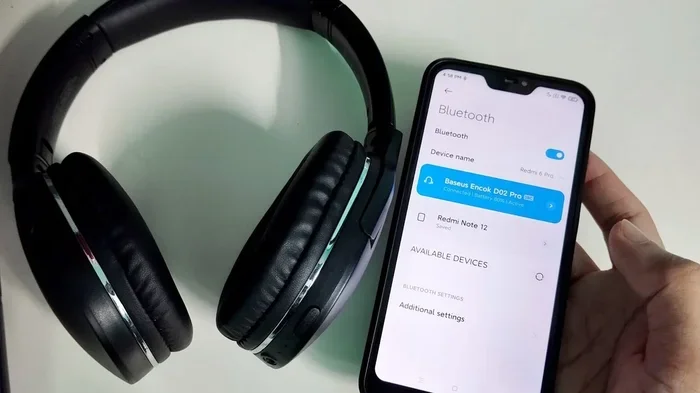
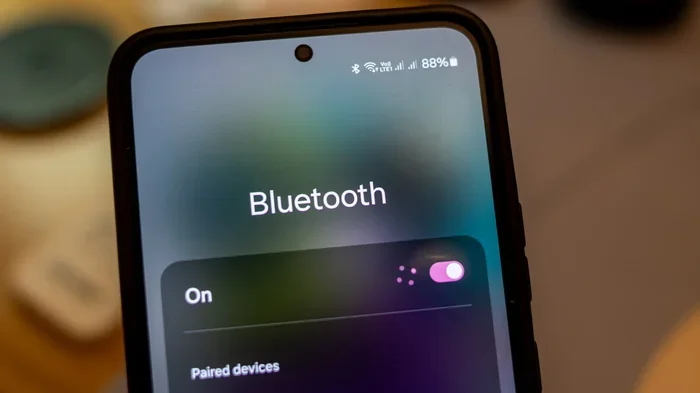
Built-in Bluetooth is convenient. It means you can pair your device instantly without buying extra gear. Most Bluetooth enabled phones and laptops come with this feature today. You simply go to your settings, turn on Bluetooth, and start pairing.
An external receiver adds Bluetooth capability to devices that do not have it. This is a cost-effective way to breathe new life into older audio equipment. Instead of spending hundreds of dollars on new speakers, a small Bluetooth adapter can do the job for a fraction of the price.
For example, if you have a pair of great wired headphones, you might think you need to buy new wireless ones. But with a Bluetooth receiver, you can make your existing headphones wireless. This is a smart and budget-friendly choice.
When Do You Need a Bluetooth Receiver?
There are several clear situations where a Bluetooth receiver becomes essential. Let us walk through the most common scenarios where you will want one.
Making Older Devices Bluetooth Compatible
If you have a beloved pair of wired speakers or headphones, a Bluetooth receiver can make them wireless. This is one of the most popular reasons people buy these devices. You plug the receiver into your speaker’s audio jack, pair it with your phone, and enjoy wireless audio.
Many people also use receivers to upgrade older audio equipment. Instead of replacing a perfectly good speaker system, you add a Bluetooth adapter and get the same results. This approach saves money and reduces electronic waste.
Similarly, if you want to turn regular speakers into Bluetooth, a receiver is the easiest and most affordable solution. You do not need to buy new equipment.
Improving Wireless Audio Quality
Not all built-in Bluetooth is created equal. Some devices have older Bluetooth chips that produce lower-quality audio. A dedicated Bluetooth receiver can improve your sound quality significantly. These receivers often have better audio codecs and stronger Bluetooth signals than what is built into budget devices.
If you are an audiophile or someone who cares about sound quality, investing in a good receiver is worth it. You will notice clearer highs, deeper bass, and a more stable connection. Wireless transmission quality depends heavily on the hardware doing the work.
Adding Bluetooth to Your Car Audio
Many older cars do not have Bluetooth connectivity. If you want to stream music from your phone through your car speakers, you need a solution. A car Bluetooth receiver plugs into your car’s auxiliary port or cigarette lighter and gives you wireless access to your phone’s music library.
Some people also want to upgrade their car stereo to Bluetooth without replacing the entire unit. A receiver makes this possible. You keep your existing stereo and add wireless capability on top of it.
This is also a great option for hands-free calling. The receiver picks up your voice and sends it through your car’s speakers. You can answer calls safely while driving without holding your phone.
Types of Bluetooth Receivers Available
Bluetooth receivers come in several shapes and sizes. Each type serves a different purpose. Understanding the options helps you choose the right one for your needs.
USB Bluetooth Adapters
USB Bluetooth adapters are small dongles that plug into a USB port. They are the most common type of Bluetooth adapter. You will often see them used with desktop computers, smart TVs, and laptops that lack built-in Bluetooth.
These adapters are compact and easy to use. You plug them in, install any necessary drivers, and you are ready to pair devices. They work well for audio streaming and basic file transfers. Most USB adapters support Bluetooth 4.0 or higher, which is more than enough for everyday use.
One thing to watch out for is range. Most USB adapters have a range of about 30 feet. If you need longer range, look for adapters that support Bluetooth 5.0 or higher.
3.5mm Bluetooth Receivers
A 3.5mm Bluetooth receiver plugs directly into your speaker or headphone jack. These are small, portable, and perfect for making any wired audio device wireless. They are some of the most popular receivers on the market.
You can use a 3.5mm receiver with bookshelf speakers, portable speakers, and even wired headphones. The setup is simple. Plug the receiver into the audio jack, pair it with your phone, and you have wireless audio in seconds.
Many 3.5mm receivers also have a built-in microphone. This means you can use them for hands-free calls. They are versatile and affordable, making them a great entry-level option for anyone new to Bluetooth technology.
Car Bluetooth Receivers
Car Bluetooth receivers are designed specifically for vehicles. They connect to your car’s auxiliary input or FM radio system and allow you to stream music from your phone. Some models also support hands-free calling through your car’s built-in microphone.
If you have ever wanted to use Alexa as a Bluetooth speaker in your car, a car receiver makes this possible. It connects your phone to your car’s audio system wirelessly, giving you access to all your apps and playlists.
Car receivers are typically more durable than standard receivers. They are built to handle temperature changes, vibrations, and the demands of a driving environment. Look for models with good range and clear audio output.
How to Choose the Right Bluetooth Receiver
Choosing the right Bluetooth receiver depends on what you plan to use it for. Not all receivers are the same, and picking the wrong one can lead to frustration. Here are the key factors to consider.
- Bluetooth Version: Look for Bluetooth 5.0 or higher. This ensures better range, faster speeds, and improved audio quality.
- Audio Codec Support: Codecs like aptX, LDAC, and AAC affect sound quality. If you care about audio fidelity, choose a receiver that supports high-quality codecs.
- Connection Range: Most receivers offer 30 to 100 feet of range. Consider how far you will be from your source device.
- Power Source: Some receivers need a USB power source. Others are battery-powered and portable. Choose based on your setup.
- Compatibility: Make sure the receiver works with your devices. Check if it supports your phone, tablet, or computer’s operating system.
- Price: Receivers range from under $15 to over $100. You do not always need to spend more for good quality. Many affordable options deliver excellent performance.
Before buying, read reviews and check the specifications. A well-reviewed receiver from a reputable brand will save you headaches down the road. Look for models that support multiple devices, so you can switch between your phone and tablet easily.
Setting Up Your Bluetooth Receiver
Setting up a Bluetooth receiver is usually straightforward. Most devices follow a similar process. Here is a general guide to get you started.
- Plug in the receiver: Connect the receiver to your audio device using the appropriate cable or port.
- Power on the receiver: Some receivers turn on automatically. Others need to be powered via USB or batteries.
- Enable Bluetooth on your source device: Go to your phone or computer settings and turn on Bluetooth.
- Put the receiver in pairing mode: Most receivers have a button or indicator light that shows they are ready to pair.
- Find the receiver on your source device: Your phone or computer should detect the receiver. Select it from the list of available devices.
- Start streaming: Once paired, play audio on your source device. The sound should come through your speaker or headphones.
If you run into issues, try resetting the receiver and repeating the pairing process. Sometimes signal interference from other devices can cause problems. Moving closer to the receiver or removing other wireless devices from the area can help.
For more tips on using Bluetooth with different devices, check out our guide on using Bluetooth headphones with Switch for additional pairing insights.
Common Bluetooth Receiver Problems and Solutions
Even the best Bluetooth receivers can have issues. Most problems are easy to fix with simple troubleshooting. Here are the most common issues and how to solve them.
Weak or Intermittent Signal
If your Bluetooth signal keeps dropping, distance might be the issue. Move closer to the receiver and remove obstacles between the devices. Walls, furniture, and even water can weaken the wireless transmission. Try to keep your devices within 30 feet of each other for the best results.
Pairing Failures
If your devices will not pair, try turning Bluetooth off and back on. You can also reset the receiver by holding down the power button for several seconds. Make sure the receiver is in pairing mode and visible to new devices. Sometimes clearing old paired devices from your phone’s memory helps too.
Poor Audio Quality
Skipping or distorted audio often results from interference. Wi-Fi routers, microwaves, and other wireless devices can disrupt the Bluetooth connection. Move away from these sources and see if the quality improves. Also, check that your receiver supports a good audio codec for better sound.
Compatibility Issues
Not all receivers work with all devices. Make sure your receiver supports your device’s operating system. Some older receivers may not work well with newer phones. Check the manufacturer’s specifications before purchasing to avoid this problem.
Frequently Asked Questions
Do I need a Bluetooth receiver if my phone has Bluetooth?
No, you do not need a separate receiver if your phone already has Bluetooth built in. Your phone can connect directly to Bluetooth enabled speakers, headphones, and other devices. However, if you want to connect your phone to a non-Bluetooth device like an old speaker, you will need a receiver to bridge the gap.
Can a Bluetooth receiver improve my audio quality?
Yes, a dedicated Bluetooth receiver can improve audio quality compared to built-in Bluetooth on older or budget devices. Receivers often support better audio codecs and have stronger signal strength. This results in clearer sound and a more stable wireless connection during audio streaming.
What is the difference between a Bluetooth receiver and a Bluetooth transmitter?
A Bluetooth receiver takes a wireless signal and sends it to your speaker or headphones. A Bluetooth transmitter does the opposite. It sends audio from a non-Bluetooth device to a Bluetooth-enabled one. For example, a transmitter can make your wired TV Bluetooth compatible so you can listen with wireless headphones.
How far can a Bluetooth receiver work?
Most Bluetooth receivers work within a range of 30 to 100 feet. The exact range depends on the Bluetooth version and the environment. Bluetooth 5.0 and higher offer longer range and better stability. Walls, furniture, and other wireless signals can reduce the effective range of your wireless device connection.
Are Bluetooth receivers expensive?
No, most Bluetooth receivers are very affordable. Basic 3.5mm receivers can cost as little as $10 to $20. More advanced USB adapters or car receivers may cost $30 to $60. You can get excellent wireless connectivity without spending a lot of money. The key is to find a receiver that matches your specific needs and device setup.
Can I use a Bluetooth receiver with any speaker?
Most Bluetooth receivers work with any speaker that has a standard audio input. This includes 3.5mm aux ports, RCA inputs, and USB connections. If your speaker has a standard audio input, a receiver can make it Bluetooth compatible. Just check the receiver’s specifications to confirm compatibility with your speaker model.
Conclusion
Does Bluetooth need a receiver? The answer is that it depends on your devices. If your phone, laptop, or speaker already has Bluetooth built in, you do not need an extra receiver. But if you want to add wireless capability to older equipment, a Bluetooth receiver is the simplest and most affordable solution.
These small devices open up a world of wireless audio possibilities. You can make old speakers wireless, upgrade your car audio, or improve your listening quality without buying new equipment. With the right Bluetooth adapter, your existing gear can keep up with modern technology.
Take some time to evaluate your setup. Identify which devices lack Bluetooth connectivity and explore the receiver options available. The right choice will give you seamless wireless connectivity and a better listening experience every day. Bluetooth technology has made audio streaming easier than ever, and a good receiver is the key to unlocking its full potential.