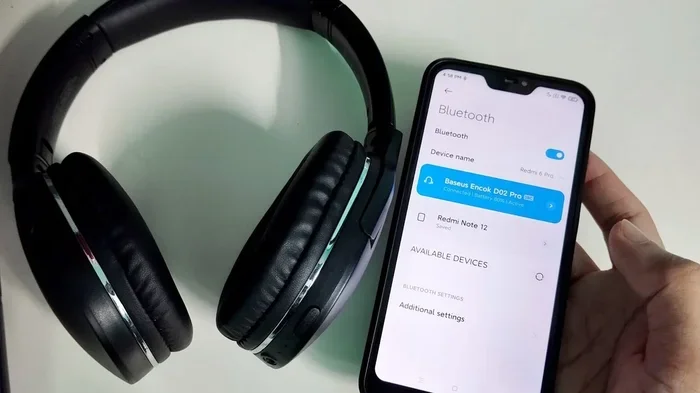
Can You Connect Bluetooth Headphones Without Bluetooth
Yes, you can connect Bluetooth headphones without Bluetooth on your source device. You just need a Bluetooth adapter, a Bluetooth transmitter, or a simple audio cable to make it work. This guide walks you through every method, so you can enjoy wireless audio no matter what device you own.
You just bought a great pair of wireless headphones. They sound amazing. They look sleek. And then you try to connect them to your older TV, your work laptop, or your gaming console — and nothing happens. Your device doesn’t have Bluetooth.
So what do you do now? Do you return the headphones? Do you buy new ones? Not so fast. The good news is that you can connect Bluetooth headphones without Bluetooth on your source device. There are several simple and affordable ways to make this work. Let me walk you through them.
In this article, I will explain exactly how Bluetooth headphones connect, why you might need a workaround, and the best methods to get your wireless audio flowing — even if your device lacks Bluetooth. Whether you are at home, at the office, or on the go, you will find a solution that fits.
Key Takeaways
- Bluetooth headphones need a Bluetooth signal to work wirelessly: but your source device doesn’t need built-in Bluetooth to send that signal.
- A Bluetooth transmitter is the most popular workaround: it plugs into any audio output and creates a wireless bridge to your headphones.
- Wired connections still work: many Bluetooth headphones include a cable you can use when wireless isn’t an option.
- Bluetooth adapters and dongles are affordable: most cost under $20 and solve the problem in minutes.
- NFC pairing offers a quick shortcut: if your device supports it, you can connect with a simple tap.
- Avoid common mistakes like low battery and interference: they cause most connection failures.
- You have multiple options: choose the one that fits your device, budget, and needs best.
📑 Table of Contents
- How Bluetooth Headphones Actually Work
- Why Would You Connect Bluetooth Headphones Without Bluetooth?
- Methods to Connect Bluetooth Headphones Without Built-In Bluetooth
- Comparison of Methods to Connect Bluetooth Headphones Without Bluetooth
- Quick Tips for a Smooth Connection
- Common Mistakes People Make
- Expert Insights on Wireless Audio Connectivity
- Key Takeaways
- Conclusion
How Bluetooth Headphones Actually Work
Before we dive into the workarounds, it helps to understand the basics. Bluetooth headphones use a tiny wireless chip inside them to receive audio signals. This chip talks to another Bluetooth device — like your phone or TV — using radio waves.
The two devices need to “pair” with each other first. Think of pairing like a handshake. Once paired, the audio flows wirelessly from the source to your headphones. No cables needed. No fuss.
The Bluetooth Chip Inside Your Headphones
Every pair of Bluetooth headphones has a small chip called a Bluetooth module. This chip handles two jobs. First, it listens for a signal from a source device. Second, it turns that signal into sound you can hear.
Most modern headphones use Bluetooth 5.0 or newer. This means better range, stronger connection, and lower battery use. But the chip inside the headphones only works with one thing — a Bluetooth signal. If the source device cannot produce that signal, the headphones will not connect wirelessly.
What Happens When the Source Device Has No Bluetooth?
If your source device — say, an older desktop computer or a basic TV — does not have Bluetooth, the headphones cannot find it. The Bluetooth chip in the headphones is looking for a specific type of signal. No signal, no connection.
This is where the workarounds come in. You need something that can create that Bluetooth signal for the headphones to detect. That “something” is what we will cover next.
Why Would You Connect Bluetooth Headphones Without Bluetooth?
You might wonder why anyone would want to do this. The reasons are more common than you think.
Many older TVs and monitors do not have Bluetooth capability. Some desktop computers lack wireless features too. Gaming consoles like the PS4 or older Xbox models often have limited wireless connectivity options. And let us be honest — sometimes you just want to use your wireless headphones with a device that is not your phone.
Another reason is convenience. Maybe you want to listen to music from your TV without disturbing others. Or you want to take calls on your laptop during a meeting. Bluetooth headphones make all of this easier — if you can get them connected.
The bottom line is simple. You should not be limited by your device’s hardware. With the right tool, your wireless headphones can work with almost anything.
Methods to Connect Bluetooth Headphones Without Built-In Bluetooth
Now for the fun part. There are several ways to make this work. Each method has its own strengths. Let us look at them one by one.
Method 1: Use a Bluetooth Transmitter
A Bluetooth transmitter is the most popular and effective solution. This small device plugs into the audio output on your TV, computer, or music player. It then sends a Bluetooth signal that your headphones can pick up.
Here is how it works in simple steps:
- Plug the transmitter into the audio jack or USB port on your device.
- Turn on the transmitter and put your headphones in pairing mode.
- The transmitter searches for your headphones and connects.
- Enjoy your wireless audio without any cables.
Bluetooth transmitters are small and affordable. Most cost between $10 and $30. They work with TVs, desktops, tablets, and any device with a 3.5mm audio jack or USB port.
One thing to watch for is latency. Some transmitters have a slight delay between the audio and the video. If you are watching a movie, this can be annoying. Look for a transmitter that supports aptX Low Latency to avoid this problem.
Method 2: Use a Bluetooth Adapter or Dongle
A Bluetooth adapter is similar to a transmitter but works differently. An adapter plugs into a USB port on your computer or laptop. It adds Bluetooth capability to your device instantly.
This is a great option if you want to use your wireless headphones with a PC that does not have Bluetooth built in. The adapter sits inside the USB port and creates a Bluetooth connection right away.
Some popular Bluetooth dongles include:
- TP-Link UB500: A reliable and affordable USB Bluetooth adapter.
- ASUS USB-BT500: Supports Bluetooth 5.0 with a strong signal.
- Kinivo BTD-400: A compact Bluetooth dongle that works well with headphones.
Most of these adapters are plug-and-play. You do not need to install complex software. Just plug them in, pair your headphones, and you are good to go.
Method 3: Use a Wired Audio Cable
This might seem obvious, but many Bluetooth headphones come with a 3.5mm audio cable. You can use this cable to connect your headphones directly to any device with a headphone jack.
When you use the cable, your headphones work like regular wired headphones. You lose the wireless freedom, but you gain a simple and reliable connection. This is perfect for long gaming sessions or when your headphones need charging.
Here is a quick tip. If your device only has USB-C or Lightning ports, you can buy a USB-C to 3.5mm adapter. These cost just a few dollars and solve the problem easily.
Method 4: Use NFC Pairing (If Supported)
If your source device supports NFC — Near Field Communication — you can use it to pair your headphones quickly. NFC is the technology that lets you tap two devices together to connect them.
Not all devices have NFC, but many modern smartphones and some laptops do. To use NFC pairing:
- Turn on NFC on your source device.
- Place your headphones near the NFC antenna on the device.
- The devices should connect automatically.
This method is fast and easy. It is not a true “no-Bluetooth” solution since Bluetooth is still used for the actual audio transfer. But it removes the hassle of going into settings and searching for devices.
Method 5: Use a Bluetooth Receiver With a 3.5mm Input
A Bluetooth receiver is a bit different from a transmitter. A receiver takes a Bluetooth signal and turns it into audio that a non-Bluetooth device can play.
Wait — did that sound backwards? Let me explain. A Bluetooth receiver is useful when your headphones have Bluetooth but your source device does not. You pair the receiver with your headphones, then plug the receiver into your device’s audio output.
Actually, the most common setup uses a Bluetooth transmitter to send audio from a non-Bluetooth device to your headphones. A receiver does the opposite — it receives Bluetooth signals. But both serve the same goal: getting wireless audio to and from your headphones.
Comparison of Methods to Connect Bluetooth Headphones Without Bluetooth
With so many options, it can be hard to choose. Here is a simple comparison to help you decide.
| Method | Cost | Setup Difficulty | Best For |
|---|---|---|---|
| Bluetooth Transmitter | $10–$30 | Easy | TVs, speakers, older devices |
| Bluetooth Adapter (Dongle) | $8–$25 | Very Easy | Laptops, desktops, PCs |
| Wired Audio Cable | $0 (included) | Very Easy | Backup connection, charging breaks |
| NFC Pairing | Free | Easy | NFC-enabled phones and laptops |
| Bluetooth Receiver | $15–$35 | Easy | Devices with audio input ports |
As you can see, most of these solutions are inexpensive and simple to set up. You do not need to be a tech expert to make any of them work.
Quick Tips for a Smooth Connection
Once you choose your method, a few simple tips will make your experience much better:
- Keep your headphones charged. Low battery can cause pairing failures and dropouts.
- Stay within range. Most Bluetooth headphones work best within 30 feet of the source device.
- Reduce interference. Other wireless devices, microwaves, and Wi-Fi routers can disrupt the Bluetooth signal.
- Update firmware. Some headphones and transmitters work better after a firmware update.
- Pair in a quiet environment. Less background noise helps the devices find each other faster.
Common Mistakes People Make
Even with the right method, things can go wrong. Here are some common mistakes to avoid:
Forgetting to Put Headphones in Pairing Mode
Many people try to connect their headphones but forget to activate pairing mode. Most Bluetooth headphones need you to hold down a button for a few seconds before they are ready to pair. Check your headphone manual for the exact steps.
Using an Old or Incompatible Transmitter
Not all Bluetooth transmitters are the same. Older transmitters may use outdated Bluetooth versions that cause lag or poor sound quality. Look for one that supports at least Bluetooth 4.0 or higher for the best experience.
Ignoring Audio Codec Support
Some wireless headphones support specific audio codecs like aptX or LDAC. If your transmitter does not support the same codec, you may not get the best sound quality. Check for codec compatibility before buying.
Overlooking the 3.5mm Jack
Sometimes the simplest solution is the best. If your device has a headphone jack, just use the included cable. You do not always need a fancy adapter or transmitter.
Expert Insights on Wireless Audio Connectivity
According to audio engineers, the quality of your wireless audio depends on three things: the Bluetooth version, the audio codec, and the environment. A Bluetooth 5.0 connection in a quiet room with a supported codec will give you the best sound.
Tech reviewers also recommend buying a Bluetooth transmitter from a reputable brand. Cheap knockoff transmitters often have poor range, high latency, and weak signals. Spending a little more upfront saves you frustration later.
If you are using your wireless headphones for gaming or video watching, latency matters a lot. Look for transmitters that advertise “low latency” or “aptX Low Latency” support. This ensures your audio stays in sync with what you see on screen.
One more thing to keep in mind. Not all non-Bluetooth devices are created equal. Some have optical audio outputs, some have RCA outputs, and some only have a simple 3.5mm jack. Make sure your Bluetooth adapter or transmitter matches your device’s output type.
Key Takeaways
- Bluetooth headphones need a Bluetooth signal to work wirelessly: but your source device does not need built-in Bluetooth to send that signal.
- A Bluetooth transmitter is the most popular workaround: it plugs into any audio output and creates a wireless bridge to your headphones.
- Wired connections still work: many Bluetooth headphones include a cable you can use when wireless is not an option.
- Bluetooth adapters and dongles are affordable: most cost under $20 and solve the problem in minutes.
- NFC pairing offers a quick shortcut: if your device supports it, you can connect with a simple tap.
- Avoid common mistakes like low battery and interference: they cause most connection failures.
- You have multiple options: choose the one that fits your device, budget, and needs best.
Conclusion
The answer to can you connect Bluetooth headphones without Bluetooth is a clear yes. You have several simple and affordable options at your fingertips. A Bluetooth transmitter or adapter can add wireless capability to any device with an audio output. A wired cable can serve as a reliable backup. And NFC pairing offers a quick shortcut when available.
You do not need to buy new headphones or replace your devices. You just need the right tool to bridge the gap. With the methods covered in this guide, you can enjoy wireless audio from any device — old or new, smart or basic.
So go ahead. Plug in that transmitter. Pair up those headphones. And dive into your music, movies, and games the way they were meant to be experienced — wirelessly and without limits.
Frequently Asked Questions
Can I use Bluetooth headphones with a TV that has no Bluetooth?
Yes, you can. The easiest way is to plug a Bluetooth transmitter into the TV’s audio output. The transmitter sends a Bluetooth signal that your headphones can pick up and connect to. This works with almost any TV that has a headphone jack or optical output.
Do Bluetooth transmitters work with all headphones?
Most Bluetooth transmitters work with any Bluetooth headphones that support standard Bluetooth profiles like A2DP. If your headphones support aptX or LDAC, look for a transmitter that supports the same codec for the best sound quality.
Is a Bluetooth adapter the same as a Bluetooth transmitter?
Not exactly. A Bluetooth adapter adds Bluetooth to a device so it can connect to wireless accessories. A Bluetooth transmitter sends audio from a non-Bluetooth device to wireless headphones. They work in opposite directions but solve the same problem.
Can I connect Bluetooth headphones to a PC using a USB cable?
You can use a Bluetooth USB dongle to add Bluetooth capability to your PC. Plug the dongle into a USB port, install any needed drivers, and pair your headphones. This is a quick and affordable way to get wireless connectivity on a desktop computer.
Why does my Bluetooth headphone connection keep dropping?
Connection drops are usually caused by interference, low battery, or distance. Stay within 30 feet of your source device, keep your headphones charged, and reduce the number of wireless devices nearby. Using a Bluetooth 5.0 transmitter can also improve stability.
Can I use Bluetooth headphones with a gaming console that has no Bluetooth?
Yes, you can connect Bluetooth headphones to most gaming consoles using a Bluetooth transmitter or a Bluetooth adapter. Some consoles also support wired connections through a 3.5mm jack on the controller. Check your console’s audio output options to find the best method.