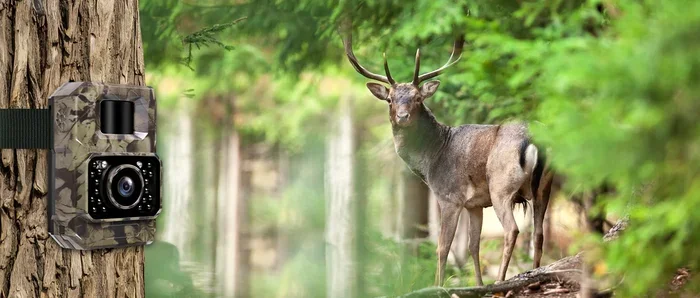
Do Bluetooth Trail Cameras Need Wi Fi to Stay Connected
Bluetooth trail cameras can operate without Wi-Fi, using Bluetooth to transfer photos directly to your phone or device. However, adding Wi-Fi connectivity unlocks remote access, faster photo sharing, and cloud storage. Whether you need Wi-Fi depends on how and where you plan to use your wireless trail camera.
H2: What Exactly Is a Bluetooth Trail Camera?
H3: Understanding the Basics
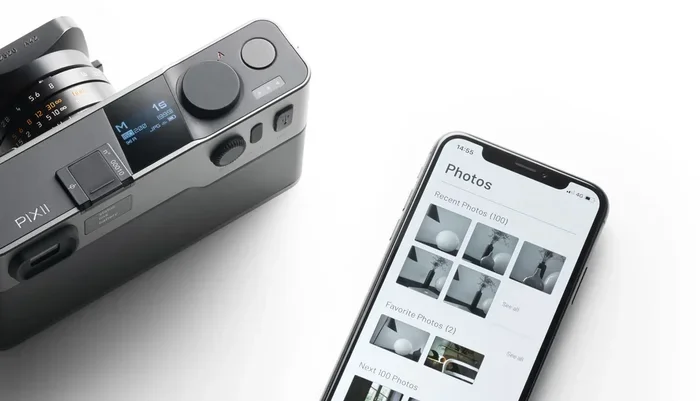
If you have ever wondered how wildlife photographers capture stunning shots of deer, bears, or owls in the middle of the forest, the answer is often a trail camera. These devices sit quietly in the woods, waiting for motion to trigger a photo or video. A Bluetooth trail camera uses Bluetooth technology to send those images to your phone or tablet without needing a cable.
The beauty of a bluetooth trail camera lies in its simplicity. You place the camera in a spot you want to monitor, walk away, and let it do its job. When an animal passes by, the motion sensor activates. The camera takes a photo or video and then uses Bluetooth to send a copy to your nearby device. It really is that straightforward.
H3: How Bluetooth Trail Cameras Differ from Other Types
Not all trail cameras are created equal. Here is a quick look at the main types you will find on the market:
- Standard trail cameras: Store photos on an SD card. You must physically retrieve the card and plug it into a computer to view your images.
- Bluetooth trail cameras: Transfer photos wirelessly to your phone within a short range, usually about 30 to 100 feet.
- Wi-Fi trail cameras: Connect to a local wireless network to send images to the cloud or your phone from farther away.
- Cellular trail cameras: Use a SIM card and mobile data to send photos anywhere there is cell service, no Wi-Fi needed.
Each type has its strengths. The right choice depends on where you plan to set up your remote camera and how much convenience you want.
H2: Do Bluetooth Trail Cameras Need Wi-Fi?
H3: The Short Answer
Here is the good news. Bluetooth trail cameras do not need Wi-Fi to function. The Bluetooth connection is its own wireless technology, separate from your home network. You do not need a router, an internet plan, or any online service to get photos from your camera to your phone.
This is a huge advantage for people who hunt or monitor wildlife in areas far from civilization. You can set up your game camera deep in the woods, and as long as your phone is within Bluetooth range, you can pull your photos without any internet connection.
H3: When Wi-Fi Becomes Useful
Even though Wi-Fi is not required, it can add a lot of value. Here are some situations where having wi-fi connectivity on your trail camera makes a real difference:
- Remote monitoring from home: If your trail camera is near your house or cabin, Wi-Fi lets you check images on your phone from inside.
- Faster photo transfers: Wi-Fi can move large video files faster than Bluetooth in some cases.
- Cloud backup: Wi-Fi lets you send photos to cloud storage so you never lose your images if the camera is stolen or damaged.
- Real-time alerts: Some Wi-Fi trail cameras send instant notifications when motion is detected, so you know exactly when something is happening.
H3: Bluetooth Range vs. Wi-Fi Range
One of the biggest differences between Bluetooth and Wi-Fi is range. Bluetooth typically works within 30 to 100 feet. That means you need to be relatively close to your wireless trail camera to pull photos. Wi-Fi, on the other hand, can reach much farther, especially if your camera connects to a strong router signal.
Here is a simple comparison:
- Bluetooth range: About 30 to 100 feet, depending on the camera model and obstacles like trees.
- Wi-Fi range: Can reach several hundred feet if the signal is strong, or even farther if connected to a cellular hotspot.
For most hunters and wildlife watchers, Bluetooth range is perfectly fine. You simply walk up to the camera, open the app on your phone, and download your photos. But if you want to check your camera from your living room, Wi-Fi is the way to go.
H2: How Bluetooth Trail Cameras Stay Connected Without Wi-Fi
H3: The Bluetooth Pairing Process
Setting up a bluetooth trail camera is easy. Most cameras follow a similar process:
- Turn on the camera and enable Bluetooth in its settings.
- Open the companion app on your phone.
- Select your camera from the list of available devices.
- Wait for the pairing to complete.
- Start capturing and downloading images.
Once paired, your phone and camera remember each other. You do not need to repeat the process every time, which makes checking your wildlife camera quick and convenient.
H3: What Happens When You Are Out of Range
If you move too far from your camera, the Bluetooth connection drops. This is normal and not a problem. The camera keeps taking photos and storing them on its internal memory or SD card. When you return within range, you can reconnect and download everything you missed.
Think of it like a wireless camera that works on its own schedule. It does not need you standing next to it to take great pictures. It just needs you to come close enough to collect the results.
H3: Using a Bluetooth Trail Camera App
Most manufacturers offer a free app that works with their cameras. These apps let you:
- View photos and videos directly on your phone.
- Adjust camera settings like sensitivity and trigger speed.
- Check battery life and signal strength.
- Share images with friends or hunting partners.
Popular apps are intuitive and designed for easy use. Even if you are not very tech-savvy, you will find them straightforward. The app handles the bluetooth trail camera connectivity so you do not have to fuss with complicated settings.
H2: Benefits of Using a Bluetooth Trail Camera Without Wi-Fi
H3: Privacy and Security
One major benefit of not needing Wi-Fi is privacy. When your trail camera does not connect to the internet, there is no risk of someone hacking into your feed. You do not have to worry about your wireless security camera being accessed by strangers.
This matters a lot for hunters who do not want to share their hunting spots. It also matters for property owners who use trail cameras for security. Without Wi-Fi, your footage stays private and local.
H3: No Monthly Fees
Wi-Fi trail cameras and cellular trail cameras often come with subscription fees. These plans can cost anywhere from a few dollars to over fifteen dollars per month. A Bluetooth-only trail camera has no ongoing costs. You buy it, set it up, and use it. That is it.
If you are on a budget or just want a simple setup, avoiding monthly fees is a big win. You get reliable wireless photography without any recurring expenses.
H3: Works Anywhere, No Internet Required
The best thing about Bluetooth trail cameras is that they work in places with zero internet access. Deep forests, remote hunting leases, mountain cabins, and backcountry campsites all work perfectly. As long as your phone has enough battery, you can check your motion detection camera anytime.
This makes Bluetooth trail cameras ideal for true off-grid use. You get the freedom to place your camera anywhere without worrying about finding a Wi-Fi signal or cell tower.
H2: When You Should Consider Wi-Fi or Cellular Options
H3: Situations That Call for Wi-Fi
Sometimes a Bluetooth-only setup is not enough. Here are times when you should consider a wi-fi trail camera:
- Home property monitoring: If you want to watch your backyard or driveway from your phone while you are inside.
- Frequent check-ins: If you need to check your camera multiple times a day, Wi-Fi saves you the trip.
- Sharing with family: Wi-Fi cameras often let multiple users access the feed at the same time.
- Long video clips: Wi-Fi handles large video files better than Bluetooth in most cases.
H3: When Cellular Trail Cameras Make More Sense
If you are monitoring a property far from your home, a cellular trail camera might be the best choice. These cameras use a SIM card and mobile data to send photos to your phone or email. They work anywhere there is cell service, even in the middle of nowhere.
Cellular cameras do require a data plan, but they offer the most flexibility. You can check your wireless camera from across the country if you want to. That level of convenience is hard to beat.
H3: Comparing Connectivity Options at a Glance
Here is a quick side-by-side look at the three main options:
- Bluetooth only: No internet needed, no monthly fees, short range, fully private. Best for remote, off-grid use.
- Wi-Fi enabled: Needs a local network, no cellular plan needed, medium range, cloud backup possible. Best for home or cabin use.
- Cellular: Needs a SIM card and data plan, works anywhere with cell service, long range, real-time alerts. Best for distant or high-security monitoring.
Each option serves a different purpose. Think about where you will use your camera and how often you need to check it. That will guide your decision.
H2: Tips for Getting the Most Out of Your Bluetooth Trail Camera
H3: Maximize Battery Life
Bluetooth uses power, but so does the camera’s motion sensor and night vision. To get the most out of each set of batteries, try these tips:
- Use lithium batteries: They last longer in cold weather and perform better than alkaline cells.
- Lower the trigger speed: A slightly slower trigger means fewer wasted photos and less battery drain.
- Use a solar panel: Many trail cameras support external solar panels. This keeps your camera running indefinitely.
- Reduce video recording: Photos use less battery than videos. If you only need still images, turn off video mode.
H3: Position Your Camera for Best Results
Where you place your wildlife camera matters a lot. Follow these guidelines:
- Mount the camera 3 to 4 feet off the ground, angled slightly downward.
- Face the camera away from the sun to avoid false triggers from shadows.
- Clear any branches or leaves from in front of the lens.
- Place the camera along a game trail or near a food source for the best results.
- Keep the camera away from busy roads or areas with constant human traffic.
H3: Keep Your Bluetooth Connection Strong
A weak Bluetooth connection means slow photo transfers or dropped connections. Here is how to keep it strong:
- Stay within range: Keep your phone within 50 to 100 feet of the camera when downloading photos.
- Remove obstructions: Thick walls, metal objects, and dense trees can weaken the signal.
- Update your app: Manufacturers often release updates that improve Bluetooth performance.
- Restart both devices: If the connection drops, turn Bluetooth off and back on, or restart your phone.
H3: Protect Your Camera from the Elements
Trail cameras face rain, snow, heat, and cold. A good wireless trail camera should be weatherproof and durable. Look for cameras rated IP65 or higher. These can handle heavy rain and extreme temperatures without a problem.
Also consider using a protective case or housing if you place your camera in a particularly harsh environment. A little extra protection goes a long way toward extending the life of your gear.
H2: Common Mistakes People Make with Bluetooth Trail Cameras
H3: Forgetting to Check the Bluetooth Setting
This sounds simple, but it happens all the time. People buy a new camera, install the app, and wonder why their phone will not find the camera. Nine times out of ten, the Bluetooth setting on the camera is turned off. Always double-check that Bluetooth is enabled before troubleshooting anything else.
H3: Ignoring Firmware Updates
Manufacturers release firmware updates to fix bugs and improve performance. If you never update your camera’s firmware, you might miss out on better connectivity and new features. Check the app regularly for update notifications.
H3: Placing the Camera Too Far from Your Phone
Bluetooth has a limited range. If you try to download photos from 200 feet away, you will likely run into problems. Walk closer to the camera before attempting to transfer files. It saves time and frustration.
H3: Overlooking Storage Space
Bluetooth trail cameras store photos on an SD card. If the card is full, the camera stops taking new photos. Make it a habit to check your storage regularly and clear out old images. This keeps your game camera running without interruption.
H2: Expert Insights on Bluetooth Trail Camera Connectivity
H3: What the Pros Say
Experienced hunters and wildlife photographers often prefer Bluetooth trail cameras for their simplicity. According to many trail camera reviewers, the ability to pull photos without Wi-Fi or cellular service is a game-changer for backcountry use.
One common tip from the pros is to pair your camera with your phone before you head out. Test the connection at home first. That way, when you are in the field, you know everything works and you can focus on finding the best spots.
H3: The Future of Trail Camera Connectivity
The wireless trail camera market is evolving fast. New models are coming with better Bluetooth range, faster transfer speeds, and smarter motion detection. Some cameras now use artificial intelligence to identify animals and filter out false triggers like blowing leaves.
As technology improves, we can expect even more seamless connectivity. The line between Bluetooth, Wi-Fi, and cellular features is blurring. Soon, a single camera might offer all three options, giving users maximum flexibility no matter where they set up their remote camera.
H2: Final Thoughts
H3: Making the Right Choice for Your Needs
So, do Bluetooth trail cameras need Wi-Fi? The answer is no. Bluetooth trail cameras work perfectly fine without any Wi-Fi connection. They use their own short-range wireless technology to send photos to your phone, and they do not need the internet to do it.
That said, Wi-Fi can add useful features like remote access and cloud storage. The right choice depends on your specific situation. If you hunt in remote areas or monitor wildlife far from civilization, a Bluetooth-only setup is hard to beat. If you want to watch your property from your couch, consider a Wi-Fi or cellular model.
H3: Final Recommendations
Before you buy, think about these three things:
- Where will you use the camera? Remote locations favor Bluetooth. Home or cabin use benefits from Wi-Fi.
- How often will you check it? Frequent check-ins are easier with Wi-Fi or cellular. Occasional visits work great with Bluetooth.
- What is your budget? Bluetooth cameras have no monthly fees. Cellular and Wi-Fi models may require subscriptions.
No matter which type you choose, a trail camera is a fantastic tool for wildlife watching, hunting, and home security. The technology has come a long way, and today’s bluetooth trail camera options offer incredible value for the price.
H3: Get Out There and Start Monitoring
Now that you understand how Bluetooth trail cameras work and when Wi-Fi is (or is not) needed, you are ready to make an informed decision. Pick the right camera for your needs, set it up in a great location, and start capturing the wildlife around you. Whether you are a hunter tracking game patterns or a nature lover watching for rare visitors, a good trail camera opens up a whole new world of discovery.
Key Takeaways
- Bluetooth works independently: Most Bluetooth trail cameras function without any Wi-Fi connection, using short-range wireless transfer to send photos to your smartphone.
- Wi-Fi adds remote capabilities: With Wi-Fi enabled, you can access your trail camera from anywhere, view live feeds, and receive instant alerts on your phone.
- Cellular options exist too: Some trail cameras use cellular networks instead of Wi-Fi, giving you connectivity in areas without a wireless network.
- Battery life matters: Adding Wi-Fi to your trail camera can drain the battery faster, so consider power-saving modes and solar panel options.
- Security is important: When using Wi-Fi with your trail camera, make sure your network is protected and your Wi-Fi password is shared carefully to prevent unauthorized access.
Frequently Asked Questions
Can a Bluetooth trail camera work without any internet connection at all?
Yes, absolutely. A Bluetooth trail camera uses its own wireless technology to transfer photos to your phone. It does not need Wi-Fi, cellular data, or any internet connection to function. You simply walk up to the camera, pair it with your phone, and download your images.
How far can Bluetooth reach on a trail camera?
Most Bluetooth trail cameras have a range of about 30 to 100 feet. The exact distance depends on the camera model, obstacles like trees, and your phone’s Bluetooth strength. For best results, stay within 50 feet of the camera when transferring photos.
Is a Wi-Fi trail camera better than a Bluetooth trail camera?
It depends on your needs. Wi-Fi cameras offer remote access and cloud backup, which is great for home monitoring. Bluetooth cameras are simpler, cheaper, and work anywhere without internet. If you hunt in remote areas, Bluetooth is usually the better choice.
Can someone else connect to my trail camera if it has Wi-Fi?
If your trail camera connects to a Wi-Fi network, anyone on that same network could potentially access it if security settings are weak. To stay safe, use a strong Wi-Fi password and change default camera login credentials. This keeps your footage private and secure.
Do Bluetooth trail cameras use a lot of battery power?
Not really. Bluetooth uses less power than Wi-Fi or cellular connections. Most Bluetooth trail cameras last several weeks to a few months on a set of batteries, depending on how often they trigger. Using lithium batteries and a solar panel can extend battery life even further.
Can I use a Bluetooth trail camera for home security?
You can, but it has limitations. Bluetooth trail cameras work best for checking footage after the fact. For real-time home security alerts, a Wi-Fi or cellular camera is more effective. Still, a Bluetooth trail camera is a great low-cost option for monitoring a remote cabin or property.