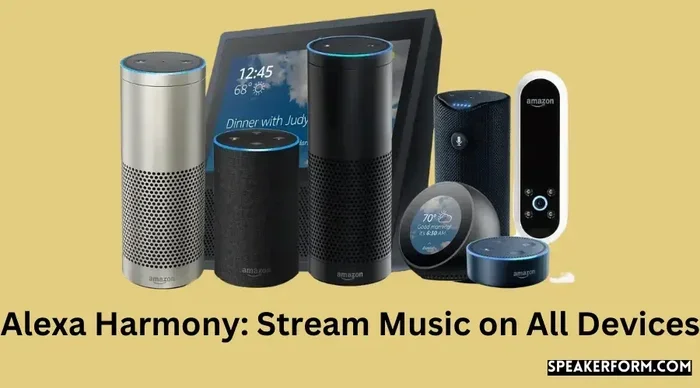
Can I Use Alexa As a Bluetooth Speaker to Stream Music
Yes, you can absolutely use Alexa as a Bluetooth speaker to stream music from your phone or tablet. It is simple, wireless, and works with nearly every Amazon Echo device. All you need is the Alexa app, a Bluetooth-enabled device, and a few minutes of setup time. This guide walks you through every step, from pairing to troubleshooting common issues, so you can start enjoying your favorite tunes right away.
You have an Amazon Echo sitting on your table. You have your favorite playlist loaded on your phone. And you want to hear that music through your smart speaker. But here is the question that keeps popping up: can I use Alexa as a Bluetooth speaker? The short answer is yes. The longer answer is even better, and it is simpler than you think.
Using Alexa as a Bluetooth speaker opens up a whole world of wireless audio. You are not stuck with Amazon Music alone. You can pull music from Spotify, Apple Music, YouTube, or any app on your phone. The wireless connection works seamlessly once you set it up. Whether you are hosting a party, cooking in the kitchen, or just relaxing on the couch, turning your Echo into a Bluetooth speaker is a game changer.
In this guide, we will walk you through everything you need to know. We will cover how to pair your phone, how to use voice control while streaming, how to fix common connection problems, and even how to set up a stereo pair for richer sound. By the end, you will be an expert at using your Amazon Echo as a full-blown wireless speaker.
Key Takeaways
- Easy Setup: Using Alexa as a Bluetooth speaker takes only a few taps in the Alexa app.
- Wide Compatibility: Almost every Amazon Echo device supports Bluetooth speaker mode.
- Wireless Freedom: Stream music from any Bluetooth-enabled device without cables.
- Hands-Free Control: Use voice commands to play, pause, skip, and adjust volume.
- Multiple Devices: You can connect phones, tablets, laptops, and even other smart devices.
- Common Issues Are Fixable: Most Bluetooth problems have simple solutions.
- Stereo Pairing: Two Echo devices can work together for richer sound.
📑 Table of Contents
- What Is Alexa Bluetooth Speaker Mode?
- How to Use Alexa As a Bluetooth Speaker
- Streaming Music Through Alexa Bluetooth Speaker
- Bluetooth Range and Connection Stability
- Advanced Features for Alexa Bluetooth Speaker Use
- Common Problems and How to Fix Them
- Alexa Bluetooth Speaker vs. Traditional Bluetooth Speakers
- Quick Tips for the Best Experience
- Expert Insights on Using Alexa as a Bluetooth Speaker
- Key Takeaways
- Conclusion
What Is Alexa Bluetooth Speaker Mode?
Alexa Bluetooth speaker mode is a built-in feature on most Echo devices. It lets your Echo receive audio from another device over a Bluetooth wireless connection. Think of it like any other Bluetooth speaker you have used before. The difference is that Alexa adds voice control on top of the audio experience.
When you activate this mode, your Echo stops acting as a smart home hub for audio and becomes a simple output device. Your phone becomes the source. The Echo becomes the speaker. It is that straightforward.
Which Echo Devices Support Bluetooth Speaker Mode?
Most modern Echo devices support Bluetooth speaker mode. Here is a quick look at what works:
- Echo Dot: The compact option. Great for bedrooms and desks.
- Echo (3rd gen and newer): Full-sized speaker with solid audio quality.
- Echo Plus: Larger driver and better bass response.
- Echo Show: Works for audio even with the screen off.
- Echo Studio: Premium audio quality for audiophiles.
- Echo Flex: Small plug-in design. Supports Bluetooth output.
If you own any of these devices, you are good to go. Older models may have limited support, so always check your device specifications in the Alexa app under device settings.
How to Use Alexa As a Bluetooth Speaker
Setting up your Echo as a Bluetooth speaker is fast and painless. You can do it through the Alexa app or with a simple voice command. Let us walk through both methods.
Method 1: Pair Through the Alexa App
Follow these steps to connect your phone to your Echo device:
- Open the Alexa app on your phone.
- Tap the Devices icon at the bottom of the screen.
- Select Echo & Alexa from the list.
- Choose the Echo device you want to use.
- Tap Bluetooth Devices.
- Select Pair a New Device.
- Your Echo will now appear in your phone’s Bluetooth settings.
- Tap the Echo device name to pair.
- Wait for the confirmation chime.
That is it. Your wireless connection is live. You can now open any music app on your phone and the audio will play through your Echo.
Method 2: Pair Using Voice Commands
If you prefer not to touch your phone, you can use voice control. Simply say:
“Alexa, pair my Bluetooth device.”
Your Echo will enter pairing mode. Go to your phone’s Bluetooth settings, find the Echo device, and tap to connect. This method is especially handy when your hands are busy cooking or exercising.
Method 3: Use the Alexa App Quick Action
Newer versions of the Alexa app include a quick action for Bluetooth pairing. Swipe down from the top of the app home screen and look for the Bluetooth icon. Tap it, and your Echo will appear as an available audio output device. One tap is all it takes.
Streaming Music Through Alexa Bluetooth Speaker
Once the pairing is complete, streaming music is effortless. Open Spotify, Apple Music, YouTube Music, or any app on your phone. The audio will route through your Alexa Bluetooth speaker automatically.
You can control playback in two ways. Use your phone’s screen to tap play, pause, or skip. Or use voice commands to keep your hands free. Say things like:
- “Alexa, pause the music.”
- “Alexa, skip to the next track.”
- “Alexa, turn up the volume.”
- “Alexa, play my workout playlist.”
- “Alexa, stop.”
Voice control is one of the biggest advantages of using Alexa as a Bluetooth speaker. You get the convenience of a wireless speaker with the added power of a smart assistant. You can ask Alexa to set a timer while your music plays, check the weather, or add items to your shopping list. All without touching your phone.
Best Music Apps for Alexa Bluetooth Streaming
Not all music apps work the same way with Alexa. Here are the top apps that pair well with your Echo as a Bluetooth speaker:
- Spotify: Works beautifully. Supports voice commands and offline playlists.
- Apple Music: Fully compatible with Echo devices.
- YouTube Music: Great for video audio and music mixes.
- Pandora: A solid choice for curated radio stations.
- Amazon Music: The native option with deep Alexa integration.
- Deezer: Works well in most regions.
You can set a default music app in the Alexa app under Settings Music & Podcasts. This ensures that when you ask Alexa to play music, it uses your preferred service.
Bluetooth Range and Connection Stability
One thing to keep in mind with any Bluetooth speaker is range. The standard Bluetooth range is about 30 feet (roughly 10 meters) in open space. Walls, furniture, and other electronics can reduce this distance.
Tips to Improve Bluetooth Connection
- Keep your phone within 30 feet of the Echo device.
- Remove physical obstacles between the two devices.
- Stay away from microwaves and cordless phones, which can cause interference.
- Restart both devices if you experience dropouts.
- Update the Alexa app and your phone’s operating system.
Connection stability is generally excellent with modern Echo devices. Amazon has improved Bluetooth pairing technology across recent generations. If you experience frequent disconnections, the issue is usually fixable with a simple restart or re-pairing.
Advanced Features for Alexa Bluetooth Speaker Use
Once you have the basics down, there are some advanced features worth exploring. These can elevate your music streaming experience significantly.
Stereo Pair Setup
Want richer, fuller sound? You can pair two Echo devices to create a stereo pair. One Echo plays the left channel, and the other plays the right channel. This works even when using Bluetooth streaming from your phone.
To set up a stereo pair, go to Devices in the Alexa app, select Add Device, choose Echo & Alexa, and follow the stereo pair instructions. You need two identical Echo devices for the best results.
Multi-Room Music
You can also send audio to multiple Echo devices at once. This is called multi-room music. Group your Echo devices in the Alexa app and cast your Bluetooth audio to the whole group. This is perfect for parties or whole-home audio setups.
Using a Bluetooth Transmitter with Non-Bluetooth Devices
Do you have an older TV or laptop without Bluetooth built in? You can use a Bluetooth transmitter. This small device plugs into the audio output of your TV or laptop and broadcasts the signal to your Echo. It turns any device with a 3.5mm jack or optical output into a wireless audio source.
Popular Bluetooth transmitters include brands like TaoTronics and Avantree. They are affordable and easy to set up. Just plug them in, pair with your Echo, and enjoy.
Common Problems and How to Fix Them
Even with the best technology, issues can pop up. Here are the most common problems people face when using Alexa as a Bluetooth speaker and how to solve them.
Echo Not Showing Up in Bluetooth Settings
If your Echo does not appear in your phone’s Bluetooth settings, try these steps:
- Make sure your Echo is powered on and connected to Wi-Fi.
- Restart your Echo by unplugging it for 30 seconds.
- Restart your phone.
- Check that Bluetooth is turned on in your phone settings.
- Forget the Echo device in your phone’s Bluetooth list and try pairing again.
Audio Keeps Cutting Out
Intermittent audio is frustrating but usually easy to fix:
- Move your phone closer to the Echo device.
- Remove other Bluetooth devices from the area.
- Check for Wi-Fi interference. Change your Wi-Fi channel if needed.
- Update your phone and Echo firmware.
Alexa Does Not Respond to Voice Commands During Bluetooth Streaming
Sometimes voice control stops working when Bluetooth is active. This happens because the Echo is focused on the Bluetooth input. To fix this:
- Say “Alexa” clearly and wait for the response light.
- Press the action button on top of the Echo to wake it up.
- Disable Bluetooth and re-pair the connection.
Cannot Disconnect Bluetooth Speaker Mode
If you want to stop using your Echo as a Bluetooth speaker and return to normal Alexa music playback, say:
“Alexa, disconnect Bluetooth.”
Or go to the Alexa app, select your device, tap Bluetooth Devices, and choose the connected device to unpair.
Alexa Bluetooth Speaker vs. Traditional Bluetooth Speakers
How does using Alexa as a Bluetooth speaker compare to a dedicated portable speaker? Let us look at the key differences:
| Feature | Alexa Echo as Bluetooth Speaker | Traditional Bluetooth Speaker |
|---|---|---|
| Sound Quality | Good to excellent depending on model | Varies widely by brand |
| Voice Control | Yes, built-in Alexa assistant | Rarely included |
| Portability | Not portable (needs power outlet) | Most are portable and battery-powered |
| Smart Home Integration | Full integration with smart home devices | None |
| Price | Requires owning an Echo device | Wide range from $20 to $200+ |
| Multi-Room Audio | Yes, with multiple Echo devices | Usually single device only |
| Setup Complexity | Simple, through Alexa app | Very simple, button press pairing |
The table shows that each option has its strengths. If you already own an Echo device, using it as a Bluetooth speaker is a no-brainer. You get smart features, voice control, and solid audio quality without buying extra hardware.
Quick Tips for the Best Experience
Here are some quick tips to get the most out of your Alexa Bluetooth speaker setup:
- Keep your Echo firmware updated. Go to Settings Device Settings in the Alexa app and check for updates regularly.
- Name your Echo devices clearly. This makes voice commands easier. Name them “Kitchen Echo” or “Bedroom Speaker.”
- Use the Alexa app to manage connections. You can see all paired devices and remove old ones easily.
- Set a default music service. This saves time when asking Alexa to play music.
- Use the Alexa Guard feature. It listens for smoke alarms and security alerts while you stream music.
- Explore Alexa skills for music. Skills like TuneIn, iHeartRadio, and Pandora add more streaming options.
Expert Insights on Using Alexa as a Bluetooth Speaker
Smart home experts agree that using an Echo as a Bluetooth speaker is one of the most underrated features of the device. Many people buy an Echo for smart home control and never realize they can use it as a high-quality wireless speaker for any device.
“The beauty of Alexa Bluetooth speaker mode is that it turns a single-purpose device into a versatile audio hub,” says tech reviewer Sarah Mitchell. “You get smart assistant capabilities, multi-room audio, and the ability to stream from any app. It is a lot of value packed into one device.”
Another expert tip: if you are using your Echo in a large room, consider placing it on a shelf or table rather than the floor. Elevating the device improves audio quality by reducing sound absorption from soft surfaces like carpets and rugs.
Also, if you are pairing multiple phones with one Echo, remember that only one phone can stream at a time. The first phone to connect takes priority. If another phone wants to connect, it needs to disconnect the current device first.
Key Takeaways
- Simple Setup: Using Alexa as a Bluetooth speaker takes just a few taps in the Alexa app or a single voice command.
- Broad Compatibility: Nearly every modern Echo device supports Bluetooth speaker mode for wireless audio.
- Any App Works: Stream music from Spotify, Apple Music, YouTube, or any app on your paired device.
- Voice Control Advantage: Use hands-free commands to manage playback without touching your phone.
- Stereo and Multi-Room Options: Pair two Echo devices for stereo sound or group multiple devices for whole-home audio.
- Troubleshooting Is Easy: Most connection issues resolve with a simple restart or re-pairing.
- Bluetooth Transmitters Expand Options: Use a transmitter to connect older devices without built-in Bluetooth.
Conclusion
So, can you use Alexa as a Bluetooth speaker? Absolutely. The Alexa Bluetooth speaker feature is simple, powerful, and incredibly convenient. You get wireless freedom, voice control, and access to all your favorite music apps through one device. Whether you are using an Echo Dot in your bedroom or an Echo Studio in your living room, the setup process is the same and takes only minutes.
The wireless connection between your phone and your Echo opens up endless possibilities for music streaming. You are no longer limited to one app or one device. Your Echo becomes a versatile Bluetooth speaker that fits seamlessly into your daily routine.
Try it today. Pair your phone with your Echo, hit play on your favorite playlist, and experience the convenience of a smart speaker that doubles as a quality audio output. Once you start using Alexa as a Bluetooth speaker, you will wonder how you ever managed without it.
Frequently Asked Questions
Can I use Alexa as a Bluetooth speaker without Wi-Fi?
Yes, you can use Alexa as a Bluetooth speaker without Wi-Fi for audio streaming. The Bluetooth connection works independently of your Wi-Fi network. However, you will need Wi-Fi for initial setup and voice commands. Once paired, you can stream music from your phone even if your internet goes down.
Can I connect multiple phones to Alexa Bluetooth speaker mode?
You can pair up to two phones with an Echo device at a time. However, only one phone can stream audio at a time. If another phone wants to play music, it must disconnect the current connection first. This is a standard Bluetooth pairing limitation.
Does using Alexa as a Bluetooth speaker drain its battery?
Echo devices are always plugged in, so battery drain is not a concern. Unlike portable Bluetooth speakers, Echo devices do not run on battery. They stay powered and ready to receive wireless audio at all times.
Can I use Alexa Bluetooth speaker mode with a laptop or tablet?
Yes, you can pair any Bluetooth-enabled device with your Echo. This includes laptops, tablets, and even gaming consoles. The process is the same as pairing a phone. Go to your device’s Bluetooth settings and select the Echo device.
How do I know if Alexa is in Bluetooth speaker mode?
When your Echo is connected to a device via Bluetooth, you will hear a confirmation tone. The light ring on the Echo will also show a solid blue glow. You can also check in the Alexa app under your device’s Bluetooth settings to see the active connection.
Can I use Alexa Bluetooth speaker mode outdoors?
Yes, you can use your Echo as a Bluetooth speaker outdoors as long as it is within Bluetooth range of your phone. Keep in mind that Echo devices need a power outlet, so you will need access to an outdoor outlet or use an extension cord. The wireless audio quality remains consistent in open outdoor spaces.