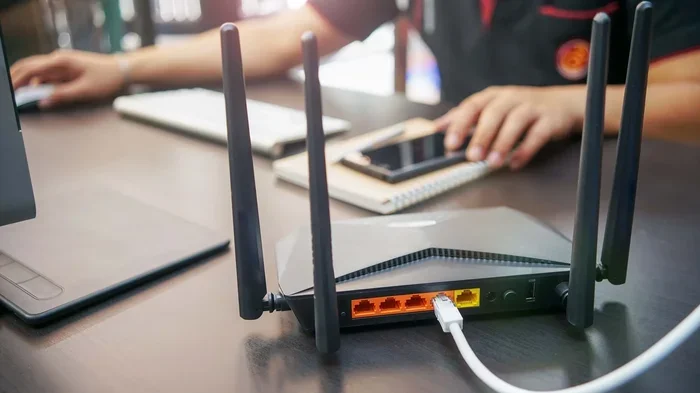
Does Buying A Wifi Router Give You Wi Fi Connection
Buying a Wi-Fi router alone does not give you an internet connection. You still need an internet service provider (ISP) and a modem to access the web. A router just shares that connection wirelessly across your home. Without an ISP and a modem, your new router is just a box.
This is a comprehensive guide about Does Buying A Wifi Router Give You Wi Fi.
Key Takeaways
- A router alone cannot create internet: It only distributes an existing connection from your ISP through a modem.
- You need three things to go online: An ISP, a modem, and a router to complete your home network setup.
- Buying a router gives you wireless freedom: It lets all your wireless devices connect without cables running across the house.
- Router placement matters a lot: The right spot boosts your Wi-Fi signal and reduces dead zones.
- You can buy and install your own router: Most people can handle the setup themselves with basic steps.
- Check with your ISP first: Some providers rent modems and routers, or they may need to activate your equipment.
[FEATURED_IMAGE_PLACEHOLDER]
Does Buying A Wi-Fi Router Give You Wi-Fi Connection?
Here is the short answer: no, not by itself. When you buy a Wi-Fi router, you are getting a device that spreads an internet connection around your home. But that connection has to come from somewhere. You still need an internet service provider and a modem to bring the internet into your house in the first place.
A lot of people walk into a store, grab a router off the shelf, and expect to be online the second they plug it in. That is a common mix-up. Think of it like buying a garden hose. The hose moves water around your yard, but it does not create the water. You still need a source. In this case, the source is your ISP and modem.
That said, buying a good router is a huge step toward a great home network. It gives you the wireless backbone that lets your phones, laptops, smart TVs, and other devices connect without wires. Once you understand how it all fits together, the whole process makes a lot more sense.
If you are tired of slow speeds or dead zones, a new router can be a game changer. But before you spend your money, let us walk through exactly what you are buying and what else you need to get online.
What Does a Wi-Fi Router Actually Do?
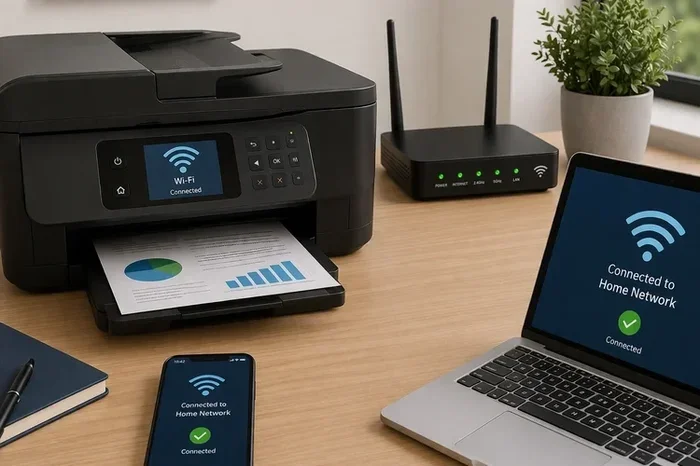
A Wi-Fi router is the center of your home network. It takes the internet signal from your modem and sends it out wirelessly to all your devices. Without a router, every device would need a cable plugged directly into the modem. That is not practical in most homes.
Here is what a router handles on a daily basis:
- Creating a wireless network: It broadcasts a Wi-Fi signal that your devices can pick up.
- Managing traffic: It directs data to the right device, so your laptop and phone do not trip over each other.
- Assigning local IP addresses: Every device on your network gets its own address so data goes to the right place.
- Providing security: Most modern routers include firewalls and encryption to keep your network safe.
- Connecting wired devices too: Many routers have Ethernet ports for devices that need a direct, stable connection.
A router does not generate internet. It just shares it. Think of it as a traffic cop that directs cars (data) to the right streets (devices) in your neighborhood (home network).
Router vs. Modem: What Is the Difference?
This is where many people get confused. A modem and a router do two different jobs, even though many ISPs give you a single box that does both.
A modem connects your home to the internet. It talks to your ISP through a cable, fiber line, or phone connection. A router takes that connection and spreads it around your home wirelessly. Some devices combine both functions into one unit, which is convenient but not always the best option.
When you buy a router and install it yourself, you are typically adding a separate device to handle the wireless side. Your modem stays connected to the ISP line, and the router plugs into the modem.
What You Need Beyond a Router to Get Online
So if a router alone does not give you internet, what do you actually need? Let us break it down.
1. An Internet Service Provider (ISP)
An ISP is the company that brings internet to your home. This could be Comcast Xfinity, AT&T, Verizon, Spectrum, or any local provider. You pay them a monthly fee for access to their network. Without an ISP, there is no internet to share.
Your ISP might give you a modem, a router, or both. Some charge extra for the equipment. Others let you use your own. It is always worth checking what your provider offers before you buy anything.
2. A Modem
The modem is the bridge between your home and the ISP network. It takes the signal from your provider and turns it into something your router can use. In many cases, your ISP will provide a modem for free or for a small rental fee.
Some people prefer to buy their own modem. It can save money over time and avoid rental fees. Just make sure the modem is compatible with your ISP before you purchase it.
3. The Right Cables and Setup
Even with a modem and router, you need the right cables to connect them. Most routers come with an Ethernet cable for the initial setup. You plug one end into the modem and the other into the router. From there, the router creates your wireless network.
Once everything is connected, you still need to configure the router. This includes setting a Wi-Fi name, creating a password, and choosing the right security settings. It sounds technical, but most modern routers walk you through the process with a simple app or web page.
Can You Get Wi-Fi Without an ISP?
This is a question a lot of people ask, and the answer is nuanced. You can set up a local network with a router, but that network will not have internet access without an ISP providing a connection.
Here are a few scenarios where you might think you have Wi-Fi without a traditional ISP:
- Mobile hotspot: You can use your phone’s data plan to create a Wi-Fi network. This is not the same as a home internet connection, but it does give you wireless access.
- Public Wi-Fi: Cafes, libraries, and hotels offer Wi-Fi connections. Your router is not involved here.
- Satellite internet: Services like Starlink act as an ISP and can work with your own router to create a home network.
In all cases, there is still some form of internet service at play. A router by itself, sitting on a table with no modem or ISP, will not magically produce an internet connection.
What About Getting Just Wi-Fi at Home?
Some people wonder if they can get just Wi-Fi without a full internet plan. The truth is, Wi-Fi is just the wireless technology that spreads a connection around. If you want actual internet access, you need a plan from an ISP.
However, you can create a local network without internet. This lets devices talk to each other, like printing from a laptop to a wireless printer. But you cannot browse the web, stream videos, or use any online services without an active internet connection.
How to Choose the Right Router for Your Home
Not all routers are the same. Buying the right one makes a big difference in your daily internet experience. Here is what to look for.
Speed and Bandwidth
Routers come with different speed ratings, measured in Mbps. If you have a fast internet plan from your ISP, you need a router that can keep up. A slow router will bottleneck your connection, no matter how fast your plan is.
Look for routers that support the latest Wi-Fi standards. Wi-Fi 6 and Wi-Fi 6E offer faster speeds, better range, and improved performance when multiple devices are connected at once.
Coverage Area
Consider the size of your home. A small apartment may only need a basic router. A large house with multiple floors might need a stronger model or a mesh Wi-Fi system.
If you have dead zones in your home where the signal does not reach, a mesh system can help. These use multiple units to spread coverage evenly throughout the house.
Number of Devices
Count how many devices connect to your network. Smart TVs, phones, tablets, laptops, smart speakers, security cameras, and gaming consoles all compete for bandwidth. A router with strong multi-device handling will keep everyone happy.
Security Features
Your router is the front door to your home network. Look for models that offer WPA3 encryption, built-in firewalls, and automatic firmware updates. These features help keep your data safe from intruders.
Common Mistakes People Make When Setting Up a New Router
Even after buying the right router, mistakes during setup can cause big problems. Here are the most common ones to avoid.
Placing the Router in a Bad Spot
Many people tuck their router in a closet, behind a TV, or in a corner. These spots block the signal and reduce coverage. Place your router in a central, open location for the best wireless coverage. Elevating it on a shelf also helps.
Skipping the Firmware Update
Router manufacturers release updates that fix bugs and patch security holes. Skipping these updates leaves your network vulnerable. Always check for updates during setup and periodically afterward.
Using Default Login Credentials
Leaving the default admin username and password is a serious security risk. Anyone on the same network could access your router settings. Change these credentials as soon as you set up the router.
Not Changing the Default Network Name
Keeping the default network name can reveal your router model to potential attackers. It also makes your network less personal. Pick a name that is unique but does not identify you personally.
Ignoring the Ethernet Connection
While wireless convenience is great, some devices benefit from a wired connection. If you have a gaming PC or a smart TV that streams a lot of content, consider plugging it in with an Ethernet cable for the most stable performance.
If you want to connect your PC wirelessly instead, you might wonder can I connect my PC to Wi-Fi without Ethernet. The answer is yes, as long as your PC has a wireless adapter or you use a USB Wi-Fi adapter.
Do You Need a New Router If You Already Have Internet?
If you already have internet through an ISP, you might not need a new router. Many ISPs provide a combined modem-router unit that handles everything. However, these rental units are often basic and may not deliver the best performance.
You might want to upgrade your router if you experience any of these issues:
- Slow speeds even with a fast internet plan
- Frequent disconnections or dropped signals
- Poor coverage in certain rooms
- Not enough Ethernet ports for your wired devices
- Older Wi-Fi standards that cannot handle modern demands
- Security vulnerabilities from outdated firmware
When you are ready to upgrade, you can buy a faster router that matches your internet speed and household needs. Just make sure your ISP plan can support the faster speeds before investing in new equipment.
Final Thoughts
Buying a Wi-Fi router is an important step toward a strong home network, but it is not the whole picture. A router shares your internet connection wirelessly across your home. It does not create the connection itself. You still need an ISP and a modem to bring the internet to your door.
Once you have all three pieces in place, you can enjoy fast, reliable wireless access from virtually anywhere in your home. The key is choosing the right router, placing it well, and setting it up correctly.
Do not let the technical details intimidate you. Setting up a home network is easier than most people think. Start with a solid plan, pick the right equipment, and you will be online in no time.
FAQs
Can I just buy a router and get Wi-Fi?
A router by itself will create a local network, but it will not give you internet access. You still need an internet service provider and a modem to bring the internet into your home. The router then shares that connection wirelessly with all your devices.
Do I need a modem if I already have a router?
Yes, if you want internet access. The modem connects to your ISP and brings the internet signal into your home. The router then takes that signal and distributes it wirelessly. Some devices combine both functions into one unit.
Can I use my own router instead of the one my ISP provides?
Absolutely. Many people prefer buying their own router because it gives them more control and often better performance. Just make sure your router is compatible with your ISP before you purchase it.
How do I know if I need a new router?
If you experience slow speeds, weak signals, frequent disconnections, or your router is several years old, it may be time for an upgrade. Newer routers also support faster Wi-Fi standards and better security features.
Can I set up a router without help from my ISP?
Yes, most modern routers are designed for easy self-installation. You plug in the modem, connect the router with an Ethernet cable, and follow the setup instructions. Many routers also have helpful apps that guide you through the process step by step.
Will a better router improve my internet speed?
A better router can help if your current one is slowing things down. However, it cannot make your ISP plan faster than what you are paying for. The router should match or exceed your internet speed to get the most out of your connection.
Frequently Asked Questions
What is Does Buying A Wifi Router Give You Wi Fi?
Does Buying A Wifi Router Give You Wi Fi is an important topic with many practical applications.