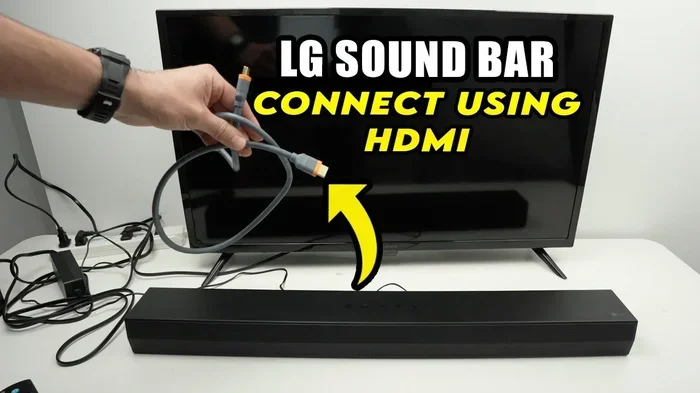
Does A Soundbar Sound Better With Hdmi Or Bluetooth
A soundbar almost always sounds better with HDMI than Bluetooth. HDMI sends uncompressed audio, while Bluetooth compresses it, which can reduce detail and depth. If you want the richest dialogue, deepest bass, and clearest highs, HDMI is the way to go. However, Bluetooth still works well for casual listening when convenience matters most.
If you own a soundbar, you have probably wondered whether it sounds better with HDMI or Bluetooth. It is a great question. The answer affects how you watch movies, listen to music, and enjoy your favorite shows every single day.
The short answer is that HDMI almost always delivers better sound than Bluetooth. But there is more to it than just that simple fact. Let us walk through everything you need to know so you can get the best audio from your setup.
Soundbars have become one of the most popular ways to upgrade TV audio. Most people want richer dialogue, deeper bass, and clearer highs. The connection you choose plays a huge role in how well your soundbar performs. Whether you are setting up a new system or just tweaking your current one, understanding the difference between HDMI and Bluetooth matters a lot.
Key Takeaways
- HDMI delivers uncompressed audio: This means your soundbar receives every detail the original source intended.
- Bluetooth compresses audio files: Compression can lower sound quality, especially for complex soundtracks.
- HDMI ARC simplifies setup: One cable handles both audio and video signals to your TV.
- Bluetooth offers wireless freedom: No cables means easier placement and fewer clutter points.
- Latency affects the experience: Bluetooth can cause a slight delay between video and audio.
- Both have their place: HDMI is best for quality, Bluetooth for convenience and flexibility.
📑 Table of Contents
- What Is HDMI And How Does It Connect To A Soundbar?
- What Is Bluetooth And How Does It Work With Soundbars?
- Sound Quality Comparison: HDMI Vs Bluetooth
- Setup And Convenience Factors
- When To Use HDMI With Your Soundbar
- When Bluetooth Makes Sense For Your Soundbar
- Can You Use Both HDMI And Bluetooth At The Same Time?
- Common Mistakes People Make With Soundbar Connections
- Expert Tips To Improve Your Soundbar Audio
- How To Choose The Right Connection For Your Needs
What Is HDMI And How Does It Connect To A Soundbar?
HDMI stands for High-Definition Multimedia Interface. It is a cable that carries both video and audio signals at the same time. When you plug a soundbar into your TV using HDMI, you get a direct digital link. This link preserves the original audio quality from your source.
There is also something called HDMI ARC, which stands for Audio Return Channel. ARC lets your TV send audio back to the soundbar through the same HDMI cable. This means you only need one cable for both directions. If you want to learn more about connecting a soundbar with HDMI, check out our guide on Can I Connect Soundbar With HDMI Without ARC.
Types Of HDMI Connections For Soundbars
Not all HDMI connections are the same. Here are the main types you will encounter:
- Standard HDMI: Carries video and audio. Works well for most setups.
- HDMI ARC: Allows two-way audio communication between TV and soundbar.
- HDMI eARC: Enhanced ARC supports higher-quality audio formats like Dolby Atmos.
HDMI eARC is the best option if your soundbar and TV both support it. It gives you access to the latest audio formats without any extra cables. This connection type is becoming more common in modern TVs and soundbars.
What Is Bluetooth And How Does It Work With Soundbars?
Bluetooth is a wireless technology that sends audio through the air between devices. You pair your phone, tablet, or TV with the soundbar using Bluetooth. No cables are needed. This makes it very convenient for quick setups and temporary use.
Bluetooth uses a process called compression to send audio wirelessly. The audio file gets smaller so it can travel through the air faster. But this compression removes some audio data. That lost data can affect the richness and clarity of the sound.
Many modern soundbars support Bluetooth 5.0 or later. These newer versions offer better range and more stable connections. Still, the fundamental limitation of compression remains. Bluetooth is convenient, but it is not the same as a wired connection when it comes to pure audio quality.
Bluetooth Codecs And Sound Quality
Bluetooth uses something called codecs to compress and send audio. The most common ones are SBC, AAC, and aptX. Each codec handles audio differently.
- SBC: The default codec. Works with almost all devices but offers basic quality.
- AAC: Common on Apple devices. Slightly better than SBC.
- aptX: Offers improved quality over SBC and AAC. Found on many Android devices.
- aptX HD / LDAC: High-resolution codecs that approach near-lossless quality.
Even with the best Bluetooth codec, the audio still goes through compression. HDMI sends the audio in its original, uncompressed form. That is a big difference when you are trying to get the most out of your soundbar.
Sound Quality Comparison: HDMI Vs Bluetooth
This is where things get interesting. Let us break down the actual sound quality differences between HDMI and Bluetooth connections.
Audio Fidelity
Audio fidelity refers to how accurately the sound reproduces the original recording. HDMI wins this category hands down. Because HDMI sends uncompressed audio, every detail stays intact. You hear subtle background sounds, crisp dialogue, and full-range bass exactly as intended.
Bluetooth, on the other hand, compresses the audio. Some frequencies get cut or altered. This is especially noticeable with complex soundtracks that have lots of layers. Movies with heavy surround sound effects can lose some of their magic over Bluetooth.
Latency And Lip Sync
Latency is the delay between when something happens on screen and when you hear the sound. Bluetooth tends to have higher latency than HDMI. This can cause a noticeable lip-sync issue where voices do not match the movement on screen.
HDMI connections have very low latency. The audio and video stay perfectly in sync. This matters a lot when you are watching action movies or playing games. If you have ever noticed a slight delay with Bluetooth audio, latency is usually the cause.
Dynamic Range And Bass Response
Soundbars are known for their ability to produce deep bass and wide dynamic range. HDMI connections preserve the full dynamic range of the audio signal. This means your soundbar can hit those low notes hard and then drop into quiet whispers without any loss.
Bluetooth can limit the dynamic range because of compression. The deepest bass notes might not come through as powerfully. The quiet details in a scene might get lost. For music lovers and movie fans, this difference is easy to hear once you know what to listen for.
Setup And Convenience Factors
While HDMI wins on sound quality, Bluetooth has some real advantages when it comes to setup and daily use. Let us look at both sides.
Ease Of Setup
Setting up Bluetooth is simple. You turn on Bluetooth on both devices, pair them, and you are done. No cables to run. No ports to find. This makes Bluetooth ideal for people who want a quick and easy connection.
HDMI setup requires a cable run from your TV to the soundbar. You need an available HDMI port on both devices. If your TV and soundbar are far apart, this can be a bit tricky. But once set up, HDMI provides a very stable and reliable connection.
Device Compatibility
Bluetooth works with almost any device that supports it. Phones, tablets, laptops, and even some gaming consoles can connect wirelessly. This gives you a lot of flexibility. You can switch between devices easily without unplugging anything.
HDMI is more limited in this regard. You need a physical HDMI port on each device. Some older TVs or phones do not have HDMI outputs. But for most home theater setups, HDMI is widely supported and easy to use.
Cable Management
One of the biggest complaints about HDMI is cable clutter. Running a cable across the room can look messy. It can also be a tripping hazard. Bluetooth completely eliminates this problem. There are no cables to manage between your soundbar and the source device.
However, you still need power cables for both your TV and soundbar. So Bluetooth only solves part of the cable management issue. If a clean look is important to you, consider getting audio out from HDMI with a single cable that handles both video and sound.
When To Use HDMI With Your Soundbar
HDMI is the best choice in several situations. Here is when you should definitely go with HDMI:
- Watching movies and TV shows: Uncompressed audio gives you the full cinematic experience.
- Gaming: Low latency ensures audio stays perfectly synced with on-screen action.
- Listening to music with high-resolution files: HDMI preserves every detail of the original recording.
- Using Dolby Atmos or other advanced audio formats: These formats require the bandwidth that only HDMI can provide.
- Setting up a dedicated home theater: HDMI delivers the best possible audio quality for a fixed setup.
If you want even more detail on getting the best audio from HDMI connections, our article on Can I Get Audio Out From HDMI covers this topic in depth.
When Bluetooth Makes Sense For Your Soundbar
Bluetooth is not without its strengths. There are times when it is actually the better choice. Here is when Bluetooth works well with a soundbar:
- Casual music listening: For background music or podcasts, Bluetooth quality is more than enough.
- Quick guest setups: When friends come over and want to share music from their phones, Bluetooth makes it easy.
- Places where running cables is hard: Apartments, rental homes, or setups where cable management is a challenge.
- Using your phone as the main source: If you mostly stream music from your phone, Bluetooth is the natural choice.
- Temporary setups: For events or rooms where you do not want permanent cable installations.
Bluetooth also works well for multi-room audio setups. Many soundbars allow you to connect multiple Bluetooth speakers around the house. This creates a wireless audio network that is very convenient for everyday use.
Can You Use Both HDMI And Bluetooth At The Same Time?
Some soundbars allow you to use both HDMI and Bluetooth simultaneously. This gives you the best of both worlds. You can use HDMI for your TV and Bluetooth for your phone at the same time. However, not all soundbars support this feature.
If you are considering this setup, check your soundbar’s manual or product specifications. Look for models that list multiple input options and support simultaneous connections. This can be a great way to get high-quality HDMI audio while still having the convenience of wireless Bluetooth access.
It is also worth noting that some soundbars let you switch between inputs easily with a remote control or a button on the device. This makes it simple to go from TV mode to Bluetooth mode whenever you want.
Common Mistakes People Make With Soundbar Connections
Avoid these common mistakes to get the best sound from your soundbar:
- Using Bluetooth when HDMI is available: You are leaving audio quality on the table.
- Ignoring HDMI ARC settings: Make sure ARC is enabled in your TV settings for two-way audio.
- Using a low-quality HDMI cable: A cheap cable can limit the audio quality you receive.
- Placing the soundbar too far from the Bluetooth source: Bluetooth range is typically around 30 feet. Walls and obstacles reduce this.
- Not updating firmware: Both your TV and soundbar may have firmware updates that improve connectivity and audio quality.
Expert Tips To Improve Your Soundbar Audio
Want to squeeze every bit of performance from your soundbar? Here are some expert tips:
- Always use HDMI when possible: It is the single biggest upgrade you can make to your audio quality.
- Use high-speed HDMI cables: Look for cables rated for HDMI 2.0 or higher to support advanced audio formats.
- Place your soundbar correctly: Center it below your TV at ear level for the best dialogue clarity.
- Calibrate your soundbar settings: Most soundbars come with room calibration tools. Use them to optimize the sound for your space.
- Keep Bluetooth devices close: If you must use Bluetooth, keep the source device within a few feet for the best connection.
- Consider a wired subwoofer: Even if your soundbar connects wirelessly, a wired subwoofer can add serious bass depth.
How To Choose The Right Connection For Your Needs
Choosing between HDMI and Bluetooth comes down to your priorities. Here is a quick comparison to help you decide.
- Choose HDMI if: You want the best possible audio quality, low latency, and support for advanced formats like Dolby Atmos.
- Choose Bluetooth if: You value convenience, wireless freedom, and do not need the absolute highest audio fidelity.
- Use both if: Your soundbar supports it and you want flexibility for different use cases.
For most people building a home theater, HDMI is the clear winner. The difference in sound quality is noticeable, especially with movies and music that demand a full, rich audio experience. Bluetooth serves as a great secondary option for casual listening and quick connections.
Ultimately, the best connection is the one that fits your lifestyle and setup. If you have the option to use HDMI, take it. Your ears will thank you. But do not feel bad about using Bluetooth when the situation calls for it. It is still a perfectly good way to enjoy your soundbar.
Remember, your soundbar is only as good as the connection feeding it audio. Take the time to set it up right, and you will notice a huge difference in every movie, song, and game you play.
Frequently Asked Questions
Does HDMI really make a difference in soundbar audio quality?
Yes, HDMI makes a noticeable difference. HDMI sends uncompressed audio, which preserves all the original details and frequencies. Bluetooth compresses audio, which can reduce clarity and depth. For movies and music, HDMI delivers a richer and more immersive experience.
Can I use Bluetooth for my soundbar and still get good sound?
Absolutely. Bluetooth is perfectly fine for casual listening, podcasts, and background music. The sound quality is good enough for most everyday uses. You will just notice the difference when comparing side by side with HDMI, especially with complex soundtracks and detailed music.
What is HDMI ARC and do I need it for my soundbar?
HDMI ARC stands for Audio Return Channel. It lets your TV send audio back to your soundbar through a single HDMI cable. You do not need it, but it makes setup much simpler. It eliminates the need for extra cables and allows your TV remote to control the soundbar volume.
Why does Bluetooth have a delay with video?
Bluetooth has higher latency because it takes time to compress, send, and decompress the audio signal. This creates a small delay between what you see and what you hear. HDMI has much lower latency, keeping audio and video perfectly in sync.
Is Bluetooth 5.0 better for soundbars than older versions?
Yes, Bluetooth 5.0 offers better range, a more stable connection, and improved audio codecs. It does not eliminate compression, but it provides a more reliable wireless experience. If your soundbar and phone both support Bluetooth 5.0, you will get a better connection overall.
Can I connect my phone to a soundbar using both HDMI and Bluetooth at the same time?
Some soundbars support simultaneous HDMI and Bluetooth connections. This lets you use HDMI for your TV while staying ready to switch to Bluetooth for your phone. Check your soundbar’s features to see if this is supported. Not all models offer this capability.
=== CONCLUSION ===
So, does a soundbar sound better with HDMI or Bluetooth? The answer is clear: HDMI provides superior sound quality in almost every situation. It delivers uncompressed audio, keeps video and audio perfectly in sync, and supports the latest audio formats like Dolby Atmos. If you care about getting the best possible sound from your soundbar, HDMI is the way to go.
That said, Bluetooth has its place. It offers wireless convenience, easy setup, and works great for casual listening. Many people use both connections depending on the situation. The key is understanding the trade-offs so you can make the best choice for your needs.
Take a look at your current setup. Are you using the best connection available? A simple switch from Bluetooth to HDMI could transform your listening experience. Your soundbar is an investment, and using the right connection ensures you get every bit of value from it. Start with HDMI for your main setup, and use Bluetooth as a convenient backup. You will hear the difference right away.