Does A Smart Tv Have To Be Connected To Cable Service
No, a smart TV does not have to be connected to cable service. You can stream shows, watch live TV, and access all your favorite apps using just a Wi-Fi connection or an over-the-air antenna. This guide covers every way to use a smart TV without cable and helps you decide what works best for your home.
You just bought a shiny new smart TV. You set it up, turn it on, and then the question hits you. Does a smart TV have to be connected to cable? The short answer is no. Not even close. A smart TV can do so much more than sit idle waiting for a cable box to tell it what to do.
In this article, we will walk you through everything you need to know about using a smart TV without cable service. Whether you want to save money, ditch the clutter of extra devices, or simply explore what your TV can really do, you are in the right place. We will cover how smart TVs work, what alternatives exist, and how to set everything up step by step.
Key Takeaways
- Smart TVs work without cable: You can access all content through Wi-Fi, streaming apps, and antennas.
- Multiple free options exist: Over-the-air antennas, free streaming apps, and casting from devices give you cable-free entertainment.
- Internet speed matters: A stable broadband connection ensures smooth streaming without buffering.
- Cutting the cord saves money: Most households save hundreds of dollars per year by dropping cable.
- You still get live TV: An antenna or IPTV service delivers live channels without a cable box.
- Setup is simple: Connecting a smart TV to your home network takes just a few minutes.
📑 Table of Contents
- What Does It Mean When a TV Is Smart?
- Can You Use a Smart TV Without Cable Service?
- How to Watch Live TV Without Cable
- What You Need to Set Up a Cable-Free Smart TV
- Pros and Cons of Cutting the Cable Cord
- Common Mistakes People Make With Smart TVs
- Expert Tips for Getting the Most From Your Smart TV
- The Future of TV Without Cable
- Conclusion
What Does It Mean When a TV Is Smart?
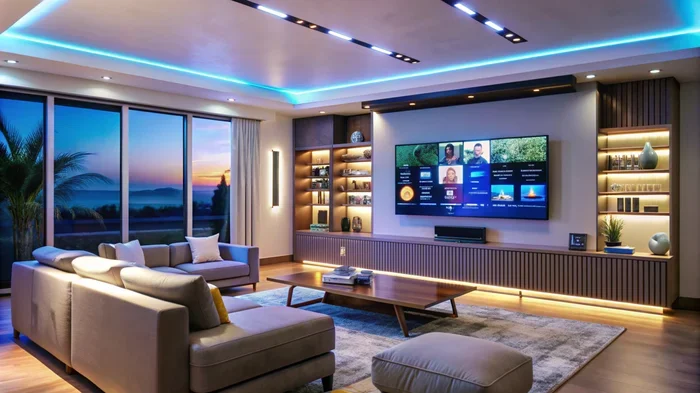
A smart TV is really just a regular TV with a computer built inside. It can connect to your home Wi-Fi network and access the internet. This opens up a whole world of possibilities. You can watch streaming services, browse the web, play games, and download apps. All of this happens directly on your TV screen.
The term smart TV covers a wide range of brands and models. Samsung, LG, Sony, TCL, and Roku all make smart TVs. Each brand has its own operating system. Some use webOS, others use Android TV or Roku OS. But they all share one thing in common. They can connect to the internet and run apps without needing a cable subscription.
How Smart TVs Connect to the Internet
Smart TVs connect to the internet in two main ways. The first is through Wi-Fi. You go into your TV settings, find your home network, and enter your password. The second way is through a wired Ethernet connection. This gives you a more stable signal, which is great for streaming in high quality.
If your Wi-Fi signal is weak in the room where your TV sits, you might want to consider a mesh router or a Wi-Fi extender. A strong connection makes all the difference when you are binge-watching your favorite shows. Nothing ruins a movie night faster than constant buffering.
Can You Use a Smart TV Without Cable Service?
Absolutely. You can use a smart TV without any cable service at all. When you first set up your TV, you will be asked to connect to Wi-Fi. Once connected, you can start downloading apps right away. Popular apps like Netflix, Hulu, Disney+, YouTube, and Amazon Prime Video all work without a cable login.
Some people worry that they will miss out on live sports or news. That is a valid concern. But there are several ways to get live TV without cable. We will cover those options in detail below. The bottom line is that cable is no longer required to enjoy a full TV watching experience.
Streaming Services Replace Cable Channels
Streaming services have changed the way we watch TV. Instead of flipping through hundreds of cable channels, you pick what you want to watch. Netflix has thousands of movies and shows. Hulu offers current TV episodes the day after they air. Disney+ has all the Marvel and Star Wars content.
Many streaming services also offer live TV options. YouTube TV, Hulu + Live TV, and Sling TV give you access to live channels. You get sports, news, and entertainment without the traditional cable package. Most of these services cost less than a standard cable bill too.
How to Watch Live TV Without Cable
One of the biggest reasons people keep cable is live TV. Sports games, news updates, and award shows are hard to replace. But you have several options for getting live channels without a cable subscription.
Option 1: Over-the-Air Antenna
An over-the-air antenna is one of the best ways to get free live TV. You plug the antenna into the back of your smart TV or into a separate tuner. Then you scan for channels. Your TV will pick up all the local broadcast channels in your area. This includes ABC, NBC, CBS, Fox, and PBS.
The quality of over-the-air signals is often better than cable. You get HD and even 4K signals in many markets. The best part is that it costs nothing after you buy the antenna. A good indoor antenna costs between $20 and $50. No monthly fees. No contracts.
Option 2: Live TV Streaming Services
If an antenna does not work well in your home, live TV streaming services are a great alternative. These services use your internet connection to deliver channels. They act like a cable replacement. You get a guide, on-demand content, and cloud DVR storage in most cases.
Here is a quick comparison of popular options:
- YouTube TV: Around 100 channels, unlimited cloud DVR, starts at about $73 per month.
- Hulu + Live TV: Around 95 channels, includes Hulu streaming library, starts at about $77 per month.
- Sling TV: Starts at about $40 per month, offers customizable channel packages.
- FuboTV: Great for sports fans, starts at about $80 per month with 180+ channels.
Each service has its strengths. Sports fans might prefer FuboTV. People who want a mix of live and on-demand content might like Hulu. You can also mirror your phone to your smart TV to watch content from your phone on the big screen, which adds even more flexibility to your viewing options.
Option 3: Free Streaming Apps
Many smart TVs come with free apps already installed. Tubi, Pluto TV, and Samsung TV Plus offer thousands of hours of content at no cost. These services are ad-supported. That means you watch commercials, but you do not pay a monthly fee. Pluto TV even has live channels built in, similar to a cable guide.
These free options are perfect for people on a tight budget. You can watch news, movies, and shows without spending a dime. The selection is not as large as paid services, but there is plenty to enjoy.
What You Need to Set Up a Cable-Free Smart TV
Setting up a smart TV without cable is easier than most people think. You do not need a lot of expensive equipment. Here is what you actually need to get started.
A Reliable Internet Connection
Your internet connection is the backbone of a cable-free setup. You need a stable broadband connection to stream content smoothly. Most streaming services recommend at least 25 Mbps for 4K content. For HD streaming, 10 Mbps is usually enough.
If you have multiple devices using your Wi-Fi at the same time, you may need faster speeds. A Wi-Fi 6 router can help handle multiple connections without slowing down. You can also check if your internet provider offers a mesh system for better coverage throughout your home.
A Streaming Device (Optional)
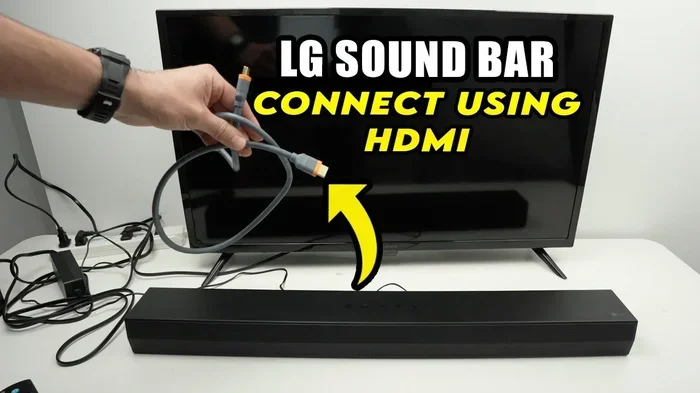
While most smart TVs have built-in apps, some older or budget models may not have every app you want. In that case, a streaming device can help. Devices like Roku, Amazon Fire TV Stick, or Apple TV plug into your TV’s HDMI port. They give you access to even more apps and a better interface.
You can also connect an HDMI cable from your phone to your TV to mirror your screen. This is a quick and easy way to watch content from your phone on a bigger screen without needing a smart TV at all.
An Over-the-Air Antenna (For Live Channels)
If you want local channels without paying for them, an antenna is essential. Modern smart TVs have built-in tuners that work with antennas. Just connect the antenna to the TV’s coaxial input, run a channel scan, and you are done.
Placement matters. Put the antenna near a window or on a higher floor for the best signal. If you live far from broadcast towers, you may need an outdoor antenna. But for most people, a simple indoor antenna works perfectly fine.
Pros and Cons of Cutting the Cable Cord
Deciding to drop cable is a big choice. Like anything else, it comes with advantages and disadvantages. Let us look at both sides honestly.
The Pros
- Lower monthly bills: The average cable bill is over $100 per month. Streaming services cost a fraction of that.
- More flexibility: You watch what you want, when you want. No more being tied to a broadcast schedule.
- Fewer devices: No cable box cluttering your entertainment center. Your smart TV handles everything.
- Better picture quality: Streaming in 4K often looks better than standard cable HD.
- No contracts: Most streaming services let you cancel anytime without penalties.
The Cons
- Internet dependency: If your Wi-Fi goes down, you lose access to streaming content.
- Channel availability: Some niche sports or local channels may not be available through streaming services.
- Multiple subscriptions add up: If you subscribe to several streaming services, costs can start to add up.
- Internet data caps: Heavy streaming can use a lot of data, which matters if you have a limited data plan.
Overall, the pros of cutting cable outweigh the cons for most households. The key is to find the right mix of services that fit your viewing habits and budget.
Common Mistakes People Make With Smart TVs
When people first set up a smart TV, they sometimes make mistakes that cause frustration. Avoiding these pitfalls will save you time and headaches.
Skipping the Software Update
When you first turn on a new smart TV, it often prompts you to update the software. Do not skip this step. Updates fix bugs, improve performance, and add new features. A TV running outdated software may not support the latest apps or streaming quality.
Connecting to the Wrong Wi-Fi Network
Many homes have two Wi-Fi bands: 2.4 GHz and 5 GHz. The 5 GHz band is faster but has a shorter range. The 2.4 GHz band is slower but reaches farther. Make sure your TV connects to the band that gives you the best signal in your TV room. A weak connection leads to poor streaming quality and constant buffering.
Forgetting to Sign Out of Shared Devices
Smart TVs save your login information for streaming apps. If you share your TV with family or roommates, make sure each person has their own profile. This keeps your recommendations accurate and your viewing history private.
Expert Tips for Getting the Most From Your Smart TV
Once you have your smart TV set up without cable, there are a few tricks that will enhance your experience. These tips come from years of testing and reviewing home entertainment setups.
First, calibrate your TV picture settings. Most smart TVs ship with settings optimized for bright store lighting. In your home, the picture may look washed out. Go into your TV settings and adjust the brightness, contrast, and color temperature. You will notice a big difference.
Second, organize your apps. Most smart TVs let you pin your favorite apps to the home screen. Put the ones you use most at the top. This saves you from scrolling through a long list every time you want to watch something.
Third, consider using a voice remote or smart assistant. Many smart TVs work with Alexa, Google Assistant, or Siri. You can simply say “play Netflix” or “find comedy movies” and the TV responds. It is a small convenience that makes a big difference in daily use.
Finally, keep your TV’s firmware updated. Manufacturers release updates regularly that improve performance and add new features. Check for updates once a month to make sure everything runs smoothly.
The Future of TV Without Cable
The trend away from cable is not slowing down. More households are cutting the cord every year. Streaming services continue to grow and improve. Internet speeds are getting faster, which means better streaming quality for everyone.
Smart TVs are becoming more powerful each year. They can now handle 4K and even 8K streaming without any extra devices. The lines between smart TVs and streaming devices are blurring. Soon, the TV itself may become the streaming device, making external hardware completely unnecessary.
For consumers, this is great news. You have more choices than ever before. You can build a custom entertainment setup that fits your budget and preferences. Cable is no longer the default. It is just one of many options.
If you are still on the fence about cutting cable, try it for a month. You might be surprised at how much you enjoy the freedom and savings. And if you ever need to connect another device, you can always hook up your tablet to a monitor or use your phone to cast content to your TV. The possibilities are truly endless.
Conclusion
Does a smart TV have to be connected to cable service? The answer is a clear no. A smart TV gives you the freedom to watch content your way. You can stream your favorite shows, watch live TV through an antenna, or use free apps. Cable is no longer a requirement for a great TV experience.
Whether you are saving money, simplifying your setup, or just exploring what modern technology can do, going cable-free is a smart move. You will find that a smart TV without cable offers more flexibility and better quality than traditional cable ever did. So go ahead, disconnect the cable box, and discover what your smart TV can really do.
Start with a strong Wi-Fi connection, pick a few streaming services you love, and maybe add an antenna for local channels. That is all it takes to enjoy a full TV experience without cable. Your wallet and your viewing habits will thank you.
Frequently Asked Questions
Can I watch live sports on a smart TV without cable?
Yes, you can watch live sports without cable. Use an over-the-air antenna for local sports channels, or subscribe to a live TV streaming service like YouTube TV or FuboTV. Many sports leagues also offer their own streaming apps directly.
Do I need a smart TV to cut the cable cord?
No, you do not need a smart TV to cut cable. You can use a streaming device like Roku or Amazon Fire TV Stick with any TV that has an HDMI port. This gives you access to all the same apps and services.
How much can I save by dropping cable?
Most households save between $50 and $150 per month by cutting cable. The average cable bill is over $100 per month. Replacing it with one or two streaming services costs significantly less.
What internet speed do I need for a smart TV without cable?
For HD streaming, you need at least 10 Mbps. For 4K streaming, aim for 25 Mbps or higher. If multiple devices share your connection, you may need even faster speeds to avoid buffering.
Can I connect my phone to a smart TV to watch content?
Yes, you can mirror your phone to a smart TV using Wi-Fi or an HDMI connection. Many smart TVs support screen mirroring through built-in features like AirPlay or Chromecast. This lets you watch phone content on the big screen.
Are free streaming apps worth using?
Absolutely. Apps like Tubi, Pluto TV, and Samsung TV Plus offer thousands of hours of free content. They are ad-supported, but the selection is surprisingly large. They are a great way to enjoy TV without spending anything.