Does A Modem Need Built In Wifi Or Do You Need A Router
Does a modem need built in WiFi? The short answer is no — a modem handles the internet signal from your ISP, while a router distributes it wirelessly. You can use a modem without WiFi if you pair it with a separate router, or you can choose a modem router combo that does both jobs. This guide breaks down exactly what each device does, when you need a router, and how to pick the best setup for your home.
Let us clear up one of the most common questions in home networking: does a modem need built in WiFi? Many people buy a modem, plug it in, and wonder why they cannot connect their phone or laptop without a cable. The answer lies in understanding what a modem actually does versus what a router does. Once you grasp that difference, choosing the right setup for your home becomes much easier.
In this guide, we will walk through everything you need to know. We will explain what a modem does, what a router does, and whether you need a separate device or if a combo unit is enough. By the end, you will know exactly what to buy and why.
Key Takeaways
- A modem alone cannot provide WiFi: It connects to your ISP and translates the signal, but it does not create a wireless network on its own.
- A modem router combo handles both tasks: These gateway devices combine a modem and a wireless router in one box, saving space and setup time.
- Separate modem and router setups offer more control: You can upgrade one device without replacing the other, giving you flexibility and better performance options.
- Built-in WiFi on a modem is convenient but limiting: Most ISP-provided modems with WiFi are basic and may not deliver strong speeds throughout your home.
- Your internet needs determine the right choice: Small apartments may work fine with a modem router combo, while larger homes benefit from a dedicated router.
- You can always add a router later: Even if your modem has built-in WiFi, you can connect a separate router to boost coverage and speed.
📑 Table of Contents
What Does A Modem Actually Do?
A modem is the device that brings the internet into your home. It connects to your Internet Service Provider, or ISP, through a cable, fiber line, or phone connection. The modem then translates that incoming signal into something your devices can understand.
Think of a modem as the bridge between your home and the wider internet. Without a modem, none of your devices — phones, laptops, smart TVs — could reach the internet at all. The modem handles the translation work, turning raw data from your ISP into a usable connection.
Types of Modems
Not all modems are the same. The type you need depends on how your ISP delivers internet to your home.
- Cable modems: These connect through a coaxial cable, the same kind used for cable TV. They are very common in urban and suburban areas.
- DSL modems: These use a phone line to deliver internet. They are slower than cable but still widely used in rural areas.
- Fiber modems: These work with fiber-optic connections and offer the fastest speeds available today.
- Satellite modems: These are used in areas where cable or fiber is not available. They connect to satellites in orbit.
No matter the type, every modem shares one job: it receives the internet signal and passes it along to your devices. But here is the key point — a modem does not create a WiFi network by itself.
What Does A Router Do?
If a modem brings the internet into your home, a router is what spreads it around. A router takes the single connection from your modem and shares it with multiple devices, both wired and wireless.
The router assigns local IP addresses to each device in your home. It also manages traffic, making sure data goes to the right place. When you browse a website on your phone while someone streams a movie on the TV, the router keeps everything running smoothly.
Why You Need a Router for WiFi
A router creates the wireless network you connect to every day. It broadcasts a WiFi signal that your phone, tablet, laptop, and smart home devices can pick up. Without a router, you would need to plug every single device directly into the modem with an ethernet cable.
Modern routers do much more than just broadcast WiFi. They handle network security, manage bandwidth, support guest networks, and sometimes include features like parental controls and QoS (Quality of Service) settings. A good router can make a huge difference in your daily internet experience.
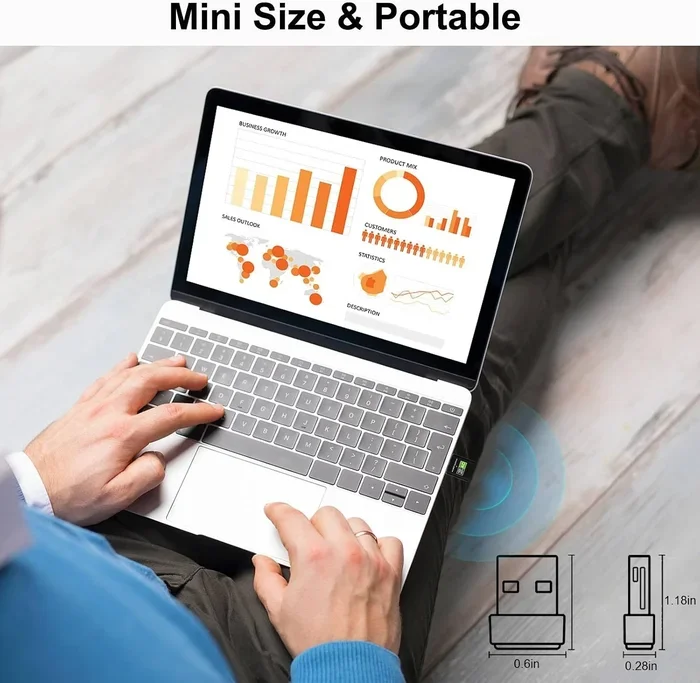
If you have ever wondered, can I connect to WiFi without a wifi adapter, the answer is no — your device needs a wireless adapter to receive the signal that the router broadcasts. The router itself does the heavy lifting of creating that signal in the first place.
Does A Modem Need Built In WiFi?
Now we get to the heart of the question. The answer is simple: no, a modem does not need built in WiFi. In fact, most modems do not have WiFi at all. They only have the ports needed to connect to your ISP and to your router or computer.
Some modems do come with WiFi built in. These are often called gateway devices or modem router combos. They combine the modem and router functions into one box. While this sounds convenient, there are trade-offs.
When Built-In WiFi Makes Sense
There are a few situations where a modem with built-in WiFi works just fine:
- Small apartments or studios: If you live in a small space, a single combo device may cover your entire home with a strong signal.
- Light internet use: If you mainly browse the web, check email, and stream occasional videos, built-in WiFi is usually enough.
- Temporary setups: If you need a quick internet connection without buying multiple devices, a modem with WiFi is a simple solution.
- ISP-provided equipment: Many ISPs give you a gateway device that includes both modem and router functions. For basic use, these work fine.
When Built-In WiFi Falls Short
However, there are many situations where a modem with built-in WiFi will not cut it:
- Large homes: Built-in WiFi in a modem is usually weak. It may not reach bedrooms, basements, or backyards.
- Multiple users and devices: If your household has many people streaming, gaming, or working from home, a basic built-in WiFi module will struggle.
- High-speed internet plans: If you pay for fast internet, a cheap built-in WiFi radio may not be able to push those speeds wirelessly.
- Smart home setups: Homes with many smart devices need a strong, stable wireless signal that a basic modem WiFi cannot always provide.
In these cases, you are better off using a modem without WiFi and pairing it with a dedicated wireless router. This gives you much better performance and coverage.
Modem Router Combo vs Separate Devices
Choosing between a modem router combo and separate devices is one of the most important decisions you will make for your home network. Each option has clear advantages and disadvantages.
Modem Router Combo (Gateway)
A modem router combo is a single box that handles both the modem and router functions. Your ISP often provides one of these when you sign up for internet service. You plug it in, and it works.
Pros:
- One device means less clutter and fewer cables.
- Easy setup — usually just plug and play.
- Lower upfront cost since you buy only one device.
- ISP support can help you troubleshoot issues.
Cons:
- Limited WiFi range and speed compared to dedicated routers.
- Harder to upgrade one part without replacing the whole unit.
- ISP-provided combos often use older, outdated technology.
- Can overheat when running both functions at once.
Separate Modem and Router
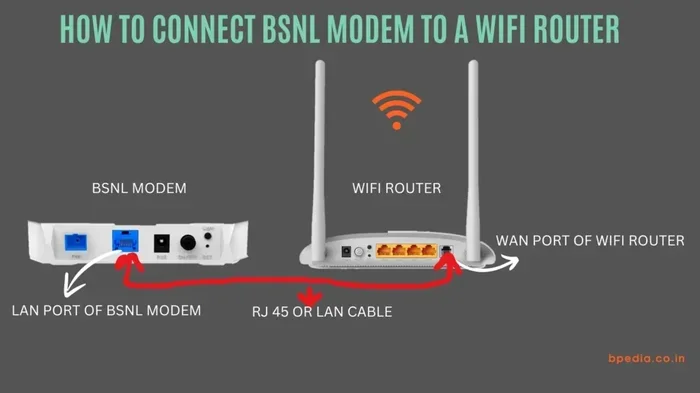
With this setup, you have a modem that connects to your ISP and a separate router that creates the WiFi network. You connect the two with an ethernet cable.
Pros:
- Better WiFi performance and coverage.
- You can upgrade the router independently of the modem.
- More features, better security, and faster speeds.
- Greater flexibility to change your setup over time.
Cons:
- Two devices take up more space.
- Higher upfront cost.
- Slightly more complex setup.
For most people who care about internet performance, a separate modem and router is the better long-term choice. You get faster speeds, better coverage, and the ability to upgrade as technology improves.
How to Choose the Right Setup for Your Home
Choosing between a modem with built-in WiFi and a separate router comes down to your specific situation. Here are some factors to consider.
Consider Your Home Size
If you live in a small apartment, a modem router combo might be all you need. But if you have a multi-story home or a large floor plan, a separate router with strong antennas will serve you much better. You can also extend WiFi with an ethernet cable to reach distant rooms or outbuildings.
Consider Your Internet Speed Plan
Check the speeds your ISP plan offers. If you pay for 500 Mbps or more, a basic modem with built-in WiFi will likely bottleneck your connection. A dedicated router with WiFi 6 or WiFi 6E technology can handle those speeds without breaking a sweat.
Consider the Number of Devices
Every device in your home connects to your router. Smart phones, laptops, tablets, smart TVs, smart speakers, security cameras, and IoT devices all compete for bandwidth. The more devices you have, the more you benefit from a powerful, separate router.
Consider Future Needs
Technology changes fast. A separate router lets you swap out just the router when WiFi standards improve, without replacing the modem too. This saves money and reduces e-waste over time.
Common Mistakes People Make With Modems and Routers
Even after understanding the basics, many people still make mistakes that hurt their internet experience. Here are the most common ones to avoid.
Confusing a Modem With a Router
This is the biggest mistake. People think the modem they got from their ISP gives them WiFi. It does not. The modem only brings the internet signal into your home. The WiFi comes from the router — whether that is built into a combo unit or a separate device.
Using an Old Modem or Router
Technology moves fast. A modem or router that is five or more years old may not support modern WiFi standards or fast internet speeds. Check with your ISP to see if your equipment is still current, and consider upgrading if it is not.
Placing the Router in a Bad Spot
Even the best router will struggle if it is hidden in a closet, buried behind a TV, or placed on the floor. Put your router in a central, elevated location for the best coverage. Walls, metal objects, and microwaves can all interfere with the wireless signal.
Skipping a Router and Relying Only on a Modem
Some people connect their modem directly to a computer and skip the router entirely. This works for one wired device, but it means no WiFi for everything else. If you want to use your phone, tablet, or laptop wirelessly, you need a router.
Can You Replace ISP Equipment With Your Own?
Yes, you can. Most ISPs allow you to use your own modem and router instead of renting their equipment. In fact, buying your own gear can save you money over time. ISP rental fees typically run between $10 and $15 per month, which adds up to $120 to $180 per year.
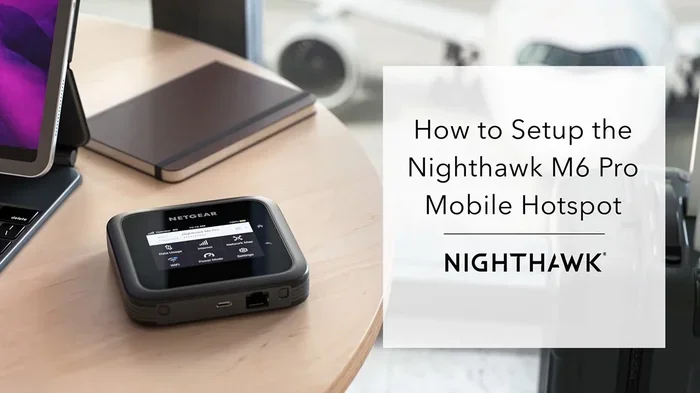
Before you buy your own equipment, check with your ISP for a list of approved modems and routers. You want to make sure whatever you buy is compatible with their network. You can also check if can I get a hotspot instead of WiFi as an alternative, though a hotspot usually has data limits that make it impractical as a permanent home solution.
Using your own equipment gives you more control over your network. You can choose a modem with or without built-in WiFi, then pair it with a router that matches your needs and budget. This flexibility is one of the biggest advantages of a separate setup.
The Bottom Line
So, does a modem need built in WiFi? No, it does not. A modem brings the internet into your home. A router spreads it around wirelessly. You can use a modem alone with a wired connection, but you need a router — whether built-in or separate — to get WiFi.
For most people, a separate modem and router setup delivers the best performance, coverage, and flexibility. But if you live in a small space with light internet needs, a modem router combo can work just fine. The key is understanding your needs and choosing the setup that matches them.
Take a look at your current setup. Are you getting the speeds and coverage you pay for? If not, it might be time to upgrade your equipment or switch to a separate modem and router. Your internet experience will thank you.
Whether you stick with a simple combo unit or invest in a full separate setup, the goal is the same: a fast, reliable internet connection that works for every device in your home. Now that you know the difference between a modem and a router, you are well equipped to make the right choice.
Frequently Asked Questions
Can a modem work without a router?
Yes, a modem can work without a router. You can connect a computer directly to the modem using an ethernet cable and access the internet. However, you will not have WiFi, and only one device can connect at a time through the wired connection.
Is a modem router combo as good as separate devices?
A modem router combo works well for basic internet use and small spaces. However, separate devices generally offer better WiFi performance, faster speeds, and more features. If you need strong coverage or have many devices, separate modem and router units are the better choice.
Can I use my own modem and router with any ISP?
Most ISPs allow you to use your own equipment, but you need to check compatibility first. Each ISP supports specific modem models. Contact your ISP or check their website for a list of approved devices before making a purchase.
How do I know if my modem has built-in WiFi?
Check the label on your modem or look up the model number online. If it says “gateway” or lists WiFi features, it likely has built-in WiFi. If it only has ethernet ports and no wireless capability, it does not have WiFi built in.
Do I need a router if I already have a modem with WiFi?
You do not need a separate router if your modem WiFi works well for your home. However, if you experience slow speeds, weak signals, or dead zones, adding a dedicated router can significantly improve your wireless experience and coverage.
What happens if I only use a modem and no router?
If you only use a modem, you can connect one device directly with an ethernet cable. You will not have a wireless network, so phones, tablets, and other WiFi-only devices will not be able to connect to the internet.