Can You Play Digital Games With No Wi Fi Offline Today
Yes, you can absolutely play digital games with no Wi-Fi. Many modern consoles, PCs, and mobile devices let you download and enjoy games offline without ever connecting to the internet. Whether you are on a plane, in a cabin, or just want to save data, offline gaming is easier than ever today.
Key Takeaways
- Offline gaming is fully supported: Most digital game platforms allow you to download and play games without Wi-Fi.
- Multiple devices work offline: Consoles like Nintendo Switch, PS5, Xbox, and handheld PCs all offer offline modes.
- Mobile games are great for offline play: Many smartphone games do not need any internet connection at all.
- Preparation matters: You must download games and updates while connected to Wi-Fi first.
- Storage and battery are key factors: Offline gaming requires enough storage space and charged batteries.
- Some games need online verification: Certain titles require periodic internet checks even for offline mode.
- Flight mode is your friend: Switching devices to flight mode ensures no accidental data usage during offline sessions.
📑 Table of Contents
- Can You Play Digital Games With No Wi-Fi? The Short Answer Is Yes
- How Offline Gaming Works on Different Devices
- Top Games You Can Play Without Wi-Fi
- How to Set Up Offline Gaming Properly
- Common Mistakes People Make With Offline Gaming
- Quick Tips for the Best Offline Gaming Experience
- The Rise of Offline-Only Digital Games
- Is Offline Gaming Safe for Your Digital Library?
- Conclusion
Can You Play Digital Games With No Wi-Fi? The Short Answer Is Yes
Let us get straight to the point. Can you play digital games with no Wi-Fi? Yes, you can. You do not need a constant internet connection to enjoy your favorite digital titles. Many gamers love offline gaming because it gives them freedom. You can play on planes, in remote areas, or anywhere without a signal.
Offline gaming has grown a lot over the years. Game companies now build offline modes into most of their digital releases. Whether you use a console, a PC, or a phone, you have options. This guide will walk you through everything you need to know about playing digital games without Wi-Fi in 2024 and beyond.
The idea of Wi-Fi free games might sound old-school. But trust me, the offline gaming world today is huge. You can have a full library of games ready to go, no router needed. Let us dive into how this all works.
How Offline Gaming Works on Different Devices
Not all devices handle offline gaming the same way. Each platform has its own rules and setup steps. Let us break down how you can enjoy digital games offline on the most popular devices.
Consoles: PlayStation, Xbox, and Nintendo Switch
Modern game consoles are built for offline play. You just need to set them up correctly first.
- PlayStation 5: You can set your PS5 as the primary console. This lets any account play offline games without needing the internet. Just make sure you connect online at least once every few days for license checks.
- Xbox Series X/S: Xbox has a great offline mode. Set your console as your home Xbox, and you can play downloaded games anytime. You still need to go online every 30 days for verification.
- Nintendo Switch: The Switch is one of the best handheld consoles for offline play. You do not even need an account to play most single-player games. Just download your titles and go.
PC Gaming: Steam, Epic Games, and GOG
PC gamers have plenty of options for gaming without internet. Platforms like Steam and GOG make offline mode simple.
- Steam: Go to Steam in the top menu, select “Go Offline.” You can then play any game that does not require online authentication. Steam remembers your last successful login for up to 30 days offline.
- Epic Games Store: Epic also supports offline play. Launch the launcher while connected first, then switch to offline mode before you lose your connection.
- GOG Galaxy: GOG stands for “Good Old Games.” Their DRM-free approach means many games work completely offline with zero restrictions. This makes GOG a top choice for offline fans.
Mobile Devices: iOS and Android
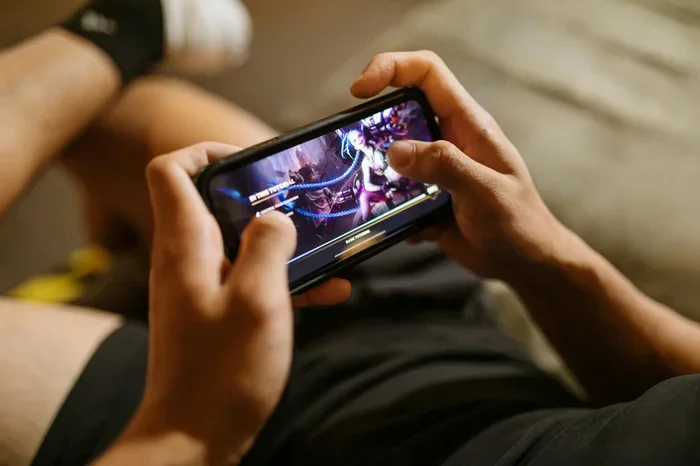
Smartphones are secret powerhouses for offline gaming. You can download tons of Wi-Fi free games right to your phone or tablet.
- iOS: Apple devices let you download games over Wi-Fi and play them offline. Many popular mobile games work fully without a connection.
- Android: Android phones offer even more flexibility. You can sideload games and play them without ever touching a Wi-Fi network. The Google Play Store also supports offline downloads.
Top Games You Can Play Without Wi-Fi
Not all digital games need the internet. Some of the best titles ever made are fully offline mode ready. Here are some excellent choices across different genres.
Single Player Masterpieces
Single player games are the backbone of offline gaming. These titles do not require any server connection once installed.
- The Witcher 3: This RPG takes dozens of hours to complete. You can play the entire story offline with no issues.
- Red Dead Redemption 2: Rockstar’s western epic runs beautifully offline. The story mode is one of the best in gaming history.
- Skyrim: The Elder Scrolls V can keep you busy for hundreds of hours. No internet needed after the initial download.
- Hades: This roguelike is perfect for short offline sessions. It is fast, fun, and completely self-contained.
Multiplayer Games With Offline Modes
Some multiplayer games also offer offline features. You can play against AI or enjoy local co-op without Wi-Fi.
- Minecraft: The Java and Bedrock editions both support full offline play. You can build and explore alone or with friends on the same device.
- Mario Kart 8 Deluxe: The Nintendo Switch version lets you race against AI drivers offline. Local wireless play also works without internet.
- Street Fighter V: The Arcade Mode runs offline. You can fight bots and practice without ever going online.
How to Set Up Offline Gaming Properly
Setting up gaming without internet correctly saves you a lot of frustration. Follow these steps to make sure everything works smoothly.
Step 1: Download Everything While Connected
First, make sure you are on Wi-Fi when you download games. Most digital games are large files. A typical AAA title can be 50 to 100 gigabytes. You want all downloads complete before you lose your connection.
Also download any available updates and patches. These often fix bugs that could cause crashes during offline play. Set your console or PC to automatic updates while on Wi-Fi.
Step 2: Configure Offline Mode Before You Go Offline
Do not wait until you lose connection to set up offline mode. Here is the right order:
- Connect to Wi-Fi and launch your game platform.
- Go to the settings or account menu.
- Select “Go Offline” or “Offline Mode.”
- Confirm the switch and test a game.
This process ensures your device recognizes your game library even without the internet.
Step 3: Manage Your Storage Space
Offline games live on your device’s hard drive or internal storage. You need enough space for all your titles. A typical setup might look like this:
| Device | Average Storage Needed | Recommended Minimum |
|---|---|---|
| Nintendo Switch | 32 GB to 64 GB | 128 GB microSD card |
| PlayStation 5 | 500 GB to 1 TB | 1 TB internal or expansion SSD |
| Xbox Series X | 1 TB to 2 TB | 2 TB expansion card or internal |
| Gaming PC | 1 TB to 4 TB | 2 TB SSD minimum |
| Mobile Phone | 10 GB to 30 GB per game | 128 GB or higher |
Keep an eye on your storage. Delete games you are not playing to free up space. Most platforms let you reinstall games without re-downloading them from scratch.
Common Mistakes People Make With Offline Gaming
Even experienced gamers run into trouble with playing digital games without Wi-Fi. Here are the most common mistakes and how to avoid them.
Forgetting to Verify Licenses Online First
Many platforms require you to go online at least once every few days. This verifies your game licenses. If you forget, your offline mode may stop working. Set a reminder to connect briefly every week or two.
Not Downloading Game Updates
Skipping updates can cause crashes or bugs during offline play. Always check for updates while you still have Wi-Fi. Some updates are mandatory and will block offline play if missing.
Underestimating Battery Life
Offline gaming on portable devices can drain your battery fast. Modern games use a lot of processing power. Bring a portable charger or keep your device plugged in during long sessions.
Ignoring Cloud Save Issues
Cloud saves do not sync when you are offline. If you switch devices or lose your save data, you could lose progress. Manually back up important saves to a USB drive or SD card before going offline for extended periods.
Expert Insight
Gaming industry experts recommend always testing your offline setup before you actually need it. Try playing a game in offline mode at home first. This way, you will not run into surprises when you really need offline access. A quick 10-minute test can save hours of frustration.
Quick Tips for the Best Offline Gaming Experience
Want to get the most out of Wi-Fi free games? Follow these practical tips.
- Use flight mode: Switching your device to flight mode blocks all wireless signals. This prevents accidental data usage and keeps your device focused on gaming.
- Pre-download everything: Download all games, DLC, and updates while connected. You never know when Wi-Fi will be unavailable.
- Keep a backup charger: Offline sessions can last for hours. A portable power bank keeps your device running.
- Organize your library: Keep your most-played offline games on your main device. This saves time and storage on secondary devices.
- Check license expiration: Some platforms require online checks every 30 days. Mark your calendar to avoid losing access.
- Use offline-friendly platforms: GOG and certain indie platforms offer the fewest restrictions for offline play.
The Rise of Offline-Only Digital Games
There is a growing trend in the gaming industry toward digital games offline design. More developers are creating games that work fully without internet. This shift benefits gamers in many ways.
First, it gives players more control. You decide when and where to play. Second, it reduces data usage. Offline games do not eat through your monthly data cap. Third, it removes dependency on server uptime. You never have to worry about a game being “unavailable” because of server maintenance.
Some studios now release their games as completely offline from day one. This is especially common in indie development. Small studios understand that their players may not always have reliable internet. They build their games accordingly.
The rise of cloud gaming has also made the offline contrast sharper. Services like Xbox Cloud Gaming and GeForce Now need constant internet. This makes traditional offline gaming even more valuable. Many players now prefer owning digital copies they can play anytime, anywhere, with no connection required.
Is Offline Gaming Safe for Your Digital Library?
Some gamers worry about losing access to their digital games if they never go online. This concern is valid but manageable.
Most major platforms store your game licenses on their servers. You need to connect periodically to verify ownership. PlayStation requires a check every 7 to 30 days depending on settings. Xbox checks every 30 days for home console users.
However, if you set up your console correctly as your primary device, you can go long stretches offline. Your library stays accessible even during those periods. Just make sure you follow the verification schedule.
For the most worry-free offline experience, consider DRM-free platforms like GOG. Their games do not phone home to servers. You own your games fully and can play them offline forever. This is the gold standard for gaming without internet freedom.
Conclusion
The answer to can you play digital games with no Wi-Fi is a clear and definite yes. You have more options today than ever before. Consoles, PCs, and mobile devices all support robust offline modes. You can build a full gaming library that works anywhere, anytime, without a single Wi-Fi connection.
The key is preparation. Download your games and updates while online. Set up offline mode correctly. Manage your storage and battery. Follow the verification schedules your platform requires. Do these things, and you will enjoy seamless offline gaming for months.
Offline gaming is not just a backup plan. It is a lifestyle choice for many players. Whether you travel often, live in areas with spotty internet, or simply prefer the simplicity of playing without connections, digital games work beautifully offline. Embrace the freedom and start building your offline library today.
Remember, the best offline setup is one you test before you need it. Take ten minutes, switch to offline mode, and play a game. You will be glad you did when you are on that long flight or in that remote cabin with no Wi-Fi in sight.
Frequently Asked Questions
Do I need Wi-Fi to download digital games?
Yes, you need Wi-Fi or a wired internet connection to download digital games initially. Once downloaded, most games can be played offline without any internet connection. Always download while connected to save time and data.
Can I play multiplayer games without Wi-Fi?
Some multiplayer games offer local offline modes where you play against AI or with friends on the same device. However, true online multiplayer always requires an internet connection. Look for games with split-screen or local co-op features for offline multiplayer fun.
How often do I need to connect to the internet for offline games?
PlayStation requires an online check every 7 to 30 days. Xbox checks every 30 days for home console users. Nintendo Switch rarely requires online checks for most games. Setting your console as the primary device extends these offline periods significantly.
Are there any digital games that cannot be played offline?
Some games always require an internet connection. These include live-service games like Fortnite, MMOs, and games with constant online verification. Always check the game’s system requirements before purchasing if offline play is important to you.
Does offline gaming save mobile data?
Absolutely. Offline gaming uses zero mobile data once games are downloaded. This makes it perfect for travelers and people with limited data plans. You can enjoy hours of gaming without worrying about data overages.
What is the best platform for offline gaming?
GOG is often considered the best platform for offline gaming because it offers DRM-free titles. Nintendo Switch is the best console for offline portability. Steam is the top choice for PC offline gaming with its simple offline mode feature. Each platform has strengths depending on your needs.