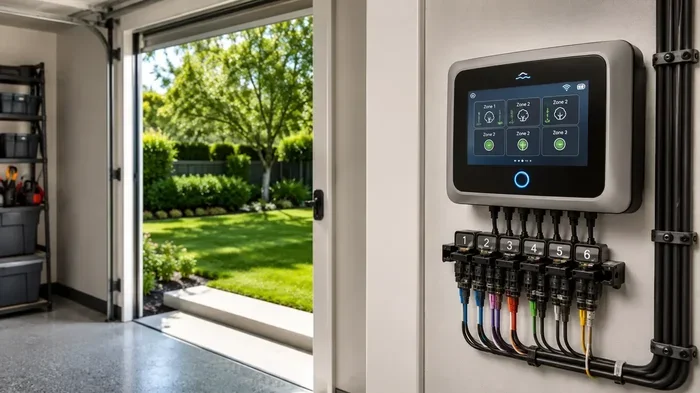
Can You Run Rachio 3 Without Wifi Yes Here Is How It Works
Yes, you can run Rachio 3 without WiFi. The Rachio 3 smart sprinkler controller has a built-in offline mode that lets it keep running your watering schedule even when your internet goes down. You won’t get real-time weather updates or remote control, but your basic watering will still work perfectly. Here is exactly how it works and what you need to know.
So you just got a Rachio 3 smart sprinkler controller. Or maybe you are thinking about buying one. And now you are wondering, can you run Rachio 3 without WiFi? The short answer is yes. But there is more to the story than a simple yes or no.
Rachio 3 is one of the best smart home irrigation controllers on the market. It uses weather intelligence to water your lawn smarter. It talks to your phone through the Rachio app. And it connects to your home WiFi to pull in live weather data. But what happens when the WiFi goes away? Does your Rachio 3 stop working? Not at all.
In this article, we will walk you through everything you need to know about running Rachio 3 without WiFi. We will cover how offline mode works, what you gain and lose, setup steps, and practical tips. Whether your internet is down or you just want more control, this guide has you covered.
Key Takeaways
- Rachio 3 works offline: It stores your watering schedule locally and runs it without WiFi.
- You lose some features: Weather intelligence, remote control, and app alerts need an internet connection.
- Setup is simple: You can set up Rachio 3 using a phone hotspot if WiFi is not available.
- Soil moisture sensors help: They add smart watering even without WiFi.
- Reconnect when possible: WiFi unlocks the full power of Rachio 3 smart home irrigation.
- Battery backup keeps it safe: Rachio 3 has a battery to protect your settings during power outages.
📑 Table of Contents
- What Is Rachio 3 and How Does It Work?
- Can You Run Rachio 3 Without WiFi?
- How to Set Up Rachio 3 in Offline Mode
- Features You Lose Without WiFi
- Tips to Keep Your Rachio 3 Running Smoothly Without WiFi
- When to Reconnect Your Rachio 3 to WiFi
- Common Mistakes People Make With Rachio 3 Offline
- Expert Insights on Rachio 3 and Offline Operation
- Rachio 3 vs Other Smart Controllers Without WiFi
- Final Thoughts on Running Rachio 3 Without WiFi
What Is Rachio 3 and How Does It Work?
Before we dive into offline mode, let us talk about what Rachio 3 actually does. Rachio 3 is a smart sprinkler controller. It replaces your old sprinkler timer and gives you much more control over your watering system. You can manage it from your phone, tablet, or computer. It talks to weather services online to adjust your watering schedule automatically.
The Rachio 3 connects to your home WiFi network. This connection lets it pull in real-time weather data. It checks rain forecasts, temperature, wind, and humidity. Then it adjusts your watering schedule using a feature called Weather Intelligence. This is one of the biggest reasons people love Rachio 3. It saves water and keeps your lawn healthy.
But Rachio 3 is not just a WiFi-dependent gadget. It has a built-in computer that stores your watering schedule. It has a battery backup that keeps your settings safe during power outages. And it can run on its own even if the WiFi disappears. That is the offline mode we are talking about.
How Smart Sprinkler Controllers Work
Smart sprinkler controllers like Rachio 3 use a few key pieces of technology. They have a processor that runs your schedule. They have a WiFi radio that connects to your home network. And they have a cloud connection that talks to weather services. When everything works together, you get a system that waters your lawn perfectly every time.
But here is the key thing to understand. The smart features are bonus features. The core job of any sprinkler controller is to turn water on and off at set times. Rachio 3 does this job even without WiFi. The smart parts make it better. But they are not required for basic operation.
Can You Run Rachio 3 Without WiFi?
Yes, you absolutely can. Rachio 3 has an offline mode that lets it keep running your watering schedule without WiFi. Once your schedule is set up, Rachio 3 stores it in its local memory. It does not need the internet to turn your zones on and off. Your irrigation system will keep working just like a regular sprinkler timer.
However, there are some important things to know. Without WiFi, Rachio 3 cannot pull in live weather data. It cannot adjust your schedule based on rain or temperature changes. You also cannot control it from your phone remotely. And you will not get push notifications or alerts. But the core watering will keep going on schedule.
What Happens When WiFi Goes Down?
If your WiFi goes down unexpectedly, Rachio 3 handles it gracefully. It just keeps running your last saved schedule. It does not reset. It does not stop watering. It does not skip a cycle. Your lawn keeps getting watered on time.
This is actually one of the best things about Rachio 3. Many smart devices fail when the internet goes down. But Rachio 3 is designed to keep working. It is a reliable irrigation controller that does not depend on the cloud to do its basic job.
Can You Set Up Rachio 3 Without WiFi?
Yes, you can set up Rachio 3 without WiFi too. But it is a bit different. You will need to use your phone as a hotspot during setup. Rachio 3 needs a temporary internet connection to download the firmware and sync with the Rachio app. Once setup is complete, you can disconnect from WiFi and it will keep running.
Here is a quick look at the setup process without WiFi:
- Turn on your phone hotspot and connect your device to it.
- Install Rachio 3 and power it up.
- Open the Rachio app and follow the setup steps.
- Once setup is complete, you can turn off your hotspot.
- Rachio 3 will keep running on its saved schedule.
This is a great option if you have a spot in your yard where WiFi does not reach. You can set up the controller near your router, finish the setup, and then move it to the desired location. Just make sure you have a strong WiFi signal during the setup process.
How to Set Up Rachio 3 in Offline Mode
Setting up Rachio 3 for offline use is simple. You just need to follow a few steps. Let us walk through them.
Step 1: Connect to Your WiFi During Initial Setup
Even if you plan to use Rachio 3 offline, you need WiFi for the initial setup. This is when you download the Rachio app, create your account, and configure your zones. The controller needs to connect to the internet to download its software and sync with the cloud.
Make sure your WiFi signal is strong at the location where you install Rachio 3. If your signal is weak, consider using a WiFi extender. A strong connection during setup makes everything smoother.
Step 2: Set Up Your Watering Schedule
Once Rachio 3 is connected, set up your watering schedule. You can use the Rachio app or the controller itself. Create your zones and set the watering times. Rachio 3 will save this schedule locally.
Take your time with this step. A good watering schedule saves water and keeps your lawn healthy. Consider your grass type, soil type, and sun exposure. These factors all affect how much water your lawn needs.
Step 3: Enable Offline Mode
Rachio 3 does not have a separate “offline mode” switch. It just works offline by default when WiFi is not available. Once your schedule is set, you can disconnect from WiFi and Rachio 3 will keep running. The controller stores everything it needs in its local memory.
If you want to be extra sure, you can disable the WiFi connection on Rachio 3 through the app. But this is not necessary. The controller will automatically fall back to offline mode when it loses its connection.
Step 4: Use a Phone Hotspot for Remote Access
If you want some remote access without a home WiFi network, use a phone hotspot. This is a great workaround. Your phone creates a temporary WiFi network that Rachio 3 can connect to. You can then use the Rachio app to adjust your schedule from anywhere.
Just keep in mind that using a hotspot uses your phone data. And the hotspot needs to stay on for Rachio 3 to connect. This is not ideal for long-term use but works well for temporary situations.
Features You Lose Without WiFi
Running Rachio 3 without WiFi is totally fine for basic watering. But you will miss out on some great features. Let us look at what you lose and why it matters.
Weather Intelligence
This is the biggest feature you lose. Rachio 3 uses Weather Intelligence to skip watering when it rains. It adjusts your schedule based on local weather forecasts. Without WiFi, it cannot access this data. Your Rachio 3 will water on schedule even if it just rained.
However, you can still manually adjust your schedule. If you know it rained or the weather is cool, you can log in and change the settings. You just cannot do it automatically anymore.
Remote Control Through the App
Without WiFi, you cannot control Rachio 3 from your phone. You cannot start a cycle, pause watering, or change your schedule remotely. You would need to be physically near the controller to make any changes.
This is not a big deal for most people. But if you travel often or want to adjust your sprinkler system from work, WiFi is important.
Push Notifications and Alerts
Rachio 3 sends you alerts about watering cycles, system issues, and weather changes. Without WiFi, you will not get any notifications. You will not know if a zone is stuck open or if there is a leak in your system.
This is a safety feature worth having. If you have an irrigation leak, early alerts can save you a lot of water damage and money.
Software Updates
Rachio 3 gets regular software updates. These updates improve performance and add new features. Without WiFi, you will not receive these updates. Your controller will keep working, but it will stay on the same software version.
Most updates are small and do not change how the controller works. But over time, you may miss out on improvements and new smart features.
Tips to Keep Your Rachio 3 Running Smoothly Without WiFi
Running Rachio 3 offline is easy. But there are a few tips that will make the experience even better. These are practical steps you can take right now.
Use a Soil Moisture Sensor
A soil moisture sensor is a great addition to any Rachio 3 setup. It measures the moisture level in your soil and tells the controller when to water. Some sensors work locally without needing WiFi. This adds a layer of smart watering even when you are offline.
Rachio 3 is compatible with several soil moisture sensors. Check the Rachio website for the latest compatible models. A sensor helps you save water and avoid overwatering.
Set a Longer Watering Cycle
Without Weather Intelligence, Rachio 3 cannot skip watering days. So you may want to set a longer watering cycle. This gives your soil more time to absorb water between cycles. It also reduces the risk of overwatering.
For example, instead of watering every day for 10 minutes, water every three days for 20 minutes. Deep watering encourages healthy root growth and reduces water waste.
Check Your Schedule Regularly
When you are offline, you lose the automatic weather adjustments. So it is important to check your schedule regularly. Look at the weather forecast and adjust your watering times manually if needed.
A quick check once a week is usually enough. This small habit can save a lot of water and keep your lawn looking great.
Keep Your Controller Powered
Rachio 3 has a battery backup that keeps it running during power outages. But without WiFi, you cannot monitor the battery level remotely. Make sure the controller stays plugged in and powered. A dead battery means a dead controller.
If you live in an area with frequent power outages, consider a UPS (uninterruptible power supply). This gives your Rachio 3 extra backup time and keeps your watering schedule on track.
Use Zone Programming Wisely
Rachio 3 lets you program each zone separately. This is great for offline use because you can fine-tune each zone without needing internet. Set different watering times for different areas of your yard based on sun exposure and plant type.
For example, shady areas need less water than sunny areas. Flower beds may need shorter cycles than grass zones. Zone programming helps you get the most out of your Rachio 3 even without WiFi.
When to Reconnect Your Rachio 3 to WiFi
Running Rachio 3 without WiFi is fine for short periods. But you should reconnect it to WiFi whenever possible. Here are some good reasons to get your Rachio 3 back online.
First, WiFi unlocks Weather Intelligence. This feature saves water and keeps your lawn healthy. It adjusts your schedule based on real-time weather data. Without it, you are guessing instead of letting the smart system do the work.
Second, WiFi gives you remote control. You can start, stop, or adjust your watering from anywhere. This is incredibly convenient. You can turn off watering if it starts to rain while you are at work.
Third, WiFi enables push notifications. You get alerts about system issues, leaks, and watering cycles. These alerts help you catch problems early before they become expensive repairs.
Finally, WiFi keeps your software up to date. Updates bring new features, bug fixes, and performance improvements. Keeping Rachio 3 connected means you always have the latest and best version.
If your WiFi signal is weak at the Rachio 3 location, consider a WiFi extender or mesh network. These devices boost your signal and make the connection more reliable. A strong WiFi connection makes all the smart features work better.
Common Mistakes People Make With Rachio 3 Offline
There are a few common mistakes people make when running Rachio 3 without WiFi. Avoiding these will save you time and headaches.
- Forgetting to check the weather: Without Weather Intelligence, you need to check the forecast yourself. Do not just let the controller run blindly.
- Not adjusting for seasons: Your lawn needs less water in cool months. Without WiFi, you must manually adjust your schedule with the seasons.
- Ignoring soil moisture: A soil moisture sensor is very helpful offline. Do not skip this upgrade if you plan to use Rachio 3 without WiFi often.
- Skipping regular checks: Even without WiFi, you should check your Rachio 3 regularly. Look for leaks, stuck valves, or programming errors.
- Assuming the battery will last forever: The battery backup is for short outages. Keep the controller plugged in at all times.
Expert Insights on Rachio 3 and Offline Operation
Many irrigation experts agree that Rachio 3 is one of the most reliable controllers on the market. Its ability to work offline is a standout feature. Most smart controllers need a constant internet connection to function. Rachio 3 does not.
According to irrigation professionals, the key to a great sprinkler system is consistency. Rachio 3 delivers this even without WiFi. It runs your schedule reliably and keeps your lawn watered. The smart features are a bonus. But the core operation is rock solid.
Experts also recommend using Rachio 3 with a soil moisture sensor for the best results. This combination gives you smart watering without relying on WiFi. The sensor provides local data that the controller uses to make smart decisions.
One more tip from the pros: always keep a backup of your watering schedule. Write it down or take a screenshot. If you ever need to reset Rachio 3, having your schedule saved makes the process much faster.
Rachio 3 vs Other Smart Controllers Without WiFi
How does Rachio 3 compare to other smart sprinkler controllers when it comes to offline use? Let us look at a quick comparison.
Rachio 3 stands out because it has a strong offline mode. Many other smart controllers either stop working or lose most of their features without WiFi. Rachio 3 keeps running your schedule reliably. This makes it a great choice for areas with unreliable internet.
Here are some quick comparisons:
- Rachio 3 vs Orbit B-hyve: Both have offline modes. But Rachio 3 has a longer track record of reliable offline operation.
- Rachio 3 vs Rain Bird: Rain Bird controllers also work offline. But Rachio 3 offers better smart features when WiFi is available.
- Rachio 3 vs Hunter Hydrawise: Hydrawise needs WiFi for most features. Rachio 3 works much better offline.
Overall, Rachio 3 is one of the best choices if you want a smart controller that works well both online and offline. Its flexibility makes it a top pick for homeowners who value reliability.
Final Thoughts on Running Rachio 3 Without WiFi
So, can you run Rachio 3 without WiFi? Yes, you can. Rachio 3 is designed to keep working even when your internet goes down. It stores your watering schedule locally and runs it on time. Your lawn stays healthy and your sprinkler system keeps doing its job.
You will lose some smart features without WiFi. Weather Intelligence, remote control, and push notifications all need an internet connection. But the core watering functions work perfectly offline.
Rachio 3 is a reliable smart sprinkler controller that gives you flexibility. Whether you have great WiFi, weak WiFi, or no WiFi at all, it gets the job done. It is one of the best choices for homeowners who want a smart irrigation system that does not depend on the cloud.
If you are dealing with WiFi issues or planning a setup in a remote area, Rachio 3 has you covered. Set it up, save your schedule, and let it run. Your lawn will thank you.
Frequently Asked Questions
Can I set up Rachio 3 without any WiFi at all?
Yes, you can use a phone hotspot during setup to connect Rachio 3 to the internet briefly. Once setup is complete, you can disconnect from WiFi and Rachio 3 will keep running on its saved schedule. The controller stores your settings locally and does not need the internet to operate.
What happens to my watering schedule if my WiFi goes out?
Nothing changes. Rachio 3 keeps running your last saved schedule exactly as it was. It does not reset, skip cycles, or stop watering. Your lawn keeps getting watered on time even without WiFi.
Can I still use the Rachio app without WiFi?
You cannot control Rachio 3 through the app without WiFi. The app needs an internet connection to communicate with the controller. However, you can make changes directly on the Rachio 3 controller itself if needed.
Does Rachio 3 have a battery backup for offline use?
Yes, Rachio 3 has a built-in battery backup. This keeps your settings and schedule safe during power outages. It also allows the controller to maintain its clock and programming without WiFi or power for a short period.
Can I use a soil moisture sensor with Rachio 3 without WiFi?
Yes, some soil moisture sensors work locally without needing WiFi. These sensors communicate directly with Rachio 3 and help it make smart watering decisions based on real soil conditions. Check the Rachio website for compatible sensor models.
How often should I reconnect Rachio 3 to WiFi?
It is best to reconnect Rachio 3 to WiFi whenever possible. This lets you get weather updates, push notifications, and software updates. Even reconnecting once a week is better than staying offline permanently.
=== CONCLUSION ===
Running Rachio 3 without WiFi is not only possible, it is designed to work that way. Rachio 3 is a reliable smart sprinkler controller that keeps your lawn watered even when your internet is down. You lose some smart features like Weather Intelligence and remote control, but the core watering functions keep running perfectly.
Whether your WiFi is spotty, your internet is out, or you just want a controller that works without the cloud, Rachio 3 delivers. It stores your schedule locally, runs it on time, and keeps your irrigation system humming along.
Use the tips in this guide to get the most out of Rachio 3 offline. Check your weather manually, use a soil moisture sensor, and reconnect to WiFi whenever you can. With Rachio 3, you have a smart irrigation controller that works hard no matter what your internet situation is.