Do You Need A Router For A Mobile Hotspot Connection
You don’t always need a router for a mobile hotspot. Your phone or a dedicated hotspot device can create a wireless network on its own. However, adding a router can boost your signal range, improve speeds, and connect more devices at once.
Do you need a router for a mobile hotspot connection? The short answer is no. Your phone can act as a hotspot all by itself. But the real question is whether you should use one. And that answer depends on how you plan to use it, how many devices you want to connect, and how far you need the signal to reach.
In this guide, I’ll walk you through everything you need to know about mobile hotspots and routers. We’ll look at when you can skip a router entirely, when adding one makes sense, and how to set things up the right way. Whether you’re traveling, working remotely, or just trying to save money, this guide has you covered.
Let’s start with the basics. A mobile hotspot turns your cellular data into a Wi-Fi signal that other devices can connect to. Your phone does this natively. You just toggle a setting, pick a password, and you’re online. So technically, you don’t need anything extra. But there’s a lot more to consider, and that’s what this article is all about.
Key Takeaways
- Mobile hotspots work without a router: Your smartphone or portable hotspot device can broadcast its own Wi-Fi signal.
- A router adds range and stability: If you need to cover a larger area, a router helps distribute the hotspot signal more effectively.
- Tethering is the simplest method: You can share your phone’s data connection directly with laptops and tablets through Bluetooth or USB.
- Check your data plan first: Hotspot usage can eat through your data limits fast, so always review your carrier’s terms.
- Dedicated hotspot devices outperform phones: Devices like MiFi units offer better battery life and stronger signals for long-term use.
- Setting up a router with a hotspot is straightforward: Most people can configure a router in under 30 minutes.
- Speed depends on your signal source: No router can make a weak cellular signal strong — the source connection matters most.
📑 Table of Contents
What Is a Mobile Hotspot?
A mobile hotspot is a feature built into most smartphones and some dedicated devices. It shares your cellular data connection with other devices over Wi-Fi. Think of it as a tiny, portable internet source that fits in your pocket.
When you enable hotspot mode on your phone, it becomes a small wireless router. It creates a local network that laptops, tablets, and other phones can join. This process is also called tethering, and it works over Wi-Fi, Bluetooth, or USB.
The key thing to understand is that a mobile hotspot doesn’t need a separate router to function. The phone itself handles all the network creation and device management. But there are limits, and that’s where things get interesting.
How Does a Mobile Hotspot Work?
Here’s what happens behind the scenes. Your phone connects to a cell tower, just like it does for regular data. Then it takes that connection and broadcasts it as a Wi-Fi signal. Other devices see your hotspot network name and connect to it.
Your phone then routes data back and forth between those devices and the internet. All of this happens in real time. It’s pretty impressive when you think about it. Your phone becomes a mini internet hub.
The quality of your hotspot depends on several things. Signal strength matters a lot. If you’re in an area with weak cellular coverage, your hotspot will be slow or unstable. The same goes for your data plan — some plans throttle hotspot speeds after a certain amount of usage.
When You Don’t Need a Router
There are plenty of situations where a router is completely unnecessary for a mobile hotspot. If you’re just browsing the web on a laptop or sending emails, your phone’s built-in hotspot is more than enough. Let’s look at some common scenarios where you can skip the router entirely.
Personal Use and Light Browsing
If you’re the only person using the internet and you’re doing light tasks like reading articles, checking email, or streaming music, your phone hotspot works perfectly. You don’t need extra hardware. Just turn on your hotspot, connect your device, and you’re good to go.
This is also great for quick tasks when you’re away from home. Maybe you’re at a coffee shop and your Wi-Fi isn’t working. Or you’re on a train and need to check a document. Your phone’s hotspot handles all of this easily.
Short-Term or Travel Use
Traveling is another situation where you don’t need a router. A portable hotspot device or your phone’s built-in feature gives you internet on the go. You can connect a laptop or tablet and stay productive without carrying extra gear.
If you’re visiting another country, you might even consider getting a local SIM card instead. This can save you from expensive roaming charges. Just check out whether you can get a hotspot instead of Wi-Fi in your destination — it’s often the cheaper and easier option.
Emergency Backup Internet
When your home internet goes down, your phone hotspot becomes a lifesaver. You don’t have time to set up a router. You just turn on your phone’s hotspot and keep working. In these moments, simplicity wins. A router would just add unnecessary complexity.
Many people keep their phone’s hotspot feature ready for exactly this reason. It’s fast to set up and requires no extra equipment. Just make sure your data plan can handle the extra usage.
When Adding a Router Makes Sense
Now let’s talk about when a router actually helps. There are clear situations where adding a router to your mobile hotspot setup improves your experience significantly. Let’s break those down.
Covering a Larger Area
Your phone’s hotspot signal is limited. It usually reaches about 30 feet in open space. If you need to cover a bigger area — like a whole room or an office — a router can help. You connect the router to your phone’s hotspot, and the router broadcasts the signal much farther.
This is especially useful for remote workers. If you’re working from a cabin, a RV, or a large house, a router ensures your signal reaches every room. Without one, you might need to sit right next to your phone to get a stable connection.
Connecting Multiple Devices
Most phone hotspots handle about five to ten connected devices. That sounds like a lot, but it can get crowded fast. If you have a family or a small office, multiple devices competing for the same connection can slow things down.
A router manages device connections more efficiently. It can handle more simultaneous connections and distribute bandwidth more evenly. If you regularly connect several devices to your hotspot, a router is a smart investment.
Improving Signal Stability
Phone hotspots can be finicky. The signal may drop when you move around or when other devices connect. A router with a better antenna can stabilize your connection. It picks up the phone’s signal and rebroadcasts it more reliably.
Some routers also let you adjust settings like channel selection and signal strength. These tweaks can make a big difference in areas with weak cellular coverage. If you’ve ever struggled with a spotty hotspot, a router might be the fix you need.
Better Security Features
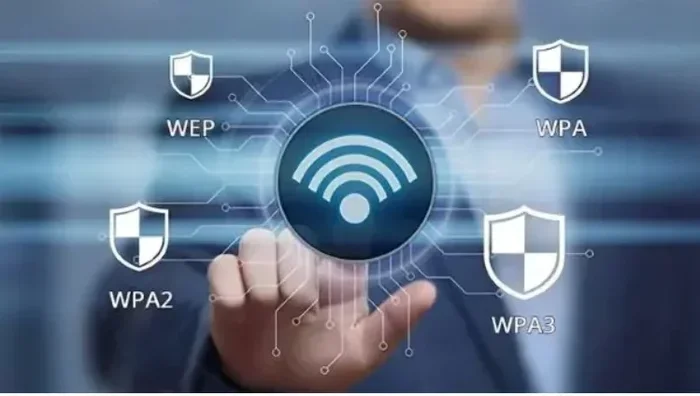
Routers often come with stronger security options than your phone’s hotspot. You can set up WPA3 encryption, create guest networks, and monitor connected devices more easily. If you’re using your hotspot in public spaces, these extra security layers matter.
Your phone’s hotspot is secure by default, but a router gives you more control. You can block unwanted devices, set bandwidth limits, and even schedule when the network is active. These features add a layer of protection that’s worth considering.
How to Set Up a Router with a Mobile Hotspot
If you’ve decided a router is right for your setup, the process is simpler than you might think. You don’t need to be a tech expert. Most people can get it running in under 30 minutes.
Step-by-Step Setup
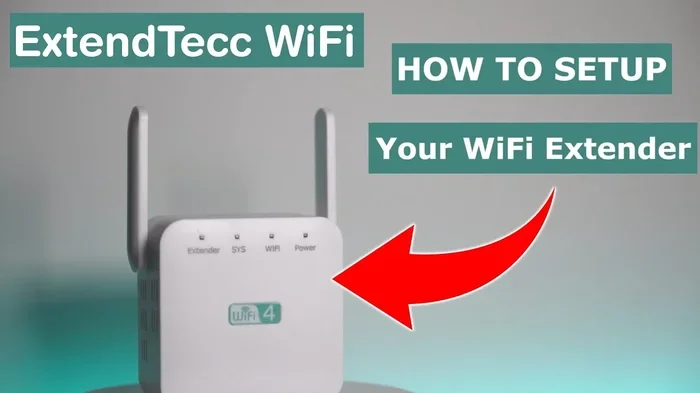
First, connect your phone to the router. You can do this through Wi-Fi or USB. If you’re using Wi-Fi, go to your phone’s hotspot settings and connect the router to your phone’s network. If you’re using USB, just plug your phone into the router with a cable.
Next, access the router’s admin panel. You’ll usually do this by typing an IP address into your browser. From there, you can configure the router to use your phone’s connection as its internet source. The exact steps vary by router brand, but most have a simple setup wizard.
Once the router is configured, it broadcasts a new Wi-Fi network. This network carries your phone’s hotspot data to all connected devices. You can set the network name and password just like you would with any regular router.
Tips for the Best Setup
Here are some quick tips to make your router-hotspot setup work better:
- Place the router near a window: This helps it get a stronger cellular signal from nearby towers.
- Use a USB connection when possible: USB tethering is more stable than Wi-Fi hotspot connections.
- Keep your phone charged: A router setup means your phone is working harder. Plug it in to avoid battery drain.
- Update your router’s firmware: This ensures you have the latest security patches and performance improvements.
- Restart both devices regularly: A quick reboot can fix most connection issues and boost speeds.
If you’re not sure which router to buy, check out our guide on whether you can buy a faster router for your needs. And if you’re new to router setup, our article on buying and installing a router yourself has step-by-step instructions that make the process easy.
Phone Hotspot vs. Dedicated Hotspot Device
You have two main options for creating a mobile hotspot: your phone or a dedicated device. Both have pros and cons, and the right choice depends on your needs.
| Feature | Phone Hotspot | Dedicated Hotspot Device |
|---|---|---|
| Cost | Free (already have a phone) | $50-$200 for the device |
| Battery Life | Drains phone battery quickly | Longer battery, designed for continuous use |
| Signal Strength | Good, depends on phone model | Often stronger with better antennas |
| Portability | Always with you | Small and travel-friendly |
| Number of Devices | 5-10 typical | 10-32 typical |
| Setup Ease | Very easy, built into phone | Slightly more setup required |
Your phone is the easiest option. You already have it, and the hotspot feature is built right in. But if you use hotspot frequently, a dedicated device is better. It won’t drain your phone battery, and it often provides a stronger, more stable connection.
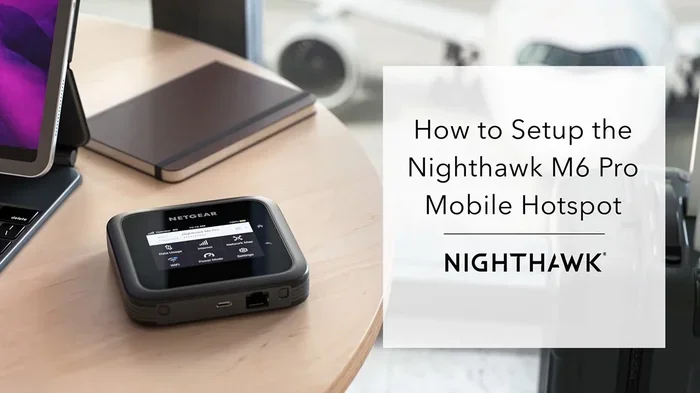
Dedicated hotspot devices are also called MiFi units or portable Wi-Fi hotspots. They work similarly to your phone but are built specifically for this purpose. They have better antennas, longer battery life, and can connect more devices at once.
Before you decide, think about how often you’ll use a hotspot. If it’s just occasional, your phone is fine. If you rely on it daily for work or travel, a dedicated device is worth the investment.
Common Mistakes to Avoid
Even though setting up a mobile hotspot is simple, people still make mistakes that cause frustration. Here are the most common ones and how to avoid them.
Not checking your data plan. Hotspot usage counts toward your data limit. If you have a limited plan, streaming videos or downloading large files through your hotspot can eat up your data fast. Always check with your carrier about hotspot data limits and speeds. You might also want to look into whether you can add a hotspot to your unlimited plan for better speeds and more data.
Ignoring signal strength. A weak cellular signal means a weak hotspot. If you’re in a basement or a remote area, your hotspot will suffer. Move near a window or go outside to improve your signal. No router can fix a bad source connection.
Forgetting to secure your hotspot. Always use a strong password for your hotspot network. An open hotspot is a security risk, and someone nearby could use your data without your permission. Use WPA2 or WPA3 encryption if your device supports it.
Overheating your phone. Running a hotspot generates heat. If your phone gets too hot, it may slow down or even shut off the hotspot feature. Keep your phone cool by removing its case and placing it in a well-ventilated area.
Assuming a router will fix slow speeds. A router can improve range and stability, but it can’t make your cellular data faster. If your source connection is slow, the router will just spread that slow speed to all connected devices. Always start with a strong cellular signal first.
Expert Tips for Optimizing Your Mobile Hotspot
Want to get the most out of your mobile hotspot? Here are some expert tips that make a real difference.
Turn off background apps on connected devices. Apps running in the background eat up bandwidth. On your laptop or tablet, close any apps you’re not actively using. This frees up speed for the things that matter.
Use a Wi-Fi analyzer app. These apps show you which channels are least crowded. You can then set your hotspot to use a less congested channel, which improves speeds for all connected devices.
Keep your phone plugged in. Hotspot mode uses a lot of battery. Plugging your phone into a power source ensures it stays on and performs well. It also prevents the phone from throttling the hotspot to save battery.
Update your phone’s software. Software updates often include improvements to hotspot performance and security. Keeping your phone updated ensures you get the best experience every time you tether.
Consider your placement carefully. If you’re using a router with your hotspot, place both devices in a central location. Elevate them if possible. Avoid placing them near thick walls, metal objects, or electronics that cause interference.
Use a USB connection for critical work. If you need the most stable connection for video calls or important uploads, USB tethering is more reliable than Wi-Fi hotspot. It also doesn’t drain your phone’s battery as fast.
Frequently Asked Questions
Can I use my phone as a hotspot without a router?
Yes, absolutely. Every modern smartphone has a built-in hotspot feature. You just go to your settings, turn on the hotspot, set a password, and other devices can connect. No router is needed for basic use.
Will a router improve my mobile hotspot speed?
A router won’t make your cellular data faster, but it can improve signal stability and range. If your phone has a weak signal, a router with a better antenna might pick up the signal more effectively and distribute it more reliably to connected devices.
How many devices can connect to a phone hotspot?
Most phones allow five to ten devices to connect simultaneously. The exact number depends on your phone model and operating system. Keep in mind that more connected devices means slower speeds for each one.
Can I use a mobile hotspot instead of home Wi-Fi?
You can, but it depends on your data plan and usage needs. If you have an unlimited plan with plenty of high-speed data, a mobile hotspot can replace home internet. Just be aware that heavy usage like streaming or gaming can quickly use up your data allowance.
Do I need special equipment to set up a router with a hotspot?
You just need a compatible router and your phone. Most modern routers support hotspot passthrough or USB tethering. No special equipment is required. The setup process is straightforward and usually takes less than 30 minutes.
Is tethering the same as using a hotspot?
They’re closely related but not exactly the same. Tethering is the general term for sharing your phone’s data connection. A hotspot specifically refers to sharing that connection over Wi-Fi. Tethering can also happen through Bluetooth or USB, which are different methods of connection sharing.
Final Thoughts
So, do you need a router for a mobile hotspot connection? The honest answer is: it depends. For casual, personal use, your phone alone is enough. You don’t need to buy anything extra. Just turn on your hotspot and connect your devices.
But if you need better range, more stable connections, or the ability to connect many devices at once, a router is a great addition. It takes your phone’s hotspot to the next level without the hassle of switching to a completely different setup.
The best approach is to start simple. Use your phone’s built-in hotspot first. If you find it limiting, then consider adding a router. This way, you only spend money when you actually need to.
Mobile hotspots are incredibly convenient. They give you internet anywhere there’s cellular coverage. Whether you use your phone or a dedicated device, understanding how to get the best performance makes all the difference. Now you have the knowledge to set up your hotspot the right way — with or without a router.