Do I Need A Router For Sonic Internet Plans Right Now
You do need a router for Sonic Internet if you want wireless Wi-Fi throughout your home. Sonic Internet provides a fiber connection, but a router is what turns that signal into Wi-Fi your devices can use. Whether you use the Sonic-provided gateway or buy your own router for Sonic Internet, understanding the difference saves money and boosts speed.
You signed up for Sonic Internet and now you are staring at a box of equipment. The question keeps popping up: do I need a router for Sonic Internet? It is a simple question, but the answer has a few layers. Whether you are setting up a new home network or upgrading your current one, knowing what equipment you actually need saves time, money, and frustration.
Sonic Internet delivers fiber-optic broadband to your home. But fiber alone does not give you Wi-Fi. You need the right network equipment to turn that fiber signal into something your phone, laptop, and smart TV can actually use. This guide breaks down everything you need to know about routers and Sonic Internet. By the end, you will know exactly what to buy, what to skip, and how to get the best internet speed test results from your setup.
Let us start with the basics. Sonic Internet works differently from cable or DSL connections. It uses fiber-optic lines to deliver data at incredibly fast speeds. But the way your home receives that signal depends on the equipment you have. Understanding this difference is the first step to building a solid home Wi-Fi network.
Key Takeaways
- Sonic Internet requires a router: The fiber connection needs a router to create a wireless home network.
- Modem vs router matters: A modem connects to Sonic; a router distributes the signal to your devices.
- Sonic provides a gateway device: It combines modem and router functions in one unit.
- Buying your own router can improve performance: Third-party routers often offer better range and speed.
- Router placement affects Wi-Fi coverage: Central placement and proper settings make a big difference.
- You can skip a router with a wired setup: Ethernet cables connect directly to the modem for internet access.
- Check compatibility before buying: Not all routers work well with Sonic Internet fiber plans.
📑 Table of Contents
- What Is Sonic Internet and How Does It Work
- Do You Actually Need a Router for Sonic Internet
- Sonic Internet Modem vs Router
- How to Set Up Your Home Network with Sonic Internet
- Best Routers for Sonic Internet Plans
- Common Mistakes People Make with Sonic Internet Setup
- Expert Insights on Router Selection for Sonic Internet
- Key Takeaways
- Final Verdict: Do You Need a Router for Sonic Internet
What Is Sonic Internet and How Does It Work
Understanding Sonic Fiber Internet
Sonic Internet is a fiber-optic internet service provider based in California. They offer broadband connection speeds that range from 100 Mbps to multiple gigabits per second. Fiber internet uses light signals traveling through glass strands to deliver data. This is much faster and more reliable than traditional copper wire connections.
When Sonic Internet reaches your home, it comes through a fiber-optic line. That line connects to a device called an optical network terminal, or ONT. The ONT converts the light signals into electrical signals your equipment can understand. From there, the signal goes to your modem or gateway device.
Sonic Internet speed depends on your chosen plan. Their most popular plans offer symmetrical upload and download speeds. This means your upload speed matches your download speed. That is a huge advantage for video calls, cloud backups, and online gaming.
How Sonic Internet Connects to Your Home
The connection process is straightforward but requires the right equipment:
- Fiber-optic line runs from the street to your home.
- The ONT converts the fiber signal to an Ethernet signal.
- The modem or gateway connects to the ONT and provides internet access.
- A router distributes that internet signal wirelessly to your devices.
Some people confuse the ONT with a modem. They are different devices. The ONT is specific to fiber connections. A modem works with cable or DSL. Sonic Internet uses both an ONT and a gateway or router to get you online.
Do You Actually Need a Router for Sonic Internet
The short answer is yes, most people need a router for Sonic Internet. But the long answer depends on how you plan to use the internet. Let us look at the different scenarios so you can decide what fits your situation.
When You Need a Router
You need a router if any of these sound familiar:
- You want Wi-Fi for your phone, tablet, or laptop.
- You have multiple devices that need internet access.
- You want to move around your home without losing connection.
- You have smart home devices like cameras or speakers.
- You stream videos or play games on different screens.
In all of these cases, a wireless router is essential. It takes the internet signal from your modem or gateway and broadcasts it as Wi-Fi throughout your home. Without a router, you can only connect one device at a time using an Ethernet cable.
When You Might Skip a Router
There are rare cases where you do not need a separate router:
- You only use one device with a wired connection.
- Your Sonic gateway device has built-in Wi-Fi routing capabilities.
- You use a wired ethernet setup for all your devices.
Sonic Internet provides a gateway device that combines a modem and a router. This means the gateway handles both jobs. If you are happy with the gateway’s Wi-Fi coverage, you might not need a separate router. But many users find that a dedicated router for Sonic Internet improves performance.
Sonic Internet Modem vs Router
Understanding the difference between a modem and a router is crucial. Many people use these terms interchangeably, but they do completely different jobs.
What Does a Modem Do
A modem connects your home to the internet. It receives the signal from Sonic and translates it into data your devices can use. Think of the modem as the doorway between the internet and your home.
For Sonic Internet, the modem is usually part of a gateway device. The ONT handles the fiber-to-electrical conversion, and the gateway manages the connection to your internet service provider network.
What Does a Router Do
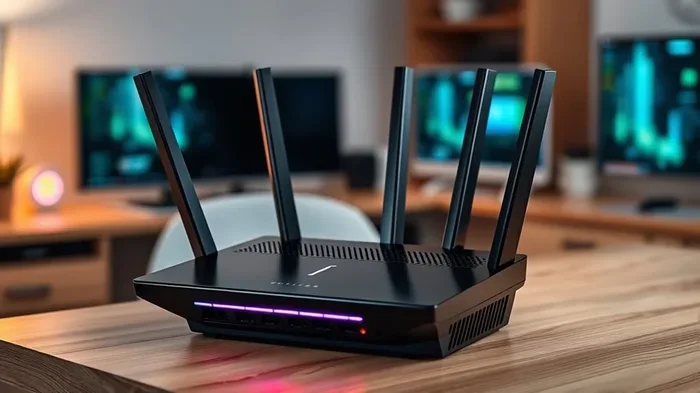
A router takes the internet signal from the modem and shares it with multiple devices. It creates a local network inside your home. The router assigns IP addresses, manages traffic, and broadcasts Wi-Fi so your devices can connect wirelessly.
Without a router, you can only connect one device directly to the internet. A router lets your phone, laptop, smart TV, and gaming console all go online at the same time.
Gateway Devices: The Combo Option
Sonic Internet offers a gateway device that combines a modem and a router in one unit. This is convenient because you only have one device to set up and manage. The Sonic gateway provides both wired and wireless internet access.
However, combo gateways have limitations. They often have weaker Wi-Fi coverage than dedicated routers. They also limit your ability to upgrade individual components. If the router part becomes outdated, you must replace the entire gateway.
| Feature | Sonic Gateway | Separate Modem + Router |
|---|---|---|
| Setup | Easy, one device | More complex, two devices |
| Wi-Fi Performance | Standard | Usually better |
| Upgrade Flexibility | Replace entire unit | Upgrade one component |
| Cost | Lower upfront | Higher upfront |
| Coverage Range | Limited | Better with good placement |
| Customization | Limited settings | Full control over settings |
How to Set Up Your Home Network with Sonic Internet
Setting up your Sonic Internet home network does not have to be complicated. Follow these steps to get online quickly and efficiently.
Step 1: Connect the ONT
The ONT is the first device in your setup. It connects directly to the fiber line from the street. Sonic technicians usually install this for you during the initial setup. The ONT has an Ethernet port that outputs the internet signal.
Step 2: Connect the Modem or Gateway
If you are using the Sonic gateway, connect it to the ONT using an Ethernet cable. Plug one end into the ONT and the other into the gateway’s WAN or internet port. Power on the gateway and wait for the lights to stabilize.
Step 3: Set Up Your Router (If Separate)
If you are using a separate router for Sonic Internet, connect it to the gateway or ONT. Use an Ethernet cable from the gateway’s LAN port to the router’s WAN port. Power on the router and wait for it to boot up.
Step 4: Configure Wi-Fi Settings
Access your router’s admin panel through a web browser. You will usually find the login details on a sticker on the router itself. Change the default network name and password for security. Choose a strong password that includes letters, numbers, and symbols.
Step 5: Test Your Connection
Run an internet speed test to verify everything is working. Visit a speed test website on your phone or computer. Compare the results to your Sonic Internet plan speeds. If the speeds are lower than expected, check your connections and router placement.
Quick Tips for Sonic Internet Setup
- Place your router centrally in your home for the best Wi-Fi coverage.
- Keep the router elevated on a shelf or mounted on a wall.
- Avoid placing the router near microwaves or thick walls that block signals.
- Update your router firmware regularly for the best performance and security.
- Use a dual-band router for both 2.4 GHz and 5 GHz connections.
Best Routers for Sonic Internet Plans
Not all routers work equally well with Sonic Internet. Fiber connections demand routers that can handle high speeds without bottlenecks. Here are some things to look for and a few recommendations.
What to Look for in a Router
When shopping for a router for Sonic Internet, consider these factors:
- Speed rating: Choose a router that supports speeds at or above your Sonic plan. If you have a 1 Gbps plan, get a router rated for 1 Gbps or higher.
- Wi-Fi standard: Look for Wi-Fi 6 or Wi-Fi 6E routers. These offer better performance and handle more devices.
- Band support: A dual-band or tri-band router gives you more flexibility and less congestion.
- Ethernet ports: Make sure it has enough wired ports for your needs.
- Range and coverage: Larger homes need routers with better antennas or mesh capabilities.
Top Router Recommendations
Here are some popular options that work great with Sonic Internet:
- Netgear Nighthawk AX8 – A solid Wi-Fi 6 router with great speed and range.
- ASUS RT-AX86U – Excellent for gaming and heavy internet use.
- TP-Link Archer AX73 – A budget-friendly option with solid performance.
- Google Nest WiFi Pro – Great for mesh coverage in larger homes.
- Linksys Velop MX10 – A mesh system that scales easily for big spaces.
Any of these routers for Sonic Internet will give you a noticeable upgrade over the built-in gateway Wi-Fi. They offer better range, faster speeds, and more customization options.
Do You Need a Mesh System
Mesh Wi-Fi systems are worth considering if your home is larger than 2,000 square feet. A mesh system uses multiple nodes placed around your home to create seamless Wi-Fi coverage. This eliminates dead zones and weak signals in far rooms.
For smaller apartments or condos, a single router is usually enough. But if you have a multi-story home or thick walls, a mesh system makes a big difference. It ensures every room gets strong internet connectivity.
Common Mistakes People Make with Sonic Internet Setup
Avoiding common setup mistakes can save you from slow speeds and frustration. Here are the pitfalls to watch out for.
Using the Wrong Ethernet Cable
A cheap or old Ethernet cable can limit your Sonic Internet speed. Make sure you use Cat5e or Cat6 cables for best results. Older cables like Cat5 may not support gigabit speeds.
Placing the Router in a Bad Spot
Many people hide their router in a closet or behind furniture. This blocks the Wi-Fi signal and weakens coverage. Keep your router in an open, central location for the best wireless router performance.
Ignoring Router Firmware Updates
Router manufacturers release firmware updates that fix bugs and improve performance. Ignoring these updates can leave your home network slow and vulnerable. Check for updates every few months.
Not Securing Your Network
An open or weakly protected Wi-Fi network is a security risk. Use WPA3 encryption if your router supports it. Change default passwords and create a strong network password to keep unauthorized users out.
Skipping the Speed Test
Many people set up their equipment and never check the actual speeds. Always run an internet speed test after setup. If your speeds do not match your Sonic plan, troubleshoot before assuming the worst.
Expert Insights on Router Selection for Sonic Internet
Networking experts agree that the right router for Sonic Internet can make or break your online experience. Fiber connections are fast, but only if your equipment can keep up. A weak router becomes the bottleneck, not your internet plan.
Expert tip: If you are paying for gigabit speeds, invest in a Wi-Fi 6 router. Older routers cannot handle those speeds efficiently. You would be leaving performance on the table.
Another expert recommendation is to separate your modem and router when possible. Using a standalone modem and a dedicated router for Sonic Internet gives you more control. You can upgrade one without replacing the other. This approach also tends to deliver better network equipment performance overall.
For homes with many smart devices, look for routers with strong processing power. Each connected device uses bandwidth and router resources. A router with a strong processor handles multiple devices without slowing down.
Key Takeaways
- Sonic Internet requires a router: The fiber connection needs a router to create a wireless home network.
- Modem vs router matters: A modem connects to Sonic; a router distributes the signal to your devices.
- Sonic provides a gateway device: It combines modem and router functions in one unit.
- Buying your own router can improve performance: Third-party routers often offer better range and speed.
- Router placement affects Wi-Fi coverage: Central placement and proper settings make a big difference.
- You can skip a router with a wired setup: Ethernet cables connect directly to the modem for internet access.
- Check compatibility before buying: Not all routers work well with Sonic Internet fiber plans.
Final Verdict: Do You Need a Router for Sonic Internet
The answer is clear. For most people, yes, you need a router for Sonic Internet. A router gives you wireless access, lets multiple devices connect, and improves your overall internet experience. Even if Sonic provides a gateway device, a dedicated router can boost performance and coverage.
If you live alone and only use one device with a cable, you might get by without a separate router. But for families, remote workers, and anyone who values Wi-Fi freedom, a router is a must-have piece of network equipment.
Take the time to choose the right router for Sonic Internet. Consider your home size, device count, and internet speed plan. A good router pays for itself in better speeds, fewer dropped connections, and stronger internet connectivity throughout your home.
Start by checking what Sonic provides. Then decide if you need an upgrade. Run speed tests before and after any changes. This simple process ensures you get the most out of your Sonic Internet plan and your home network setup.
Your internet experience depends on every link in the chain. From the fiber line to the ONT, from the gateway to the router, each piece matters. Invest in quality network equipment, set it up correctly, and enjoy the full power of Sonic Internet fiber speeds.
Frequently Asked Questions
Can I use Sonic Internet without any router at all?
Yes, you can use Sonic Internet with just a wired connection. Connect a computer directly to the ONT or gateway using an Ethernet cable. However, you will not have Wi-Fi or the ability to connect multiple devices wirelessly. A router for Sonic Internet is necessary for wireless access.
Does Sonic Internet provide a router with their service?
Sonic Internet provides a gateway device that includes both modem and router functions. This gateway handles your broadband connection and broadcasts Wi-Fi. However, many users find that upgrading to a separate wireless router improves speed and coverage.
What is the difference between a Sonic gateway and a router?
A Sonic gateway combines a modem and a router in one device. It connects to the fiber line and provides both wired and wireless internet. A standalone router only distributes the internet signal. It needs a modem or gateway to connect to the internet service provider network first.
Can I use my own router with Sonic Internet?
Yes, you can use your own router for Sonic Internet. Simply connect your router to the Sonic gateway or ONT using an Ethernet cable. Make sure your router is compatible with fiber connections and supports the speeds of your Sonic plan.
How does router placement affect Sonic Internet performance?
Router placement has a huge impact on Wi-Fi coverage and speed. Place your router in a central, open location away from walls and electronics. This reduces signal interference and ensures all rooms get strong internet connectivity from your Sonic Internet setup.
Do I need a special router for fiber internet from Sonic?
You do not need a special router, but you do need one that supports high speeds. Sonic Internet fiber plans can deliver gigabit speeds. Choose a router for Sonic Internet that supports at least 1 Gbps and uses the latest Wi-Fi standards like Wi-Fi 6 for the best performance.