Do You Really Need A Crt Tv For Nes To Play Classic Games
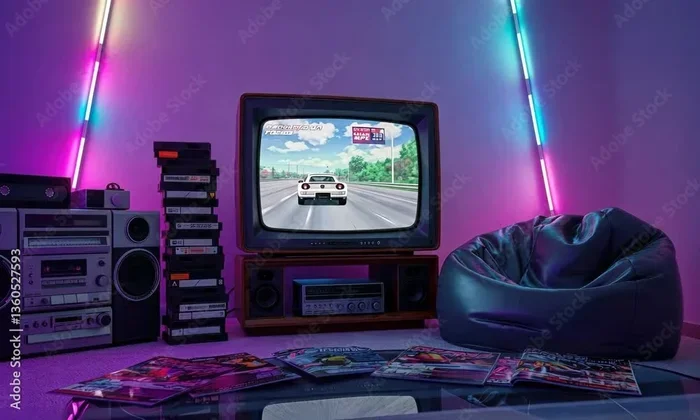
Many retro gamers swear that a CRT TV is the best way to play NES games. The analog signal from the NES console looks best on a cathode ray tube display, giving you that authentic pixel-perfect look with beautiful scanlines. However, you don’t necessarily need a bulky CRT to enjoy classic Nintendo games. Modern options like HDMI adapters, retro gaming monitors, and even projectors can deliver a great experience. This guide breaks down everything you need to know about choosing the right display for your NES setup.
There is something magical about plugging in a classic Nintendo console and hearing that familiar startup jingle. For many retro gaming fans, the NES represents the golden age of video games. But one question keeps coming up in online forums and retro gaming communities: do you need a CRT TV for NES gaming?
The short answer is no. You do not absolutely need a CRT television to play your favorite Nintendo games. However, the longer answer is much more interesting. The way your NES displays images changes a lot depending on the screen you use. A cathode ray tube monitor gives you a look that modern flat screens simply cannot replicate. That warm glow, the crisp scanlines, and the pixel-perfect rendering all come together to create the experience retro gamers crave.
In this guide, we will explore everything you need to know about using a CRT TV for NES play. We will look at why CRT displays matter, what happens when you use a modern television, and what alternatives exist if you do not want to hunt down an old bulky set. Whether you are a seasoned collector or just starting your retro gaming journey, this article has you covered.
Key Takeaways
- CRT TVs offer the most authentic NES experience: The analog output of the NES was designed for cathode ray tube displays, producing the classic look retro fans love.
- Modern TVs can work but have drawbacks: Input lag, scaling issues, and poor scanline rendering can change how NES games look and feel.
- HDMI adapters are a popular middle ground: These devices let you connect your NES to a modern TV while preserving much of the original visual charm.
- Projectors and retro monitors are great alternatives: You can achieve a CRT-like experience without the bulk and weight of an old television.
- Setting up a CRT is easier than you think: With the right cables and a little patience, you can have your NES running on a vintage TV in no time.
- The choice depends on your priorities: Whether you value authenticity, convenience, or space, there is a display option that fits your needs.
📑 Table of Contents
What Is A CRT TV And Why Does It Matter For NES?
A CRT television uses a cathode ray tube to create images on the screen. These TVs dominated living rooms for decades before flat screen technology took over. The way a CRT displays video is fundamentally different from how modern LCD or LED screens work. Understanding this difference is key to understanding why so many retro gamers insist on using a CRT for their NES console.
How The NES Outputs Video
The original Nintendo Entertainment System outputs an analog video signal. This signal was designed specifically for CRT displays of the 1980s and early 1990s. When the NES sends its video data, it uses a format called composite video or RF output. The analog signal contains smooth gradients and color transitions that CRT screens handle beautifully.
Here is what happens when the NES sends its signal to different types of displays:
- CRT TV: The analog signal is displayed exactly as intended. Colors look rich, edges are crisp, and the whole image has that warm, nostalgic feel.
- Modern LCD/LED TV: The TV must convert the analog signal to digital. This conversion can introduce artifacts, color shifts, and timing issues.
- HDMI Adapter: The adapter converts the signal to digital before it reaches your TV. Quality depends heavily on the adapter you use.
The Magic Of CRT Displays For Retro Gaming
Retro gaming enthusiasts often talk about scanlines and pixel-perfect rendering. These are two of the biggest reasons why a CRT monitor is so beloved for NES gaming. Scanlines are the horizontal lines you see on a CRT screen. They give the image a distinctive look that many gamers find beautiful and authentic.
Modern TVs try to smooth out these scanlines through a process called scaling. While this can make the image look cleaner, it also removes the charm that makes retro games look the way they do. On a CRT, the pixels sit exactly where they should, and the image feels tight and intentional. This is what people mean when they talk about pixel-perfect display on a CRT screen.
The analog signal from the NES also means that colors blend more naturally on a CRT. There is no banding or posterization that you might see on a modern flat screen. The overall picture feels warm and organic, which is a big part of the gaming nostalgia that draws people back to classic consoles.
Can You Play NES On A Modern TV?
The good news is that yes, you can absolutely play NES games on a modern television. The bad news is that the experience is not always ideal. Modern TVs are designed for digital HD signals, and they handle the NES analog output in different ways. Some of these ways are better than others.
The Challenges Of Using Modern Displays
When you connect a NES to a modern TV, you will likely run into a few issues. The first is input lag. Modern TVs process the incoming signal before displaying it. This processing takes time, and even a few milliseconds of delay can make retro games feel less responsive. For a platform that relies on tight timing and precise controls, this is a real problem.
The second issue is scaling. Modern TVs scale the NES output to fit the full screen. This can cause the image to look stretched, blurred, or distorted. Some TVs handle this better than others, but none can match the natural look of a CRT display.
The third issue is connectivity. Original NES units use RF adapters or composite cables. Many modern TVs do not have composite inputs anymore. You may need special adapters or converters to make the connection work. This adds cost and complexity to your setup.
HDMI Adapters And Converters As A Solution
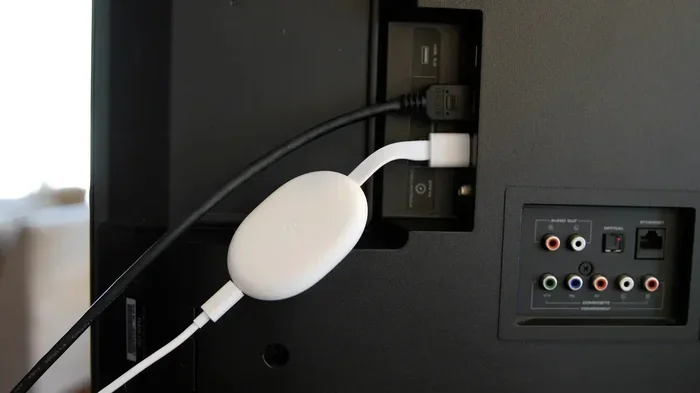
If you want to play NES on a modern TV without the bulk of a CRT, an HDMI adapter for NES is your best bet. These devices convert the NES analog signal to a digital HDMI output. The result is a much cleaner image that works well with modern displays.
Popular options include devices like the RetroTINK and Analogue NT Mini. These adapters do a great job of preserving the look of the original signal while making it compatible with today’s TVs. Some even let you add scanlines and other CRT-style effects digitally.
It is worth noting that you can also connect many devices to your TV using standard cables. For example, if you have ever wondered can I connect my phone to TV with HDMI cable, the answer is yes, and similar principles apply when connecting retro consoles through adapters. The key is finding the right adapter that preserves the original look of your games.
Benefits Of Using A CRT TV For NES Gaming
Now that we have covered the basics, let us dive deeper into why a CRT television remains the gold standard for NES gaming. There are several tangible benefits that go beyond just nostalgia.
Authentic Visual Experience
The single biggest advantage of using a CRT for your NES is the authentic visual experience. When you hook up your NES to a CRT and see those beautiful scanlines and rich colors, you are seeing exactly what players saw in the 1980s. This level of authenticity matters a lot for collectors and purists who want the real experience.
Colors on a CRT look warmer and more natural. The black levels are deeper, and the overall image has a quality that modern displays simply cannot reproduce. Many retro gamers describe it as the difference between watching a movie on a phone screen versus watching it in a theater.
Zero Input Lag
CRT displays have virtually zero input lag. The electron beam paints the image directly onto the screen in real time. There is no processing, no buffering, and no delay. For games that require precise timing, this is a huge advantage.
When you play classic video games like Super Mario Bros. or The Legend of Zelda on a CRT, your controls feel instant and responsive. This makes the gameplay experience much more enjoyable, especially for games that demand quick reflexes.
Compatibility With Original Hardware
Using a CRT TV means you do not need any extra adapters or converters. You plug the NES into the TV using the original cables, and it just works. This simplicity is appealing to many retro gamers who want a straightforward setup without worrying about compatibility issues.
There is also the benefit of preserving your original hardware. When you use the NES as it was intended, with the original cables and the original display type, you are keeping the experience as authentic as possible. This matters for collectors who want to maintain the integrity of their retro gaming setups.
Built-In Speaker Quality
This one might surprise you, but many CRT TVs have surprisingly decent built-in speakers for retro gaming. The audio from the NES sounds warm and full through a CRT speaker. While it is no replacement for a proper sound system, it works well enough for casual gaming sessions without any extra equipment.
Alternatives To CRT TVs For NES Gaming
Not everyone wants to hunt down a heavy, bulky CRT television. Fortunately, there are several alternatives that can deliver a great NES gaming experience. Let us look at some of the best options available today.
Using A Projector Instead
If you want a big screen experience without the weight of a CRT, a projector can be a great option. You can connect your NES to a projector using the right cables and adapters. Some retro gamers even use projectors to create a home theater setup for their classic console setup.
For those wondering about using projectors with other devices, many people ask can I use a projector as a TV, and the answer is yes. Projectors can work well for retro gaming, especially if you choose one with good input lag performance. The big screen adds a new dimension to playing NES classics.
Retro Gaming Monitors
Retro gaming monitors are purpose-built for playing classic consoles. These monitors often include features like scanline filters, adjustable refresh rates, and multiple input options. They give you the CRT look without the bulk and weight of a full-size television.
Brands like AverMedia and Retrotink make monitors and scalers designed specifically for retro gaming. These devices can take the NES signal and display it with all the charm of a CRT while offering modern connectivity options.
Recreating The CRT Look Digitally
Another option is to use software that simulates the CRT look on a modern display. Some HDMI adapters and retro gaming devices include built-in filters that add scanlines, adjust color saturation, and mimic the look of a CRT screen. This approach does not fully replicate the experience, but it comes closer than a raw modern TV output.
Programs and devices like the RetroTINK 5X allow you to fine-tune how your NES games look on modern screens. You can adjust the intensity of scanlines, the level of CRT curvature simulation, and the color warmth. This gives you a customizable retro experience without needing a physical CRT.
Flat Screen TVs With Good Scaling
If you must use a modern flat screen, look for models with good scaling and low input lag. Some TVs handle retro signals better than others. Brands like Sony and Samsung have models that do a decent job with analog inputs. The key is to test before you buy if possible, or research specific models known for good retro compatibility.
Some gamers also connect their NES to a tablet or portable monitor for on-the-go gaming. If you have ever wondered can I hook my tablet up to a monitor, the answer is yes, and this principle can apply to retro gaming setups as well. Portable monitors can be a fun way to play NES games without committing to a full display setup.
Setting Up Your NES With A CRT TV
If you have decided to go the CRT route, setting up your NES is straightforward. Here is a step-by-step guide to get you started.
Step 1: Find the right CRT. Look for a CRT TV with composite or RF inputs. Models from the late 1980s and early 1990s tend to work best with the NES. Brands like Sony Trinitron and Toshiba are popular choices among retro gamers.
Step 2: Gather your cables. You will need the original NES composite cable or an RF adapter. Composite cables give you a better image quality than RF adapters. If your CRT only has RF input, you can use the included RF adapter that came with the NES.
Step 3: Connect the NES to the TV. Plug the cable from the NES into the corresponding input on the TV. Make sure the connection is secure and there are no loose wires.
Step 4: Tune the TV. If you are using an RF adapter, you will need to tune the TV to the correct channel (usually channel 3 or 4). If you are using composite cables, select the correct AV input on the TV.
Step 5: Test and adjust. Power on the NES and test the image. Adjust the TV’s brightness, contrast, and color settings until the image looks its best. On CRT TVs, a slightly brighter picture with boosted contrast often brings out the best in retro games.
Quick Tip: Clean the contacts on your NES game cartridges with a soft cloth and a small amount of rubbing alcohol. This ensures the best connection and prevents glitches that might be mistaken for display issues.
Is A CRT TV Worth It For NES Gaming?
The answer to this question depends on what you value most in your retro gaming experience. If you want the most authentic, pixel-perfect, zero-lag experience possible, a CRT television is hard to beat. The visual quality and the nostalgic feel are unmatched by any modern alternative.
However, if you value convenience, space, and modern connectivity, there are excellent alternatives. HDMI adapters, retro gaming monitors, and even projectors can all deliver a satisfying NES gaming experience without the hassle of finding and setting up a bulky CRT.
Many retro gamers end up using a combination of options. They might use a CRT for their primary gaming setup and an HDMI adapter for portable or secondary displays. The beauty of the retro gaming community is that there is no single right answer. You get to choose what works best for your space, budget, and personal preferences.
One thing is certain: the NES deserves to be experienced the way it was meant to be played. Whether that means firing up an old CRT TV for NES gaming or finding a modern solution that captures the same magic, the most important thing is that you are enjoying these classic games. The NES console has brought joy to millions of players for over 35 years, and that joy is still very much alive today.
Take the time to explore your options, try different setups, and find what brings you the most enjoyment. Retro gaming is all about the experience, and the right display is a big part of that experience. Happy gaming!
Frequently Asked Questions
Can I play NES games on a flat screen TV without any adapters?
It depends on your TV. Some modern flat screen TVs still have composite inputs, which would let you connect the NES directly. However, many newer TVs have dropped these inputs in favor of HDMI only. In that case, you will need a composite-to-HDMI converter or an adapter to make the connection work.
Do CRT TVs still work after decades of storage?
Many CRT TVs do still work after years of storage, but not all of them. Capacitors inside the TV can degrade over time, and the tube itself may develop issues. Before buying a used CRT, it is best to test it if possible. Look for signs of physical damage, discoloration, or humming sounds that indicate problems.
Are there any health concerns with using old CRT TVs?
Old CRT TVs are generally safe to use, but they are much heavier than modern TVs, which makes them a physical hazard if they are not properly secured. They also use more electricity than modern flat screens. As long as you set up the TV on a stable surface and handle it with care, there are no significant health risks.
What is the best CRT TV brand for NES gaming?
Sony Trinitron models are widely considered the best CRT TVs for NES gaming. They offer excellent color reproduction, sharp image quality, and durable construction. Other good options include Toshiba and Panasonic models from the late 1980s and early 1990s that have composite or S-video inputs.
Can I use a CRT TV with an NES Mini or Classic Edition?
Yes, the NES Classic Edition uses HDMI output, so it works with modern TVs directly. However, if you want to use a CRT, you would need an HDMI-to-composite converter to make the connection. This adds a step but is entirely doable and can give you that authentic CRT look with the convenience of the mini console.
Where can I find affordable CRT TVs for retro gaming?
Thrift stores, garage sales, and online marketplaces like eBay and Facebook Marketplace are great places to find affordable CRT TVs. Look for models that have composite or S-video inputs for the best image quality. Avoid TVs that are visibly damaged or have cracked screens, as these can be unsafe and difficult to repair.
=== CONCLUSION ===
The debate over whether you need a CRT TV for NES gaming is one that the retro community has been having for years. The truth is that there is no single perfect answer. A CRT delivers the most authentic experience, with beautiful scanlines, rich colors, and zero input lag. It is the way Nintendo intended these games to be seen.
But modern alternatives have come a long way. HDMI adapters, retro gaming monitors, and projectors all offer viable paths to enjoying your favorite NES classics without the hassle of a bulky old television. The best choice is the one that fits your lifestyle, your space, and your budget.
Whatever you choose, the important thing is to get out there and play. The NES library is filled with timeless classics that deserve to be experienced and enjoyed. Set up your NES console, grab a controller, and dive back into the games that started it all. The magic of retro gaming is alive and well, and the right display just makes it even better.