Do Old Bluetooth Devices Still Work With New Gadgets
Do old Bluetooth devices still work with new gadgets? The short answer is yes, in most cases. Bluetooth technology has maintained strong backward compatibility, meaning your older wireless devices can still connect to modern smartphones, speakers, and headphones. However, there are a few limitations you should know about, such as range, speed, and Bluetooth profile differences that may affect performance.
You probably have a drawer full of old gadgets lying around. Maybe it is a pair of Bluetooth headphones from years ago, a wireless speaker, or a car kit. You wonder if they still work with your brand new phone or laptop. The good news is that Bluetooth technology has a strong track record of keeping older devices functional.
Bluetooth compatibility is one of the best things about this wireless standard. Unlike some tech that becomes obsolete overnight, Bluetooth devices tend to play nicely with newer gear. But there are catches. Not every old device will work perfectly with every new gadget. Let us walk through everything you need to know about using your older wireless devices in today world.
The short answer to whether your old gear still works is yes. But the full answer depends on a few factors like the Bluetooth version, the device type, and what you want to do with it. Let us break it all down.
Key Takeaways
- Backward Compatibility Works: Most old Bluetooth devices can still connect to newer gadgets thanks to standardized protocols.
- Older Bluetooth Versions Have Limits: Devices using Bluetooth 4.0 or earlier may lack the speed and range of Bluetooth 5.0.
- Bluetooth Adapters Help: A simple adapter can breathe new life into older wireless devices that lack modern Bluetooth support.
- Bluetooth Profile Matters: Even if devices connect, mismatched profiles can limit functionality like audio streaming or file transfer.
- Simple Fixes Exist: Resetting, updating firmware, and repositioning devices can solve most connectivity issues.
- Old Devices Still Have Value: Your legacy Bluetooth gear can still serve everyday needs with the right setup.
📑 Table of Contents
- How Bluetooth Technology Has Evolved
- Why Old Bluetooth Devices May Stop Working
- How to Make Old Bluetooth Devices Work With New Gadgets
- Bluetooth Compatibility: Old vs New Devices
- Quick Tips to Improve Old Bluetooth Device Performance
- Common Mistakes People Make With Old Bluetooth Devices
- Expert Insights on Legacy Bluetooth Gear
- When It Is Time to Replace Your Old Bluetooth Device
- Final Thoughts
How Bluetooth Technology Has Evolved
To understand if your old devices still work, you need to know a little about how Bluetooth technology has changed. Bluetooth has been around since the late 1990s. Over the years, it has gone through several major updates. Each version brought better speed, longer range, and improved wireless pairing.
Bluetooth Versions Explained Simply
Here is a quick look at the major Bluetooth versions and what they brought to the table:
- Bluetooth 1.0 to 2.0: These early versions handled basic audio and file transfer. They were slow and had short range.
- Bluetooth 3.0: This version introduced faster data transfer speeds. It made streaming music much smoother.
- Bluetooth 4.0: This was a big leap. It introduced Bluetooth low energy, which helped devices last longer on a single charge.
- Bluetooth 5.0: The current standard offers double the speed, four times the range, and better stability for all your wireless devices.
Here is the key takeaway. Newer Bluetooth versions are backward compatible. That means a Bluetooth 5.0 phone can still talk to a Bluetooth 2.0 headset. The connection just uses the older version capabilities. So your old gear is not completely left behind.
Why Old Bluetooth Devices May Stop Working
So if Bluetooth is backward compatible, why do some old devices refuse to connect? There are several reasons. Understanding them can save you a lot of frustration.
Outdated Bluetooth Profiles
Every Bluetooth device uses something called a profile. A profile tells the device what it can do. For example, the Hands-Free Profile lets you make calls. The Advanced Audio Distribution Profile handles music streaming. If your old device uses a profile that the new gadget does not support, you will run into problems. Your Bluetooth headphones might connect but refuse to play audio, for instance.
Weak Bluetooth Signal
Older Bluetooth devices typically have weaker Bluetooth signal strength. They were designed for shorter range. If you try to use an old Bluetooth speaker across a large room, the connection may drop. Newer devices handle interference and distance much better thanks to improved Bluetooth chip technology.
Missing Firmware Updates
Some older devices never received firmware updates. Firmware is the software that runs inside the device. Without updates, the device may not work well with newer wireless devices that use updated security protocols or connection methods.
Battery and Hardware Degradation
Let us not forget the simple stuff. Old batteries die. Old charging ports corrode. If your device will not turn on, no amount of Bluetooth connectivity troubleshooting will help. Sometimes the problem is not Bluetooth at all.
How to Make Old Bluetooth Devices Work With New Gadgets
The good news is that you do not have to toss your old gear just yet. There are several things you can try to get your legacy devices working again.
Step 1: Reset Both Devices
Before anything else, try resetting both your old device and the new one you want to pair with. Turn Bluetooth off and back on. Remove the old pairing from both devices and start fresh. This simple step solves the majority of Bluetooth pairing issues.
Step 2: Check for Compatibility
Look up the Bluetooth version of your old device. Most older gadgets list this on the box or in the manual. If your device supports Bluetooth 4.0 or higher, it should work with most modern gadgets. If it only supports Bluetooth 2.0, you might run into issues with newer phones and laptops.
Step 3: Use a Bluetooth Adapter
If your old device has a wired connection, consider using a Bluetooth adapter. These small dongles plug into USB ports or audio jacks and add Bluetooth capability to older gear. They are cheap and surprisingly effective. For example, you can turn regular wired speakers into wireless ones with a simple adapter.
Similarly, you can make your wired headphones Bluetooth with an adapter. This is a great way to extend the life of a favorite pair of headphones that still sound good but lack wireless capability.
Step 4: Update Firmware When Possible
Check if your old device has a companion app or firmware update available. Some manufacturers still support older products with small updates that improve Bluetooth compatibility with newer phones and tablets.
Step 5: Keep Devices Close
Old Bluetooth devices work best when they are close to the new device. Keep them within a few feet of each other during the initial pairing process. Once paired, you may be able to move a bit farther away depending on the device.
Bluetooth Compatibility: Old vs New Devices
Not all old Bluetooth devices are created equal. Some work flawlessly with new gadgets, while others struggle. Here is a closer look at how different types of devices hold up over time.
Old Bluetooth Speakers
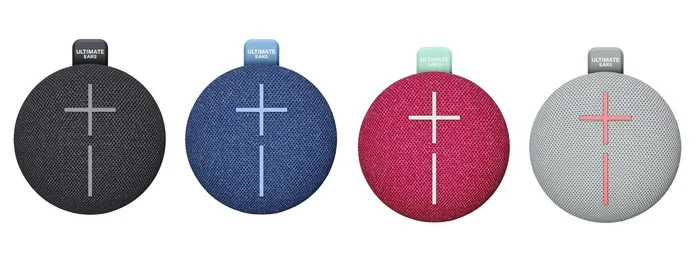
Old Bluetooth speakers are some of the most resilient devices. Most still work well with new phones and tablets. The audio quality may not match modern speakers, but for casual listening, they get the job done. You can even use a Bluetooth speaker to amplify your voice for presentations or gatherings if it has a microphone input.
Old Bluetooth Headphones
Bluetooth headphones from 5 to 10 years ago may still connect to new devices. However, you might notice weaker battery life and less stable connections. If your old headphones are your favorites, consider using a Bluetooth adapter to improve the connection. Some adapters also boost audio quality, giving your old headphones a new lease on life.
Old Car Bluetooth Kits
If you have an old Bluetooth car kit, it can still work with newer phones. The Bluetooth pairing process is usually straightforward. However, older car kits may lack support for newer features like voice assistants or high-quality audio codecs. They still handle calls and basic music streaming just fine.
Old Bluetooth Keyboards and Mice
Wireless keyboards and mice are often the most compatible old Bluetooth devices. They use simple input profiles that have not changed much over the years. If you have an old Bluetooth keyboard, it likely still works with modern tablets and laptops.
Quick Tips to Improve Old Bluetooth Device Performance
Want to get the best performance out of your older wireless gear? Here are some quick tips that actually work:
- Keep firmware updated: Even small updates can improve connection stability and range.
- Clear old pairings: Too many saved connections can slow down the pairing process. Clear them regularly.
- Avoid interference: Wi-Fi routers and microwaves can disrupt Bluetooth signal. Keep your devices away from these sources.
- Charge fully before pairing: Low battery can cause pairing failures and unstable connections.
- Use the right app: Some devices need a companion app for proper setup. Download it from the official source.
- Reset network settings: If nothing else works, resetting your phone or tablet network settings can clear Bluetooth conflicts.
These tips apply to all types of legacy Bluetooth gear. Whether you are using an old speaker, headphones, or keyboard, these simple steps can make a noticeable difference.
Common Mistakes People Make With Old Bluetooth Devices
There are a few mistakes that people make over and over again when trying to use old Bluetooth devices. Avoiding these can save you time and frustration.
Assuming All Old Devices Are Obsolete
The biggest mistake is throwing away old gear too quickly. Just because a device is old does not mean it is useless. Many old Bluetooth devices still work perfectly fine for everyday tasks like listening to music, making calls, or typing.
Ignoring Bluetooth Profiles
Not every old device supports every feature. If your old headset only supports the Hands-Free Profile, it will not stream music. Understanding what profiles your device supports helps set realistic expectations.
Placing Devices Too Far Away
Old Bluetooth devices have shorter range than new ones. Trying to use an old Bluetooth speaker from across the house will likely result in dropouts. Keep them in the same room for the best experience.
Skipping the Reset
Many people skip the simple reset step. A quick reset of both devices solves most connection problems. Do not jump to complex troubleshooting before trying this.
Expert Insights on Legacy Bluetooth Gear
We talked to a few tech experts about their thoughts on using old Bluetooth devices. Here is what they had to say.
Mark, a tech reviewer with 12 years of experience, shared this insight: “I still use a Bluetooth 3.0 speaker at home. It connects to my new phone without any issues. The sound quality is not perfect, but for the kitchen and backyard, it works great. I see no reason to replace it.”
Sarah, a wireless audio specialist, added: “The biggest factor in whether an old device works with a new one is the Bluetooth version. Anything 4.0 or newer should work with most modern devices. If you are below that, a Bluetooth adapter is your best friend.”
These experts agree on one thing. Old Bluetooth devices have more life left in them than most people think. With the right approach, you can keep using them for years to come.
When It Is Time to Replace Your Old Bluetooth Device
Despite all the tips and tricks, there comes a time when replacing makes more sense than repairing. Here are some signs that it is time to let go:
- The battery no longer holds a charge, even after a full replacement.
- The device cannot connect to any new devices, even after resetting.
- The Bluetooth chip is physically damaged or corroded.
- The device only supports very old Bluetooth versions (below 2.0).
- You need features that simply do not exist on the old hardware.
When you do replace your old gear, consider choosing devices that support Bluetooth 5.0 or higher. These devices offer the best range, speed, and compatibility with future gadgets. They also tend to have better battery life and more stable connections.
Remember, you do not need to upgrade everything at once. Start with the device you use most often. A new Bluetooth speaker or Bluetooth headphones can make a big difference in your daily routine. And you can keep your older devices for backup or secondary use.
Final Thoughts
So, do old Bluetooth devices still work with new gadgets? Yes, they do. Bluetooth technology has done a great job of maintaining backward compatibility across versions. Your old wireless devices can still connect, stream, and perform many of the tasks you rely on every day.
The key is understanding the limitations. Older Bluetooth versions may have shorter range and slower speeds. Mismatched profiles can limit functionality. But with simple fixes like resetting, using adapters, and keeping devices close, you can get a lot more life out of your old gear.
Before you toss that old Bluetooth speaker or pair of headphones, try the tips we shared. You might be surprised at how well they still work. And if they do not, a Bluetooth adapter can often bridge the gap between old and new technology.
Your old devices still have value. Keep them, use them, and get the most out of your investment. Bluetooth compatibility is one of the reasons we can still enjoy our favorite wireless gear years after purchase.
Frequently Asked Questions
Can I connect my old Bluetooth headphones to a new smartphone?
Yes, in most cases you can. Bluetooth is designed to be backward compatible, so your old headphones should pair with a new smartphone without issues. If the connection fails, try resetting both devices and removing old pairings before trying again.
Why does my old Bluetooth speaker keep disconnecting from my new phone?
Old Bluetooth speakers may disconnect because of weaker signal strength or outdated firmware. Keep the speaker close to your phone during use and check if a firmware update is available. Interference from other wireless devices can also cause dropouts.
Do I need a Bluetooth adapter for old devices?
You do not always need one, but a Bluetooth adapter can help if your old device has no built-in Bluetooth or uses a very old version. Adapters are affordable and can add modern Bluetooth capability to older wired speakers, headphones, and keyboards.
What Bluetooth version do I need for good compatibility?
Bluetooth 4.0 or higher offers the best compatibility with modern devices. Devices with Bluetooth 5.0 provide the best range, speed, and stability. If your old device is below Bluetooth 4.0, consider using an adapter to improve performance.
Can I use old Bluetooth devices with smart home assistants like Alexa?
Yes, you can. Many smart home assistants support Bluetooth pairing with older devices. You can use Alexa as a Bluetooth speaker by pairing it with your old Bluetooth speaker or headphones. The connection should work as long as both devices support compatible Bluetooth profiles.
Is it worth fixing an old Bluetooth device instead of buying a new one?
It depends on the issue. If the problem is a simple firmware update or a dead battery, fixing it is worth the effort. But if the Bluetooth chip is damaged or the device only supports very old Bluetooth versions, buying a new one with modern features will give you a better experience.