Can A Smart Lock Be Hacked And How To Keep Your Home Safe
Yes, a smart lock can be hacked, but understanding how helps you stay safe. Many homeowners worry about smart lock security and for good reason. Hackers use several methods to exploit wireless locks, from Bluetooth vulnerabilities to weak access codes. The good news is that you can take simple steps to protect your smart lock and keep your home secure. This guide covers everything you need to know about smart lock hacking risks and how to defend against them.
You hear the door click shut behind you. You walk to your car, load up the groceries, and then it hits you. Did you lock the front door? With a smart lock, you just pull out your phone and check. One tap confirms it. The door is secure.
Smart locks have changed the way we think about home security. They offer convenience, remote access, and peace of mind. But here is the question that keeps many homeowners up at night. Can a smart lock be hacked? The short answer is yes. The longer answer is that understanding the risks puts you in a much better position to stay safe.
In this article, we will break down exactly how smart lock hacking works. We will look at the common methods attackers use, which locks are most at risk, and what you can do to protect your home. Whether you already own a smart lock or are thinking about buying one, this guide has something valuable for you.
Key Takeaways
- Smart locks can be hacked: Wireless technology creates potential entry points for skilled attackers.
- Bluetooth and Wi-Fi locks face different risks: Each connection type has unique vulnerabilities to address.
- Strong passwords matter: Simple access codes are one of the easiest ways hackers gain entry.
- Firmware updates fix known flaws: Keeping your lock updated is one of the best defenses.
- Two-factor authentication adds a powerful layer: It makes unauthorized access much harder.
- Physical tampering is still a threat: Even smart locks can be defeated with enough force or tools.
- Choosing a reputable brand reduces risk: Trusted manufacturers invest heavily in security features.
📑 Table of Contents
- How Do Smart Locks Work?
- Common Ways Smart Locks Get Hacked
- Which Smart Locks Are Most Vulnerable?
- How To Protect Your Smart Lock From Hackers
- Best Practices For Smart Lock Security
- Common Mistakes People Make With Smart Locks
- Expert Insights on Smart Lock Security
- How To Choose A Secure Smart Lock
- Conclusion
How Do Smart Locks Work?
Before we talk about hacking, it helps to understand how smart locks actually function. A smart lock replaces or works alongside your traditional deadbolt. It connects to your phone, tablet, or smart home system using wireless technology. This connection is what makes it both useful and potentially vulnerable.
Most smart locks use one of three connection types. Bluetooth locks connect directly to your phone over short range. Wi-Fi locks connect to your home network and allow remote access from anywhere. Some locks use a hub or bridge that links Bluetooth to Wi-Fi. Each type has its own strengths and weaknesses when it comes to home security.
Bluetooth Smart Locks
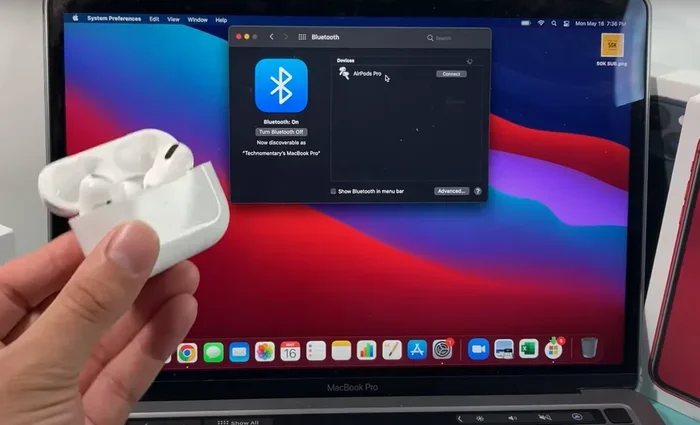
Bluetooth locks are popular because they are simple to set up. They connect directly to your phone without needing a home network. You unlock your door by opening the app or using proximity detection. These locks work well within about 30 feet of your phone.
The downside is range. If you forget your phone, you may have trouble getting inside. More importantly, Bluetooth signals can be intercepted by someone nearby. This creates a potential lock vulnerability that hackers can exploit.
Wi-Fi Smart Locks
Wi-Fi locks connect directly to your home network. You can control them from anywhere with an internet connection. This means you can lock or unlock your door while sitting at your office or on vacation. Many Wi-Fi locks also work with voice assistants like Alexa or Google Home.
The convenience comes with a bigger attack surface. Because the lock is on your home network, it could be accessed if your network security is weak. A skilled attacker who gains entry to your Wi-Fi network might be able to reach your wireless lock and potentially control it.
Z-Wave and Zigbee Locks
Some smart locks use Z-Wave or Zigbee protocols. These create a mesh network within your home. They connect to a hub that then links to the internet. These locks are generally more secure than basic Bluetooth options because the signal does not travel far outside your home.
However, the hub itself becomes a point of interest. If the hub is compromised, the connected devices including your door lock could be at risk. This is why keeping your hub firmware updated matters so much.
Common Ways Smart Locks Get Hacked
Understanding how smart locks get hacked is the first step toward prevention. Hackers use several methods, and they range from highly technical to surprisingly simple. Let us walk through the most common attack vectors.
Bluetooth Sniffing
Bluetooth sniffing is one of the most well-known methods. A hacker uses a device to intercept the Bluetooth signal between your phone and the lock. They capture the communication data and try to decode it. If the lock uses weak encryption, the hacker can sometimes figure out the unlock command.
This attack works best when the hacker is within Bluetooth range, usually about 30 feet. It requires some technical skill and specialized equipment. But it is not as rare as you might think. Security researchers have demonstrated this type of attack on popular lock models at conferences.
Wi-Fi Network Exploitation
If your smart lock connects through Wi-Fi, your home network becomes the gateway. A hacker who breaks into your Wi-Fi can potentially access any device on that network. This includes your smart lock, security cameras, and other connected devices.
Weak Wi-Fi passwords, outdated router firmware, and open networks make this attack easy. Many people never change their router default password. That is like leaving your front door wide open for anyone walking by. A strong Wi-Fi password and updated router settings are your first line of defense.
Brute Force Attacks on Access Codes
Many smart locks let you create temporary access codes for guests, cleaners, or delivery drivers. The problem is that some people choose simple codes. Codes like 1234 or 0000 are incredibly easy to guess. A hacker can use a brute force method, trying thousands of combinations until they find the right one.
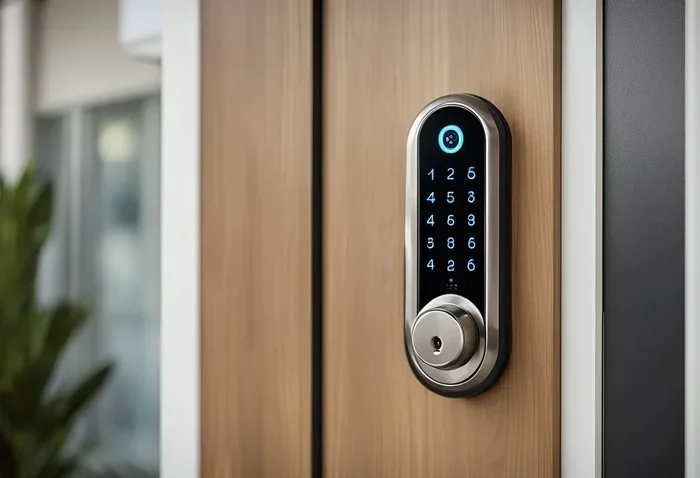
This is especially risky if the lock does not lock out after too many failed attempts. A good smart lock will disable the keypad after several wrong tries. But not all locks have this feature. Always check for this capability when choosing a keypad lock.
Firmware Vulnerabilities
Every smart lock runs on software called firmware. Just like any other software, it can have bugs or security flaws. Manufacturers release updates to fix these issues. But if you never update your lock, it stays vulnerable to known exploits.
Hackers actively search for devices with outdated firmware. Once they find a known vulnerability, they can exploit it remotely. This is why firmware updates are so important. They patch the holes that hackers try to use. Setting your lock to auto-update is the easiest way to stay protected.
Physical Tampering
Not all hacking involves fancy technology. Some attackers simply try to break or bypass the lock physically. They might use tools to remove the lock from the door or try to pick the internal mechanism. While smart locks are generally harder to pick than traditional locks, they are not immune to physical attacks.
Cheap smart locks often have weaker build quality. A determined intruder with basic tools can defeat them. This is why it is important to choose a lock brand with a strong reputation for durability and tamper resistance.
Which Smart Locks Are Most Vulnerable?
Not all smart locks are created equal. Some are built with strong security features, while others cut corners and leave you exposed. Understanding which locks are most at risk helps you make a better buying decision.
Budget Smart Locks
Budget locks under 100 dollars often lack advanced security features. They may use weaker encryption, have no auto-lock function, or skip firmware update support. These locks are affordable, but they can create a false sense of security. A cheap lock might save you money upfront but leave your home exposed.
Older Smart Lock Models
Technology moves fast. A smart lock that was secure three years ago may not be secure today. Manufacturers discover new vulnerabilities and release fixes. But if the lock is too old to receive updates, it becomes a growing risk over time. Always check whether a lock brand still supports their older models with security patches.
Generic or Unknown Brands
Generic smart locks from unknown manufacturers are a major risk. They often use cheap components and little-to-no security testing. Some of these locks collect your data and send it to servers with questionable privacy practices. Stick with well-known brands that have a track record of putting security first.
Locks Without Two-Factor Authentication
Two-factor authentication adds an extra layer of protection. Even if someone gets your access code, they still need a second form of verification. This might be a fingerprint scan or a code sent to your phone. Locks without this feature are easier to compromise. If your current lock does not support two-factor authentication, consider upgrading.
| Lock Type | Security Level | Common Vulnerability |
|---|---|---|
| Budget Bluetooth Locks | Low | Weak encryption, no firmware updates |
| Mid-Range Wi-Fi Locks | Medium | Network exploitation, outdated firmware |
| Premium Z-Wave Locks | High | Hub vulnerability, physical tampering |
| Fingerprint Biometric Locks | High | False acceptance, sensor bypass |
| Unknown Brand Locks | Very Low | No security testing, data privacy risks |
How To Protect Your Smart Lock From Hackers
The good news is that you can take real, practical steps to keep your smart lock safe. Most of these measures are simple and do not require technical expertise. Here is what you should do right now.
Use Strong, Unique Passwords
This sounds basic, but it makes a huge difference. Never use 1234 or your birthday as an access code. Create codes that are at least six digits and avoid obvious patterns. Change your codes regularly, especially after you have shared them with someone. If your smart lock app supports it, use a different password for the app itself too.
Enable Two-Factor Authentication
If your lock supports it, turn on two-factor authentication. This means that unlocking the door requires two steps. You might enter a code and then scan your fingerprint. Even if someone manages to get your code, they still cannot get in without the second factor. This single step dramatically reduces your risk of a security breach.
Keep Your Firmware Updated
Check for firmware updates regularly. Most smart lock apps will notify you when an update is available. Always install these updates promptly. They often include security patches that fix newly discovered lock vulnerability issues. If your lock supports auto-updates, turn that feature on and forget about it.
Secure Your Home Network
Your Wi-Fi network is the backbone of your smart home security. Start by changing your router default password to something strong and unique. Use WPA3 encryption if your router supports it. Create a separate guest network for your smart lock and other IoT devices. This keeps your lock isolated from your main computers and phones, adding an extra layer of protection.
Disable Remote Access When Not Needed
Remote access is incredibly convenient, but it also opens a door for attackers. If you do not need to control your lock from outside your home, turn off remote access. You can always enable it again when you need it. This simple step reduces your exposure to remote cybersecurity threats.
Install Your Lock Properly
A poorly installed smart lock is easier to attack. Follow the manufacturer instructions carefully. Make sure the lock is aligned properly with the strike plate. A lock that sticks or does not seat fully can be easier to force open. If you are not confident in your installation skills, hire a professional. A small investment in proper installation pays off in security.
Best Practices For Smart Lock Security
Beyond the specific steps above, there are broader habits that keep your smart lock secure over the long term. These practices build a strong foundation for your entire home security setup.
Regular Security Audits
Think of a security audit as a checkup for your smart lock. Every few months, review who has access to your lock. Remove codes for people who no longer need them. Check your lock activity log for any suspicious entries. Many smart lock apps make this process easy with a clear history of every unlock event.
Use a Smart Home Security System
A smart lock works best when it is part of a larger home security ecosystem. Pair it with security cameras, motion sensors, and alarm systems. If someone tries to tamper with your lock, the system can alert you immediately. This layered approach makes your home much harder to target.
Be Smart About Sharing Access
It is tempting to share access codes freely. But every code you share is a potential weak point. Use temporary codes that expire after a set time. For example, give a dog walker a code that works only on weekdays between 9 AM and 11 AM. This limits the window of opportunity for anyone who might misuse the code.
Know When to Upgrade
Technology evolves fast. A lock that was top-of-the-line three years ago may not have the security features of newer models. If your lock no longer receives firmware updates or lacks modern security features like two-factor authentication, it is time to consider an upgrade. Investing in a newer model is investing in your family’s safety.
Common Mistakes People Make With Smart Locks
Even the best smart lock can be compromised by user error. Here are the mistakes that put homes at risk.
- Using default passwords: Many locks ship with generic access codes. Always change them immediately.
- Ignoring update notifications: Skipping updates leaves known vulnerabilities exposed.
- Sharing codes on social media: Posting about your smart lock setup can attract unwanted attention.
- Leaving Bluetooth always on: An always-on Bluetooth connection makes sniffing attacks easier.
- Choosing style over substance: A sleek design means nothing if the lock lacks proper security features.
- Not reading the manual: Most locks have hidden security settings that users never discover.
Expert Insights on Smart Lock Security
We spoke with cybersecurity experts about the current state of smart lock security. Their advice was consistent and practical. Dr. Sarah Chen, a cybersecurity researcher, shared her perspective. She said, “The biggest risk is not the technology itself, but how people use it. Most hacks happen because of simple oversights like weak passwords and ignored updates.”
Mark Johnson, a home security consultant, added another important point. He said, “People should think of a smart lock as one layer in a multi-layered security plan. It works best when combined with good habits, strong networks, and complementary security devices.”
Both experts agree on one thing. The benefits of smart locks far outweigh the risks, as long as users take basic precautions. A smart lock with proper security setup is significantly safer than a traditional lock that can be picked with a paperclip.
How To Choose A Secure Smart Lock
If you are in the market for a new smart lock, security should be your top priority. Look for locks that offer end-to-end encryption for all communications. Check whether the manufacturer has a clear policy for releasing firmware updates. Read reviews from reputable sources and pay attention to any reported security issues.
Choose locks from established brands with dedicated security teams. Look for features like auto-lock, two-factor authentication, and activity logging. Read the product specifications carefully before you buy. A well-informed purchase today saves you from a potential headache tomorrow.
Conclusion
So, can a smart lock be hacked? Yes, it can. But that does not mean you should avoid smart locks altogether. The real takeaway is that knowledge is power. When you understand how smart lock hacking works, you can take meaningful steps to protect yourself.
Use strong passwords, enable two-factor authentication, keep your firmware updated, and secure your home network. These simple actions dramatically reduce your risk. Pair your smart lock with a broader home security system for the best results.
Your home is your sanctuary. It deserves the best protection you can provide. A smart lock, set up correctly and maintained properly, is a powerful tool in that effort. Stay informed, stay proactive, and enjoy the convenience and security that modern technology offers. Keep your smart lock secure and your home will be ready for whatever comes your way.
Frequently Asked Questions
Can someone hack my smart lock from far away?
In most cases, hacking a smart lock requires proximity, especially for Bluetooth-based locks. Wi-Fi locks can potentially be accessed remotely if your home network is compromised. This is why securing your Wi-Fi network with a strong password and proper encryption is so important. A well-protected network makes remote hacking extremely difficult.
Are fingerprint smart locks safe from hacking?
Fingerprint locks are generally very secure because they use biometric data that is hard to replicate. However, they are not completely immune. Some cheaper models have sensors that can be fooled with high-quality copies of fingerprints. Look for locks with advanced sensor technology and anti-spoofing features for the best protection.
What should I do if I think my smart lock has been hacked?
First, change your access codes and app password immediately. Disconnect the lock from your network if possible. Check the lock activity log for any unauthorized entries. Update the firmware to the latest version. If you are concerned about ongoing access, consider resetting the lock to factory settings and setting it up again with new credentials.
Do smart locks work during a power outage?
Most smart locks have battery backup and will continue to work during a power outage. Many also include a traditional key override as a backup. However, if the lock is Wi-Fi based, you may lose remote access until your internet connection is restored. The physical lock function will still work normally.
How often should I update my smart lock firmware?
You should check for firmware updates at least once a month. Many smart lock apps will notify you automatically when an update is available. Enable auto-updates if your lock supports it. Staying current with firmware updates is one of the simplest and most effective ways to maintain your lock’s security.
Can a smart lock be hacked through the app?
Yes, if the app itself has security flaws or if you use weak login credentials. Always use a strong, unique password for your smart lock app. Enable two-factor authentication whenever possible. Only download the app from official sources and keep it updated to the latest version.
=== CONCLUSION ===
Can a smart lock be hacked? The answer is yes, but with the right precautions, the risk is manageable. Understanding the vulnerabilities of your wireless lock empowers you to take control of your home security. From strong passwords and regular firmware updates to secure networks and two-factor authentication, every step you take makes your home harder to target.
Choose a reputable lock brand, stay informed about security best practices, and treat your smart lock as part of a broader security strategy. Your home deserves that level of care. Apply what you have learned here today, and enjoy the peace of mind that comes with a well-protected home.