Do All Bluetooth Devices Use The Same Frequency Today
Not all Bluetooth devices use the exact same frequency, but they all operate within the same 2.4 GHz ISM band. Bluetooth technology uses a clever method called frequency hopping to avoid interference, which keeps your wireless devices running smoothly. Understanding how Bluetooth frequency works helps you troubleshoot connection issues and get the best performance from your gadgets.
You have a Bluetooth speaker in one room, wireless headphones in another, and a smartwatch on your wrist. They all connect without wires. But have you ever stopped and wondered, do all Bluetooth devices use the same frequency? It is a great question, and the answer is more interesting than you might think.
The short answer is yes, most Bluetooth devices operate within the same frequency range. But the way they use that range is what really matters. Bluetooth frequency hopping is the secret sauce that keeps your devices connected without driving each other crazy. In this article, we will break down everything you need to know about Bluetooth frequency bands, how different devices use them, and what you can do to improve your wireless experience.
Whether you are a gamer using Bluetooth headphones for gaming, someone who wants to turn regular speakers into Bluetooth, or just curious about how your wireless devices talk to each other, this guide has you covered. Let us dive in.
Key Takeaways
- Bluetooth operates on the 2.4 GHz band: This is the universal frequency all Bluetooth devices share.
- Frequency hopping reduces interference: Bluetooth switches between channels 1,600 times per second to maintain a stable connection.
- Different Bluetooth versions handle frequency differently: Newer versions offer better range and less interference.
- Wi-Fi and other devices can cause Bluetooth interference: Knowing this helps you fix common connection problems.
- Bluetooth Low Energy uses the same band: But it manages it more efficiently for battery-powered devices.
📑 Table of Contents
- What Is Bluetooth Frequency and How Does It Work
- Do All Bluetooth Devices Use the Same Frequency
- Bluetooth Versions and How They Affect Frequency
- Common Interference Problems and How to Fix Them
- The Role of Bluetooth in Wireless Audio Devices
- Bluetooth Frequency and the Internet of Things
- What the Future Holds for Bluetooth Frequency
- Final Thoughts
What Is Bluetooth Frequency and How Does It Work
Bluetooth is a wireless communication technology that lets devices exchange data over short distances. But how does it actually send information without any wires? The answer lies in radio waves, specifically in a particular frequency band that all Bluetooth devices share.
Every wireless device needs a frequency to transmit data. Think of it like a highway. Cars (data packets) need lanes (frequencies) to travel on. If too many cars try to use the same lane, you get traffic. Bluetooth solves this problem with a smart system called frequency hopping spread spectrum (FHSS).
The 2.4 GHz ISM Band
All Bluetooth devices operate in the 2.4 GHz ISM band. ISM stands for Industrial, Scientific, and Medical. This is a reserved frequency range that anyone can use without a license. It is the same band that Wi-Fi routers, microwave ovens, and baby monitors use.
Here is something important to understand. The 2.4 GHz band spans from 2.400 GHz to 2.4835 GHz. Within that range, Bluetooth divides the spectrum into 79 channels, each 1 MHz wide. Devices jump between these channels rapidly to avoid staying on one frequency too long.
How Frequency Hopping Keeps Things Running
Frequency hopping is the real magic. A Bluetooth device does not stay on one channel. Instead, it switches channels 1,600 times per second. This happens so fast that you never notice it. The device and its paired partner agree on a hopping pattern in advance, so they stay in sync.
This hopping pattern is not random. It follows a pseudo-random algorithm that both devices know. This means even if one channel is crowded, the device moves to the next one almost instantly. That is why your Bluetooth connection stays stable even when your neighbor’s Wi-Fi is running at the same time.
Here is a quick look at how this works in practice:
- Device A starts on Channel 10.
- Device B also starts on Channel 10.
- After 625 microseconds, both hop to a new channel based on their shared algorithm.
- This repeats 1,600 times every single second.
The result is a stable wireless connection that resists interference from other devices. Pretty clever, right?
Do All Bluetooth Devices Use the Same Frequency
Now we get to the big question. Do all Bluetooth devices use the same frequency? The answer is both yes and no. Let us unpack that.
The Yes Part
All Bluetooth devices operate within the 2.4 GHz ISM band. Whether it is a Bluetooth speaker, wireless keyboard, fitness tracker, or car stereo, they all use this same general frequency range. The Bluetooth Special Interest Group (SIG) sets this standard, and every device manufacturer must follow it.
This universal standard is what makes Bluetooth pairing possible across different brands and device types. Your phone can connect to a speaker from Brand A, headphones from Brand B, and a keyboard from Brand C. They all speak the same wireless language at the same frequency.
The No Part
Here is where it gets interesting. While all Bluetooth devices use the 2.4 GHz band, they do not all use it the same way. Different Bluetooth versions and device types handle frequency differently.
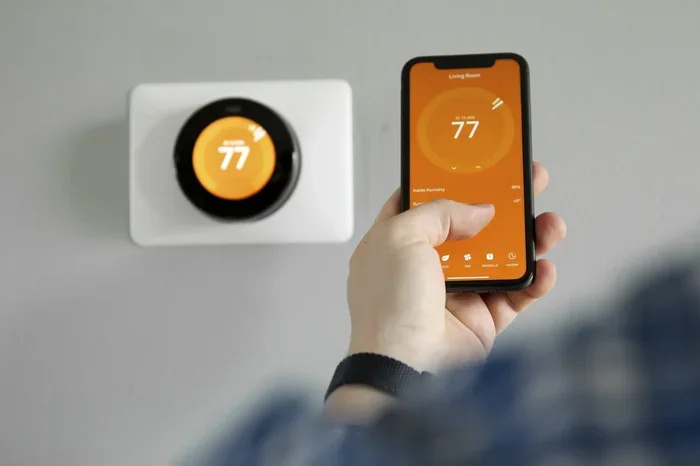
For example, Bluetooth Low Energy (BLE) devices use the same 2.4 GHz band but manage it more efficiently. They use fewer channels and spend less time transmitting, which saves battery life. A smart thermostat using BLE might only hop between 3 or 4 channels, while a wireless headset hops across all 79.
Also, Bluetooth Classic and Bluetooth BLE handle the frequency band in distinct ways. Bluetooth Classic prioritizes steady data flow for audio and file transfers. BLE prioritizes low power for sensors and small data packets. Same band, different strategies.
Here is a simple comparison:
- Bluetooth Classic: Uses all 79 channels, 1,600 hops per second. Best for audio streaming and large data transfers.
- Bluetooth Low Energy: Uses 3 to 40 channels, slower hopping rate. Best for sensors, wearables, and battery-powered devices.
- Bluetooth 5.0+: Uses longer range channels and wider bandwidth options. Better for IoT devices and smart home gadgets.
Bluetooth Versions and How They Affect Frequency
Bluetooth has come a long way since its invention in 1994. Each new version has improved how devices handle the 2.4 GHz frequency band. Let us walk through the major versions and what they mean for frequency management.
Bluetooth 1.x and 2.x
The early versions of Bluetooth used basic frequency hopping with all 79 channels. These versions were prone to interference from Wi-Fi networks, which also operate in the 2.4 GHz band. If you have ever experienced choppy audio on old wireless headphones, this was likely the culprit.
Bluetooth 3.0 and 4.0
Bluetooth 3.0 introduced High Speed technology, which allowed devices to use Wi-Fi for data transfer while still using Bluetooth for the initial pairing. Bluetooth 4.0 brought Bluetooth Low Energy into the picture, changing how devices managed frequency for battery-powered gadgets.
If you have ever wondered why your fitness tracker battery lasts for weeks while your wireless earbuds need charging every day, BLE frequency management is the answer.
Bluetooth 5.0 and Beyond
Bluetooth 5.0 was a game changer. It introduced long-range mode, which uses fewer channels but with more robust signal strength. This means less hopping and a more stable connection over longer distances.
Bluetooth 5.3 and 5.4 have continued to refine frequency management. They introduced features like Connection Subrating, which lets devices stay on fewer channels when full-speed hopping is not needed. This reduces interference and saves power.
When you are using Bluetooth headphones with an Xbox One or connecting a Bluetooth radio in your car, the Bluetooth version on both devices affects how well they handle frequency and interference.
Common Interference Problems and How to Fix Them
Because all Bluetooth devices share the 2.4 GHz band with Wi-Fi, microwaves, and other wireless tech, interference is a real issue. Here is what causes it and what you can do about it.
What Causes Bluetooth Interference
- Wi-Fi networks: Most Wi-Fi routers operate on the 2.4 GHz band, which overlaps with Bluetooth channels.
- Microwave ovens: They leak radiation in the 2.4 GHz range, which can disrupt Bluetooth signals.
- Other Bluetooth devices: Too many Bluetooth devices in one area can crowd the frequency band.
- Physical obstacles: Walls, floors, and large metal objects block or weaken Bluetooth signals.
- USB 3.0 ports: They generate electromagnetic interference that can affect Bluetooth dongles and adapters.
Tips to Reduce Interference
Dealing with Bluetooth interference can be frustrating, especially when you are trying to enjoy music or take a call. Here are some practical tips that work.
- Move closer to the device: Bluetooth range is typically 30 feet or less. The closer you are, the stronger the signal.
- Keep Bluetooth devices away from Wi-Fi routers: Even a few feet of distance can make a big difference.
- Avoid using the microwave while on a Bluetooth call: This is a classic cause of audio dropouts.
- Update your device firmware: Newer firmware often includes better frequency management algorithms.
- Use Bluetooth 5.0 or newer devices: These handle interference much better than older versions.
- Turn off unused Bluetooth devices: Fewer devices on the same band means less competition.
If you are having trouble with your Bluetooth speaker cutting out, these simple steps often solve the problem. You would be surprised how much a small change in positioning can improve your wireless audio quality.
The Role of Bluetooth in Wireless Audio Devices
Wireless audio is one of the most popular uses for Bluetooth technology. From wireless earbuds to home speakers, audio devices rely heavily on stable frequency management.
Audio streaming requires consistent data transfer. If the frequency connection drops even for a fraction of a second, you hear a pop or a skip. This is why Bluetooth audio codecs like aptX, LDAC, and AAC are so important. They compress audio data efficiently so it can travel smoothly over the Bluetooth frequency band.
When you are choosing wireless audio gear, look for devices that support the latest Bluetooth versions. A device with Bluetooth 5.2 or newer will handle frequency hopping better and deliver a more reliable listening experience.
For those who want to upgrade their car stereo to Bluetooth, understanding frequency basics helps too. Car environments have lots of potential interference from phones, GPS devices, and other electronics. A newer Bluetooth stereo unit will handle all of that much better.
Bluetooth Frequency and the Internet of Things
The Internet of Things, or IoT, has exploded in recent years. Smart home devices, wearables, and connected sensors all rely on Bluetooth. And they all share that same 2.4 GHz band.
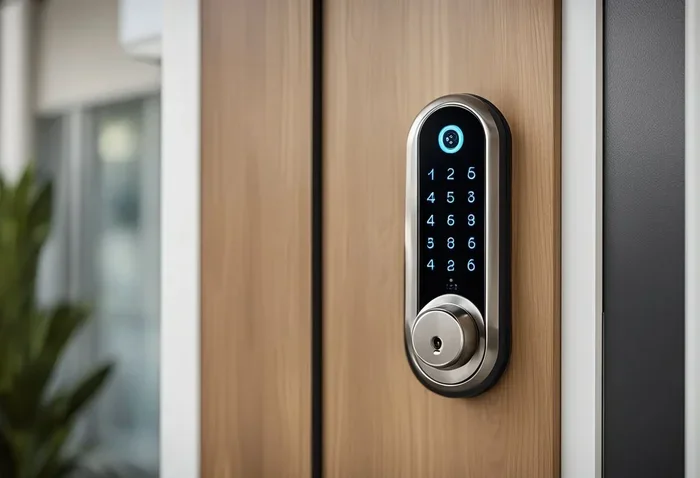
With so many IoT devices in a single home, frequency management becomes critical. A smart home might have dozens of Bluetooth devices, from smart locks to temperature sensors to light bulbs. If they all tried to hop across all 79 channels at once, the band would become hopelessly crowded.
This is where Bluetooth mesh networking comes in. Mesh networks allow devices to communicate with each other, creating a web of connections that uses frequency more efficiently. Instead of every device talking directly to your phone, they can pass messages through nearby devices.
The result is less congestion on the 2.4 GHz band and better performance for all your smart home devices. As IoT continues to grow, Bluetooth frequency management will only become more important.
What the Future Holds for Bluetooth Frequency
Bluetooth technology keeps evolving, and frequency management is no exception. The Bluetooth SIG continues to develop new standards that make wireless connections faster, more stable, and more efficient.
One exciting development is the introduction of Bluetooth LE Audio, which uses a new technology called Auracast. This allows a single Bluetooth audio source to broadcast to multiple devices simultaneously. It opens up possibilities for public audio in airports, gyms, and museums.
Another area of development is Bluetooth 6.0, which promises even better frequency management and longer range. While the 2.4 GHz band will likely remain the standard for the foreseeable future, new techniques are making it work better than ever.
As more devices connect wirelessly, the demand on the 2.4 GHz band will only increase. Engineers are working hard to ensure that Bluetooth frequency technology keeps up with our growing wireless world.
Final Thoughts
So, do all Bluetooth devices use the same frequency? Yes, they all operate in the 2.4 GHz ISM band. But the way they use that band varies based on the Bluetooth version, device type, and purpose. Frequency hopping is the brilliant mechanism that keeps everything running smoothly, even when dozens of devices share the same space.
Understanding how Bluetooth frequency works empowers you to make better decisions about your wireless devices. You can troubleshoot connection issues, choose the right gear, and get more out of your wireless technology. The next time your Bluetooth headphones skip or your smartwatch loses connection, you will know exactly what is happening behind the scenes.
Keep your devices updated, position them wisely, and embrace the wireless future. Bluetooth technology has come a long way, and it is only getting better.
Frequently Asked Questions
What frequency does Bluetooth use?
All Bluetooth devices use the 2.4 GHz ISM band. This is a universal frequency range that spans from 2.400 GHz to 2.4835 GHz. Within this range, Bluetooth divides the spectrum into 79 channels for communication.
Can Bluetooth interfere with Wi-Fi?
Yes, Bluetooth and Wi-Fi can interfere with each other because they both operate on the 2.4 GHz band. However, Bluetooth uses frequency hopping to minimize this overlap. Upgrading to Bluetooth 5.0 or newer reduces interference significantly.
Does Bluetooth 5.0 use a different frequency than older versions?
No, Bluetooth 5.0 still uses the 2.4 GHz band. But it manages the frequency more efficiently with better hopping algorithms and longer-range modes. This means fewer dropped connections and better performance.
Why does my Bluetooth connection drop sometimes?
Bluetooth connections can drop due to interference from Wi-Fi routers, microwaves, USB 3.0 devices, or physical obstacles. Moving closer to the paired device and reducing the number of active wireless devices nearby often fixes the issue.
Do Bluetooth headphones and speakers use the same frequency?
Yes, both Bluetooth headphones and speakers operate on the same 2.4 GHz frequency band. The difference lies in the Bluetooth version and audio codec used, which affects audio quality and connection stability.
Is Bluetooth safe for everyday use?
Yes, Bluetooth uses low-power radio waves that are considered safe for everyday use. The Bluetooth Special Interest Group sets strict safety standards. Bluetooth Low Energy devices emit even less radiation than standard Bluetooth devices.