Can You Work Remotely In A Cafe And Still Get Work Done
Yes, you can work remotely in a cafe and still get work done — but it takes the right setup and mindset. With stable Wi-Fi, a charged laptop, and a few productivity hacks, a coffee shop can become your best remote workspace. This guide covers everything you need to know about cafe productivity, from staying focused to keeping your devices powered.
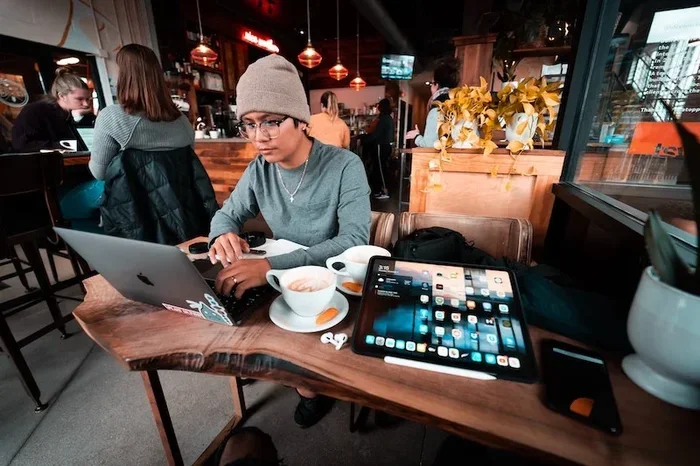
Have you ever sat in a cozy coffee shop, laptop open, coffee in hand, and thought, “Can I actually get real work done here?” The idea of working remotely in a cafe sounds dreamy. Soft music, the aroma of fresh espresso, and a change of scenery from your boring home office. But is it realistic? Can you truly be productive in a busy coffee shop, or is it just a romantic idea that falls apart after ten minutes?
The truth is, working from coffee shops can work surprisingly well — if you know what you are doing. Thousands of freelancers, digital nomads, and remote workers do it every single day. They turn cafes into their mobile offices and crush their to-do lists. The key is preparation. You need the right tools, the right habits, and a realistic understanding of what cafe work looks like.
In this guide, we will walk through everything you need to know about cafe productivity. From Wi-Fi reliability to power management, noise control to security, we have you covered. By the end, you will know exactly how to make a coffee shop your new favorite remote workspace.
Key Takeaways
- Cafe work is doable: With the right tools and habits, you can be just as productive in a coffee shop as at home.
- Wi-Fi matters most: Always test the connection first, and consider a portable hotspot as a backup plan.
- Power management is key: A power bank keeps your laptop running when outlets are scarce.
- Noise control boosts focus: Headphones and smart timing can help you stay in the zone.
- Tablets are great alternatives: If you prefer a lighter setup, you can browse the internet on a tablet and handle lighter tasks with ease.
- Security should not be ignored: Use a VPN and avoid sensitive tasks on public networks.
- Timing makes a difference: Visit during off-peak hours for fewer distractions and better seat availability.
📑 Table of Contents
- Why Working in a Cafe Works
- Can You Work Remotely In A Cafe With Reliable Internet?
- Keeping Your Devices Powered and Ready
- Choosing the Right Device for Cafe Work
- Staying Focused and Productive in a Noisy Environment
- Common Mistakes People Make When Working from Cafes
- Expert Tips for Maximizing Cafe Productivity
- Final Thoughts
Why Working in a Cafe Works
Before we dive into the practical stuff, let us talk about why cafe work is so popular. There is more to it than just the coffee.
A Change of Scenery Boosts Creativity
Your brain craves novelty. When you work from the same desk every day, your mind can go into autopilot. A new environment — like a cafe — stimulates your brain in fresh ways. Studies show that moderate levels of background noise, around 70 decibels, can actually improve creative thinking. That hum of conversation and the clinking of cups? It might be helping you brainstorm better than total silence ever could.
The Social Energy of Public Spaces
Working from home can feel isolating. When you work in a cafe, you are surrounded by people. Even if you do not talk to anyone, the presence of others can fight the loneliness that comes with remote work. This social energy keeps you motivated and engaged with your tasks.
No Commute, No Routine Trap
When you work from a cafe, you skip the commute and break the monotony of your home office. You get the freedom to choose where you work each day. One day it is a quiet café near a park. The next day it is a bustling spot downtown. This flexibility is one of the biggest perks of digital nomad life.
Can You Work Remotely In A Cafe With Reliable Internet?
This is the big question. Without a solid internet connection, cafe work falls apart fast. Most cafes offer free Wi-Fi, but not all connections are created equal.
Testing the Wi-Fi Before You Settle In
When you walk into a cafe, do not just grab a seat and start working. First, ask the barista for the Wi-Fi password. Then connect your device and run a quick speed test. You want at least 10 Mbps download speed for video calls and 5 Mbps for basic browsing and document work.
If the connection is weak, try moving closer to the router. Sometimes sitting near the front door or the center of the shop gives you a better signal. And if the Wi-Fi is just terrible? It might be time to consider alternatives.
Using a Portable Hotspot as Backup
One smart move is to carry a portable hotspot or a mobile device that can share its data connection. This way, you are never stuck waiting for a slow cafe network to load. If you are looking for temporary internet options, you might want to check out Can You Buy Temp Wi Fi for ideas on short-term connectivity solutions.
Can You Buy a Wi-Fi Stick for Better Connectivity?
Yes, you absolutely can. A Wi-Fi stick or USB tethering device can give you a dedicated, reliable connection wherever you go. This is especially useful if you frequently work from cafes that have unreliable networks. You can explore more about this option by reading Can You Buy A Wi Fi Stick for guidance on choosing the right one for your needs.
How to Protect Your Data on Public Networks
Public Wi-Fi comes with risks. Hackers can intercept data on open networks, especially if you are accessing sensitive information. Always use a VPN when working from a cafe. A VPN encrypts your connection and keeps your data safe. Avoid logging into bank accounts or entering sensitive passwords without a VPN active. Keep your firewall turned on and make sure your operating system is up to date.
Keeping Your Devices Powered and Ready
Nothing kills cafe productivity faster than a dying laptop. You are in the middle of a big project, and your battery hits 3 percent. Panic sets in. You look around for an outlet. None are available.
Why a Power Bank Is a Game Changer
A power bank can save your entire workday. It keeps your laptop, phone, and tablet charged even when outlets are taken or nowhere to be found. If you are wondering whether you can keep your devices running all day with a portable charger, the answer is yes — especially if you invest in a high-capacity power bank. You can learn more about powering your laptop on the go by checking out Can I Power My Laptop With A Power Bank for detailed tips.
Tips for Managing Battery Life in a Cafe
- Lower your screen brightness: This alone can double your battery life.
- Close unused apps and tabs: Every open tab drains power.
- Use battery saver mode: It limits background processes and extends runtime.
- Bring a spare cable: You never know if the outlet will be within reach.
- Charge during breaks: Use your coffee or snack break to plug in and top off.
Choosing the Right Device for Cafe Work
Not every device is suited for a cafe environment. You want something lightweight, long-lasting, and easy to use in tight spaces.
Laptops vs. Tablets for Mobile Work
A laptop gives you full functionality. You can run complex software, write code, and handle heavy tasks. But a laptop is also heavier and needs more power. A tablet, on the other hand, is light and easy to carry. You can check out Can You Browse The Internet On A Tablet to learn more about handling everyday tasks on a tablet setup.
For many remote workers, a tablet with a keyboard attachment strikes the perfect balance. You get portability without sacrificing too much productivity.
What to Look for in a Cafe-Friendly Device
- Long battery life: Aim for at least 8 hours of runtime.
- Lightweight design: Under 3 pounds is ideal for carrying around.
- Good keyboard: You will be typing a lot, so comfort matters.
- Screen size: 13 to 15 inches is the sweet spot for portability and usability.
- Built-in Wi-Fi 6: Faster and more stable connections in crowded areas.
Staying Focused and Productive in a Noisy Environment
A cafe is not a library. People are talking, music is playing, and the espresso machine is roaring every few minutes. How do you stay focused in all that noise?
Invest in Noise-Canceling Headphones
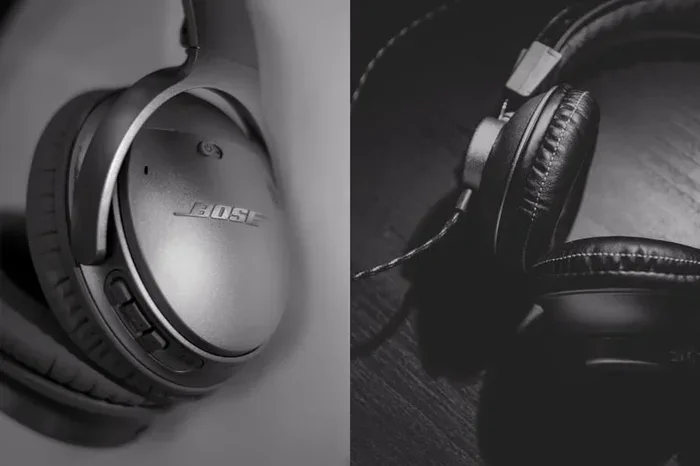
Noise-canceling headphones are the single best investment for cafe workers. They block out background noise and let you concentrate on your tasks. You can listen to lo-fi music, white noise, or simply work in silence while the world buzzes around you.
Use the Pomodoro Technique
The Pomodoro Technique works wonders in distracting environments. Work for 25 minutes, then take a 5-minute break. During the break, you can people-watch, sip your coffee, or recharge your device. After four cycles, take a longer break. This method keeps your focus sharp and your energy levels steady.
Pick the Right Time to Visit
Timing matters more than you think. Early mornings, usually before 9 AM, are often quiet and peaceful. Late afternoons on weekdays can also be calm. Avoid lunch hours and weekend mornings when cafes are packed. The fewer people around, the fewer distractions you face.
Common Mistakes People Make When Working from Cafes
Even with the best intentions, many people make avoidable mistakes that ruin their cafe work sessions. Here are the most common ones and how to dodge them.
Not Having a Backup Plan
Relying solely on cafe Wi-Fi is risky. Networks go down, passwords change, and the shop might run out of outlets. Always have a backup plan. Carry a power bank, use a mobile hotspot, and download important files before you go offline.
Working Without a Clear Schedule
The relaxed cafe vibe can make you lose track of time. You start with good intentions, then suddenly it is noon and you have barely touched your work. Set a clear schedule before you arrive. Define what you want to accomplish and set a timer to keep yourself accountable.
Ignoring Cafe Etiquette
Remember, you are a guest. Do not occupy a table for five hours with just a single coffee. Buy a drink every hour or two. Keep your voice down. Clean up after yourself. Being a respectful cafe guest ensures you will always have a welcome spot to return to.
Forgetting to Bring Essentials
Nothing is worse than realizing you forgot your charger, headphones, or even your laptop. Make a checklist of your essentials and stick to it. Common items to always carry include your laptop, charger, power bank, headphones, notebook, and a water bottle.
Expert Tips for Maximizing Cafe Productivity
seasoned remote workers and digital nomads have perfected the art of cafe work over the years. Here are their top tips.
- Scout your spots: Visit a few cafes before committing to one as your regular workspace. Check the Wi-Fi, the noise level, and the outlet availability.
- Use a lap desk: A portable lap desk gives you a stable surface when tables are too small or too cluttered.
- Keep your tasks modular: Save heavy tasks for home and use cafe time for lighter work like emails, planning, and brainstorming.
- Bring snacks: You do not want to depend on the cafe menu for fuel. Bring your own healthy snacks to stay energized.
- Make friends with the staff: A good relationship with the baristas can mean better service, a preferred seat, and even a free upgrade now and then.
Working remotely in a cafe is not just about surviving — it is about thriving. With the right setup, a solid routine, and a little preparation, you can turn any coffee shop into a productive workspace that fuels both your work and your creativity.
Final Thoughts
So, can you work remotely in a cafe and still get work done? Absolutely. The answer is a resounding yes. But it is not automatic. You need the right tools, smart habits, and a willingness to adapt. From testing your Wi-Fi connection to carrying a power bank, from managing noise to protecting your data, every detail matters.
The beauty of cafe work is the freedom it gives you. You are not tied to a desk. You are not stuck in a boring home office. You get to choose where you work, what you drink, and how you shape your day. That kind of flexibility is what makes remote work so appealing in the first place.
Start small. Pick a quiet cafe near you, bring your essentials, and try a focused work session. See how it feels. Adjust as needed. Over time, you will find your rhythm and discover that a coffee shop can be one of the best places to get things done. Working from coffee shops is not just a trend — it is a lifestyle that many successful remote workers swear by.
So grab your laptop, order your favorite drink, and get to work. Your next productive session might just happen at your favorite cafe.
Frequently Asked Questions
Do I need a strong internet connection to work in a cafe?
Yes, a stable connection is essential for most remote tasks. You want at least 10 Mbps download speed for smooth video calls and file uploads. If the cafe Wi-Fi is weak, consider using a mobile hotspot or a portable Wi-Fi device as a backup.
Is it safe to access sensitive work files on cafe Wi-Fi?
It can be risky without proper protection. Always use a VPN to encrypt your connection when accessing sensitive data on public networks. Avoid entering passwords or financial information without a VPN active, and keep your device’s security software up to date.
What is the best time to visit a cafe for work?
Early mornings, typically before 9 AM, tend to be the quietest and most productive times. Late afternoons on weekdays are also good. Avoid weekend mornings and lunch hours when cafes are most crowded and noisy.
Can I use a tablet instead of a laptop for cafe work?
Yes, tablets work great for lighter tasks like emails, document editing, and research. If you primarily handle these kinds of tasks, a tablet with a keyboard can be an excellent and portable choice for your mobile office.
How do I find cafes with good Wi-Fi and outlets?
You can use apps like Wi-Fi Map or Yelp to check reviews for Wi-Fi quality and outlet availability. You can also scout a cafe yourself before committing to it as your regular workspace to test the setup firsthand.
Do I need to buy anything special to work from a cafe?
You do not need much — just a reliable laptop or tablet, a power bank, noise-canceling headphones, and a portable hotspot if the cafe Wi-Fi is unreliable. A simple lap desk can also make a big difference for comfort during longer sessions.