Can You Use A USB Port As A Charger For Your Devices
Yes, you can use a USB port as a charger for many devices, but the speed and compatibility depend on the USB standard, port type, and power output. This guide breaks down everything you need to know about USB charging, from basic USB-A ports to modern USB-C power delivery. You will learn how to charge safely, avoid common mistakes, and get the most out of every USB connection.
You have probably plugged your phone into a computer or a laptop and watched it charge slowly. It makes you wonder, can you really use a USB port as a charger? The short answer is yes. But the full answer is a bit more nuanced. USB ports are everywhere now. They are on your desktop, your laptop, your car dashboard, and even on hotel nightstands. Understanding how they work for charging can save you time, money, and a lot of frustration.
In this guide, we will walk through everything you need to know about using a USB port as a charger. We will cover how USB power delivery works, which devices benefit from USB charging, and what you should watch out for. By the end, you will feel confident about using any USB port to power up your gear.
Whether you are at home, at the office, or on the go, knowing your USB charging options gives you flexibility. You will no longer need to hunt for a wall outlet every time your battery runs low. Let us dive in.
Key Takeaways
- USB ports can charge devices: Most USB ports deliver power, but the charging speed varies based on the USB standard and port type.
- USB-C with Power Delivery is fastest: USB-C PD can deliver up to 100 watts, making it a viable alternative to wall chargers.
- Not all USB ports are equal: USB-A ports typically provide less power than USB-C ports, which affects charging time.
- Safety matters: Using the right cable and avoiding cheap knockoffs prevents device damage and overheating.
- Check your device requirements: Always match the USB port output with your device’s charging needs for best results.
- USB charging is convenient: It works for phones, tablets, laptops, and many other accessories, making it a versatile power source.
📑 Table of Contents
- How USB Ports Deliver Power
- Can You Use A USB Port As A Charger For Different Devices
- USB Port vs Wall Charger: Charging Speed Compared
- Benefits of Using a USB Port as a Charger
- Limitations and Risks of USB Charging
- Tips for Optimizing USB Charging
- Common Mistakes People Make with USB Charging
- Expert Insights on USB Charging
- Final Thoughts
How USB Ports Deliver Power
USB ports were originally designed for data transfer. Over time, they evolved to carry power too. Today, USB charging is a standard feature on almost every electronic device. But not all USB ports deliver the same amount of power. Understanding the basics helps you make smarter choices.
The Basics of USB Power Delivery
Every USB port has a voltage and amperage rating. Voltage is the pressure of the electrical current. Amperage is the volume of that current. Together, they determine the wattage output. Wattage equals voltage multiplied by amperage. A standard USB-A port typically provides 5 volts at 0.5 to 2.4 amps. That gives you 2.5 to 12 watts of power. This is enough for small devices like earbuds or fitness trackers.
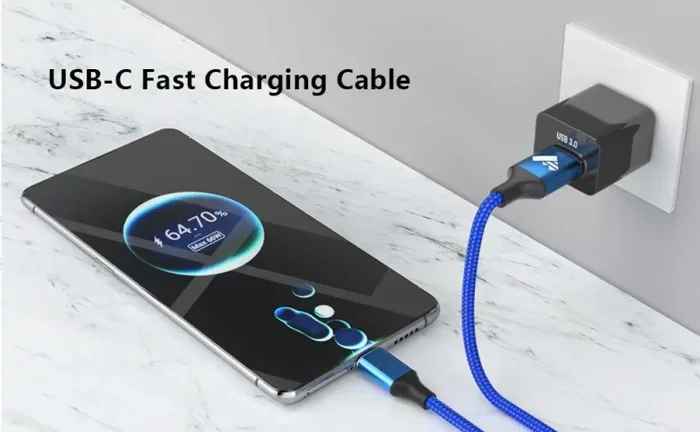
USB-C ports are a different story. They support USB Power Delivery, also known as USB PD. This standard can deliver up to 100 watts of power. That is enough to charge a laptop fully. The key difference is that USB-C PD negotiates the power output with the connected device. The device tells the port how much power it needs. The port then adjusts accordingly. This makes USB-C a very smart and efficient charging option.
USB Standards and Their Power Limits
Different USB standards support different power levels. Here is a quick breakdown of the most common ones:
- USB 2.0: Delivers up to 2.5 watts at 5 volts and 0.5 amps. Suitable for small peripherals.
- USB 3.0: Delivers up to 4.5 watts at 5 volts and 0.9 amps. Slightly better than USB 2.0.
- USB BC 1.2: Delivers up to 7.5 watts at 5 volts and 1.5 amps. Common in newer wall adapters.
- USB PD (Power Delivery): Delivers up to 100 watts with USB-C. Supports fast charging for phones and laptops.
- USB PD 3.0 and beyond: Offers even more refined power negotiation and higher wattage options.
Knowing these standards helps you understand why some USB ports charge your device quickly while others take forever. It all comes down to the power budget of the port.
Can You Use A USB Port As A Charger For Different Devices
The versatility of USB charging is one of its biggest strengths. You can charge a wide range of devices using a USB port. But each device has different power needs. Let us look at what works and what does not.
Smartphones and Tablets
Most smartphones and tablets charge perfectly well through a USB port. A standard USB-A port on your computer will charge your phone. It just might be slow. If you want faster charging, look for a USB-C port that supports USB PD. Many modern laptops and desktops now include USB-C ports with PD support. These can charge your phone in about an hour or less.
Tablets need more power than phones. A standard USB-A port may charge your tablet very slowly or not at all if the tablet is in use. A USB-C port with PD support handles tablets much better. It delivers the wattage needed to keep up with a larger battery.
Laptops and Computers
Charging a laptop through a USB port is now very common. Many modern laptops use USB-C with PD as their primary charging method. You can plug your laptop into a USB-C port on a docking station or a wall adapter. Some laptops can charge at up to 60 or 100 watts through USB-C PD. This means you can ditch the proprietary charger in many cases.
If you work on a spreadsheet in Excel all day, keeping your laptop charged is essential. Using a USB-C port with PD support ensures your laptop stays powered up without needing a bulky wall adapter. It is one of the most convenient aspects of modern USB charging.
Accessories and Peripherals
Many accessories draw very little power. Wireless mice, keyboards, USB hubs, and external hard drives all work through USB ports. If you use a USB computer mouse, it gets its power directly from the USB port. This is one of the simplest examples of USB charging in everyday use. These devices do not need much power, so even a basic USB-A port handles them easily.
Other accessories like portable battery packs, LED lights, and small fans can also run off USB ports. The low power draw makes them ideal candidates for USB power. You can even charge some smartwatches and fitness trackers through a USB cable connected to any standard port.
USB Port vs Wall Charger: Charging Speed Compared
One of the most common questions is whether USB port charging is as fast as using a wall charger. The answer depends on several factors. Let us compare them directly.
| Factor | USB Port Charging | Wall Charger Charging |
|---|---|---|
| Typical Power Output | 2.5 to 100 watts | 5 to 100+ watts |
| Charging Speed | Slow to fast | Fast to very fast |
| Convenience | High (ports everywhere) | Medium (needs outlet) |
| Portability | Very portable | Less portable |
| Device Compatibility | Broad | Broad |
| Safety Features | Built into USB PD | Built into charger |
As you can see, USB port charging has come a long way. With USB-C PD, the gap between USB charging and wall charger performance has narrowed significantly. In many cases, you get the same charging speed from a good USB-C port as you do from a wall charger.
However, older USB-A ports still lag behind. If you plug a power-hungry device into an old USB-A port, the charging will be very slow. The port simply cannot supply enough current. This is why checking your port type and power output matters so much.
Benefits of Using a USB Port as a Charger
There are many reasons to use USB ports for charging. These benefits make USB charging a practical choice for everyday use.
- Convenience: USB ports are everywhere. You can charge your device at home, work, in the car, or at a café. You do not need to carry a separate charger.
- Reduced clutter: One cable can charge multiple devices. You no longer need a charger for every gadget in your bag.
- Cost savings: You can avoid buying extra wall adapters. A single USB-C PD charger can power your phone, tablet, and laptop.
- Universal compatibility: USB is a universal standard. Almost every device made today uses USB for charging or data.
- Safety: USB PD includes built-in safety features. The port and device negotiate power levels to prevent overheating and overcurrent.
These benefits make USB charging a smart option for most people. It simplifies your daily routine and reduces the number of chargers you need to keep track of.
Limitations and Risks of USB Charging
USB charging is not perfect. There are some limitations and risks you should be aware of. Understanding these helps you avoid problems.
Power Limitations
The biggest limitation of USB charging is power output. A standard USB-A port cannot deliver enough power for large devices. If you try to charge a laptop through a USB-A port, it may charge very slowly or not at all. The port simply does not have the wattage to keep up with the device’s power demands while it is in use.
Even for phones, charging through a computer USB port is slower than using a wall charger. The computer USB port is designed to share power across multiple ports. Each port gets a limited share of the total power budget.
Cable Quality Matters
The cable you use plays a huge role in USB charging performance. A cheap or damaged cable can limit power delivery. It might not support the full wattage of the port. In some cases, a bad cable can even cause overheating. Always use high-quality cables that match your device’s charging requirements.
Look for cables that are rated for the power level you need. If you are using USB-C PD, make sure the cable supports PD. Not all USB-C cables are created equal. Some only handle data and low-power charging.
Overheating and Safety Concerns
While USB PD includes safety features, problems can still occur. Using a non-certified charger or cable increases the risk of overheating. Cheap accessories may not follow proper safety standards. They might deliver inconsistent power, which can harm your device battery over time.
Always buy chargers and cables from reputable brands. Look for USB-IF certification. This ensures the product meets safety and performance standards. If a charger or cable feels hot to the touch, unplug it immediately.
Tips for Optimizing USB Charging
You can get the most out of USB charging with a few simple tips. These practices help you charge faster and keep your devices safe.
- Use USB-C with PD support whenever possible. This gives you the fastest and most efficient charging experience.
- Check the wattage of your USB port. Match the port output to your device’s charging needs for best results.
- Invest in high-quality cables. Good cables ensure consistent power delivery and prevent safety issues.
- Avoid using your device while it charges. Running apps while charging slows down the process and generates heat.
- Keep your charging port clean. Dust and debris in the port can reduce connection quality and slow charging.
- Use a powered USB hub for multiple devices. A powered hub provides more stable power than splitting power from a single computer port.
Following these tips will improve your USB charging experience significantly. You will notice faster charging times and fewer issues with connectivity.
Common Mistakes People Make with USB Charging
Many people make avoidable mistakes when charging their devices through USB ports. Here are the most common ones to watch out for.
- Using the wrong cable: Not all cables support the same power levels. Using a basic cable with a PD port limits your charging speed.
- Ignoring port type: Plugging a power-hungry device into a USB-A port will result in slow or no charging.
- Using uncertified accessories: Cheap, uncertified chargers and cables are a safety risk. They may not deliver consistent power.
- Charging through a damaged port: A bent or dirty USB port can cause poor charging and even damage your device.
- Assuming all USB-C cables are the same: USB-C cables vary widely in their power and data capabilities. Always check the specifications.
Avoiding these mistakes keeps your devices safe and ensures you get the best charging performance from every USB port you use.
Expert Insights on USB Charging
Industry experts agree that USB charging is the future of device power. USB PD has become the dominant standard for laptops, phones, and tablets. The trend toward universal USB-C charging is accelerating. Many regulatory bodies are now pushing for standardized USB-C charging across all devices.
According to industry analysts, USB-C PD will eventually replace most proprietary chargers. This shift benefits consumers by reducing e-waste and simplifying the charging experience. You will need fewer chargers, fewer cables, and fewer adapters to keep all your devices powered.
Experts also recommend checking your device’s charging specifications before relying solely on USB port charging. Some devices require specific power profiles that not all USB ports can provide. When in doubt, use the manufacturer’s recommended charger for the best results.
Final Thoughts
So, can you use a USB port as a charger? Absolutely. USB charging is versatile, convenient, and increasingly powerful. With the right port and cable, you can charge almost any device. From smartphones to laptops, USB power delivery has transformed the way we keep our devices running.
The key is understanding your options. Know the difference between USB-A and USB-C. Understand power delivery standards. Choose high-quality cables and accessories. When you do all of this, USB charging becomes a reliable and efficient part of your daily routine. Embrace the convenience of USB charging and enjoy the freedom it brings to your connected life.
Next time you plug in your device, you will know exactly what is happening behind the cable. You will understand the power flow, the standards at work, and how to get the best results. That knowledge puts you in control of your charging experience.
Frequently Asked Questions
Can any USB port charge a smartphone?
Yes, most USB ports can charge a smartphone. A standard USB-A port will work, but it may charge slowly. For faster charging, use a USB-C port with Power Delivery support. The phone will draw only the power it needs from the port.
Is it safe to charge a laptop through a USB port?
Yes, it is safe if the USB port supports USB Power Delivery and the wattage matches your laptop’s requirements. Most modern laptops with USB-C charging use PD technology. Always check your laptop’s charging specifications before relying on USB port charging.
Why is my device charging slowly through a USB port?
Slow charging usually happens because the USB port has a low power output. USB-A ports typically provide less power than USB-C PD ports. The cable quality, port condition, and device usage during charging also affect speed.
Do I need a special cable for USB charging?
Not always, but a high-quality cable makes a big difference. For USB-C PD charging, make sure the cable is rated for Power Delivery. Cheap or damaged cables can limit power output and slow down charging significantly.
Can I charge multiple devices from one USB port?
You can, but there is a catch. A single USB port shares its power budget across connected devices. If you use a powered USB hub, each port gets its own power allocation. Without a powered hub, the power is split, which slows down charging for all connected devices.
What is the difference between USB-A and USB-C for charging?
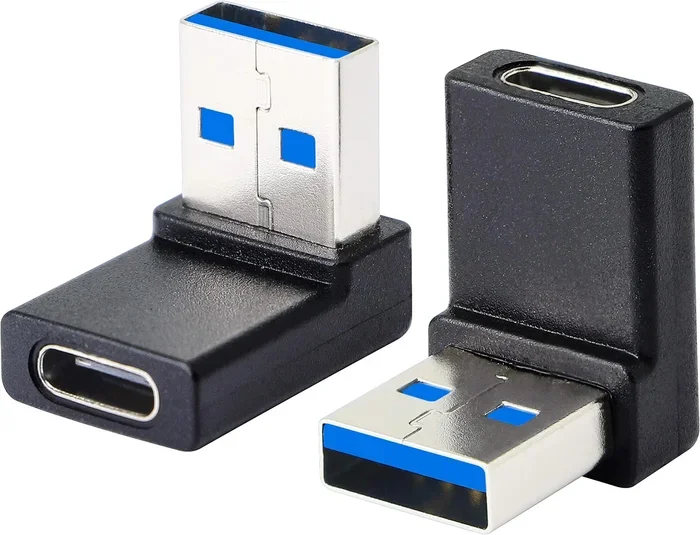
USB-A is the older, rectangular port type. It typically delivers up to 7.5 watts. USB-C is the newer, smaller, reversible port. It supports USB Power Delivery and can deliver up to 100 watts. USB-C is much faster and more versatile for charging.
=== CONCLUSION ===
Using a USB port as a charger is not only possible but also highly practical. With the right USB standard, port type, and cable, you can power up almost any device. USB-C with Power Delivery has made USB charging faster and more efficient than ever before. Whether you are charging your phone at your desk, your laptop in a café, or a simple mouse through a USB-A port, the flexibility is undeniable.
Remember to choose quality cables, match your port output to your device needs, and avoid common charging mistakes. These small steps go a long way in keeping your devices safe and charged. USB charging is here to stay, and understanding it gives you a real advantage in today’s connected world. Start making the most of every USB port around you today.