Can You Use A Hdmi Adapter On Ps5 Everything You Need
Yes, you can use an HDMI adapter on PS5, but compatibility and performance depend on the adapter type and your setup. This guide covers everything from HDMI 2.1 adapter options to setup steps, common issues, and the best adapters for 4K gaming. You will learn how to choose the right HDMI adapter for PS5 and avoid costly mistakes.
This is a comprehensive guide about Can You Use A Hdmi Adapter On Ps5.
Key Takeaways
- HDMI adapters work on PS5: You can use HDMI adapters to connect your PlayStation 5 to displays that don’t have standard HDMI ports.
- Not all adapters are equal: HDMI 2.1 adapters are essential for 4K 120Hz gaming, while older adapters may limit your performance.
- Setup is simple: Connecting an HDMI adapter to your PS5 involves a few straightforward steps that most users can complete in minutes.
- Common issues are fixable: Problems like no signal, low resolution, or audio issues usually have simple solutions.
- Choose quality adapters: Investing in a reputable HDMI adapter protects your gaming experience and prevents signal loss.
- Check your TV first: Before buying an adapter, confirm what ports your display supports to avoid unnecessary purchases.
[FEATURED_IMAGE_PLACEHOLDER]
Can You Use A HDMI Adapter On PS5
Have you just bought a new monitor or projector and realized it does not have a standard HDMI port? Or maybe your TV is across the room and you need a longer cable run. The big question is whether you can use an HDMI adapter on PS5 to make everything work. The short answer is yes. You can use an HDMI adapter with your PlayStation 5. But the details matter a lot. The wrong adapter can ruin your gaming experience, limit your resolution, or cause annoying audio problems.
This guide walks you through everything you need to know about using an HDMI adapter with PS5. We will cover which adapters work, which ones to avoid, how to set them up, and how to fix common problems. Whether you are a casual gamer or a hardcore enthusiast who wants 4K 120Hz gaming, this article has you covered. By the end, you will feel confident choosing the right HDMI adapter for PS5 and getting the best picture quality possible.
Before we dive in, let us quickly talk about why this topic matters so much. The PS5 outputs stunning visuals through its HDMI 2.1 port. This means it supports 4K resolution at 120Hz, ray tracing, and high dynamic range. If you use an adapter that does not support these features, you will miss out on the full experience. So understanding adapter compatibility is not just nice to know. It is essential for getting the most out of your gaming console.
What Is An HDMI Adapter And Why Does It Matter For PS5
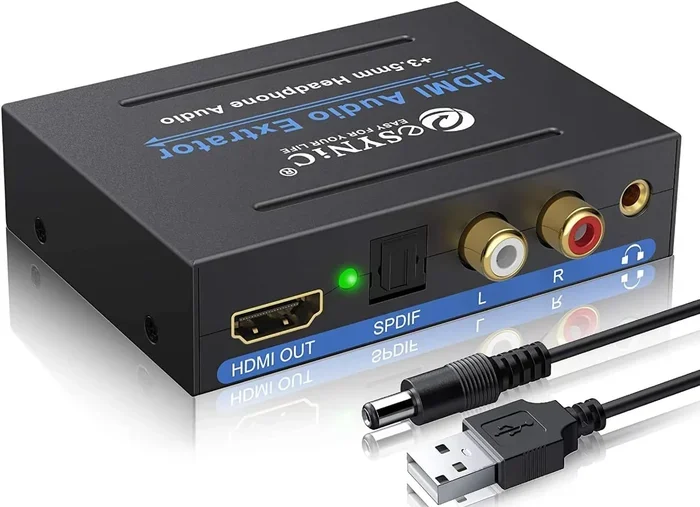
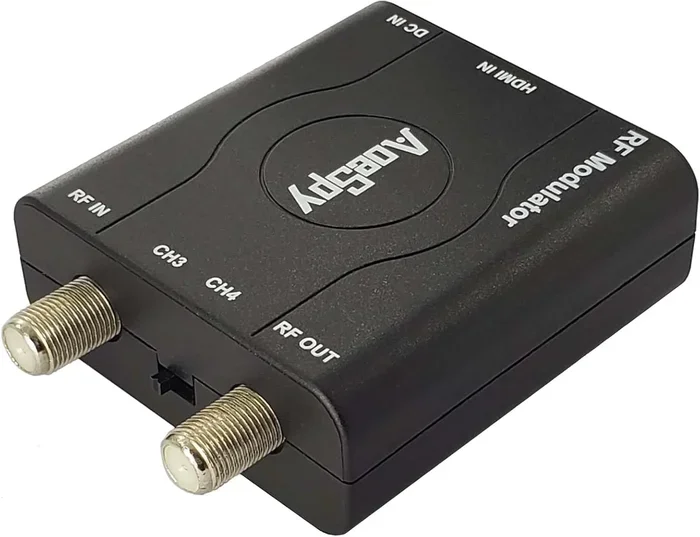
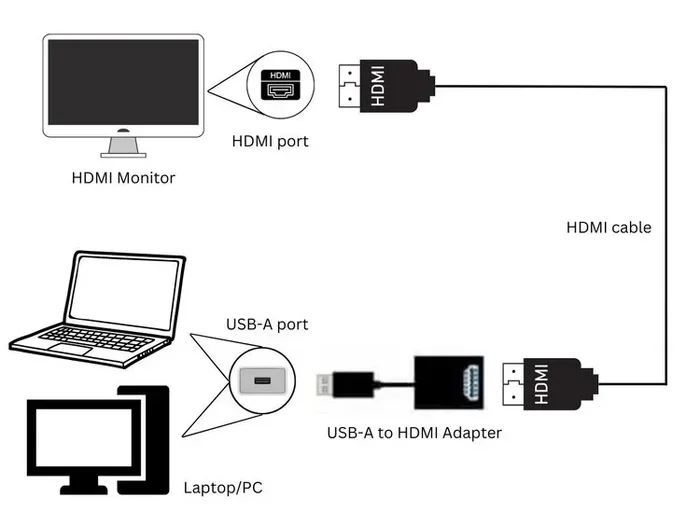
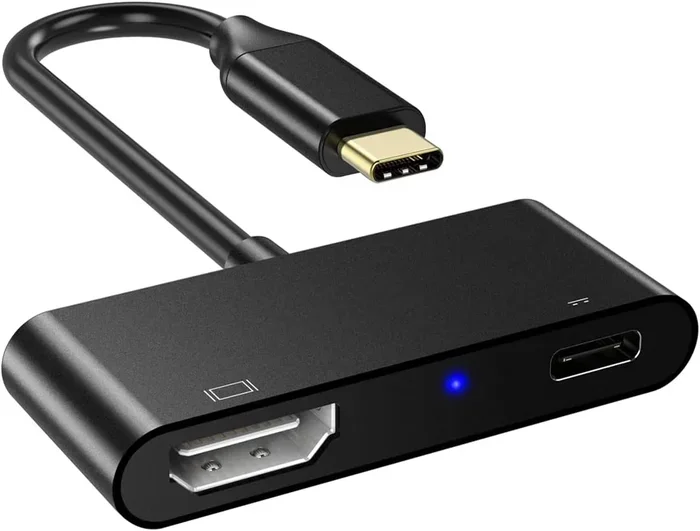
An HDMI adapter is a small device that converts one type of connection to another. For example, it might change a full-size HDMI port into a mini HDMI or micro HDMI connection. Some adapters split signals, while others simply extend or convert the cable type. When it comes to your PS5, the adapter you choose directly affects your display output quality.
The PS5 uses a standard HDMI Type A port. This is the regular-sized HDMI plug that most people know. But what if your monitor only has a DisplayPort input? Or what if you need to connect your PS5 to a projector that uses HDMI but needs a longer cable than what came in the box? That is where an HDMI adapter becomes necessary.
The key thing to remember is that not all adapters support the same bandwidth. The PS5 sends a lot of data through its HDMI 2.1 connection. This data includes ultra high definition video and high-quality audio. A cheap or outdated adapter might not handle this data properly. The result could be a blurry image, no sound, or a display that refuses to turn on. So choosing the right adapter is one of the most important decisions you make for your gaming setup.
Also worth noting is that your gaming display needs to support the same features as your adapter. If you buy an adapter that supports 4K 120Hz but your TV only supports 1080p 60Hz, you will only get 1080p 60Hz. Both sides of the connection need to be compatible for the best results.
Types Of HDMI Adapters That Work With PS5
Not all HDMI adapters are the same. Different types serve different purposes. Here is a breakdown of the most common adapter types you will encounter when setting up your PS5.
HDMI to DisplayPort Adapter
This is one of the most popular adapters for PS5 users. Many PC monitors use DisplayPort instead of HDMI. An HDMI to DisplayPort adapter lets you connect your PS5 to a monitor that does not have an HDMI input. Look for adapters that support 4K resolution and high refresh rates. Passive adapters are cheaper but may not support all PS5 features. Active adapters cost more but offer better signal conversion and reliability.
HDMI to VGA Adapter
VGA is an older connection type that you might still find on some projectors or older monitors. A HDMI to VGA adapter converts the digital HDMI signal to an analog VGA signal. However, there is a big catch. VGA does not support audio. You will need a separate audio cable. Also, VGA maxes out at 1080p resolution. You will not get 4K or high refresh rates with this type of adapter. This makes it a poor choice for serious console gaming.
HDMI Splitter and Switch
An HDMI splitter lets you connect one PS5 to multiple displays. An HDMI switch lets you connect multiple devices to one display. These can be useful if you have a complex gaming setup with several devices. Make sure any splitter or switch you buy supports HDMI 2.1 bandwidth. Otherwise, you will lose features like 4K 120Hz and HDR.
HDMI Extension Cable or Active Extension Adapter
If your PS5 is far from your TV or monitor, a regular HDMI cable might not reach. An HDMI extension adapter or active extension cable solves this problem. Active extensions boost the signal so it does not degrade over long distances. This is important for maintaining a strong digital output without signal loss.
How To Set Up An HDMI Adapter On Your PS5
Setting up an HDMI adapter on PS5 is easier than most people think. You do not need to be a tech expert. Follow these steps and you will be gaming in no time.
First, gather your equipment. You need your PS5, the HDMI adapter, an HDMI cable, and your display (TV or monitor). Make sure your display is turned off before you start connecting anything. This prevents any potential signal conflicts during setup.
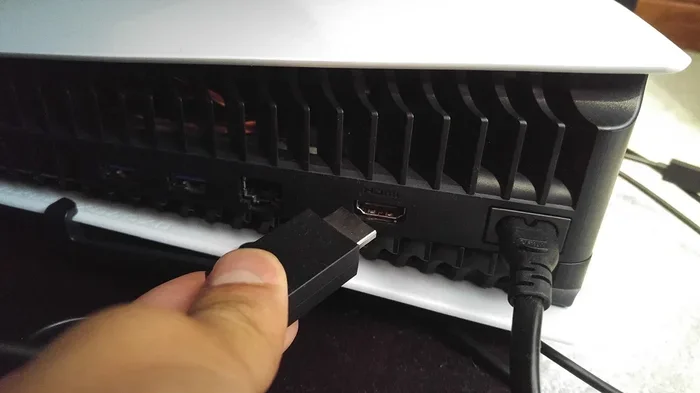
Next, plug the HDMI cable into your PS5. Connect the other end of the HDMI cable into the input port of your adapter. Then, use the appropriate cable (DisplayPort, VGA, or whatever your display uses) to connect the adapter to your screen.
Now turn on your display first, then turn on your PS5. The console should detect the display and output a signal. If you see the PS5 home screen, congratulations. Your setup is working. If not, do not worry. We will cover troubleshooting in the next section.
One important tip is to check your PS5 settings after connecting the adapter. Go to Settings, then Screen and Video, and then Video Output. Here you can adjust your resolution, refresh rate, and HDR settings. Make sure your display is set to the highest resolution it supports. If your adapter supports 4K but your PS5 is set to 1080p, you will not get the full picture quality.
Also, if you are using your PS5 for streaming content or connecting to a home network, make sure your WiFi connection is strong. Sometimes people focus so much on their display setup that they forget about their network. If you are unsure whether your router supports the latest standards, check if you are on WiFi 5 or WiFi 6 for optimal streaming and online gaming performance.
Common HDMI Adapter Issues And How To Fix Them
Even with the right adapter, you might run into problems. Here are the most common issues people face when using an HDMI adapter with PS5 and how to solve them.
No Signal Or Black Screen
This is the most frustrating problem. You turn everything on and nothing appears on your screen. The first thing to do is check all your connections. Make sure every cable is firmly plugged in. Try unplugging and replugging each connection. Sometimes a loose cable is all it takes.
If the connections are tight, try using a different HDMI cable. A damaged cable can cause a no-signal issue. Also, try turning your TV or monitor off and back on. Sometimes the display needs a fresh signal detection cycle to recognize the new input source.
Low Resolution Or Blurry Image
If your picture looks blurry or stuck at 1080p when it should be 4K, your adapter might not support the full bandwidth. Go to your PS5 video output settings and manually set the resolution to 4K. If the PS5 cannot detect 4K through the adapter, your adapter may be the bottleneck.
Another cause could be a low-quality cable. Cheap HDMI cables sometimes cannot carry 4K signals reliably. Invest in a high-speed HDMI cable rated for 4K 60Hz or higher. This small upgrade can make a huge difference in your gaming display quality.
No Audio Through The Adapter
Some adapters, especially VGA adapters, do not carry audio. If you have no sound but your picture looks fine, this is likely the problem. You will need to connect audio separately. You can use your TV speakers, a soundbar, or external speakers connected to your display or adapter.
For HDMI to DisplayPort adapters, audio should carry through automatically if your monitor has built-in speakers or you connect external audio. Check your PS5 audio settings to make sure the correct output device is selected.
Adapter Overheating
Some adapters run warm during extended gaming sessions. This is normal to a degree. But if your adapter feels too hot to touch or you notice signal drops, it might be overheating. Make sure your adapter has good ventilation. Do not place it in a closed cabinet or stacked on top of other devices.
If overheating persists, consider getting an active adapter with better heat management or adding a small fan near your setup. Keeping your gaming console and accessories cool helps them last longer and perform better.
Best HDMI Adapters For PS5 In 2024
Not all adapters are created equal. Some deliver excellent performance while others will leave you disappointed. Here are the types of adapters that work best with the PS5.
Active HDMI to DisplayPort adapters are the top choice for most PS5 gamers. They support 4K resolution and high refresh rates. Look for adapters that are explicitly rated for HDMI 2.1 or DisplayPort 1.4. Brands like Cable Matters, UGREEN, and StarTech make reliable options that handle the PS5’s bandwidth demands well.
HDMI 2.1 certified adapters are the gold standard. These adapters support the full range of PS5 features including 4K 120Hz, HDR, and variable refresh rate. When shopping, look for the HDMI 2.1 certification on the product packaging or description. This ensures the adapter can handle the data rates your PS5 outputs.
High-quality HDMI extension adapters are great for setups where your PS5 is far from your display. Active extension adapters maintain signal quality over longer distances. Avoid passive extensions longer than 6 feet, as they often lose signal strength.
When choosing an adapter, also consider your gaming setup as a whole. Think about cable management, airflow, and how easily you can access your PS5 ports. A bulky adapter in a tight entertainment center can cause airflow problems and make your console run hotter.
One more thing to keep in mind: some players also use alternative controllers like a computer mouse for certain games. If you are considering switching to a mouse for precision gaming, make sure you understand the advantages and disadvantages of a computer mouse before making the switch from the DualSense controller.
Expert Tips For Getting The Best Performance From Your HDMI Adapter
Getting the most out of your HDMI adapter on PS5 is about more than just plugging things in. Here are some expert tips that will help you maximize your setup.
Always buy adapters from reputable brands. Cheap no-name adapters might save you a few dollars upfront, but they often cause headaches later. Look for adapters with good reviews and solid warranty policies. Your gaming experience is worth the investment.
Keep your firmware updated. The PS5 regularly receives system updates that improve HDMI compatibility and fix bugs. Make sure your console is running the latest firmware. This alone can solve many adapter-related issues.
Use the shortest cable run possible. Longer cables mean more opportunities for signal loss. If you can keep your HDMI cable under 6 feet, you will get a cleaner signal. If you need a longer run, use an active extension adapter rather than a long passive cable.
Test your adapter with different displays. If you are having problems, try connecting your PS5 directly to a different TV or monitor without the adapter. This helps you determine whether the problem is with the adapter or with your display settings.
Do not daisy-chain adapters. Connecting multiple adapters together almost always causes problems. Each adapter introduces potential points of failure and signal degradation. Use one high-quality adapter instead of chaining multiple cheap ones together.
Consider your whole entertainment ecosystem. If you are also using your phone for two-factor authentication or managing accounts tied to your PS5, make sure your phone number settings are correct. For example, if you need to add prefixes to numbers on your device for proper verification, check how to add prefixes to numbers on iPhone to keep your account secure.
Troubleshoot like a pro. Sometimes the issue is not with your adapter at all. If you are experiencing technical difficulties with your setup, remember that many problems stem from simple configuration issues. Just like when a line won’t delete in a document due to hidden formatting, HDMI adapter problems often come from hidden settings. You might encounter situations where you need to dig into your PS5 settings to find the root cause, similar to how you would troubleshoot when a line won’t delete in Microsoft Excel due to hidden formatting issues.
Frequently Asked Questions
Can I Use Any HDMI Adapter With My PS5?
No, not every HDMI adapter works well with the PS5. Your adapter needs to support the bandwidth that the PS5 outputs. Look for adapters that are rated for HDMI 2.1 or at least HDMI 2.0. Cheap adapters that only support older HDMI versions will limit your resolution and refresh rate. Always check the adapter specifications before buying.
Will An HDMI Adapter Affect My PS5’s 4K Performance?
Yes, a poor-quality adapter can definitely affect your 4K performance. If the adapter cannot handle the bandwidth required for 4K 60Hz or 4K 120Hz, your PS5 will automatically drop to a lower resolution. This means you will not get the full ultra high definition experience. Invest in a high-quality adapter to preserve your picture quality.
Do I Need A Special HDMI Cable With An Adapter?
You should use a high-speed HDMI cable that supports the features you want. For 4K gaming, look for an Ultra High Speed HDMI cable rated for 48Gbps bandwidth. The cable quality matters just as much as the adapter quality. A great adapter paired with a cheap cable will still give you poor results.
Can I Use An HDMI Adapter To Connect My PS5 To A Computer Monitor?
Yes, you can connect your PS5 to a computer monitor using an HDMI adapter. The most common setup is an HDMI to DisplayPort adapter. Just make sure your monitor supports the resolution and refresh rate you want. Many modern gaming monitors work great with the PS5 when paired with the right active adapter.
Why Does My PS5 Keep Disconnecting From My Adapter?
Frequent disconnections usually point to a loose connection or an overheating adapter. Check that all cables are firmly seated. Also, make sure your adapter has proper ventilation. If the problem persists, try a different adapter or a different HDMI cable. Sometimes the issue is simply a faulty cable or adapter that needs replacement.
Is It Better To Use A Direct HDMI Connection Or An Adapter?
A direct HDMI connection is always better if your display has an HDMI port. Adapters introduce an extra point of potential failure and can slightly degrade signal quality. However, if you need an adapter because your display does not have HDMI, a good-quality active adapter will get you very close to the direct connection experience.
Conclusion
Using an HDMI adapter on PS5 is not only possible but also very common among gamers. Whether you need to connect to a monitor, a projector, or a display that is far from your console, the right adapter makes it all work. The key is choosing a quality adapter that supports the features your PS5 offers. Stick with HDMI 2.1 certified adapters or active adapters from reputable brands, and you will enjoy stunning 4K gaming without headaches.
Remember to check your connections, update your PS5 firmware, and troubleshoot problems step by step. Most adapter issues have simple solutions. And do not forget to optimize your entire setup, from your display settings to your network connection. A well-planned gaming setup makes all the difference.
Now that you know everything about using an HDMI adapter with PS5, you are ready to set up your perfect gaming station. Pick the right adapter, follow the setup steps, and get ready to enjoy your favorite games in all their glory. Happy gaming!
Frequently Asked Questions
What is Can You Use A Hdmi Adapter On Ps5?
Can You Use A Hdmi Adapter On Ps5 is an important topic with many practical applications.