Can You Overcharge An Ion Speaker What You Need To Know
You can overcharge an ion speaker, but modern smart batteries usually prevent serious damage. However, leaving your speaker plugged in too long can reduce battery health, cause overheating, or even create safety risks. This guide covers everything you need to know about lithium ion speaker batteries, proper charging habits, and how to keep your portable speaker safe and sounding great for years.
Have you ever plugged in your ion speaker before bed and forgotten about it? Maybe you woke up and the light was still glowing. Or perhaps you left it on the charger all day while you were at work. Now you are wondering, can you overcharge an ion speaker?
The short answer is yes, you technically can. But the full answer is much more interesting. Modern portable speakers use lithium ion batteries with built-in safety features. These smart circuits are designed to protect your device from the worst outcomes. Still, that does not mean you should ignore charging best practices.
In this article, we will break down exactly what happens when you overcharge a speaker, how lithium ion technology works, and what you can do to keep your battery healthy. Whether you use a portable Bluetooth speaker for backyard parties or a rechargeable speaker for outdoor adventures, this guide has you covered.
We will also share practical tips, common mistakes, and expert insights that will help you get the most out of your device. So let us dive in and talk about speaker battery safety.
Key Takeaways
- Overcharging is possible but rarely catastrophic: Most modern ion speakers have built-in protection circuits that stop charging at full capacity.
- Leaving a speaker plugged in overnight is not ideal: It can cause slight battery degradation over time and may lead to overheating.
- Use the right charger: Always use the charger that came with your speaker or one with matching voltage and amperage.
- Watch for warning signs: Swelling, excessive heat, or reduced battery life are signs your speaker battery may be damaged.
- Proper charging habits extend battery life: Unplugging at 80-100%, avoiding extreme temperatures, and using smart power strips all help.
- Replacement batteries are often available: If your ion speaker battery degrades, you can usually replace it affordably.
📑 Table of Contents
- What Is an Ion Speaker and How Does Its Battery Work
- Can You Overcharge an Ion Speaker
- Signs Your Ion Speaker Battery Is Damaged from Overcharging
- How to Charge Your Ion Speaker Safely
- Common Charging Mistakes That Damage Ion Speaker Batteries
- Expert Tips to Extend Your Ion Speaker Battery Life
- How Long Should an Ion Speaker Battery Last
- Conclusion
What Is an Ion Speaker and How Does Its Battery Work
An ion speaker is any portable speaker that uses a lithium ion or lithium polymer battery as its power source. These batteries are popular because they are lightweight, rechargeable, and hold a strong charge. You will find them in brands like JBL, Bose, Ultimate Ears, and many others.
The battery inside your speaker works by moving lithium ions between a positive and negative electrode. This movement creates the electrical energy that powers your speaker. When you plug in the charger, the process reverses. Lithium ions move back to the positive side, storing energy for later use.
Most ion speakers use either lithium ion or lithium polymer cells. Both types are safe when handled correctly. They both also have built-in protection boards. These small circuit boards manage charging, discharging, and temperature regulation.
How Lithium Ion Batteries Differ from Other Battery Types
Older battery types like nickel-cadmium batteries had a real problem with overcharging. You could literally charge them forever and they would degrade quickly. Lithium ion batteries are much smarter. They do not suffer from the same memory effect.
Here is a quick comparison of common battery types:
- Lithium Ion: Found in most modern portable speakers. Lightweight, long-lasting, and resistant to overcharging thanks to built-in protection.
- Lithium Polymer: Similar to lithium ion but uses a gel-like electrolyte. Often found in thinner, more compact speakers.
- Nickel-Cadmium: An older battery type that suffers from memory effect and is rarely used in modern speakers.
- Lead-Acid: Heavy and bulky. You will not find these in portable speakers, but they are common in car batteries.
The key takeaway is that lithium ion batteries are designed with safety in mind. They are not as fragile as some people think, but they do require proper care.
Can You Overcharge an Ion Speaker
Now let us get to the heart of the question. Can you overcharge an ion speaker? The answer depends on what you mean by overcharging. There are two different scenarios to consider.
First, there is the technical overcharge. This means the battery continues to receive electrical current after reaching 100% capacity. In older devices without protection circuits, this could cause the battery to heat up, swell, or even leak. It was a real danger with early rechargeable electronics.
Second, there is the practical overcharge. This means leaving your speaker plugged in for extended periods, even after it reaches full charge. In this case, the speaker’s internal circuitry typically stops the flow of current. The battery stays at 100% but does not receive excess energy.
What Actually Happens When You Overcharge a Speaker
When you leave an ion speaker on the charger past full capacity, several things may happen. The protection circuit disconnects the charging current. The battery sits at 100% charge while still connected to the power source.
Over time, this can cause minor stress on the battery. The battery may slowly lose a tiny bit of charge and then trickle charge back up. This cycle repeats and can contribute to battery degradation. You might notice your speaker does not hold a charge as long as it used to.
In rare cases, especially with cheap or damaged speakers, the protection circuit can fail. When that happens, overcharging can lead to:
- Battery swelling: The battery expands and may push against the speaker housing.
- Overheating: The device feels unusually warm to the touch.
- Reduced lifespan: The battery holds less charge over time.
- Leaking: In extreme cases, battery fluid may leak out.
The good news is that these worst-case scenarios are rare with reputable brands. Most quality speakers from trusted manufacturers have robust safety features.
Signs Your Ion Speaker Battery Is Damaged from Overcharging
How do you know if your speaker battery has been damaged? There are several clear warning signs. Watch for these indicators if you have been leaving your speaker on the charger frequently.
Swelling or Bulging
If the back or bottom of your speaker starts to bulge, that is a serious red flag. The battery inside is expanding due to gas buildup from overcharging or overheating. Do not continue using a swollen speaker. Unplug it immediately and store it in a safe, cool place. Contact the manufacturer for guidance on proper disposal.
Reduced Battery Life
Has your speaker gone from lasting 12 hours to only 4 hours? This is a classic sign of battery degradation. Overcharging over weeks and months wears down the lithium cells. The battery loses its maximum capacity gradually.
Excessive Heat During Charging
It is normal for a speaker to feel slightly warm while charging. But if it is hot to the touch or the heat is uncomfortable, something is wrong. The protection circuit may be malfunctioning, or the charger may be supplying too much current.
Charging Takes Much Longer
If your speaker takes forever to reach a full charge, the battery may be damaged. Degraded cells cannot accept current efficiently. This is another sign that prolonged overcharging may have taken a toll.
How to Charge Your Ion Speaker Safely
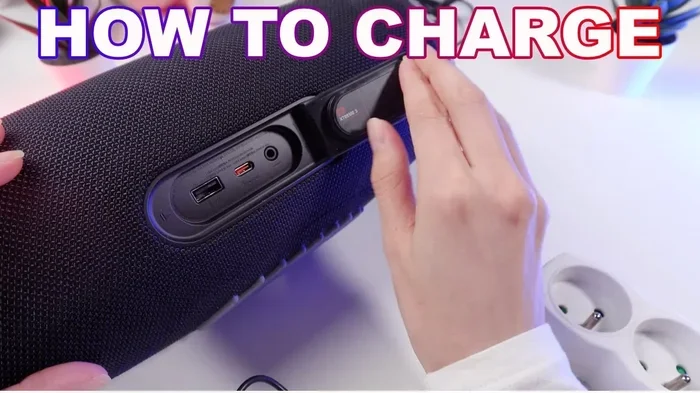
Protecting your speaker battery is easier than you might think. A few simple habits can dramatically extend the life of your device. Follow these practical steps to charge safely and avoid overcharging.
Use the Right Charger
Always use the charger that came with your speaker. If you lost it, replace it with one that matches the voltage and amperage specifications. Using a random charger from a drawer can deliver inconsistent power, which stresses the battery.
If you are looking for a reliable replacement, check the speaker manufacturer’s website. They often sell official chargers at reasonable prices.
Unplug When Fully Charged
The simplest habit is also the most effective. Unplug your speaker once it reaches 100%. Most speakers have an LED indicator that changes color or turns off when charging is complete. Make it a routine to check before you go to bed or leave the house.
If you struggle to remember, consider using a smart power strip with a timer. These devices cut power after a set duration, preventing extended charging sessions.
Avoid Charging in Extreme Temperatures
Heat is the enemy of lithium ion batteries. Do not charge your speaker in direct sunlight, near a heater, or in a hot car. Cold temperatures are less harmful but can slow charging speed.
Ideal charging temperatures range between 50°F and 85°F (10°C to 29°C). Keep your speaker in a cool, dry place while it charges.
Do Not Let the Battery Drain Completely
Lithium ion batteries do not like being fully drained. Try to recharge your speaker when it hits around 20% battery. This keeps the battery cells healthy and reduces stress. Letting it drop to 0% repeatedly can shorten its overall lifespan.
Use a Power Bank for On-The-Go Charging
If you are traveling or camping, a portable power bank is a great alternative to wall charging. Just make sure the power bank matches your speaker’s voltage requirements. A quality power bank with overcharge protection adds an extra layer of safety.
Common Charging Mistakes That Damage Ion Speaker Batteries
Even well-meaning users can make charging mistakes that slowly ruin their speaker battery. Here are the most common ones to avoid.
Leaving the Speaker Plugged In Overnight
This is the number one mistake. Yes, most modern speakers have protection circuits. But leaving a device at 100% charge for 8 to 10 hours puts unnecessary stress on the battery. Over weeks and months, this adds up and reduces battery health.
Using Fast Chargers Without Compatibility
Fast chargers deliver higher amperage to charge devices quickly. But not all speakers are designed to handle fast charging. Using an incompatible fast charger can overwhelm the battery and cause overheating or long-term damage.
Charging While Using the Speaker
Charging and playing music at the same time generates extra heat. The battery is both receiving and discharging energy simultaneously. This double stress can accelerate battery degradation over time.
Ignoring Firmware Updates
Some modern speakers receive firmware updates that improve battery management algorithms. These updates can optimize charging behavior and reduce the risk of overcharging. Keep your speaker’s firmware up to date through the manufacturer’s app if available.
Expert Tips to Extend Your Ion Speaker Battery Life
Want your speaker battery to last for years? Follow these expert-backed tips that go beyond basic charging habits.
Store at Partial Charge
If you are not going to use your speaker for a while, store it at around 50% battery. Full charge storage and full drain storage both stress lithium cells. A partial charge is the sweet spot for long-term storage.
Clean the Charging Port Regularly
Dust and debris in the USB port can cause poor charging connections. This leads to intermittent charging, which stresses the battery. Use a soft brush or compressed air to keep the port clean.
Avoid Deep Discharge Cycles
Try to keep your speaker battery between 20% and 80% for daily use. This range puts the least stress on lithium cells. It is okay to charge to 100% before a big event, but do not make a habit of it.
Replace the Battery When Needed
If your speaker battery has degraded significantly, consider a replacement. Many manufacturers sell replacement batteries for under $20. Replacing the battery is much cheaper than buying a brand new speaker.
How Long Should an Ion Speaker Battery Last
A well-maintained ion speaker battery should last between 2 and 5 years, depending on usage and charging habits. Most speaker batteries are rated for 300 to 500 full charge cycles. A charge cycle is when you drain the battery from 100% to 0% and charge it back to 100%.
However, if you follow the best practices in this guide, you can stretch that lifespan significantly. Proper charging habits make a real difference. Your speaker will stay reliable and keep the music playing longer.
If you are curious about other speaker-related topics, you might also enjoy learning about whether you can use Alexa as a Bluetooth speaker for your setup.
Conclusion
So, can you overcharge an ion speaker? Yes, technically you can. But with modern built-in protection circuits, the real risks are much lower than they used to be. That does not mean you should be careless. Overcharging over time can still degrade your battery, reduce its lifespan, and in rare cases, create safety hazards.
The best approach is simple: use the right charger, unplug when fully charged, avoid extreme temperatures, and watch for warning signs. These small habits will keep your ion speaker battery healthy and your music playing for years to come.
Your speaker is an investment. Treat the battery well, and it will treat you right. Happy listening!
Frequently Asked Questions
Can leaving an ion speaker on the charger damage the battery?
Leaving your speaker on the charger overnight occasionally is unlikely to cause immediate damage. Most modern speakers have protection circuits that stop charging at 100%. However, doing this regularly can lead to gradual battery degradation and reduced overall lifespan.
How long does it take to fully charge an ion speaker?
Most ion speakers take between 2 and 4 hours to charge fully, depending on the battery size and charger output. Check your speaker’s manual for the exact charging time. Using a higher-powered charger than recommended may damage the battery.
Is it safe to use a third-party charger with my ion speaker?
It is generally safe if the third-party charger matches the voltage and amperage specifications of your original charger. Cheap, uncertified chargers may deliver inconsistent power, which can harm your battery over time. Always look for chargers with safety certifications.
What should I do if my ion speaker battery starts swelling?
A swollen battery is a serious safety concern. Stop using the speaker immediately, unplug it, and store it in a cool, dry place away from flammable materials. Contact the manufacturer for guidance on proper disposal and potential warranty coverage.
Can I replace the battery in my ion speaker myself?
Some speakers have user-replaceable batteries, while others require professional repair. Check your speaker’s manual or the manufacturer’s website for battery replacement options. Replacement batteries are often affordable and easy to install if you are handy with small electronics.
Does turning off the speaker while charging help the battery?
Yes, turning off the speaker while charging is a good practice. It allows the battery to charge more efficiently and reduces heat buildup. Charging a powered-off speaker also prevents the extra stress of simultaneous charging and discharging.