Can You Go From Hdmi To Mini Hdmi Without Losing Quality
Yes, you can go from HDMI to Mini HDMI without losing quality, as long as you use the right adapter or cable. The digital signal stays intact when you use a passive adapter, meaning your picture and sound remain sharp. However, using a cheap or incompatible adapter can cause signal degradation, so choosing the right HDMI to Mini HDMI solution matters more than most people think.
Key Takeaways
- Passive adapters preserve quality: A simple passive HDMI to Mini HDMI adapter does not reduce signal quality because it does not convert the signal.
- Active adapters may help in some cases: If you need to boost or convert the signal, an active adapter can maintain or even improve picture quality over longer cable runs.
- Cable length matters: Longer cables can introduce signal loss, so keep your HDMI to Mini HDMI setup as short as possible for the best results.
- Check your device compatibility: Not all devices support Mini HDMI, so verify your port type before buying any adapter or cable.
- 4K and high-resolution support varies: Not every adapter handles 4K or high refresh rates, so check specs before purchasing.
- Budget adapters can cause problems: Cheap adapters may lead to flickering, no signal, or poor audio, so invest in a reputable brand.
📑 Table of Contents
- Can You Go From HDMI to Mini HDMI Without Losing Quality?
- How HDMI to Mini HDMI Adapters Work
- Does Signal Quality Drop When You Adapt?
- Types of Mini HDMI Connectors and Compatibility
- Practical Tips for the Best HDMI to Mini HDMI Setup
- Common Mistakes to Avoid
- When Do You Need an Active HDMI to Mini HDMI Adapter?
- Comparing Passive vs Active HDMI to Mini HDMI Adapters
- Devices That Commonly Use Mini HDMI
- How to Choose the Right HDMI to Mini HDMI Adapter
- Final Thoughts
Can You Go From HDMI to Mini HDMI Without Losing Quality?
The short answer is yes. You can go from HDMI to Mini HDMI without losing quality. But the full answer depends on a few things. The type of adapter you use matters. The cable length matters too. And the devices you are connecting play a role as well.
Many people assume that switching between connector types always means a loss in signal. That is not true for digital connections like HDMI to Mini HDMI. The signal is either there or it is not. A good passive adapter keeps the signal perfect. No quality drops. No compression. No fuzz.
In this guide, we will walk through everything you need to know. We will cover how these connections work. We will look at the different adapter types. And we will share tips to make sure your setup stays crystal clear.
What Is HDMI and What Is Mini HDMI?
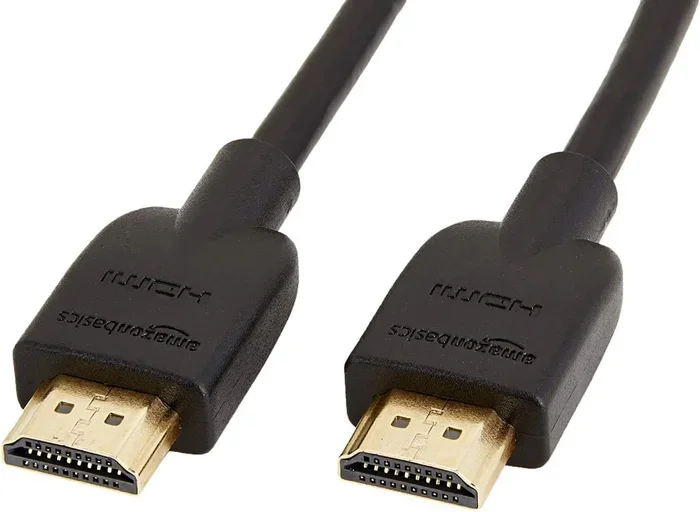
HDMI stands for High Definition Multimedia Interface. It is the standard digital connection for audio and video. You find HDMI ports on TVs, monitors, projectors, and gaming consoles. The full-size HDMI connector is the one most people know well.
Mini HDMI is a smaller version of the same connector. It carries the same digital signal but in a more compact form factor. You will find Mini HDMI on smaller devices like cameras, tablets, and some laptops. The HDMI to Mini HDMI adapter bridges the size gap between these two connector types.
The good news is that both connectors use the same digital protocol. This means the signal does not change when you adapt from one to the other. A full-size HDMI signal becomes a Mini HDMI signal without any conversion. That is why quality stays intact with a proper adapter.
How HDMI to Mini HDMI Adapters Work
An adapter is a simple device that changes the shape of a connector. It does not change the signal inside. Think of it like putting a different cap on a bottle. The drink inside stays the same. That is how a passive HDMI to Mini HDMI adapter works.
Passive Adapters
A passive adapter does not need power. It just reshapes the connector. You plug a full-size HDMI cable into one end. You plug a Mini HDMI cable into the other end. The signal passes right through. No quality loss. No lag. No compression.
Passive adapters are the best choice for most setups. They are cheap. They are reliable. And they keep your digital signal perfect. If you just need to connect a device with a Mini HDMI port to a TV or monitor with a full-size HDMI port, a passive adapter is all you need.
Active Adapters
Active adapters are different. They need power to work. They can boost or convert the signal. Some active adapters also convert Mini HDMI to full-size HDMI and vice versa. Others include signal amplifiers that help over long cable runs.
You might need an active adapter if you are running cables over 10 feet. Longer cables can weaken the digital signal. An active adapter strengthens the signal so you do not lose picture or sound quality. These adapters are more expensive but can be worth it for certain setups.
Does Signal Quality Drop When You Adapt?
This is the question most people really want answered. And the answer is reassuring. A quality HDMI to Mini HDMI adapter does not reduce your signal quality. The digital signal is binary. It is either perfect or it does not work at all.
There is no gradual degradation like with analog connections. You will not get a slightly fuzzier picture. You will not hear muffled audio. The signal either passes through perfectly or it fails completely. This is one of the biggest advantages of digital connections over older analog ones.
That said, a bad adapter can cause problems. A poorly made adapter might not make proper contact. This can lead to flickering, no signal, or intermittent audio drops. These are not quality loss issues. They are connection issues. And they go away when you use a good adapter.
Common Myths About HDMI Signal Loss
Let us clear up some common myths. Many people believe that adapters always reduce quality. This is not true for digital signals. Another myth is that expensive adapters sound or look better than cheap ones. For passive adapters, this is not true either. A $5 passive adapter works the same as a $50 one.
Some people also think that adapter brands matter for signal quality. For a simple passive adapter, they do not. The brand matters for build quality and durability, not for signal performance. Focus on solid construction and good reviews rather than brand names.
Types of Mini HDMI Connectors and Compatibility
Not all Mini HDMI ports are the same. There are a few variations you should know about. Understanding these helps you pick the right HDMI to Mini HDMI adapter for your setup.
Type A Mini HDMI
This is the standard Mini HDMI connector. It is the smaller version of the full-size Type A HDMI. You find it on many digital cameras, some tablets, and certain laptops. Most HDMI to Mini HDMI adapters use this connector type.
Type C Mini HDMI
Type C is even smaller than Type A Mini HDMI. It is used on some compact cameras and portable devices. Make sure you know which type your device uses before buying an adapter. The wrong type will not fit, and that is a problem no adapter can fix.
Micro HDMI
Micro HDMI is another size entirely. It is smaller than Mini HDMI and used on very compact devices. Do not confuse Micro HDMI with Mini HDMI. They are different connectors. You need a different adapter for each. Mixing them up is a common mistake that leads to frustration.
Practical Tips for the Best HDMI to Mini HDMI Setup
Setting up your HDMI to Mini HDMI connection is easy. But a few tips can make the experience much better. Here is what to keep in mind.
- Use a short cable. Shorter cables mean stronger signals. Keep your setup as compact as possible.
- Check your device specs. Make sure both your source device and display support the same resolution and features.
- Buy a well-reviewed adapter. Read customer reviews before purchasing. Look for adapters with solid build quality and good ratings.
- Avoid bending cables sharply. Sharp bends can damage the internal wiring and cause signal issues.
- Test your setup before installing. Plug everything in and check for a clear picture and sound before mounting or hiding cables.
These simple steps help you avoid common problems. They also ensure your HDMI to Mini HDMI connection delivers the best possible quality every time.
Quick Tips for Better Picture Quality
- Use certified cables and adapters from reputable brands.
- Keep your cables away from power cords to avoid interference.
- Update your device firmware to support the latest HDMI features.
- Use a cable with a higher bandwidth rating for 4K or high refresh rate content.
- Store your cables properly to prevent internal damage over time.
Common Mistakes to Avoid
Even with a simple setup like HDMI to Mini HDMI, mistakes can happen. Here are the most common ones and how to avoid them.
- Buying the wrong adapter type. Mini HDMI and Micro HDMI are not interchangeable. Double-check your device port before purchasing.
- Using a long, cheap cable. Long cables with poor shielding can cause signal dropouts. Stick to shorter, well-built cables.
- Ignoring adapter power requirements. Some active adapters need external power. Forgetting this can lead to no signal or flickering.
- Assuming all adapters support 4K. Not every adapter handles high resolutions. Check the specs if you need 4K or HDR support.
- Forcing a connector that does not fit. If it does not go in easily, stop and check the type. Forcing it can damage both the adapter and your device port.
Avoiding these mistakes saves time, money, and frustration. A little care goes a long way when setting up your HDMI to Mini HDMI connection.
When Do You Need an Active HDMI to Mini HDMI Adapter?
Most setups work fine with a passive adapter. But there are times when an active adapter makes more sense. Understanding when to use each type helps you make the right choice.
Long Cable Runs
If your cable needs to travel more than 10 feet, consider an active adapter. The signal can weaken over longer distances. An active adapter with a built-in amplifier keeps the signal strong. This is especially important for 4K content and high refresh rates.
Signal Conversion
Some setups require signal conversion. For example, you might need to connect a device with Mini HDMI output to a display with only full-size HDMI input. In these cases, a simple passive adapter works. But if you need to convert between different signal types, an active adapter with conversion capabilities is necessary.
Professional and Presentation Setups
If you are using your HDMI to Mini HDMI setup for presentations or professional work, reliability is key. Active adapters offer more stable connections in these scenarios. They also often include features like EDID management, which ensures your display and source device communicate properly.
Comparing Passive vs Active HDMI to Mini HDMI Adapters
| Feature | Passive Adapter | Active Adapter |
|---|---|---|
| Needs Power | No | Yes |
| Signal Quality | Perfect (no loss) | Perfect (with boost) |
| Price Range | $3 – $15 | $15 – $50 |
| Best For | Short cable runs | Long cable runs or conversion |
| Build Complexity | Simple | More complex |
| Reliability | Very high | High (depends on power) |
For most home users, a passive adapter is all you need. It is simple, affordable, and reliable. Active adapters are great for specific situations where you need extra signal support or conversion features.
Devices That Commonly Use Mini HDMI
Mini HDMI is found on a range of popular devices. Knowing which devices use it helps you understand when you might need a HDMI to Mini HDMI adapter.
- Digital cameras: Many Canon and other brand cameras use Mini HDMI for video output. This lets you view footage on a larger screen.
- Tablets: Some tablets include a Mini HDMI port for connecting to external displays.
- Laptops: Certain ultraportable laptops use Mini HDMI instead of full-size HDMI to save space.
- Gaming handhelds: Portable gaming devices sometimes include Mini HDMI for TV output.
- Action cameras: Some action cameras use Mini HDMI for playback and review on larger screens.
Many of these devices are part of a larger gadget ecosystem. If you are looking for helpful tech accessories, check out our guide on 10 Gadgets To Make Moms Life Easier for ideas that complement your setup.
How to Choose the Right HDMI to Mini HDMI Adapter
Choosing the right adapter does not have to be complicated. Focus on a few key factors and you will find the perfect fit for your needs.
Check Your Device Port Type
First, confirm whether your device uses Mini HDMI or Micro HDMI. These are different connectors. The wrong adapter will not work. Look at your device manual or check the port shape carefully.
Consider Your Resolution Needs
If you plan to use 4K resolution or HDR, make sure your adapter supports these features. Not all adapters handle high-bandwidth signals. Check the product specifications before buying.
Think About Cable Length
Longer cable setups benefit from active adapters. If your device is far from your display, invest in an active solution to maintain signal strength. For short distances, a passive adapter works perfectly.
Read Reviews
Customer reviews tell you a lot about real-world performance. Look for adapters with consistently positive feedback. Pay attention to comments about signal reliability and build quality.
Final Thoughts
Going from HDMI to Mini HDMI without losing quality is absolutely possible. The key is using the right adapter for your setup. A quality passive adapter keeps your digital signal perfect every time. Active adapters add extra support for longer runs and more demanding setups.
Remember that digital signals do not degrade gradually. They are either perfect or they do not work. This makes HDMI to Mini HDMI connections very reliable when you use the right equipment. Avoid cheap, unverified adapters and stick with reputable brands.
Whether you are connecting a camera to a TV, a tablet to a monitor, or a laptop to a projector, the right adapter makes all the difference. Take your time, check your device compatibility, and enjoy a clean, high-quality connection every time.
For iPhone users looking to manage their device connections better, our guide on Adding Prefixes To Numbers On Iphone offers helpful tips for organizing your contacts and settings.
Frequently Asked Questions
Can I use any HDMI to Mini HDMI adapter without quality loss?
Yes, a quality passive adapter will not cause any quality loss. The digital signal passes through unchanged. The key is to buy a well-made adapter from a reputable brand. Cheap, poorly made adapters can cause connection issues, but they do not reduce signal quality on their own.
Does a longer HDMI to Mini HDMI cable affect picture quality?
Longer cables can weaken the signal over distance, especially for high-resolution content like 4K. For runs under 10 feet, a standard cable works great. For longer distances, consider an active adapter or a higher-quality cable with better shielding to maintain strong signal quality.
What is the difference between Mini HDMI and Micro HDMI?
Mini HDMI is larger than Micro HDMI. They are different connector types used on different devices. Mini HDMI is common on cameras, tablets, and some laptops. Micro HDMI is found on very compact devices like some smartphones and small action cameras. Always check which type your device uses before buying an adapter.
Do I need an active or passive HDMI to Mini HDMI adapter?
Most users need a passive adapter. It is simple, affordable, and does not require power. You only need an active adapter for longer cable runs or when you need signal conversion features. For standard short-distance connections, a passive adapter is the best choice.
Can I get 4K resolution through an HDMI to Mini HDMI adapter?
Yes, but only if both the adapter and the cable support 4K bandwidth. Check the product specifications to confirm 4K and HDR support. Not all adapters handle high-resolution signals, so always verify compatibility before purchasing if you need 4K or high refresh rate output.
Why does my HDMI to Mini HDMI connection flicker or show no signal?
Flickering or no signal usually means a poor connection, not a quality issue. Try reseating the adapter and cables. Check that the adapter type matches your device port. Clean the connector pins if they have dust or debris. If the problem persists, the adapter may be faulty and needs replacement.
=== CONCLUSION ===
The answer to whether you can go from HDMI to Mini HDMI without losing quality is a clear yes. With the right adapter and a good cable, your digital signal stays perfect. No quality loss. No compression. No degradation. A passive adapter handles most setups beautifully, while active adapters add support for longer cable runs and more demanding use cases.
Focus on compatibility, build quality, and proper setup. Avoid the common mistakes we covered. And remember that digital connections are reliable by design. Your picture and sound will stay sharp as long as you use the right equipment. Invest in a good HDMI to Mini HDMI adapter, and enjoy a seamless, high-quality connection every single time.