Can HDMI 21 Do 1440p 240Hz And What You Need To Know
Yes, HDMI 2.1 can absolutely deliver 1440p at 240Hz. This next-generation connection offers 48Gbps of bandwidth, which is more than enough to handle high resolution and refresh rate combos. You need a compatible graphics card, the right Ultra High Speed HDMI cable, and a 1440p 240Hz monitor to make it work. In this guide, we break down everything you need to know about HDMI 2.1 1440p 240Hz support, from setup tips to common pitfalls.
Key Takeaways
- HDMI 2.1 fully supports 1440p 240Hz: The 48Gbps bandwidth is more than enough for this resolution and refresh rate combo.
- You need an Ultra High Speed HDMI cable: Older cables cannot handle the data rates required for 1440p 240Hz.
- A powerful graphics card is essential: Your GPU must be capable of pushing 240 frames per second at 1440p.
- Not all monitors with HDMI 2.1 ports are equal: Check the exact specs before buying a display.
- DisplayPort 2.1 is a strong alternative: It offers similar or better performance for PC gaming setups.
- Cable length matters: Longer HDMI 2.1 cables may cause signal issues at high bandwidths.
- VRR and ALLM features enhance the experience: Variable refresh rate and auto low latency mode make gaming smoother.
📑 Table of Contents
- Can HDMI 2.1 Do 1440p 240Hz? The Short Answer
- What Is HDMI 2.1 and Why Does It Matter?
- How HDMI 2.1 Handles 1440p 240Hz
- What You Need to Run 1440p 240Hz Over HDMI 2.1
- Common Issues When Using HDMI 2.1 for 1440p 240Hz
- Is HDMI 2.1 Worth It for Gaming?
- Quick Tips for Getting the Best 1440p 240Hz Experience
- Common Mistakes to Avoid
- Final Verdict
Can HDMI 2.1 Do 1440p 240Hz? The Short Answer
The short answer is yes. HDMI 2.1 can absolutely handle 1440p at 240Hz. This is one of the standout features of the HDMI 2.1 specification. The connection was designed with next-generation gaming and display technology in mind. It provides enough bandwidth to push high resolutions at blazing fast refresh rates.
But having the right cable is only part of the equation. You also need a compatible graphics card and a monitor that supports the full HDMI 2.1 feature set. In this article, we walk through every detail you need to know. Whether you are building a new gaming PC or upgrading your current setup, this guide covers it all.
What Is HDMI 2.1 and Why Does It Matter?
HDMI 2.1 is the latest version of the High Definition Multimedia Interface standard. It was released by the HDMI Forum in 2017. This new standard brought massive improvements over its predecessor, HDMI 2.0. The biggest upgrade is the raw bandwidth available through the connection.
HDMI 2.0 maxed out at 18Gbps. HDMI 2.1 jumps to 48Gbps. That is a huge leap. More bandwidth means you can push higher resolutions and faster refresh rates without compression artifacts.
Key Features of HDMI 2.1
HDMI 2.1 is not just about speed. It introduces several features that improve the overall viewing and gaming experience. Here are the most important ones:
- 48Gbps bandwidth: This is the foundation of everything HDMI 2.1 offers. It allows uncompressed video and audio transmission.
- Variable Refresh Rate (VRR): This reduces screen tearing and stuttering during gaming. It syncs the monitor refresh rate with the GPU output.
- Auto Low Latency Mode (ALLM): This automatically switches the display to low latency mode for gaming. It reduces input lag significantly.
- Quick Frame Transport (QFT): This reduces the time it takes for a frame to travel from the source to the display.
- Dynamic HDR: This supports HDR content frame by frame, delivering better contrast and color in every scene.
- Enhanced Audio Return Channel (eARC): This allows high quality audio formats like Dolby Atmos to pass through to your sound system.
All of these features work together to create a smoother, more immersive experience. For gamers, VRR and ALLM are game changers. For movie lovers, dynamic HDR and eARC make a real difference.
How HDMI 2.1 Handles 1440p 240Hz
Now let us get into the numbers. Understanding how HDMI 2.1 handles 1440p 240Hz requires a basic look at the bandwidth requirements. Do not worry. We keep the math simple here.
Understanding the Bandwidth Requirements
To run 1440p at 240Hz, your connection needs to handle a specific amount of data per second. Here is a quick breakdown:
- 1440p resolution: This means 2560 x 1440 pixels on screen. That is about 3.68 million pixels per frame.
- 240Hz refresh rate: This means the display updates 240 times per second. That is 240 frames every single second.
- Total data needed: At 24 bits per pixel (standard RGB), 1440p 240Hz requires roughly 21.2 Gbps of bandwidth.
HDMI 2.1 provides 48Gbps of total bandwidth. That is more than double what 1440p 240Hz needs. There is plenty of headroom. This is why HDMI 2.1 handles this resolution and refresh rate so comfortably.
HDMI 2.1 vs HDMI 2.0 for High Refresh Rates
So what happens if you try 1440p 240Hz over HDMI 2.0? The short answer is it will not work reliably. HDMI 2.0 only has 18Gbps of bandwidth. That is not enough for uncompressed 1440p at 240Hz.
You might be able to use HDMI 2.0 at 1440p 240Hz if you enable Display Stream Compression (DSC). DSC compresses the video signal on the fly. It decompresses it on the display side. This works, but it adds a small processing overhead. Some users report minor issues with compatibility.
Without compression, HDMI 2.0 can handle 1440p at up to about 165Hz or 144Hz comfortably. But 240Hz is where it falls short. This is why HDMI 2.1 is the standard for high refresh rate gaming today.
| Feature | HDMI 2.0 | HDMI 2.1 |
|---|---|---|
| Maximum Bandwidth | 18 Gbps | 48 Gbps |
| Max 1440p Refresh Rate (Uncompressed) | ~144-165Hz | 240Hz+ |
| VRR Support | No (some brands added it) | Yes (official) |
| ALLM Support | No | Yes |
| DSC Support | No | Yes |
| Max Cable Length (Reliable) | Up to 15 feet | Up to 10 feet (ultra high speed) |
What You Need to Run 1440p 240Hz Over HDMI 2.1
Having an HDMI 2.1 connection is not enough on its own. You need the right combination of hardware to actually achieve 1440p 240Hz. Here is everything you need.
A Compatible Graphics Card
Your GPU needs to be powerful enough to render games at 1440p and push 240 frames per second. This is demanding. Not every graphics card can do it. Here are some options:
- NVIDIA GeForce RTX 4080 / RTX 4090: These cards can hit 240fps at 1440p in many esports titles.
- NVIDIA GeForce RTX 4070 Ti Super: This is a solid mid-range option for high refresh rate gaming.
- AMD Radeon RX 7900 XTX: AMD’s flagship competes closely with NVIDIA’s offerings for this use case.
- AMD Radeon RX 7800 XT: A strong value option that can deliver high frame rates at 1440p.
Keep in mind that achieving 240fps depends heavily on the game. Esports titles like Valorant and Counter-Strike 2 are much easier to push to high frame rates than demanding AAA games like Cyberpunk 2077.
The Right HDMI Cable
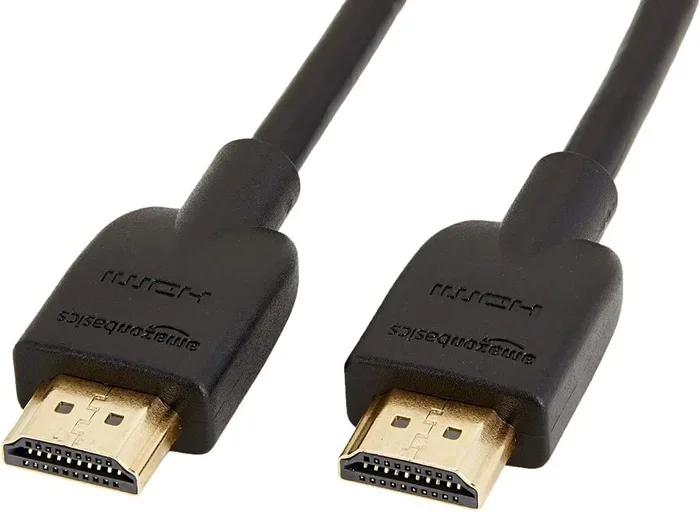
This is critical. You cannot use just any HDMI cable for 1440p 240Hz. You need a certified Ultra High Speed HDMI cable. These cables are officially rated for 48Gbps bandwidth.
Here is what to look for:
- Ultra High Speed HDMI certification: Look for the official HDMI Ultra High Speed logo on the cable packaging.
- Cable length: Shorter cables perform better. Keep it under 10 feet for the most reliable connection.
- Cable quality: Cheap, unverified cables may not deliver the full 48Gbps bandwidth reliably.
A quick tip. Do not use HDMI 2.0 cables (often called High Speed cables) for HDMI 2.1 setups. They simply do not have the bandwidth. You will get no signal or a degraded signal at 1440p 240Hz.
A 1440p 240Hz Monitor with HDMI 2.1
Your monitor must support both 1440p resolution and 240Hz refresh rate over HDMI 2.1. Not all monitors that list HDMI 2.1 support the full refresh rate. Always check the exact specs. Look for:
- Native 1440p 240Hz panel: The monitor should physically support this refresh rate.
- HDMI 2.1 ports: At least one full HDMI 2.1 port with 48Gbps bandwidth.
- VRR support over HDMI: Not all monitors support VRR through HDMI. Check the manual.
Popular monitors that check all these boxes include models from brands like ASUS, LG, Samsung, and Dell. Always verify the specifications before purchasing.
Common Issues When Using HDMI 2.1 for 1440p 240Hz
Even with the right gear, you might run into issues. Here are the most common problems and how to fix them.
Signal Dropouts and Artifacts
If you see flickering, sparkles, or random signal drops, your cable might be the culprit. Long HDMI 2.1 cables are more prone to signal degradation. Try a shorter cable first. If that does not work, invest in a higher quality certified cable.
Another cause can be a dirty HDMI port. Dust or debris in the port can cause intermittent connection issues. Gently clean the port with compressed air before plugging in the cable.
Monitor Not Detecting 240Hz
Sometimes your monitor shows a lower refresh rate than expected. This is usually a settings issue. Here is what to do:
- Go to your Windows Display Settings or macOS Display Settings.
- Find the refresh rate option for your monitor.
- Select 240Hz manually.
- If 240Hz is not listed, update your GPU drivers and check your HDMI cable again.
Some monitors require you to enable HDMI 2.1 features in the on-screen display menu. Check your monitor’s manual for specific instructions.
GPU Cannot Push 240fps
This is the most common bottleneck. If your graphics card is not powerful enough, you will not see 240fps in games. Use a frame rate limiter or VRR to match your GPU output to your monitor’s capabilities. This prevents screen tearing and gives you the smoothest possible experience at whatever frame rate your GPU can deliver.
Is HDMI 2.1 Worth It for Gaming?
This is a fair question. HDMI 2.1 monitors and cables cost more than their HDMI 2.0 counterparts. Is the upgrade worth it for 1440p 240Hz gaming?
For competitive esports gamers, absolutely. The difference between 144Hz and 240Hz is noticeable. Smoother motion, reduced input lag, and better tracking give you a real edge in fast-paced games.
For casual gamers, HDMI 2.1 at 1440p 240Hz is a luxury. You can still enjoy great gaming at 144Hz or 165Hz over HDMI 2.0. The jump to 240Hz is nice but not essential for everyone.
HDMI 2.1 vs DisplayPort 2.1 for Gaming
DisplayPort 2.1 is another option to consider. It also supports high bandwidth and 1440p 240Hz easily. Here is a quick comparison:
- DisplayPort 2.1: Offers up to 80Gbps bandwidth. Great for multi-monitor setups and ultrawide displays.
- HDMI 2.1: Better for connecting to TVs, consoles, and home theater systems.
- Both support VRR: Both standards support variable refresh rate technology.
- Both support 1440p 240Hz: Either connection can handle this resolution and refresh rate without issues.
If you are building a dedicated gaming PC, DisplayPort 2.1 is often the preferred choice. If you want one cable for both your PC and your console, HDMI 2.1 is the more versatile option.
Quick Tips for Getting the Best 1440p 240Hz Experience
Here are some practical tips to make sure you get the most out of your HDMI 2.1 setup:
- Keep your GPU drivers updated: New drivers often improve performance and fix compatibility issues.
- Enable VRR in both your GPU and monitor settings: This ensures smooth frame delivery.
- Use a cable under 10 feet: Shorter cables maintain signal integrity better at high bandwidths.
- Check your monitor’s overdrive settings: Proper overdrive settings reduce ghosting at high refresh rates.
- Turn on ALLM for gaming: This reduces input lag automatically when you start a game.
- Use a clean HDMI port: Dust and debris can cause connection problems over time.
Common Mistakes to Avoid
Avoid these common pitfalls when setting up your HDMI 2.1 1440p 240Hz system:
- Using a non-certified cable: Non-certified cables may not support 48Gbps. You will not get the full experience.
- Assuming all HDMI 2.1 ports are the same: Some monitors only have partial HDMI 2.1 support. Always check the refresh rate at each port.
- Ignoring GPU limitations: A great monitor does not help if your graphics card cannot push enough frames.
- Overlooking monitor settings: Many features like VRR need to be manually enabled in the monitor’s OSD menu.
- Using long cables without checking signal quality: Cables over 10 feet may need active amplification for reliable 48Gbps performance.
Final Verdict
To answer the question directly: yes, HDMI 2.1 can do 1440p 240Hz with ease. The 48Gbps bandwidth provides more than enough headroom for this resolution and refresh rate combination. You just need the right combination of a compatible GPU, an Ultra High Speed HDMI cable, and a 1440p 240Hz monitor with full HDMI 2.1 support.
This connection standard has become the go-to choice for serious gamers and content creators. Whether you are playing competitive esports or enjoying the latest AAA titles, HDMI 2.1 delivers the performance you need. Make sure you have all the right pieces in place, and you will be enjoying buttery smooth 1440p 240Hz gaming in no time.
The future of display connectivity is here, and HDMI 2.1 is leading the way. Upgrade your setup today and experience the difference that high bandwidth and high refresh rate can make.
Frequently Asked Questions
Do I need a special cable for HDMI 2.1 1440p 240Hz?
Yes, you need an Ultra High Speed HDMI cable. These cables are certified to handle 48Gbps bandwidth. Regular HDMI cables will not work reliably at 1440p 240Hz. Look for the official Ultra High Speed HDMI logo on the packaging.
Can I use HDMI 2.0 for 1440p 240Hz?
Not reliably. HDMI 2.0 has 18Gbps bandwidth, which is not enough for uncompressed 1440p 240Hz. You might get it working with Display Stream Compression, but this is not recommended for a stable setup. HDMI 2.1 is the right choice for this resolution and refresh rate.
What graphics card do I need for 1440p 240Hz gaming?
You need a powerful GPU like the NVIDIA RTX 4070 Ti Super or better. In esports titles, an RTX 4070 or RX 7800 XT can also push high frame rates. For demanding AAA games at 240fps, you will need a flagship-level card like the RTX 4090 or RX 7900 XTX.
Is 240Hz worth it at 1440p?
For competitive gamers, yes. The difference between 144Hz and 240Hz is very noticeable in fast-paced games. For casual gamers, 144Hz or 165Hz is already very smooth. 240Hz is a premium feature that makes a real difference in reaction time and motion clarity.
Does cable length affect HDMI 2.1 performance?
Yes, it does. Longer HDMI 2.1 cables are more prone to signal degradation at 48Gbps. Keep your cable under 10 feet for the best results. If you need a longer run, look for active HDMI 2.1 cables with built-in signal amplification.
Can I use HDMI 2.1 with a PS5 or Xbox Series X for 1440p 240Hz?
The PS5 and Xbox Series X support HDMI 2.1, but they do not currently output 1440p at 240Hz. The PS5 targets 1440p at 120Hz and 4K at 60Hz. The Xbox Series X supports 1440p at 120Hz as well. True 1440p 240Hz is primarily a PC gaming feature at this time.
=== CONCLUSION ===
HDMI 2.1 is fully capable of delivering 1440p at 240Hz, and it does so with room to spare. The 48Gbps bandwidth makes this connection standard ideal for high refresh rate gaming. As long as you have a compatible graphics card, an Ultra High Speed HDMI cable, and a monitor that supports the full HDMI 2.1 feature set, you are all set.
Remember to avoid common mistakes like using the wrong cable or overlooking monitor settings. Keep your drivers updated and take advantage of features like VRR and ALLM for the best experience. Whether you are a competitive gamer chasing every advantage or a casual player who wants the smoothest visuals possible, HDMI 2.1 at 1440p 240Hz is a fantastic choice that delivers real results.