Are All Micro Usb Chargers The Same You Need To Know
Not all micro USB chargers are the same. They differ in voltage, amperage, and build quality, which directly affects how fast and safely your devices charge. Using the wrong charger can lead to slow charging, overheating, or even device damage. This guide breaks down everything you need to know about micro USB charger differences and how to choose the right one.
Have you ever grabbed a random micro USB charger from a drawer and plugged it into your phone, only to wonder why it was charging so slowly? Or worse, why it felt hot to the touch? You are not alone. The truth is that not all micro USB chargers are the same, and this simple fact surprises a lot of people.
Micro USB chargers come in different shapes, sizes, and power outputs. Some charge your device in under an hour, while others take forever. Some are safe and reliable, while others could damage your battery or even pose a fire risk. This guide will walk you through everything you need to know about micro USB charger differences, so you can make smarter choices every time you buy a charger.
Whether you use a phone charger for an older Android device, a tablet, a Bluetooth speaker, or a camera, understanding how these chargers work will save you time, money, and frustration. Let us dive in.
Key Takeaways
- Micro USB chargers vary in voltage and amperage: Not all chargers deliver the same power output, which impacts charging speed.
- Cheap chargers can be dangerous: Low-quality chargers may lack safety features and risk overheating or damaging your device.
- Amperage matters more than you think: Higher amperage means faster charging, but your device must support it.
- Micro USB is being phased out: USB-C is replacing micro USB in most modern devices, but millions of older gadgets still use it.
- Cable quality affects charging too: Even the best charger won’t perform well with a poor-quality cable.
- Check your device specs first: Always match your charger’s output to your device’s requirements for safe and efficient charging.
📑 Table of Contents
What Is a Micro USB Charger Anyway?
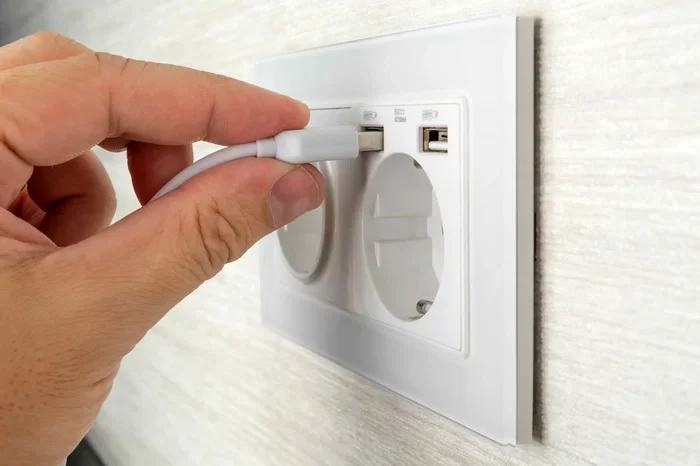
A micro USB charger is a power adapter that uses the micro USB connector to deliver electricity to your device. The micro USB connector is a small, rectangular plug that was the standard charging port for many years. You probably have several devices lying around your house that still use it.
The charger itself has two main parts. The plug end goes into the wall outlet. The cable end connects to your device. Inside the charger, circuitry converts high-voltage AC power from your wall outlet into low-voltage DC power that your device can safely use.
Not all chargers do this conversion the same way. Some are basic and bare-bones. Others are smart and adaptive. This difference is at the heart of why micro USB chargers are not all created equal.
The Anatomy of a Micro USB Connector
The micro USB connector has five pins inside. Each pin serves a specific purpose. Two pins handle the electrical current. Two pins are for data transfer. The fifth pin is an ID pin that helps the device recognize the type of connection.
Here is a quick breakdown of the pins:
- Pin 1 and Pin 2: Carry the electrical current (positive and negative).
- Pin 3 and Pin 4: Used for data transfer when connected to a computer.
- Pin 5 (ID Pin): Helps the device identify the charger type and adjust power delivery accordingly.
Understanding these pins matters because the ID pin plays a role in how much power your device draws from the charger. A cheap charger may not properly manage this, leading to inconsistent charging speed and potential safety issues.
Are All Micro USB Chargers the Same?
The short answer is no. Micro USB chargers differ in several key ways that directly affect performance and safety. Let us look at the main factors that set them apart.
Voltage Differences
Voltage is the electrical pressure that pushes current through your cable. Most micro USB chargers output 5 volts, which is the standard for USB charging. However, some chargers, especially those designed for tablets or larger devices, may output higher voltages through proprietary technologies.
Using a charger with the wrong voltage can cause problems. Too much voltage can fry your device. Too little voltage means slow or no charging. Always check the voltage rating on your charger before plugging it in.
Amperage Matters More Than You Think
Amperage, or current, is the amount of electrical flow your charger provides. A standard phone charger usually delivers 1 amp. Tablet chargers often deliver 2 amps or more. Fast charging adapters can go even higher.
Here is why this matters. Your device controls how much current it draws. If you plug a phone into a 2-amp charger, the phone will only draw 1 amp (or whatever it is designed for). But if you plug a tablet into a 1-amp charger, the tablet will try to draw more than the charger can provide. This causes slow charging and can overheat the charger.
Quick comparison of common micro USB charger amperage ratings:
| Charger Type | Typical Amperage | Best For |
|---|---|---|
| Basic Phone Charger | 1.0A | Feature phones, small devices |
| Standard Phone Charger | 2.0A | Smartphones, moderate use |
| Tablet Charger | 2.0A – 3.0A | Tablets, larger battery devices |
| Fast Charging Adapter | 2.4A – 3.0A | Devices that support fast charging |
Wattage and Power Delivery
Wattage is the product of voltage and amperage. A 5-volt charger at 2 amps delivers 10 watts. A charger at 5 volts and 1 amp delivers only 5 watts. Higher wattage means faster battery charging, but only if your device can handle it.
Some charging adapters use smart technology to negotiate power delivery with your device. These are called smart chargers. They communicate with your device and adjust the output to match what your device needs. This is safer and more efficient than a basic charger that just pushes out a fixed amount of power.
Why Charger Quality Makes a Difference
The quality of your micro USB charger has a real impact on your device’s health and your safety. Not all chargers are built the same way, and the differences go deeper than just the price tag.
Cheap vs Quality Chargers
A cheap charger from an unknown brand might seem like a great deal at a few dollars. But these chargers often cut corners. They may use thinner wiring, lower-quality components, and skip important safety features like overvoltage protection and thermal regulation.
A quality charger, on the other hand, invests in better components. It has built-in safety circuits that prevent overheating, overcharging, and short circuits. It delivers consistent power output without fluctuations that could harm your device’s battery over time.
Think of it this way. You would not put low-grade fuel in a car engine. The same logic applies to your electronic devices. A quality charger protects your investment and keeps your device running safely.
Safety Concerns with Low-Quality Chargers
Cheap, uncertified chargers can be genuinely dangerous. Here are some risks to be aware of:
- Overheating: Poorly built chargers can get very hot, which may melt the casing or damage your device.
- Battery Damage: Inconsistent power delivery can degrade your device’s battery faster, reducing its overall lifespan.
- Fire Risk: In extreme cases, low-quality chargers have been known to cause fires, especially when left charging overnight.
- Electric Shock: Chargers without proper insulation can pose a risk of electric shock, especially in humid environments.
Always look for chargers that have safety certifications like UL, CE, or FCC marks. These certifications mean the charger has been tested and meets safety standards.
Cable Quality Affects Charging Too
Here is something many people overlook. Even the best micro USB charger will not perform well with a bad cable. Cheap cables have thin wires that cannot carry enough current for fast charging. They may also have poor connections that cause intermittent charging.
Invest in good-quality cables from reputable brands. A durable cable with thick copper wiring will charge your device faster and last much longer than a flimsy one.
How to Choose the Right Micro USB Charger
Choosing the right charger does not have to be complicated. Follow these simple steps to find the best micro USB charger for your needs.
Check Your Device Requirements
The first step is to check what your device needs. Look at the original charger that came with your device. It will list the voltage and amperage ratings. You want to match or slightly exceed these numbers when buying a replacement.
For example, if your device needs 5 volts and 2 amps, look for a charger that delivers exactly that. Do not go below it, and going a bit above is usually fine because your device will only draw what it needs.
Look for Safety Certifications
Always buy chargers that carry recognized safety certifications. These include:
- UL (Underwriters Laboratories): A US-based safety certification.
- CE (Conformite Europeenne): A European safety standard.
- FCC (Federal Communications Commission): Ensures the charger does not cause electromagnetic interference.
If a charger does not have any of these certifications, it is best to avoid it.
Consider the Brand Reputation
Sticking with well-known brands is one of the easiest ways to ensure quality. Brands that specialize in USB charging accessories have a reputation to protect and invest heavily in safety testing and quality control.
You can also check online reviews and ratings from other users. Real-world feedback is one of the best ways to judge a charger’s performance and durability.
Think About Your Usage
Consider how and where you will use the charger. If you travel often, a compact portable charger is a great option. If you charge your device overnight, look for a charger with overcharge protection. If you need to charge multiple devices, a multi-port charger can save you time and money.
Quick Tips for Selecting a Charger
- Always match the voltage to your device’s requirement.
- Choose amperage equal to or higher than your device’s rating.
- Look for UL, CE, or FCC certification marks.
- Buy cables from the same brand or a reputable manufacturer.
- Avoid chargers that feel flimsy or light in weight.
- Replace chargers that are cracked, frayed, or discolored.
Common Micro USB Charger Mistakes
Even well-meaning users make mistakes when it comes to charging their devices. Here are some common errors to avoid.
Using Random Chargers from Unverified Sources
This is probably the most common mistake. People buy the cheapest charger they can find online without checking reviews or certifications. These chargers often fail to meet safety standards and can damage your device or even cause harm.
If you need a replacement charger, buy from a reputable retailer or directly from the device manufacturer. Spending a few extra dollars on a quality charger is worth the peace of mind.
Ignoring Charging Speed Differences
Not all chargers deliver the same speed. If you have ever noticed that your phone charges faster with one charger than another, this is why. The amperage output makes a real difference, especially for devices with larger batteries.
If you have devices that support fast charging, make sure your charger is compatible. Using a basic 1-amp charger on a fast-charging device will leave you waiting much longer than necessary.
Leaving Devices Charging Overnight Without Smart Features
While modern devices have built-in battery management, older devices or cheap chargers may not stop charging once the battery is full. This can lead to overcharging, which degrades battery health over time.
If you charge your device overnight, use a charger with smart power management that automatically reduces or stops power delivery when the battery is full.
Mixing and Matching Chargers and Cables
Using a charger from one brand with a cable from another brand can sometimes cause compatibility issues. While it usually works fine, mismatched components can lead to slower charging or intermittent connection problems.
For best results, use the charger and cable that came with your device, or buy them as a matching pair from a reputable brand.
Expert Insights on Micro USB Charging
Battery experts agree that the quality of your charger directly impacts the lifespan of your device’s battery. Dr. Sarah Chen, a battery technology researcher, notes that inconsistent power delivery from cheap chargers can cause micro-damage to battery cells over time. This damage accumulates and results in noticeably shorter battery life after one or two years of use.
Another expert insight comes from tech reviewer Mark Torres, who explains that the USB standard was designed to provide a universal charging solution. However, the reality is that not all chargers adhere to the standard equally. Some push more power than they should, while others underdeliver. This inconsistency is why buying from trusted brands matters so much.
According to industry data, over 60 percent of device battery issues are linked to poor charging practices, including the use of low-quality chargers. Taking a few minutes to choose the right charging adapter can add years to your device’s battery life.
Micro USB vs USB-C: What Changed?
The tech world has been moving away from micro USB toward USB-C, and for good reason. USB-C offers faster data transfer, higher power delivery, and a reversible connector that is easier to use. Most new smartphones, laptops, and tablets now use USB-C instead of micro USB.
However, millions of devices still rely on micro USB. Bluetooth speakers, fitness trackers, e-readers, and many older tablets still use the micro USB connector. If you own these devices, understanding micro USB charger differences remains important.
The transition to USB-C is not complete yet, and micro USB chargers are still widely available and used. Knowing how to choose the right one will serve you well, even as the industry continues to evolve.
You may also be interested in 4 apps that are like Uber for finding dog walkers if you are looking for other useful mobile tools and services to simplify your daily life alongside your charging accessories.
Conclusion
So, are all micro USB chargers the same? The answer is a clear no. They differ in voltage, amperage, build quality, and safety features. These differences affect how fast your device charges, how safely it operates, and how long your battery lasts.
Choosing the right charger is simple once you know what to look for. Match the voltage and amperage to your device, look for safety certifications, and buy from reputable brands. Avoid cheap, uncertified chargers that cut corners on safety and quality.
Your devices are an investment. Treat them well by using the right micro USB charger. A small decision at the point of purchase can save you from costly repairs, battery replacements, and safety hazards down the road.
Take a few minutes today to check the chargers you use. Make sure they meet your device’s requirements and carry proper safety certifications. Your devices and your peace of mind will thank you.
Frequently Asked Questions
Can I use any micro USB charger for my phone?
You can, but it is best to match the voltage and amperage your device requires. Using a charger with too low amperage will result in slow charging, while one with too high amperage is generally safe because your device will only draw what it needs. Always check your device specifications first.
Why does my micro USB charger get hot while charging?
A slightly warm charger is normal, but a very hot charger is a warning sign. Overheating usually means the charger is low quality or has a fault. Unplug it immediately and replace it with a certified, reputable charger to avoid safety risks.
Does cable length affect micro USB charging speed?
Yes, it can. Longer cables have more resistance, which can reduce the current reaching your device. For the fastest charging speed, use a shorter, high-quality cable. If you need a longer cable, look for one with thicker wiring to minimize power loss.
Is it safe to charge my device with a charger from a different brand?
It is generally safe as long as the charger meets the same voltage and amperage specifications as your original charger and carries recognized safety certifications. Avoid using chargers from unknown brands that lack certifications, as they may not meet safety standards.
How do I know if my micro USB charger supports fast charging?
Check the charger’s output rating on the label or in the product specifications. Fast charging adapters typically deliver 2.4 amps or higher at 5 volts. Your device must also support fast charging for it to work. If both the charger and device support it, you will see noticeably faster battery charging times.
Are all micro USB cables the same?
No, micro USB cables also vary in quality and capability. Some cables have thicker wires that carry more current for faster charging, while others are designed mainly for data transfer. Using a high-quality cable with a good charger ensures the best charging performance and device safety.