Can You Get Wi Fi Without A Phone Line Or Cable Service
Yes, you absolutely can get Wi-Fi without a phone line or cable service. Multiple technologies like satellite internet, fixed wireless, and 5G home internet deliver wireless broadband directly to your home. This guide walks you through every option so you can cut the cord and stay connected.
So you want to know can you get Wi-Fi without a phone line or cable? The short answer is yes. You can absolutely get wireless internet at home without ever signing up for a traditional phone line or cable TV package. It might sound surprising, but the technology has come a long way in recent years. Today, there are multiple ways to stay connected that don’t rely on old-school infrastructure that was built decades ago.
Whether you live in a rural area with limited options or you simply want to cut the cord and simplify your monthly bills, getting Wi-Fi without a phone line or cable is more doable than ever before. Technologies like satellite internet, 5G home internet, and fixed wireless have completely changed the game. This article breaks down every option available to you so you can make a smart, informed choice for your home and household.
We’ll explore how each type of connection works, what the pros and cons are, and how to pick the best fit for your specific needs. By the end, you’ll have a clear picture of what’s available and exactly how to get started. Let’s dive right in.
Key Takeaways
- You don’t need a phone line: Several internet types work independently of traditional landline infrastructure.
- Satellite internet is widely available: It covers rural and remote areas where other options fall short.
- 5G home internet is a game changer: It offers fast speeds without any physical cables or phone lines.
- Fixed wireless is growing fast: It uses towers to deliver broadband directly to your home.
- Mobile hotspots work in a pinch: You can tether your phone or use a dedicated hotspot device.
- Fiber optic internet doesn’t need phone lines: It uses light signals through glass fibers for ultra-fast speeds.
- Compare plans carefully: Data caps, speeds, and pricing vary widely between providers.
📑 Table of Contents
- What Is Wi-Fi and How Does It Work Without a Phone Line?
- Types of Internet That Don’t Need a Phone Line or Cable
- How to Set Up Wi-Fi Without a Phone Line or Cable
- Pros and Cons of Phone Line-Free Internet
- How to Choose the Best Internet Option for Your Home
- Common Mistakes When Cutting the Cord
- Conclusion
What Is Wi-Fi and How Does It Work Without a Phone Line?
Many people confuse Wi-Fi with having an actual internet connection. Wi-Fi is simply the wireless network inside your home that lets your devices connect to the internet without using physical cables. The internet connection itself comes from an outside source, and that source doesn’t have to be a phone line or a cable connection at all.
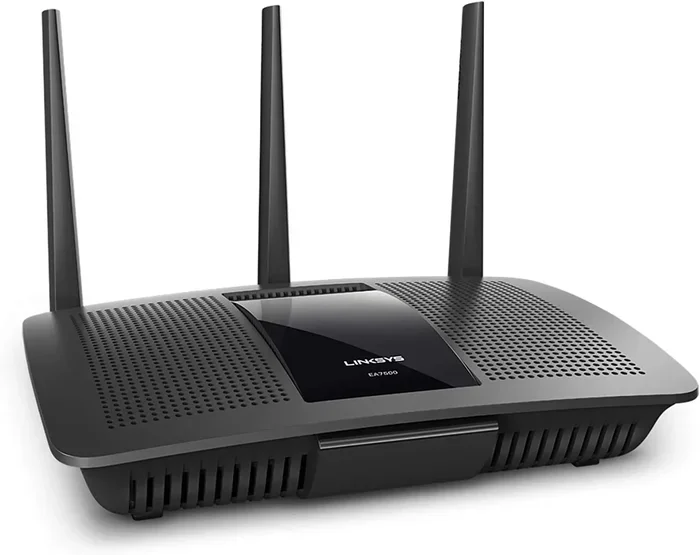
Here’s how it works in simple terms. An internet service provider sends a signal to your home through whatever technology they use. That signal enters through a modem. The modem then connects to a Wi-Fi router, which broadcasts the signal wirelessly throughout your house. Your phone, laptop, tablet, and smart TV can then connect to that router without any physical wires at all.
The key takeaway here is this: the source of your internet can be many different things. It doesn’t have to be tied to a phone line or a coaxial cable. As long as you have a reliable way to receive the internet signal at your home, you can create a wireless network and go completely phone-line-free. That’s the beauty of modern technology.
Types of Internet That Don’t Need a Phone Line or Cable
Not all broadband internet requires a phone line or cable connection to your home. There are several standalone options available today that give you full cable-free internet access. Let’s look at each one in detail so you understand what’s out there.
Satellite Internet
Satellite internet beams a signal from space directly to a small dish installed on your roof or outside your home. This means it works almost anywhere on Earth, including the most remote and rural locations. Companies like Viasat and HughesNet offer satellite internet plans that don’t need any ground-level infrastructure like phone lines or cable wires running to your property.
The biggest advantage of satellite internet is its incredible coverage. If you live in a rural area where DSL internet or cable isn’t available, satellite can be a true lifesaver. You get access to broadband internet even in places where other technologies simply can’t reach. The downside is that latency can be higher because the signal has to travel all the way to space and back. For everyday browsing, streaming, and video calls, it works well. For real-time competitive gaming, it might feel a bit slow.
Fixed Wireless Internet
Fixed wireless internet uses nearby towers to send a signal directly to a small receiver installed on your home. Think of it like a very powerful Wi-Fi signal that reaches across several miles of distance. Companies like T-Mobile Home Internet and Verizon 5G Home Internet use this approach to deliver wireless broadband to homes across the country.
This type of wireless internet is becoming more popular very quickly. It offers solid speeds and doesn’t require any physical connection to your home beyond the receiver unit itself. It works best in areas with good tower coverage from the provider. If you live in a city or suburban area, fixed wireless is a strong contender for your home internet needs. It’s reliable, fast, and doesn’t require any construction or installation crews running wires.
5G Home Internet
5G home internet is one of the newest options on the market, and it’s changing how people think about home connectivity. It uses the same cellular networks your phone uses every day, but it brings that signal home in a much more powerful and dedicated way. Providers like T-Mobile, Verizon, and AT&T offer 5G home internet plans that can fully replace both phone lines and cable connections.
Speeds can be truly impressive with 5G home internet. Many plans deliver download speeds that rival or even beat traditional cable internet connections. The catch is that coverage is still growing. 5G home internet works best in areas with strong 5G tower density. If you’re in a rural spot, you might not have access just yet. But the coverage map is expanding rapidly, so it’s worth checking your address.
Fiber Optic Internet
Fiber optic internet uses ultra-thin glass fibers to transmit data using pulses of light. It’s incredibly fast, highly reliable, and represents the gold standard of home internet. And here’s the good news: fiber does not need a phone line whatsoever. It’s a completely standalone connection that runs directly from the provider’s network to your home through dedicated lines.
Companies like Google Fiber and AT&T Fiber offer fiber optic plans that deliver blazing fast speeds. Upload speeds are especially impressive, which is great for video calls, cloud backups, and uploading large files. The downside is that fiber optic internet isn’t available everywhere yet. Check if your specific address is eligible before getting too excited, because availability is still expanding.
Mobile Hotspot and Tethering
If you need internet right now and don’t want to wait for a professional installation, mobile hotspot is your best friend. You can tether your smartphone to your laptop or tablet and share your cellular data connection. This is called tethering, and it works with almost any modern smartphone on the market today.
You can also buy a dedicated hotspot device from carriers like Verizon, AT&T, or T-Mobile. These devices have their own SIM card and create a Wi-Fi network wherever there’s cellular coverage available. It’s a great temporary solution or a backup option. But be very mindful of data caps. Most mobile plans limit how much data you can use per month, and going over can mean extra charges or throttled speeds.
How to Set Up Wi-Fi Without a Phone Line or Cable
Setting up standalone internet at home is simpler than most people think. You don’t need a technician running wires through your walls or scheduling a complex installation. Here’s a clear step-by-step look at the process so you know exactly what to expect.
Step 1: Choose Your Internet Type
First, decide which type of internet connection makes the most sense for your home and lifestyle. Consider your location, your budget, and your speed needs. If you live in a city or suburb, 5G home internet or fixed wireless might be your best option. If you’re in a rural area, satellite internet could be your most reliable choice. Take your time and research what’s available at your specific address.
Step 2: Sign Up with an Internet Service Provider
Once you’ve picked your preferred type, sign up with a provider that serves your area. Most companies let you order online or over the phone. You’ll need to provide your home address so they can check availability and confirm coverage. Many providers now offer self-installation kits, which makes the whole process much easier and more convenient for homeowners.
Step 3: Set Up Your Equipment
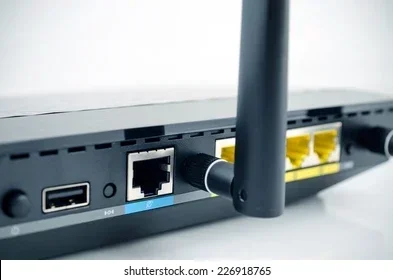
When your equipment arrives, follow the setup instructions carefully. Most standalone internet services come with a modem and a Wi-Fi router included. Some providers give you a single device that handles both jobs. Plug in the modem, connect it to the internet source, whether that’s a satellite dish, a 5G antenna, or a fiber line, and power it on. Wait for the lights to stabilize.
Step 4: Connect Your Devices
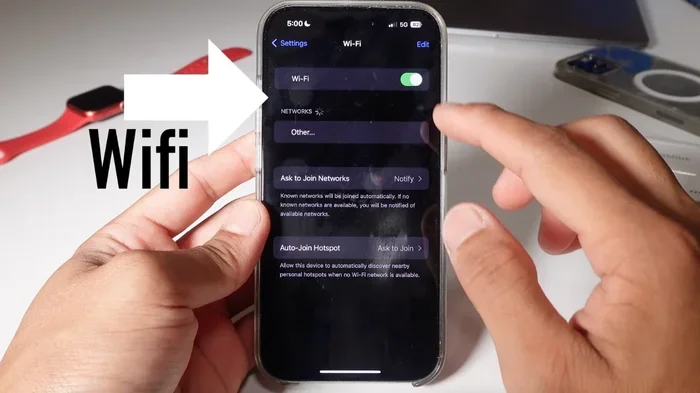
Once the modem is online and showing a solid connection, find your Wi-Fi network name and password. They’re usually printed on a sticker right on the router or included in the setup guide. Open your device’s Wi-Fi settings, select your network, and enter the password. That’s it. You’re now connected to wireless internet without a phone line or cable. It really is that simple.
Quick Tips for Setup Success
- Place your router in a central location in your home for the best coverage throughout every room.
- Keep the router elevated on a shelf or table for stronger signal strength and fewer dead zones.
- Run an internet speed test after setup to make sure you’re actually getting the speeds you paid for.
- Update your router’s firmware regularly for the best performance, security, and stability.
- Use a strong, unique password for your Wi-Fi network to keep it secure from unauthorized users.
Pros and Cons of Phone Line-Free Internet
Like any technology choice, going landline-free with your internet has its advantages and disadvantages. Let’s break them both down honestly so you can make the right decision for your situation.
The Pros
- Lower monthly bills: Cutting out the phone line and cable TV can save you a significant amount of money each month. Many people save $50 or more.
- No contracts (sometimes): Many wireless broadband providers offer no-contract plans, giving you much more flexibility and freedom to switch when needed.
- Easy installation: Most standalone internet options don’t require technicians to run wires through your walls or drill holes in your home.
- Flexibility: You can switch providers or plans more easily when you’re not locked into a bundled package deal.
- Modern technology: 5G home internet and fixed wireless represent the cutting edge of home connectivity technology today.
The Cons
- Data caps: Many wireless internet plans come with strict monthly data limits. Going over can mean extra charges or significantly slower speeds.
- Coverage limitations: Not all options are available everywhere. Rural areas may have fewer choices compared to urban and suburban locations.
- Weather sensitivity: Satellite internet can be affected by heavy rain, snow, or severe storms that block the signal from space.
- Latency issues: Some wireless broadband options have higher latency than traditional wired connections, which can affect gaming and video calls.
- Equipment costs: Some providers charge upfront fees for modems and routers, or they require you to rent equipment monthly.
How to Choose the Best Internet Option for Your Home
Picking the right broadband without phone line service depends entirely on your specific situation and needs. Here are the key factors you should consider before making your final decision.
Check Your Location
Your home address determines what options are actually available to you. Urban and suburban areas tend to have more choices like 5G home internet and fixed wireless. Rural areas may rely more heavily on satellite internet as the primary option. Use the online availability tools on each provider’s website to check what’s offered at your specific address. Don’t assume something isn’t available without checking first.
Consider Your Usage Habits
Think carefully about how much internet your household actually uses on a daily basis. Do you stream a lot of movies and TV shows? Do you work from home on video calls all day? Do you play online games competitively? Heavy users need more data and faster speeds to avoid frustration. Light users might be perfectly fine with a basic mobile hotspot plan or a lower-tier wireless internet package.
Compare Speeds and Prices
Not all internet plans are created equal, and the pricing can vary dramatically. Some providers offer blazing fast speeds but come with high monthly price tags. Others are very affordable but cap your data usage aggressively. Make a clear list of your must-have features and compare providers side by side before you commit to anything.
Read the Fine Print
Before you sign any contract or agreement, read the terms and conditions carefully. Look for hidden fees, data caps, contract length requirements, and early termination penalties. A reputable internet provider will be transparent about all costs upfront and won’t hide important details in fine print. If something seems unclear, call and ask before you commit.
Comparison of Phone Line-Free Internet Options
| Internet Type | Typical Speed | Best For | Availability |
|---|---|---|---|
| Satellite Internet | 25-100 Mbps | Rural and remote areas | Nationwide |
| Fixed Wireless | 50-300 Mbps | Suburban and urban homes | Most populated areas |
| 5G Home Internet | 50-1000 Mbps | City and suburban users | Growing coverage areas |
| Fiber Optic | 100-2000 Mbps | Heavy users and gamers | Limited availability |
| Mobile Hotspot | 5-100 Mbps | Temporary or light use | Anywhere with cell service |
Common Mistakes When Cutting the Cord
Switching to internet without a phone line is a smart move, but people often make avoidable mistakes along the way. Here are the most common pitfalls and how to steer clear of them.
Not Checking Data Caps
This is the number one mistake people make. Many wireless internet plans come with strict monthly data caps that can catch you off guard. If you binge-watch shows, have a large family, or work from home, you could blow through your limit very quickly. Always check the data allowance carefully before you sign up for any plan.
Ignoring Upload Speeds
Everyone focuses on download speeds, but upload speeds matter just as much. If you video conference for work, upload large files to the cloud, or stream content, you need solid upload performance. Fiber optic internet excels in this area, while some wireless broadband plans lag behind significantly. Don’t overlook this important metric.
Skipping the Speed Test
After you set up your new connection, always run an internet speed test right away. Don’t just assume you’re getting the speeds you’re paying for. If your speeds are lower than what was advertised, contact your provider. There might be a simple fix like repositioning your router or updating your equipment.
Choosing the Wrong Equipment
Some Wi-Fi routers that come included with your plan are basic and may not be powerful enough for your needs. If you have a large home or many connected devices, you might need a better router or a mesh Wi-Fi system. Investing in quality equipment makes a big difference in your wireless network performance and reliability.
Forgetting About Emergency Services
If you cut your traditional landline, make sure you have a reliable alternative way to call for help in an emergency. Keep a charged cell phone with a cellular data plan as a backup for emergency calls. Some VoIP services also work over internet connections, but they need power to function. Consider a battery backup for your modem and router so you stay connected during power outages.
Conclusion
The answer to can you get Wi-Fi without a phone line or cable is a resounding and absolute yes. We’ve covered a lot of ground in this article. From satellite internet and fixed wireless to 5G home internet, fiber optic connections, and mobile hotspots, there’s no shortage of options available to you today. Each type of wireless internet has its own strengths and weaknesses, and your best choice depends on where you live, how much you use the internet, and what your budget allows.
The good news is that the market is more competitive than it has ever been, which means better prices and faster speeds for consumers like you. Take the time to compare providers, read honest reviews, and fully understand the terms of any plan before you commit to anything. With the right setup and the right provider, you can enjoy fast, reliable broadband internet without ever needing a phone line or cable connection again.
So go ahead and explore your options with confidence. Cut the cord, simplify your life, and enjoy the freedom of cable-free internet. You’ll be glad you made the switch, and your wallet will thank you too. The future of home internet is wireless, and it’s already here waiting for you.
Frequently Asked Questions
Can I get Wi-Fi without any physical connection to my home?
Yes, you absolutely can. Satellite internet and 5G home internet are two examples of connections that don’t require any physical wire running to your home. You just need a clear view of the sky for satellite or good cellular coverage for 5G. Both options create a wireless network inside your home through a router, giving you full internet access without any cables.
Is Wi-Fi without a phone line slower than traditional internet?
Not necessarily. Fiber optic internet and 5G home internet can be just as fast or even faster than traditional cable connections. However, some wireless broadband options like satellite may have higher latency or lower speeds depending on your location. It really depends on the specific technology and the provider you choose.
How much does phone-line-free internet cost per month?
Prices vary widely depending on the type and provider. Mobile hotspot plans can start as low as $20 to $30 per month. 5G home internet and fixed wireless plans typically range from $40 to $70. Satellite internet can be $50 to $150 or more. Fiber optic plans are competitive with cable pricing in areas where fiber is available.
Can I use a mobile hotspot as my primary internet source?
You can, but it’s not ideal for long-term use as your primary source. Mobile hotspot plans usually have data caps that can run out quickly if you stream a lot of content or have multiple users in your household. It works great as a backup or for light use, but most people need a dedicated broadband connection for heavy daily usage.
Do I need any special equipment for Wi-Fi without a phone line?
You’ll need a modem and a Wi-Fi router, but most providers supply these when you sign up for service. Some may charge a monthly rental fee, while others let you buy the equipment outright. If you have satellite internet, you’ll also need a dish installed on your roof. Fixed wireless and 5G home internet usually just need a small receiver unit placed near a window.
Is cutting the phone line and cable safe for emergencies?
It can be safe if you have a backup plan in place. Keep a charged cell phone with a cellular data plan for emergency calls at all times. Some VoIP services also work over internet connections, but they need power to function. Consider getting a battery backup for your modem and router so you stay connected during power outages and other emergencies.