Can You Cancel Cox Wifi At Any Time Without Penalty
Yes, you can cancel Cox WiFi at any time, but the real question is whether you will face a penalty. Cox internet contracts typically include early termination fees that can range from $50 to $200 or more depending on your plan and billing cycle. Understanding your Cox WiFi cancellation policy, contract terms, and equipment return rules helps you avoid unexpected charges and walk away clean.
Ever stared at your Cox WiFi bill and thought, “I don’t even use this anymore”? You are not alone. Many households are cutting the cord, switching providers, or dropping their internet plan entirely. But before you hit that cancel button, there are a few things you need to know.
The short answer is yes — you can cancel Cox WiFi at any time. But the longer answer involves contract terms, early termination fees, equipment returns, and billing cycles. This guide walks you through everything you need to cancel your Cox internet service without getting hit with surprise charges. Whether you are moving, switching providers, or just tired of the monthly bill, you are in the right place.
Key Takeaways
- No Lock-In at Month-to-Month: If you are on a month-to-month Cox internet plan, you can cancel Cox WiFi anytime without penalty.
- Early Termination Fees Apply on Contracts: Customers with a 12- or 24-month contract may owe a prorated early termination fee based on remaining months.
- Return Equipment Is Mandatory: You must return the Cox modem and router to avoid ongoing rental charges or replacement fees.
- Multiple Ways to Cancel: You can cancel by phone, online chat, or in person at a Cox store for convenience.
- Timing Matters: Canceling right after your billing cycle ends can reduce the fees you owe significantly.
- Check for Waivers: Cox sometimes offers cancellation fee waivers during promotional periods or for loyal customers who ask.
📑 Table of Contents
- Understanding Cox WiFi Cancellation Policy
- What Happens When You Cancel Cox WiFi
- How to Cancel Cox WiFi Step by Step
- Can You Avoid Cancellation Fees?
- What to Do After Canceling Cox WiFi
- Alternatives to Canceling Cox WiFi
- Common Mistakes People Make When Canceling Cox WiFi
- Expert Tips for a Smooth Cancellation
- Frequently Asked Questions
- Conclusion
Understanding Cox WiFi Cancellation Policy
Before you call Cox or log into your account, it helps to understand how their WiFi cancellation policy actually works. Most people skip this step and end up paying more than they need to. A little knowledge goes a long way here.
Cox Communications offers both contract-based and month-to-month internet plans. Your ability to cancel without penalty depends entirely on which type of plan you have. Let us break this down so there is no confusion.
Month-to-Month Plans
If you signed up for a no-contract Cox internet plan, you are in luck. These plans let you cancel your service at any time without facing an early termination fee. You simply need to pay for the current billing cycle and return any rented equipment.
Month-to-month plans are great because they give you full flexibility. You are not locked in for 12 or 24 months. However, these plans sometimes come with a slightly higher monthly rate compared to contract plans. So you traded a long-term commitment for short-term freedom.
Contract-Based Plans
Most Cox internet plans come with a 12-month or 24-month contract. If you cancel your service before the contract ends, you will likely owe an early termination fee. This fee is usually prorated, meaning it decreases the closer you get to the end of your contract.
For example, if you have six months left on a 24-month contract and cancel, you might pay a reduced fee for those remaining months. But if you are only two months into the contract, the fee could be substantial. Always check your specific contract before making any decisions.
What Happens When You Cancel Cox WiFi
Canceling your Cox internet service is not as simple as flipping a switch. Several things happen behind the scenes once you submit your cancellation request. Let us walk through the process step by step.
Your Billing Cycle Matters
Cox bills customers on a monthly cycle. If you cancel mid-cycle, you will still be charged for the days you used the service. This is standard across most internet providers. The key is to understand when your billing cycle ends so you can time your cancellation to minimize costs.
For instance, if you cancel on the first day of your billing cycle, you may owe very little for that month. But if you cancel on the last day, you will pay for the full month. Planning your cancellation around your Cox billing cycle can save you money.
Early Termination Fees
If you are under contract, the early termination fee is the biggest hurdle. Cox typically charges a fee that covers the remaining months of your contract, minus any credits you have already received. These fees can range from around $50 to $200 or more depending on your plan.
Here is a quick look at how these fees might work:
- 12-Month Contract: Fees decrease each month you stay enrolled.
- 24-Month Contract: Higher initial fees that drop over time.
- Promotional Plans: Some promotions require you to pay back the discount if you cancel early.
The best way to know your exact fee is to check your account online or call Cox customer service directly. They can pull up your specific contract and tell you exactly what you owe.
Equipment Return Requirements
This is where many people run into trouble. If you rented a modem or router from Cox, you must return the equipment after canceling your service. If you do not, Cox will continue charging you a monthly rental fee — sometimes for months — until they mark the equipment as lost.
Once marked lost, you could be charged a replacement fee that ranges from $100 to $200. That is money you do not need to spend. Always return your Cox modem and router promptly and get a receipt or tracking number for the shipment.
How to Cancel Cox WiFi Step by Step
Now that you understand the policy, let us get into the actual process of canceling. There are three main ways to cancel your Cox internet service. Each has its own pros and cons, so pick the method that works best for you.
Method 1: Cancel by Phone
The most common way to cancel is by calling Cox customer service. Here is how to do it smoothly:
- Call the Cox cancellation phone number at 1-800-234-3993.
- Have your account number and personal information ready.
- Tell the representative you want to cancel your internet service.
- Ask about any early termination fees or outstanding balances.
- Confirm your equipment return instructions before hanging up.
- Get a cancellation confirmation number for your records.
Calling is the most reliable method because you get immediate confirmation. The downside is that phone wait times can be long, especially during peak hours. Try calling early in the morning or late in the evening for shorter hold times.
Method 2: Cancel Through Online Chat
Cox offers an online chat option through their website. This is a convenient alternative to calling. You can initiate a chat session with a customer service representative and handle your cancellation in real time.
Some tips for online chat cancellations:
- Have your account login details ready before starting the chat.
- Be clear and direct about your intention to cancel.
- Ask the representative to email you a confirmation of the cancellation.
- Confirm the return shipping label for your equipment.
Online chat is faster than calling in many cases. However, chat representatives sometimes have limited authority to waive fees. If you are looking for a fee waiver, the phone might be your better option.
Method 3: Visit a Cox Store in Person
If you prefer face-to-face interaction, you can visit a local Cox store. This method works well if you have equipment to return at the same time. The representative can process your cancellation and accept your returned equipment in one visit.
Before you go, make sure to:
- Back up any important data from your Cox modem or router.
- Pack your equipment securely for transport.
- Bring a valid ID and your account information.
- Ask about any final charges before leaving the store.
Visiting in person gives you the most control over the process. You can ask questions on the spot and handle everything in a single trip.
Can You Avoid Cancellation Fees?
Nobody wants to pay an early termination fee if they do not have to. The good news is that there are a few strategies you can use to potentially avoid or reduce these charges.
Wait Until Your Contract Expires
The simplest way to avoid fees is to wait until your contract ends naturally. If you are only a few months away from the end of your term, it might be worth hanging on until the contract expires. You can then cancel without owing anything extra.
This approach requires patience, but it saves you money in the long run. Check your contract end date and set a reminder so you do not forget.
Ask for a Fee Waiver
Here is a trick that many people do not know about. Cox customer service representatives sometimes have the authority to waive early termination fees, especially if you are a loyal customer or if you are experiencing financial hardship.
When you call to cancel, politely ask if they can waive the fee. You might be surprised by how often this works. If the first representative says no, try again another day. Different representatives have different levels of flexibility.
Check for Contract Violations
If Cox has violated any terms of your contract — such as frequent outages, poor service quality, or billing errors — you may have grounds to cancel without penalty. Review your contract carefully and look for any service guarantees or quality commitments.
If you find any violations, bring them up during your cancellation call. This puts you in a stronger negotiating position and may result in a fee waiver.
Move to a Different Service Area
If you are relocating to an area where Cox does not offer service, you may be able to cancel your contract without paying an early termination fee. This is a common exception in most internet provider contracts.
Be sure to provide proof of your new address and confirm with Cox that they honor this exception. Get any fee waiver in writing before you finalize the cancellation.
What to Do After Canceling Cox WiFi
Canceling is only half the battle. There are a few things you should do after your cancellation to make sure everything wraps up cleanly.
Return Your Equipment
Send back your Cox modem, router, and any other rented equipment as soon as possible. Use a trackable shipping method so you have proof of delivery. Keep your return receipt and confirmation email in a safe place.
If you are switching to a new provider, you might be able to use a self-installation kit from your new company right away. Just make sure you have your own compatible modem and router ready to go.
Check Your Final Bill
After canceling, watch for your final Cox bill. It should include any remaining balance, prorated charges for the current month, and the cost of any equipment that was not returned. Review it carefully and dispute any charges that seem incorrect.
Common items to look for on your final bill:
- Prorated charges for the current billing cycle
- Early termination fees (if applicable)
- Equipment rental charges for unused days
- Replacement fees for missing equipment
Confirm Your Account Is Closed
Do not assume your account is closed just because you submitted a cancellation request. Follow up with Cox to confirm that your internet account cancellation is complete. This protects you from future billing surprises.
You can confirm your account status by logging into your Cox online portal or by calling customer service. Ask for written confirmation via email if possible.
Alternatives to Canceling Cox WiFi
Sometimes canceling is not the only option. If you are thinking about dropping your Cox WiFi service, consider these alternatives first.
Downgrade Your Plan
If the cost is your main concern, look into downgrading to a cheaper Cox plan. They often have lower-tier options that cost less per month while still giving you basic internet access.
You can also reduce your speed tier. Most households do not need the fastest speeds available. A basic plan might be all you need for email, browsing, and light streaming.
Pause Your Service
Cox offers a service pause option for customers who need to take a break. This lets you suspend your internet service for a set period without fully canceling. You avoid early termination fees and can easily reactivate when you are ready.
This is a great option if you are moving temporarily or expect to need internet service again soon. Check with Cox for their current pause policy and any associated fees.
Switch to a Mobile Hotspot
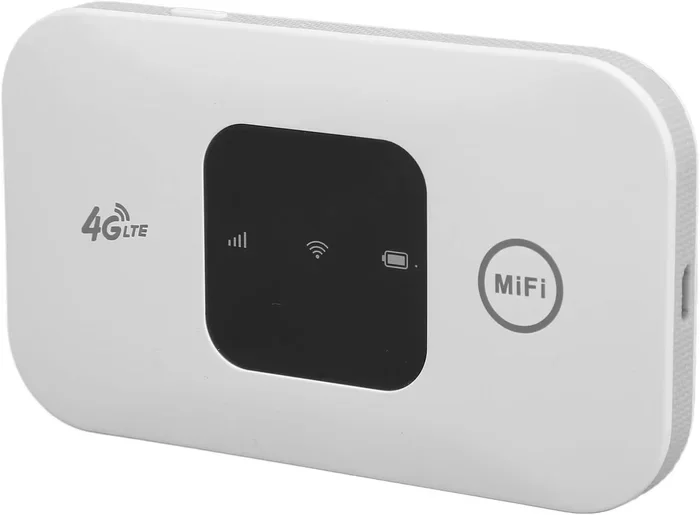
If you only need internet occasionally, consider using a mobile hotspot from your phone carrier instead of paying for a full Cox internet plan. Many carriers offer unlimited data plans that can double as a WiFi source for your home.
This works best for light users who do not need high speeds or unlimited data. For heavier usage, a mobile hotspot may not be a practical replacement for a home internet connection.
Common Mistakes People Make When Canceling Cox WiFi
Avoiding these common mistakes can save you time, money, and frustration when canceling your Cox WiFi service.
Not Reading Your Contract
Many people sign up for internet service without reading the fine print. By the time they want to cancel, they do not know what their contract terms actually say. Always review your contract before canceling so you know what to expect.
Forgetting to Return Equipment
This is the number one mistake customers make. If you forget to return your Cox modem or router, you will keep getting charged. Set a reminder to return equipment on the same day you cancel.
Canceling Without a Backup Plan
Do not cancel your Cox service until you have a replacement internet source ready. Going without WiFi even for a few days can disrupt your work, entertainment, and daily routine. Have a plan in place before you pull the plug.
Ignoring Your Final Bill
Some people cancel and then ignore their final bill. This is a mistake. If there are outstanding charges, they can go to collections and hurt your credit score. Always review and pay your final bill promptly.
Expert Tips for a Smooth Cancellation
Getting through a Cox WiFi cancellation smoothly takes a little preparation. Here are some expert tips that make the process much easier.
- Document Everything: Keep records of every call, chat, or email related to your cancellation. Write down the date, time, and name of the representative you spoke with.
- Be Polite but Firm: Customer service reps are more helpful when you are respectful. Being rude will not get you anywhere faster.
- Know Your Account Details: Have your account number, billing address, and last four digits of your Social Security number ready before you call.
- Request Written Confirmation: Always ask for an email confirmation of your cancellation. This serves as proof if any disputes arise later.
- Check for Promotional Waivers: Cox occasionally runs promotions that include fee waivers for customers who cancel. Ask the representative if any current offers apply to your account.
Frequently Asked Questions
Can I cancel Cox WiFi without paying an early termination fee?
Yes, if you are on a month-to-month plan or if your contract has already expired. You can also ask for a fee waiver, especially if you are a loyal customer or if Cox service has been unreliable in your area. Timing your cancellation near the end of your billing cycle can also help minimize charges.
How long does it take to cancel Cox WiFi service?
The cancellation process itself usually takes just a few minutes if you are calling or chatting online. However, your service typically remains active until the end of your current billing cycle. Equipment return and account closure may take an additional few days to fully process.
What equipment do I need to return to Cox after canceling?
You need to return any Cox-provided modem, router, or gateway device. Check your account online or call Cox to get a list of all equipment tied to your account. Cox will usually email you a return shipping label after your cancellation is confirmed.
Will canceling Cox WiFi affect my credit score?
Canceling your service itself does not directly impact your credit score. However, if you have an outstanding balance that goes unpaid, Cox may send the debt to a collection agency. That can negatively affect your credit. Always pay any final bills in full and on time.
Can I cancel Cox WiFi online?
Cox does not currently offer a fully self-service online cancellation option. You can start the process through their website chat or by calling customer service directly. Some account changes can be made online, but a cancellation typically requires speaking with a representative.
What is Cox’s early termination fee amount?
The early termination fee varies based on your contract length, remaining months, and specific plan details. Fees generally range from around $50 to $200 or more. The best way to find your exact fee is to check your contract or contact Cox customer service for a precise breakdown.
Conclusion
Canceling Cox WiFi at any time is absolutely possible, but the key is doing it the right way so you do not end up paying more than you need to. Whether you are on a month-to-month plan or locked into a contract, understanding your options puts you in control.
Always check your contract terms, time your cancellation wisely, return your equipment promptly, and confirm that your account is fully closed. These simple steps protect you from unexpected fees and keep the process stress-free.
If you are ready to move on from Cox, you now have everything you need to cancel your Cox WiFi service without unnecessary penalties. Take your time, be prepared, and make the switch with confidence. Your wallet will thank you for it.