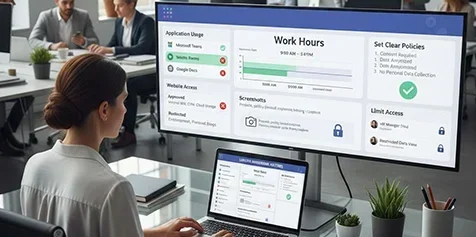
Can My Employer See What I Do On My Company Laptop
Yes, your employer can likely see what you do on your company laptop — and the tools they use are more advanced than you might think. From keystroke logging to screen capture software, workplace surveillance is widespread. This guide covers exactly how employer access to computer activity works, what your employee privacy rights are, and what you can do to protect yourself.
Key Takeaways
- Employers can monitor almost everything: Your company laptop tracks browsing history, keystrokes, emails, and even screenshots.
- Employee monitoring software is everywhere: Over 60% of companies use some form of work computer monitoring tools.
- Legal rules vary by location: Workplace monitoring laws differ from state to state and country to country.
- Personal use on work devices is risky: Checking bank accounts or social media on a company laptop can be logged.
- You can take steps to protect yourself: Knowing your rights and using personal devices wisely helps safeguard your privacy.
- IT departments have deep access: Your IT department monitoring capabilities go far beyond what most employees realize.
- Transparency matters: Many states require employers to disclose their employer digital surveillance practices.
📑 Table of Contents
- Can My Employer See What I Do On My Company Laptop? The Full Truth
- How Employers Monitor Company Laptops
- What Exactly Can Your Employer See?
- Your Privacy Rights as an Employee
- Common Mistakes Employees Make on Company Laptops
- Quick Tips to Protect Your Privacy on a Company Laptop
- Frequently Asked Questions About Employer Monitoring
- Conclusion
Can My Employer See What I Do On My Company Laptop? The Full Truth
If you use a company laptop, you’ve probably wondered about this at some point. Maybe you quickly closed a personal browser tab when someone walked by. Maybe you felt a little nervous checking your bank balance during lunch. The truth is, can my employer see what I do on my company laptop is a real concern — and the answer might surprise you.
The short answer is yes. Your employer can see a lot of what you do on a company-issued device. Employee monitoring software has become incredibly advanced. From keystroke logging to screen capture software, the tools available today give employers deep insight into your daily computer habits. But how exactly does this work? What can they actually see? And what are your rights?
This guide answers all of those questions. We’ll walk you through the different types of workplace surveillance, explain how company laptop tracking works, and help you understand your employee privacy rights. Let’s dive in.
How Employers Monitor Company Laptops
Most people underestimate just how much employer access to computer activity is possible. Companies have access to a wide range of tools — some built into the laptop itself, others installed by the IT department monitoring team. Here’s a closer look at the most common methods.
Employee Monitoring Software
Employee monitoring software is the big one. These programs run quietly in the background and track nearly everything you do. Popular tools like Hubstaff, Teramind, and ActivTrak can record:
- Every website you visit and how long you stay there
- Every keystroke you type, including passwords and personal messages
- Screenshots at random or scheduled intervals
- Which apps you open and how often you use them
- Your email activity, including sent and received messages
- USB and file transfer activity
These tools were originally designed for productivity tracking tools and remote team management. But they can also capture browsing history tracking and personal activities. Many employees don’t even know these programs are running on their devices.
Keystroke Logging
Keystroke logging is one of the most invasive forms of computer usage monitoring. A keylogger records every single key you press. That means your passwords, private emails, chat messages, and search queries are all captured. Keyloggers can be hardware devices plugged into your laptop or software programs hidden deep in the system.
While some companies use keyloggers for security reasons, others may use them to monitor employee behavior more broadly. Either way, it’s important to know this method exists.
Screen Capture and Screen Recording
Screen capture software takes screenshots at set intervals. Some tools record your entire screen in real time. This gives employers a visual record of exactly what you’re doing. If you’re browsing personal sites or doing anything unrelated to work, a screenshot can capture it all.
These tools are especially common in remote work setups. With more people working from home, remote employee monitoring has grown rapidly. Many companies now require screen capture as part of their company device policy.
Network-Level Monitoring
Even without software installed on your laptop, your employer can monitor what you do through the network. When you connect to your company’s Wi-Fi or VPN, your internet traffic passes through their servers. This means they can see:
- Every website you visit while connected to the network
- Download and upload activity
- Email server connections
- Attempts to access restricted sites
This type of employer digital surveillance works even if no monitoring app is installed. Your network is the gateway, and your employer controls that gateway.
What Exactly Can Your Employer See?
Now that you know how monitoring works, let’s talk about what your employer can actually see on your company laptop tracking activities. The answer is: quite a lot.
Your Browsing History
Web activity monitoring is standard on most company devices. Your employer can see every site you visit, how long you spent on each page, and how often you return. Social media sites, shopping websites, streaming platforms — all of it gets logged.
Even if you clear your browser history, the monitoring software still captures this data. It doesn’t store information in your browser. It stores it on the company’s servers.
Your Emails and Messages
If you use company email or company messaging platforms like Slack or Microsoft Teams, your employer can access those communications. Email monitoring at work is common, especially for compliance and security reasons. Even personal messages sent through work platforms may be visible to administrators.
Be very careful about sending personal messages on work accounts. What feels like a private conversation might not be private at all.
Your Files and Documents
Your employer owns the laptop. That means they can access every file stored on it. Documents, spreadsheets, photos, downloads — all of it. If you save personal files on a company laptop, your employer can technically view them at any time.
Data loss prevention tools can also track when you copy, move, or delete files. This is especially common in industries that handle sensitive information.
Your Location and Physical Activity
Some company laptops have GPS tracking or use Wi-Fi positioning to determine your location. If your laptop has a webcam, certain monitoring tools can activate it with proper authorization. While this is less common, it is technically possible.
Comparison: What Employers Can See vs. Can’t See
Here’s a quick comparison table to help you understand the boundaries of work computer monitoring.
| Activity | Can Employer See It? | Notes |
|---|---|---|
| Browsing history | Yes | Logged by monitoring software or network tracking |
| Keystrokes (including passwords) | Yes | Captured by keyloggers |
| Screenshots | Yes | Taken by screen capture tools |
| Emails on company platforms | Yes | Fully accessible to IT admins |
| Personal files on the laptop | Yes | Employer owns the device |
| Activity on personal devices | No | Not visible unless on company network |
| Offline activities | No | Not tracked unless software records it |
| Conversations in person | No | Not captured by digital tools |
Your Privacy Rights as an Employee
Knowing what your employer can do is important. But understanding your legal protections is just as critical. Employee privacy rights vary depending on where you live and the type of monitoring involved.
Workplace Monitoring Laws in the US
In the United States, there is no single federal law that protects employee computer activity from employer monitoring. However, several laws and regulations provide some level of protection:
- Electronic Communications Privacy Act (ECPA): This law restricts employers from intercepting electronic communications. But it has many exceptions, especially for business purposes.
- State laws: Some states, like California and Connecticut, require employers to notify employees about monitoring. Others have stricter rules about employer digital surveillance.
- GDPR (for US employees of EU companies): If you work for a company based in the EU, the General Data Protection Regulation may apply, giving you stronger privacy rights.
What Employers Must Tell You
In many states, employers are required to disclose their monitoring practices. This means they should let you know if they use employee monitoring software, keyloggers, or other tracking tools. Some companies include this in your employment contract or employee handbook.
Always read these documents carefully. If your employer doesn’t mention monitoring, ask your HR department directly. Transparency is your best friend when it comes to workplace surveillance.
Personal Use on Company Devices
Here’s where things get tricky. Most company company device policy documents state that the laptop is for business use only. This means personal activities — like checking social media, online shopping, or banking — are technically against the rules.
Even if your employer doesn’t actively police personal use, the monitoring tools can still capture it. So while you might not get in trouble for a quick personal check, the data is still being collected.
Common Mistakes Employees Make on Company Laptops
Many employees make mistakes that put their privacy at risk without even realizing it. Here are the most common ones to avoid.
Assuming Private Browsing is Private
Using incognito or private browsing mode on your company laptop does not hide your activity from your employer. It only prevents your browser from saving history locally. The monitoring software and network tracking still capture everything. Company laptop tracking tools see right through private browsing.
Using Personal Accounts on Work Devices
Logging into your personal email, social media, or banking on a company laptop means your credentials and activity are visible. IT department monitoring can capture your login details and track every action you take. It’s best to avoid personal accounts entirely on work devices.
Ignoring Company Policies
Many employees never read their company’s acceptable use policy. This document outlines what you can and cannot do on your work device. Ignorance of the policy is not a valid defense if you violate it. Always take the time to review and understand your company device policy.
Storing Personal Data on the Laptop
Saving personal photos, documents, or videos on your company laptop means your employer can access them. Since the device belongs to the company, everything on it is fair game. Use your personal device for anything you want to keep private.
Connecting to Unsecured Networks
Using your company laptop on public Wi-Fi or unsecured networks creates security risks. Your employer’s remote employee monitoring tools may not cover these connections, but the risk of data theft is real. Always use secure networks and follow company guidelines.
Quick Tips to Protect Your Privacy on a Company Laptop
You can’t completely eliminate monitoring on a company device. But you can take smart steps to protect your privacy and minimize risk. Here are some practical tips.
1. Separate Work and Personal Activities
Keep your personal life completely off the company laptop. Use your personal phone or computer for banking, social media, shopping, and any other non-work activities. This is the simplest and most effective way to maintain boundaries.
2. Use a Personal Device for Sensitive Conversations
Never discuss personal or sensitive topics on company email or messaging platforms. Assume everything you type can be read by someone else. For private conversations, use your personal phone or a personal email account on a personal device.
3. Review the Company Policy Regularly
Companies update their policies from time to time. Stay informed about any changes to work computer monitoring practices. If something is unclear, ask your HR representative for clarification.
4. Use a VPN for Personal Activities (If Allowed)
A Virtual Private Network encrypts your internet traffic. If your company allows VPN use, routing your personal traffic through a VPN can add a layer of privacy. However, check your company policy first — some employers prohibit VPN use on company devices.
5. Log Out of All Accounts Before Returning the Laptop
When returning your company laptop or switching to a new one, always log out of all accounts. This prevents the next user from accessing your personal information. It also ensures your credentials aren’t stored on a device you no longer use.
6. Ask About Monitoring Practices
Don’t be afraid to ask your employer directly what monitoring tools they use. In many states, they are required to tell you. Knowing what you’re dealing with helps you make better decisions about how you use the device.
Expert Insight
Cybersecurity experts recommend treating every company device as exactly what it is: a tool for work, not a personal computer. The best approach is to assume everything you do on a company laptop is being watched. This mindset helps you stay safe and professional at the same time. As one IT security consultant put it, “If you wouldn’t want your boss to see it, don’t do it on a work device.”
Frequently Asked Questions About Employer Monitoring
Can my employer see my personal emails sent from my company laptop?
Yes, if you send personal emails through company email servers or monitoring software, your employer can potentially access them. Even emails sent through web-based services may be captured by keystroke logging or screen capture tools. It’s best to use your personal device for personal email.
Can my employer monitor my laptop when I’m working from home?
Yes, remote employee monitoring is very common. Most employee monitoring software works regardless of your location. Whether you’re at home, in a coffee shop, or at the office, your employer can track your activity as long as the monitoring tools are installed on your device.
Is it legal for my employer to install monitoring software without telling me?
It depends on your location. Some states and countries require employers to notify employees about workplace surveillance and monitoring practices. Others allow monitoring without disclosure. Check your local workplace monitoring laws and your employment contract for specific guidance.
Can my employer see what I do on my company laptop when it’s turned off?
No. Monitoring tools can only track activity when the laptop is powered on and connected to a network. However, some advanced tools can sync data when the device reconnects after being offline. So activity that happened while disconnected may still be captured later.
What happens if my employer finds personal content on my company laptop?
This depends on your company’s company device policy. In most cases, finding personal content is not a fireable offense on its own. However, if the content violates company policies (such as inappropriate material), it could lead to disciplinary action. Your employer generally has the right to access all data on their device.
Can I request my employer stop monitoring my activity?
You can make the request, but your employer is unlikely to comply. Work computer monitoring is standard practice for most companies, especially those handling sensitive data. Your best option is to understand what’s being monitored and adjust your behavior accordingly rather than trying to stop it entirely.
Conclusion
The answer to can my employer see what I do on my company laptop is a clear and definite yes. From employee monitoring software to network tracking and keyloggers, employers have more visibility into your digital life than most people realize. Workplace surveillance is widespread, and employer access to computer activity is easier than ever.
But knowledge is power. By understanding the tools your employer uses, knowing your employee privacy rights, and following smart practices like keeping personal activities off your work device, you can protect yourself. Read your company device policy, ask questions, and always assume that your activity is being watched.
Your company laptop is a powerful tool — but it’s not your personal computer. Treat it accordingly, and you’ll avoid most privacy pitfalls. Stay informed, stay safe, and make smart choices about how you use the device your employer gave you.