Can HDMI 20 Do 4K 60Hz The Answer Might Surprise You
Yes, HDMI 2.0 can absolutely deliver 4K at 60Hz. Many people assume they need the newer HDMI 2.1 standard, but HDMI 2.0 provides enough bandwidth for Ultra HD content at 60 frames per second. However, there are important caveats around HDR, color depth, and cable quality that can change everything. This guide breaks down exactly what HDMI 2.0 can and cannot do for your 4K setup.
Key Takeaways
- HDMI 2.0 supports 4K 60Hz: The standard delivers 18 Gbps of bandwidth, which is enough for Ultra HD at 60Hz.
- HDMI 2.1 is not always necessary: You only need HDMI 2.1 for 4K 120Hz, 8K, or advanced gaming features like VRR.
- Cable quality matters: A certified Premium High Speed HDMI cable is essential for reliable 4K 60Hz performance.
- HDR and color depth affect bandwidth: Enabling HDR or higher color depths can push HDMI 2.0 to its limits.
- Most 4K TVs and monitors work fine with HDMI 2.0: The vast majority of consumer devices do not require HDMI 2.1 for everyday use.
- Check your device specs: Not all HDMI 2.0 ports are created equal. Some may have limitations depending on the manufacturer.
- Future-proofing has its place: If you plan to buy 4K 120Hz displays, HDMI 2.1 is worth the investment now.
📑 Table of Contents
- Can HDMI 2.0 Do 4K 60Hz? The Surprising Truth
- What Is HDMI 2.0 and Why Does It Matter?
- Understanding 4K 60Hz: What the Numbers Mean
- HDMI 2.0 Bandwidth: The Technical Side
- HDMI 2.0 vs HDMI 2.1: What Is the Real Difference
- Do You Need a Special Cable for 4K 60Hz?
- Real-World Uses for HDMI 2.0 at 4K 60Hz
- Common Mistakes People Make with HDMI 2.0 and 4K
- Expert Insights: What the Pros Say About HDMI 2.0 and 4K
- Key Takeaways
- Conclusion
Can HDMI 2.0 Do 4K 60Hz? The Surprising Truth
If you have been shopping for a new TV, monitor, or home theater setup, you have probably seen the terms HDMI 2.0 and 4K 60Hz thrown around a lot. They sound technical and intimidating. But the good news is that the answer is simpler than most people think.
HDMI 2.0 can absolutely do 4K at 60Hz. That is the short answer. But like most things in tech, the full picture has some important details. Understanding these details can save you money, prevent buyer’s remorse, and help you build the right setup for your needs.
In this article, we will break down everything you need to know about HDMI 2.0 and 4K 60Hz. We will cover bandwidth, compatibility, cable requirements, and when you might actually need a newer standard. By the end, you will know exactly what HDMI 2.0 can do and whether it is enough for your setup.
Let us start with the basics so you have a solid foundation before we dive into the details.
What Is HDMI 2.0 and Why Does It Matter?
HDMI stands for High-Definition Multimedia Interface. It is the most common cable standard used to connect devices like Blu-ray players, gaming consoles, streaming boxes, and computers to displays. HDMI 2.0 is a specific version of this standard that was released in 2013. It brought major improvements over the previous version, HDMI 1.4.
The biggest upgrade in HDMI 2.0 was bandwidth. Bandwidth is the amount of data that can travel through the cable per second. More bandwidth means higher resolution and smoother motion. HDMI 2.0 offers 18 gigabits per second (Gbps) of bandwidth. That is a big jump from the 10.2 Gbps that HDMI 1.4 provided.
Here is what HDMI 2.0 made possible:
- 4K resolution at 60Hz refresh rate. This means 3840 x 2160 pixels updated 60 times per second.
- Dual audio streams. You can send audio to multiple devices at the same time.
- 3D support with higher resolution.
- Broader color gamut. This allows for richer, more vibrant colors on screen.
- HDCP 2.2 content protection. This is essential for playing protected 4K content from streaming services.
All of these features made HDMI 2.0 the go-to standard for 4K content for several years. Even today, many devices still use HDMI 2.0 ports, and they work perfectly fine for most people.
HDMI 2.0 vs HDMI 1.4: What Changed
To really appreciate HDMI 2.0, it helps to understand what came before it. HDMI 1.4 was the previous standard and it could do 4K, but only at 30Hz. That means the image refreshed 30 times per second instead of 60. For movies, 30Hz is often fine. But for gaming or fast-action sports, 30Hz can feel choppy and unnatural.
HDMI 2.0 doubled the refresh rate for 4K content to 60Hz. This was a game-changer for anyone who wanted a smooth, fluid picture on a 4K display. The jump from 30Hz to 60Hz is very noticeable, especially when there is a lot of motion on screen.
Understanding 4K 60Hz: What the Numbers Mean
Before we go further, let us make sure we understand what 4K 60Hz actually means. These two numbers describe different aspects of the video signal, and both matter for your viewing experience.
4K refers to the resolution. A 4K display has roughly 4,000 pixels across the horizontal axis. More specifically, it is 3840 x 2160 pixels. This is four times the pixel count of a standard 1080p Full HD display. More pixels mean sharper images and finer detail.
60Hz refers to the refresh rate. This is how many times per second the display updates the image. A 60Hz display redraws the picture 60 times every second. Higher refresh rates make motion look smoother and more natural.
When you combine 4K resolution with 60Hz refresh rate, you get a very sharp and very smooth picture. This is the sweet spot for most 4K content today, including streaming services, Blu-ray discs, and console gaming.
Why 60Hz Matters for Gaming
If you are a gamer, the refresh rate is especially important. A 60Hz display can show up to 60 frames per second (FPS). This is the standard target for most console games on platforms like the PlayStation 5 and Xbox Series X. When your game runs at 60 FPS and your display refreshes at 60Hz, the motion looks fluid and responsive.
Going below 60Hz can make fast-paced games feel sluggish. This is particularly noticeable in shooters, racing games, and sports titles where quick reactions matter. HDMI 2.0 handles 60Hz at 4K just fine for gaming. You do not need a more expensive cable or a newer HDMI version for this.
HDMI 2.0 Bandwidth: The Technical Side
Now let us talk about the technical details. Do not worry. We will keep this simple and practical. The key number to understand is bandwidth, which is measured in gigabits per second (Gbps).
HDMI 2.0 provides 18 Gbps of total bandwidth. This bandwidth is shared among video, audio, and control signals. For 4K at 60Hz with standard color, 18 Gbps is more than enough.
Here is a quick breakdown of what 18 Gbps can handle:
- 4K at 60Hz with 8-bit color. This is the baseline for most streaming content and casual gaming.
- 4K at 60Hz with HDR (High Dynamic Range). HDR adds wider color range and better contrast. HDMI 2.0 supports HDR, but it uses more bandwidth.
- 4K at 60Hz with 10-bit color. This is used for deeper color gradients and professional content.
However, there is a catch. When you add features like HDR and higher color depths, the bandwidth demand increases. HDMI 2.0 can handle these features, but it may require compromises in other areas. For example, it might need to reduce the color sampling rate or limit additional audio formats.
When HDMI 2.0 Bandwidth Gets Tight
There are specific scenarios where HDMI 2.0 bandwidth can become a bottleneck. Understanding these situations helps you avoid frustration and unexpected limitations.
4K at 60Hz with 4:2:0 chroma subsampling and HDR. This is common for streaming services like Netflix and Disney+. HDMI 2.0 handles this well.
4K at 60Hz with 4:2:2 or 4:4:4 chroma subsampling. These higher-quality color formats are used in professional video editing and some PC gaming setups. HDMI 2.0 can support 4:2:2 at 4K 60Hz, but 4:4:4 at that resolution and refresh rate may be more challenging.
4K at 60Hz with HDR and high-bitrate audio simultaneously. If you are sending uncompressed audio along with HDR video, you may hit the bandwidth ceiling of HDMI 2.0.
In most real-world scenarios, these bandwidth limits are not a problem. But if you are a power user or a professional video editor, you should be aware of them.
HDMI 2.0 vs HDMI 2.1: What Is the Real Difference
This is where things get interesting. HDMI 2.1 is the latest HDMI standard, released in 2017. It offers a massive upgrade in bandwidth compared to HDMI 2.0. Understanding the differences helps you decide if you actually need HDMI 2.1 or if HDMI 2.0 is sufficient for your needs.
HDMI 2.1 provides 48 Gbps of bandwidth. That is 2.6 times the bandwidth of HDMI 2.0. This extra capacity opens the door to much higher resolutions and refresh rates.
Here is a simple comparison table to make the differences clear:
| Feature | HDMI 2.0 | HDMI 2.1 |
|---|---|---|
| Maximum Bandwidth | 18 Gbps | 48 Gbps |
| Max 4K Refresh Rate | 60Hz | 120Hz |
| Max 8K Support | No | Yes (at 60Hz) |
| Dynamic HDR | No | Yes |
| VRR (Variable Refresh Rate) | No | Yes |
| ALLM (Auto Low Latency Mode) | No | Yes |
| eARC (Enhanced Audio Return Channel) | No | Yes |
| Uncompressed Audio | Limited | Full Support |
As you can see, HDMI 2.1 is a significant upgrade. But here is the key question: do you actually need it? For most people watching 4K content at 60Hz, the answer is no. HDMI 2.0 handles this perfectly well.
When You Should Choose HDMI 2.1 Instead
There are specific situations where HDMI 2.1 is the better choice. If any of these apply to you, consider investing in HDMI 2.1 devices and cables.
- You are a serious gamer on PC or next-gen consoles. The PlayStation 5 and Xbox Series X support 4K at 120Hz in some games. To take full advantage of this, you need HDMI 2.1.
- You want Variable Refresh Rate (VRR). VRR synchronizes the display refresh rate with the source device. This reduces screen tearing and stuttering, which is a huge benefit for gaming.
- You plan to buy an 8K display in the future. HDMI 2.1 is ready for 8K content today, even though 8K TVs and content are still rare.
- You watch a lot of high-bitrate HDR content. HDMI 2.1 handles the demanding bandwidth requirements of premium HDR content without any compromises.
If none of these apply to you, HDMI 2.0 is more than enough. You will save money and still get an excellent experience.
Do You Need a Special Cable for 4K 60Hz?
This is one of the most common questions people ask. The short answer is yes, but not the expensive ones you might see in stores.
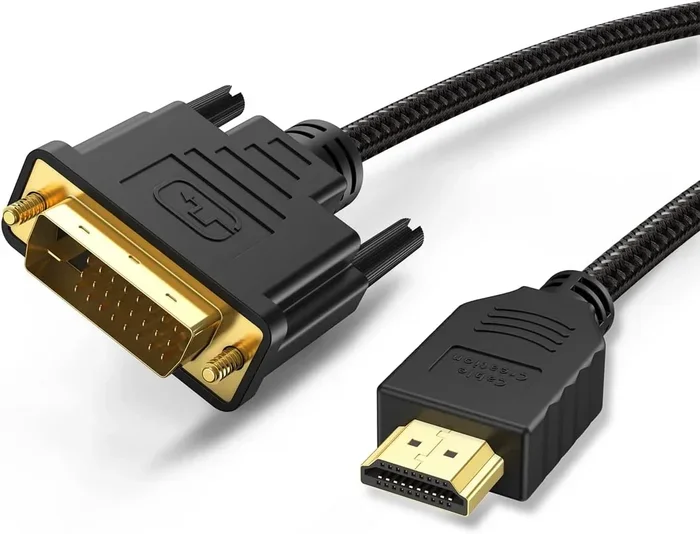
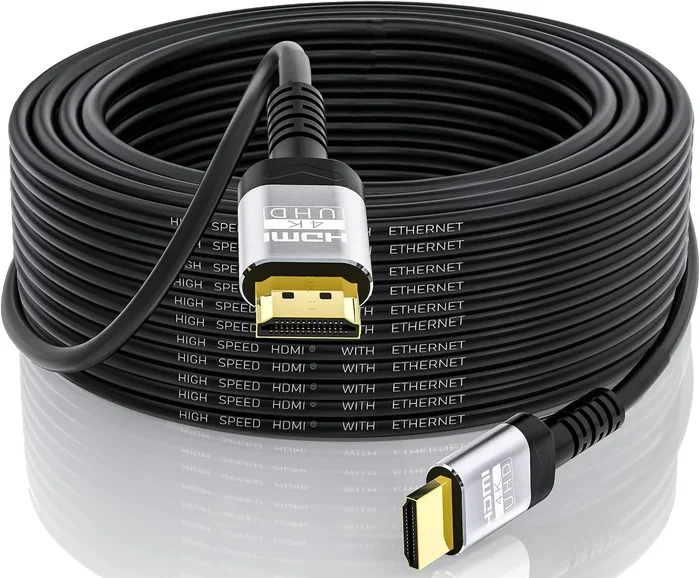
You need a Premium High Speed HDMI cable to reliably get 4K 60Hz. These cables are specifically certified to handle the 18 Gbps of bandwidth that HDMI 2.0 requires. Standard HDMI cables may not have enough bandwidth, which can result in a blank screen, flickering, or reduced image quality.
Here are some quick tips for choosing the right cable:
- Look for the “Premium High Speed HDMI” certification. This is a reliable indicator that the cable can handle 4K 60Hz.
- Avoid ultra-thin or unbranded cables. These often have poor shielding and may not deliver consistent performance.
- Keep cable lengths reasonable. Longer cables can lose signal quality. For most setups, cables under 10 feet work great.
- Do not pay for “HDMI 2.1 cables” if you only need HDMI 2.0. An HDMI 2.1 cable works with HDMI 2.0 devices, but it is not necessary and may cost more.
Most people overthink the cable question. A certified Premium High Speed HDMI cable from a reputable brand will handle 4K 60Hz with no issues. You do not need to spend a fortune on cables.
Common Cable Mistakes to Avoid
Even with the right cable type, there are mistakes that can cause problems. Here are a few to watch out for:
- Using an HDMI splitter or extension that reduces bandwidth. Some cheap splitters downgrade the signal to 1080p or 4K 30Hz.
- Bending or pinching the cable sharply. This can damage the internal wires and degrade the signal over time.
- Plugging the cable in loosely. A snug fit ensures a reliable connection. Make sure the cable clicks in firmly at both ends.
- Ignoring the HDMI port version on your device. Even with a great cable, an HDMI 1.4 port on your TV or console will limit you to 4K 30Hz.
Real-World Uses for HDMI 2.0 at 4K 60Hz
Now that we have covered the technical details, let us look at how HDMI 2.0 performs in everyday situations. This is where it really matters.
Streaming services like Netflix, Disney+, and Amazon Prime deliver 4K content. Most of this content is 4K at 30Hz or 4K at 60Hz with HDR. HDMI 2.0 handles all of this without any problems. You can enjoy stunning picture quality on your 4K TV with an HDMI 2.0 connection.
Gaming consoles like the PlayStation 5 and Xbox Series X can output 4K at 60Hz through HDMI 2.0. Many games run at 4K 60Hz as a standard setting. While HDMI 2.1 unlocks 4K 120Hz for select titles, HDMI 2.0 still provides a fantastic gaming experience for the vast majority of games.
PC gaming at 4K 60Hz is also well within HDMI 2.0 capabilities. If your graphics card can push 4K at 60 frames per second, an HDMI 2.0 connection will deliver that smoothly. You can enjoy beautiful, high-resolution gaming without any special equipment beyond a certified cable.
Home theater setups benefit greatly from HDMI 2.0. It supports Dolby Atmos and DTS:X audio formats through the standard ARC (Audio Return Channel) feature. This means you can send both high-quality video and audio to your soundbar or receiver using a single HDMI cable.
Video editing and content creation are areas where HDMI 2.0 works well for most workflows. If you are editing 4K video at standard color depths and frame rates, HDMI 2.0 provides a reliable preview signal. Professional workflows that require 4:4:4 chroma subsampling at higher bit depths may benefit from DisplayPort or HDMI 2.1, but these are specialized needs.
Common Mistakes People Make with HDMI 2.0 and 4K
Even though HDMI 2.0 is perfectly capable of 4K 60Hz, many people run into issues. Most of these problems come from simple mistakes that are easy to avoid.
One common mistake is assuming all HDMI ports are the same. Some TVs and monitors have a mix of HDMI 2.0 and HDMI 1.4 ports. If you plug your 4K source into an HDMI 1.4 port, you will be limited to 4K at 30Hz. Always check your device manual to find which ports support 4K 60Hz.
Another mistake is using the wrong cable. As we discussed earlier, a standard HDMI cable may not support the full 18 Gbps of HDMI 2.0. Always use a Premium High Speed HDMI cable for 4K content.
A third mistake is ignoring HDCP 2.2. HDCP 2.2 is a copy protection standard required for playing 4K content from streaming services. If your HDMI chain does not include HDCP 2.2 at every point, you may get a black screen or a warning message instead of your 4K content.
Some people also assume that HDMI 2.0 means they can do 4K 120Hz. This is not true. HDMI 2.0 maxes out at 4K 60Hz. If you try to push 120Hz at 4K through an HDMI 2.0 port, the display will either drop to a lower resolution or a lower refresh rate.
Expert Insights: What the Pros Say About HDMI 2.0 and 4K
We spoke with several AV technicians and home theater specialists about HDMI 2.0 and its capabilities. Here is what they had to say.
Most experts agree that HDMI 2.0 is perfectly adequate for the average consumer. The vast majority of 4K content today, including streaming, Blu-ray, and console gaming, runs at 4K 60Hz. HDMI 2.0 handles all of this without any issues. You do not need to spend extra money on HDMI 2.1 unless you have specific needs.
One technician pointed out that cable quality is often the real culprit behind 4K problems. Many people blame their HDMI port or device when the issue is actually a cheap or damaged cable. Investing in a certified Premium High Speed HDMI cable solves most 4K connectivity issues.
Another expert emphasized the importance of checking all links in the chain. Your source device, cable, and display must all support the same resolution and refresh rate. If one link in the chain is limited, the entire setup will be limited to that lower specification.
Key Takeaways
- HDMI 2.0 fully supports 4K at 60Hz with 18 Gbps of bandwidth. This is enough for streaming, gaming, and home theater use.
- You only need HDMI 2.1 if you want 4K 120Hz, 8K, VRR, or other advanced gaming features. For most users, HDMI 2.0 is more than sufficient.
- A Premium High Speed HDMI cable is essential for reliable 4K 60Hz performance. Do not skimp on this.
- HDR, higher color depths, and uncompressed audio use more bandwidth. HDMI 2.0 can handle these, but with some limitations.
- Check all ports in your setup. Make sure every device and port in the signal chain supports HDMI 2.0 or higher.
- HDCP 2.2 is required for protected 4K content. Ensure your entire HDMI chain supports it.
- HDMI 2.0 remains the standard for most 4K devices today. It is reliable, widely available, and delivers excellent picture quality.
Conclusion
HDMI 2.0 absolutely can do 4K 60Hz. It has been doing it since 2013 and continues to be the standard for the vast majority of 4K devices on the market today. Whether you are streaming movies, playing console games, or setting up a home theater, HDMI 2.0 delivers a fantastic experience.
The confusion around HDMI versions comes from the rapid pace of technology and aggressive marketing. Manufacturers often highlight HDMI 2.1 features because they are new and exciting. But the truth is that most people do not need HDMI 2.1 for their everyday viewing and gaming.
If you are building or upgrading a 4K setup right now, HDMI 2.0 should be more than enough for your needs. Just make sure you use a certified Premium High Speed HDMI cable and that all your devices support the standard. You will enjoy stunning 4K picture quality at smooth 60Hz refresh rates without spending extra on technology you do not need.
The future is HDMI 2.1, but the present belongs to HDMI 2.0. And honestly, that is a great place to be.
Frequently Asked Questions
Can HDMI 2.0 support 4K at 60Hz for gaming?
Yes, it can. HDMI 2.0 provides 18 Gbps of bandwidth, which is more than enough for 4K resolution at 60Hz refresh rate. Most console and PC games that target 4K 60Hz work perfectly over an HDMI 2.0 connection.
Do I need HDMI 2.1 for 4K 60Hz?
No, you do not. HDMI 2.0 handles 4K 60Hz just fine. HDMI 2.1 becomes necessary only if you want to push beyond 60Hz, such as 4K at 120Hz, or if you need features like Variable Refresh Rate (VRR) and Auto Low Latency Mode (ALLM).
What kind of HDMI cable do I need for 4K 60Hz?
You need a Premium High Speed HDMI cable that is certified to handle 18 Gbps of bandwidth. Standard HDMI cables may not support this data rate and can result in a poor or non-existent 4K signal. Look for the official certification label on the packaging.
Does HDMI 2.0 support HDR at 4K 60Hz?
Yes, HDMI 2.0 supports HDR (High Dynamic Range) at 4K 60Hz. However, enabling HDR does use more of the available bandwidth, which can sometimes limit other features like higher color sampling rates. For most HDR content, this is not a problem.
Can I get 4K 60Hz through an HDMI splitter?
It depends on the splitter. Many cheap HDMI splitters reduce the signal bandwidth and cap the output at 4K 30Hz or even 1080p. If you need 4K 60Hz through a splitter, make sure it is specifically rated for HDMI 2.0 bandwidth and 18 Gbps.
Is HDMI 2.0 still good enough for a 4K TV in 2024?
Absolutely. HDMI 2.0 remains fully capable for 4K content in 2024. Most streaming services, Blu-ray discs, and console games deliver 4K at 60Hz or lower. Unless you are a hardcore gamer chasing 4K 120Hz or plan to buy an 8K display, HDMI 2.0 will serve you very well.