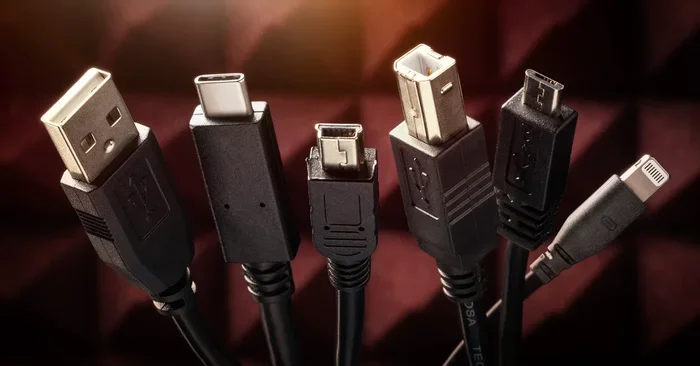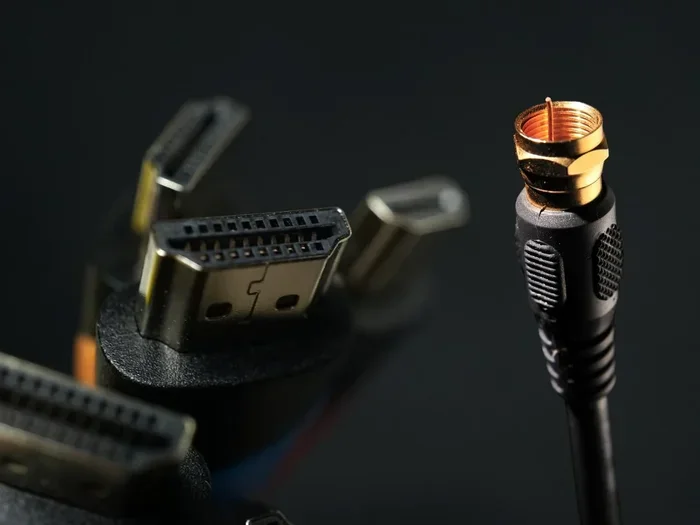
Can Hdmi Be Sent Over Coax Cable And Why You Need To Know
Can HDMI be sent over coax cable? Yes, it can — and it is a game-changer for home setups. Using an HDMI over coax adapter or coax to HDMI converter, you can extend your high-definition signal through existing coaxial wiring. This guide covers everything you need to know about HDMI over coax transmission, including setup tips, gear options, and common pitfalls.
Have you ever stared at a tangle of cables behind your TV and wondered if there was a better way? Maybe you have coax cable already running through your walls but need to connect an HDMI device. The good news is that can HDMI be sent over coax, and the answer might save you a ton of time and money. This guide breaks down everything you need to know about sending HDMI signals through coaxial cable in plain, simple language.
Whether you are a DIY enthusiast or just someone who wants a cleaner setup, understanding HDMI over coax opens up new possibilities. You will learn how the technology works, what gear you need, and how to avoid the mistakes that trip up most people. Let us dive right in.
Key Takeaways
- HDMI Can Travel Over Coax: You can send HDMI signals through coaxial cable using the right adapter or converter box.
- Multiple Solutions Exist: From HDMI to coax converters to dedicated extenders, there are several ways to make it work.
- Existing Wiring Can Be Reused: If you already have coax cables in your walls, you can save money and avoid new runs.
- Signal Quality Matters: Using high-quality coax cable and proper adapters preserves your HD and 4K picture.
- Setup Is Manageable at Home: Most HDMI over coax kits are plug-and-play and do not require professional installation.
- Watch for Common Mistakes: Using the wrong cable type or cheap adapters can kill your signal quality.
📑 Table of Contents
What Is HDMI and Why Does Coax Matter?
HDMI stands for High-Definition Multimedia Interface. It is the standard cable that carries both video and audio from a source device to a display. Think of your Blu-ray player, gaming console, or streaming box — they all use HDMI to deliver crisp picture and sound.
Coaxial cable, on the other hand, has been around for decades. You probably have it in your walls already from your cable TV setup. It was originally designed for radio frequency signals, but modern technology has found clever ways to repurpose it for digital content.
Understanding HDMI Signals
HDMI signals carry uncompressed digital data. That means every pixel and every sound byte travels at high speed through the cable. Standard HDMI cables use twisted copper pairs inside a shielded jacket. The bandwidth can reach up to 18 Gbps for HDMI 2.0 and even 48 Gbps for HDMI 2.1.
Now here is the challenge. Coaxial cable was not built for this kind of data transfer. It uses a single central conductor surrounded by shielding. So sending HDMI over coax requires special equipment that converts the signal properly.
The Role of Coaxial Cable in Modern Setups
Many homes already have coax wiring installed. Landlords and builders ran it for cable TV decades ago. Instead of ripping open walls to run new HDMI cables, you can use that existing infrastructure. This is where HDMI over coax transmission becomes incredibly useful.
Using coax also means fewer cables in sight. Your living room stays cleaner, and you avoid the hassle of drilling new holes or pulling new wires through conduits.
Can HDMI Be Sent Over Coax Cable?
The short answer is yes. Can HDMI be sent over coax cable? Absolutely. But it is not as simple as plugging one end into the other. You need a conversion device that translates the HDMI signal into a format that can travel through coaxial wiring and then converts it back on the other end.
How HDMI Over Coax Works
Here is how the process works in plain terms. An HDMI to coax converter takes the HDMI signal from your source device and encodes it onto a carrier frequency. This encoded signal then travels through the coaxial cable. On the receiving end, a coax to HDMI converter decodes the signal and outputs it as a standard HDMI signal to your TV or monitor.
Think of it like translating a book from one language to another. The words stay the same, but the format changes so they can travel through a different medium. The quality of the translation — or in this case, the conversion — determines how good your final picture looks.
HDMI Over Coax vs. Standard HDMI
Standard HDMI gives you the best possible quality because there is no conversion involved. When you use HDMI over coax, you introduce conversion steps. Each step has the potential to introduce slight signal loss or latency.
However, modern HDMI over coax adapters are getting very good. Many support 1080p and even 4K resolution. The difference is often imperceptible in everyday use. For most home entertainment setups, HDMI over coax delivers an excellent experience.
| Feature | Standard HDMI | HDMI Over Coax |
|---|---|---|
| Signal Conversion | None (direct) | Requires converter at both ends |
| Max Resolution | 4K @ 60Hz (HDMI 2.0) | Up to 4K with quality adapters |
| Cable Already in Walls | No | Yes (coax) |
| Setup Complexity | Very simple | Moderate |
| Signal Quality | Best | Very good with proper gear |
| Cost | Low | Moderate (converter cost) |
| Latency | Minimal | Low to moderate |
Types of HDMI Over Coax Solutions
Not all HDMI over coax setups are the same. There are several different products and approaches you can use. Let us break them down so you can pick what works best for your situation.
HDMI to Coax Converters
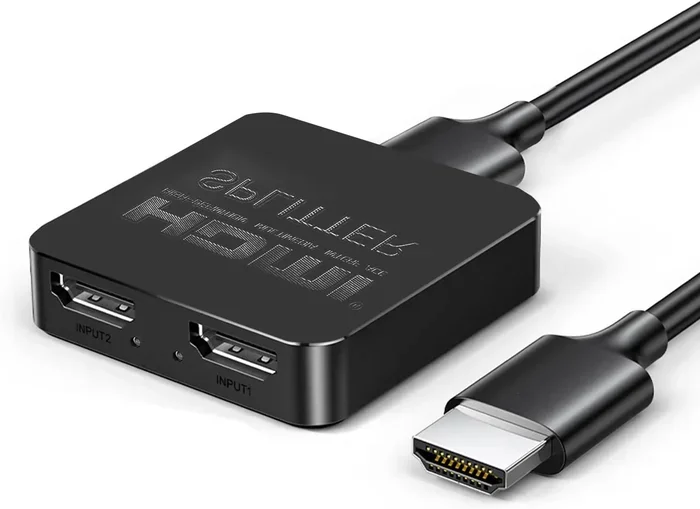
An HDMI to coax converter is a small box that sits between your source device and the coax cable. You plug the HDMI cable from your device into the converter, and then the coax cable runs from the converter to the TV end. At the TV, you use a coax to HDMI converter to turn the signal back into HDMI.
These converters come in different shapes and sizes. Some are compact adapters that plug directly into the HDMI port. Others are larger boxes with extra features like IR pass-through, which lets you control your source device with your TV remote.
HDMI Extenders Over Coax
An HDMI extender over coax is a more complete solution. It usually comes as a pair — a transmitter and a receiver. You connect the transmitter to your source device via HDMI, and then a coax cable runs from the transmitter to the receiver. The receiver plugs into your TV with another HDMI cable.
HDMI extenders over coax are great for longer runs. They can push a signal through 100 feet or more of coax cable without significant quality loss. This makes them ideal for whole-home setups or multi-room installations.
Coax HDMI Adapters and Wall Plates
For a cleaner, more permanent installation, you can use coax HDMI wall plates. These are faceplates that mount in the wall and have both coax and HDMI connections built in. They let you switch between coax and HDMI signals at any room in your house.
Coax HDMI adapters also come in portable forms. Some are small dongles that you can carry with you for temporary setups at conferences or hotel rooms. The options are surprisingly diverse.
Broadband Coax HDMI Systems
Some advanced systems use the broadband capability of coax cable to carry multiple HDMI signals simultaneously. This is similar to how cable TV companies deliver hundreds of channels through a single coax line. These broadband coax HDMI systems are more complex but offer excellent flexibility for whole-home distribution.
Quick Tips for Setting Up HDMI Over Coax
Setting up HDMI over coax does not have to be hard. Follow these quick tips to get the best results:
- Check Your Coax Type: Use RG6 or RG59 coax cable for best results. RG6 is the newer standard and handles higher frequencies better.
- Keep Runs Under 100 Feet: Longer coax runs can degrade the signal. If you need more distance, consider an HDMI extender over coax with a built-in amplifier.
- Use Quality Converters: Cheap adapters often introduce lag or drop resolution. Invest in a reputable brand for reliable HDMI signal conversion.
- Test Before You Wall Mount: Always test your full setup before cutting holes in the wall or installing permanent fixtures.
- Match Your Resolutions: Make sure your source device, converter, and TV all support the same resolution for the best picture quality.
- Avoid Daisy-Chaining: Do not stack multiple converters in line. Each conversion step adds potential quality loss and latency.
- Use Ferrite Chokes: These small clips reduce electromagnetic interference on your coax cable and help keep the signal clean.
Expert Insight
Professional AV installers recommend always using shielded coax cable for HDMI over coax installations. The shielding prevents outside interference from fluorescent lights, motors, and other electronics that can degrade your digital signal. A small investment in better cable pays off big in picture quality.
Common Mistakes to Avoid
Even with the right gear, mistakes can ruin your HDMI over coax experience. Here are the most common pitfalls and how to avoid them.
Using the Wrong Coax Cable
Not all coax cables are created equal. RG59 is an older standard that works for short runs but struggles with higher frequencies. RG6 is the better choice for most HDMI over coax setups. Using the wrong cable can lead to signal dropouts, poor picture quality, or no signal at all.
Ignoring Signal Conversion Quality
The converter is the heart of your setup. A low-quality coax to HDMI converter can introduce noticeable lag, reduce resolution, or cause audio sync issues. Always read reviews and buy from trusted brands. The converter is not a place to cut corners.
Overlooking Cable Length Limits
Every coax cable has a maximum effective length. Beyond that, the signal weakens. Many people run 150 feet of coax and wonder why the picture looks terrible. Know your limits and use signal boosters or repeaters when needed.
Skipping the IR Pass-Through
If you do not use an HDMI extender over coax with IR pass-through, you will need separate remote controls for each device. IR pass-through lets your TV remote control the source device even when the HDMI cable is replaced by coax. It is a small feature that makes a huge difference in daily use.
Expert Insights on HDMI Over Coax
The world of digital signal over coax has evolved rapidly in recent years. Here is what industry professionals want you to know.
Modern HDMI over coax adapters use sophisticated modulation techniques to squeeze digital HDMI data into the coax bandwidth. Some systems use QAM modulation, which is the same technology used by cable TV companies. Others use more advanced encoding methods to achieve higher bitrates and better picture quality.
One thing that surprises many people is that HDMI over coax can actually be more reliable than running long HDMI cables. Standard HDMI cables degrade significantly beyond 50 feet. Coax cable, with proper conversion, can carry the same signal much farther without loss.
Another insight from AV professionals is to always plan your installation with future-proofing in mind. Choose converters that support the latest HDMI standards, even if your current devices do not need them. This way, when you upgrade to HDMI 2.1 devices, your coax infrastructure will be ready.
Key Takeaways
- HDMI Can Travel Over Coax: You can send HDMI signals through coaxial cable using the right adapter or converter box.
- Multiple Solutions Exist: From HDMI to coax converters to dedicated extenders, there are several ways to make it work.
- Existing Wiring Can Be Reused: If you already have coax cables in your walls, you can save money and avoid new runs.
- Signal Quality Matters: Using high-quality coax cable and proper adapters preserves your HD and 4K picture.
- Setup Is Manageable at Home: Most HDMI over coax kits are plug-and-play and do not require professional installation.
- Watch for Common Mistakes: Using the wrong cable type or cheap adapters can kill your signal quality.
Conclusion
So, can HDMI be sent over coax? The answer is a clear and definitive yes. Can HDMI be sent over coax cable and get great results? Absolutely, as long as you use the right equipment and follow a few simple guidelines.
HDMI over coax is a practical, cost-effective solution for homes with existing coaxial wiring. Whether you are extending a signal to another room, cleaning up cable clutter, or simply saving on installation costs, this technology delivers real value.
The key is to choose quality converters, use the right type of coax cable, and avoid the common mistakes outlined in this guide. With the right HDMI over coax setup, you can enjoy high-definition video and audio through the same cables that have been in your walls for years.
Take what you have learned here and put it into action. Your setup will be cleaner, smarter, and more efficient. And you will have a great story to tell when friends ask how you got that perfect picture running through old coax cable.
Frequently Asked Questions
Can I send 4K HDMI over coax cable?
Yes, you can send 4K HDMI over coax, but you need a high-quality converter that supports 4K resolution. Not all HDMI over coax adapters handle 4K, so check the specifications before buying. Premium HDMI extenders over coax are designed specifically for 4K bandwidth.
How far can HDMI travel over coax cable?
A standard HDMI over coax transmission can reach up to 100 feet or more without significant signal loss. With an amplified coax HDMI extender, you can push the signal even farther — sometimes 200 feet or more. The exact distance depends on your coax cable quality and the converter you use.
Do I need special coax cable for HDMI over coax?
You do not need anything exotic, but you should use RG6 coax cable for the best results. RG6 handles the higher frequencies needed for digital HDMI data better than older RG59 cable. Always use shielded coax to prevent interference that can degrade your HDMI signal conversion.
Is there noticeable lag with HDMI over coax?
Most modern HDMI over coax setups introduce very little latency — often under 10 milliseconds. This is barely noticeable for regular viewing. However, for competitive gaming or fast-action content, a direct HDMI connection will always have the least latency. Choose a converter with low-latency specs if this matters to you.
Can I use existing cable TV coax for HDMI over coax?
Yes, in most cases your existing cable TV coax wiring can be repurposed for HDMI over coax. Just make sure the cables are in good condition and are RG6 or RG59 type. Have an electrician test the cables if you are unsure about their quality or condition before relying on them for your setup.
What is the difference between an HDMI to coax converter and an HDMI extender over coax?
An HDMI to coax converter typically handles a single connection point — it converts HDMI to coax at one end and coax back to HDMI at the other. An HDMI extender over coax is a complete system with a transmitter and receiver pair designed for longer cable runs. Extenders often include features like IR pass-through and signal amplification for better reliability over distance.