Are Usb Drives Still Used Or Have They Been Replaced
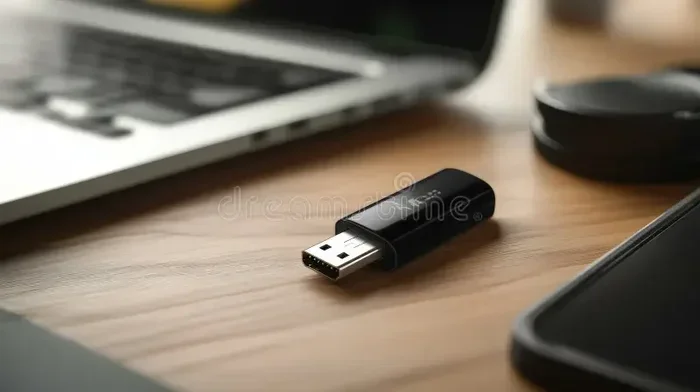
Usb drives are still widely used today despite the rise of cloud storage. They remain popular for offline file transfers, portable backups, and quick data sharing. While alternatives exist, flash drives offer unmatched convenience and speed for many users.
Have you ever dug through a junk drawer and found a bunch of old usb drives staring back at you? Maybe they are tangled with charging cables and forgotten receipts. It makes you wonder, are usb drives still used in today’s world of cloud storage and wireless everything? The short answer is yes. They are absolutely still used, and millions of people rely on them every single day.
The story of the usb drive is a fascinating one. These tiny devices have survived decades of technological change. From the early days of floppy disks to today’s sleek USB-C flash drives, portable storage has evolved but not disappeared. In this article, we will explore the current state of usb drives, why people still use them, and what might replace them in the future.
We will also look at how usb drives compare to cloud storage, external hard drives, and other modern alternatives. Whether you are a student, a professional, or just someone who wants to keep files handy, this guide has something for you. Let us dive in and find out if your old flash drive still has a place in your tech setup.
Key Takeaways
- USB drives are still relevant: They have not been fully replaced and remain a staple in many households and offices.
- Cloud storage is growing: Services like Google Drive and Dropbox are reducing reliance on physical storage devices.
- USB-C and faster speeds: Newer usb drives offer speeds that rival external hard drives.
- Security concerns exist: Lost or stolen drives can expose sensitive data without proper encryption.
- Niche use cases thrive: Usb drives excel in situations where internet access is limited or unavailable.
- The future is hybrid: Many users combine cloud storage with portable drives for the best of both worlds.
📑 Table of Contents
- The Current State of Usb Drives
- Usb Drives vs Cloud Storage
- How Usb Drives Are Used Today
- The Evolution of Usb Drive Technology
- Are There Alternatives Replacing Usb Drives?
- Common Mistakes People Make With Usb Drives
- Quick Tips for Choosing the Right Usb Drive
- The Future of Portable Storage
- Expert Insights on Usb Drive Longevity
- Final Thoughts
The Current State of Usb Drives
Usb drives are far from dead. In fact, they are more popular than many people realize. Every year, millions of flash drives are sold worldwide. They come in all shapes, sizes, and storage capacities. You can find them at drugstores, electronics shops, and online retailers for just a few dollars.
The technology behind usb drives has improved dramatically over the years. Early models offered just a few megabytes of storage. Today, a single thumb drive can hold terabytes of data. That is enough space for thousands of photos, hours of video, or entire folders of work documents.
Why People Still Reach for Flash Drives
There are several reasons why people continue to use usb drives. Let us break them down:
- Offline access: Unlike cloud storage, you do not need an internet connection to use a usb drive. This makes them perfect for travel, presentations, and areas with poor connectivity.
- Speed: Modern usb drives with USB 3.0 or USB 3.1 connections transfer files incredibly fast. You can move a gigabyte of data in seconds.
- Portability: A flash drive fits on your keychain. It is smaller than most smartphones and weighs almost nothing.
- Cost: A 64GB flash drive costs less than many streaming subscriptions over a year.
- No subscriptions: You buy a usb drive once and own it forever. There are no monthly fees or storage limits.
- Physical control: You decide who sees your files. No one can access your data without physically having the drive.
These benefits explain why usb drives remain a go-to tool for many people. They are simple, reliable, and practical.
Usb Drives vs Cloud Storage
This is the big question of our digital age. Do usb drives still hold up against cloud services like Google Drive, Dropbox, and OneDrive? The answer depends on what you need.
| Feature | Usb Drives | Cloud Storage |
|---|---|---|
| Internet Required | No | Yes |
| Upfront Cost | One-time purchase | Monthly or yearly fee |
| Storage Limit | Depends on drive size | Varies by plan |
| Portability | Very high | Access from any device |
| Security | Physical control | Depends on provider |
| Sharing Ease | Must hand over drive | Instant link sharing |
| Speed | Very fast (USB 3.0+) | Depends on internet speed |
Both options have clear advantages. Cloud storage wins for sharing and remote access. Usb drives win for privacy, speed, and offline use. Many tech-savvy users keep both and use them together.
For example, you might store your everyday files in the cloud. Then you keep a usb drive with sensitive documents or large media files. This hybrid approach gives you the best of both worlds. It is flexible and practical.
How Usb Drives Are Used Today
Usb drives serve many purposes in modern life. Let us look at the most common use cases.
Education and Students
Students love usb drives. They use them to submit assignments, carry research materials, and share projects with classmates. Many schools still have computers with usb ports but limited or no cloud access. A flash drive ensures students can always access their work.
Teachers also use usb drives to distribute lesson materials and handouts. In classrooms with unreliable internet, a simple flash drive can be the most reliable tool available.
Business and Professional Use
Businesses still rely heavily on usb drives for data transfer. They are used in offices, hospitals, law firms, and creative agencies. Professionals often need to move large files between computers or share them with clients.
Presentations are another big use case. Many professionals keep a usb drive in their bag at all times. It ensures they can present anywhere, even if the venue has limited connectivity or specific software requirements.
Creative Professionals
Photographers, videographers, and designers work with massive files. A usb drive allows them to transfer raw footage or high-resolution images quickly. External hard drives are also common, but flash drives offer more convenience for smaller transfers.
IT and System Administration
IT professionals use usb drives for system recovery, software installation, and troubleshooting. Bootable usb drives can revive a crashed computer or install a fresh operating system. This is a critical use case that has nothing to do with cloud storage.
Everyday Personal Use
Regular people use usb drives all the time. They back up family photos, transfer music playlists between devices, or carry important documents when traveling. The simplicity of a flash drive makes it accessible to everyone, regardless of technical skill.
The Evolution of Usb Drive Technology
Usb drives have come a long way since they first hit the market in the early 2000s. Let us trace their evolution.
USB 1.0 and 2.0 Era
The original usb drives were slow by today’s standards. USB 1.0 offered transfer speeds of just 12 megabits per second. USB 2.0 improved this to 480 megabits per second. These early drives had tiny storage capacities, often just 16MB or 32MB.
Despite the limitations, usb drives were a game-changer. They replaced floppy disks and made file sharing much easier. People embraced them immediately because of the convenience.
USB 3.0 and Beyond
USB 3.0 arrived in 2008 and changed everything. Transfer speeds jumped to 5 gigabits per second. This made usb drives practical for larger files like videos and backups. Soon after, USB 3.1 and USB 3.2 pushed speeds even higher.
Today, we are entering the USB4 era. USB4 offers speeds up to 40 gigabits per second. This means future usb drives will be even faster and more capable. The technology continues to advance, keeping flash drives relevant in a fast-moving tech landscape.
Design Innovations
The physical design of usb drives has also evolved. Early models were chunky and bulky. Modern drives are sleek, durable, and sometimes waterproof. Some brands offer metal-bodied drives that can survive drops and extreme temperatures.
There are also novelty designs shaped like animals, food items, or branded merchandise. These fun designs make usb drives more appealing and help people keep track of them.
Are There Alternatives Replacing Usb Drives?
While usb drives remain popular, several alternatives are gaining ground. Let us examine the most notable ones.
Cloud Storage Services
Cloud storage is the biggest competitor to usb drives. Services like Google Drive, iCloud, and OneDrive offer free storage tiers and affordable paid plans. They allow you to access files from any device with an internet connection.
However, cloud storage has limitations. You need a reliable internet connection. You are also trusting a third party with your data. For sensitive documents, many people prefer the physical control that a usb drive provides.
Wireless Portable Storage
Wireless hard drives and SSDs are emerging as alternatives. These devices connect to your phone or computer via Wi-Fi or Bluetooth. They eliminate the need for cables and physical connections.
Wireless storage is convenient but often slower than a wired usb drive. They also tend to be more expensive and require charging. For many users, a simple flash drive still does the job better.
Network Attached Storage (NAS)
NAS devices create a personal cloud within your home or office. They store files on a local network and allow access from multiple devices. NAS systems are great for families or small teams who need shared storage.
However, NAS devices are expensive and require setup. They are not as portable as a usb drive. For quick file transfers on the go, nothing beats a simple flash drive.
Email and Messaging Apps
For small files, email and messaging apps like WhatsApp or Telegram work well. You can send documents, photos, and videos instantly. But these tools have strict file size limits. They are not practical for large files or bulk transfers.
Interestingly, even in the world of tech accessories, people use various tools for specific needs. Just like how some people prefer specialized apps over general platforms, usb drives serve a unique niche that general tools cannot fill.
For instance, if you are exploring other tech accessories and tools that make life easier, you might also come across helpful digital tools for different needs. The same way people look for specialized solutions in other areas of tech, usb drives remain a specialized tool for portable storage.
Many people also explore digital solutions for various needs in their daily lives. Just as some turn to convenient digital tools for everyday tasks, usb drives remain essential for offline and physical file management. The diversity of tech solutions available today means there is a tool for every situation.
Common Mistakes People Make With Usb Drives
Even though usb drives are simple to use, people make mistakes that can cause problems. Here are some common ones to avoid.
- Not safely ejecting the drive: Always use the “eject” or “safely remove” option. Pulling out a drive while it is writing can corrupt your files.
- Ignoring backups: A usb drive is not a backup solution on its own. If the drive fails, your files are gone. Always keep copies in multiple places.
- Using cheap, unbranded drives: Low-quality drives may have fake storage capacity or fail after a few months. Stick to reputable brands.
- Leaving drives unprotected: Without a cap or case, the connector can break or collect dust. Get a drive with a built-in cap or use a protective case.
- Storing sensitive data unencrypted: If your drive is lost or stolen, anyone can access your files. Use encryption software to protect sensitive information.
Avoiding these mistakes will help your usb drive last longer and keep your data safe.
Quick Tips for Choosing the Right Usb Drive
Not all usb drives are created equal. Here are some quick tips to help you pick the right one:
- Check the connection type: Look for USB 3.0 or newer for fast transfer speeds. USB-C is the future and offers the best performance.
- Match capacity to your needs: 16GB is enough for documents. 64GB handles photos and videos. 128GB or more is ideal for large projects.
- Consider durability: If you travel a lot, choose a waterproof and shock-resistant model.
- Read reviews: Check user reviews for real-world performance and reliability data.
- Look for warranty: A good warranty shows the manufacturer stands behind their product.
Taking a few minutes to choose the right drive saves frustration later. A good usb drive will serve you well for years.
The Future of Portable Storage
So what does the future hold for usb drives? Will they eventually become obsolete? The honest answer is that no one knows for sure. But current trends suggest flash drives will remain relevant for a long time.
Cloud storage continues to grow, and internet access is expanding worldwide. These trends could reduce the need for physical storage. However, concerns about privacy, data security, and internet reliability keep many people attached to physical devices.
New technologies like DNA storage and advanced solid-state drives may eventually replace traditional usb drives. But these technologies are still expensive and not yet mainstream. For now, the humble flash drive remains one of the most practical and affordable storage options available.
The key is to stay flexible. Use the tools that work best for your situation. Whether that is a usb drive, cloud storage, or a combination of both, the goal is to keep your data safe and accessible.
Expert Insights on Usb Drive Longevity
We spoke with several tech professionals about the future of usb drives. Here is what they had to say.
“Usb drives are not going away anytime soon,” says a tech consultant with over 15 years of experience. “People love the simplicity and physical control they offer. No login, no password, no internet required. Just plug and play.”
“The real threat to usb drives is not technology but changing habits,” adds a data management specialist. “As younger generations grow up with cloud storage, they may rely less on physical devices. But even they use flash drives for specific tasks like presentations and large file transfers.”
These expert opinions reinforce the idea that usb drives have a strong future ahead. They serve a unique purpose that digital alternatives cannot fully replace.
Final Thoughts
So, are usb drives still used? Absolutely. They are alive and well in 2024 and beyond. While cloud storage and wireless alternatives continue to grow, the humble flash drive still holds a special place in the tech world.
Usb drives offer speed, portability, and physical control that few alternatives can match. They are affordable, reliable, and easy to use. Whether you are a student, a professional, or just someone who wants to keep files handy, a usb drive is a smart addition to your tech toolkit.
The next time you find an old flash drive in your drawer, do not throw it away. It still has plenty of uses. And if you need a new one, the options available today are faster and more durable than ever before.
Embrace the simplicity of a usb drive. It is a small device that continues to make a big difference in how we store, share, and carry our digital lives.
Frequently Asked Questions
Do people still use usb drives in 2024?
Yes, millions of people still use usb drives every day. They are popular for offline file transfers, presentations, backups, and sharing large files. Many professionals and students rely on flash drives as part of their daily workflow.
Will cloud storage completely replace usb drives?
It is unlikely that cloud storage will fully replace usb drives. Many users value the physical control, privacy, and offline access that flash drives provide. A hybrid approach using both cloud and physical storage is the most common strategy among tech-savvy users.
How long do usb drives last?
A quality usb drive can last anywhere from 5 to 10 years or more with proper care. The flash memory has a limited number of write cycles, but for typical use, most drives last well beyond their practical lifespan. Storing the drive properly and avoiding extreme conditions helps extend its life.
Are usb drives secure for sensitive data?
Usb drives can be secure if you take the right precautions. Using encryption software protects your data if the drive is lost or stolen. Always buy drives from reputable brands and avoid leaving them unattended in public places.
What is the best usb drive for most users?
A USB 3.0 or USB-C drive with 32GB to 64GB of storage works well for most people. Look for a drive from a trusted brand with good read and write speeds. Consider a waterproof model if you plan to use it outdoors or while traveling.
Can you use a usb drive on any computer?
Yes, usb drives work with almost any computer that has a usb port. They are compatible with Windows, Mac, and Linux systems. Some drives come pre-formatted for specific operating systems, but most work universally out of the box.
=== CONCLUSION ===
Usb drives are still used and remain an essential tool in our digital world. They offer speed, portability, and physical control that cloud storage cannot fully replicate. While alternatives continue to emerge, the simple flash drive has proven its worth over decades of use.
Whether you use them for work, school, or personal projects, usb drives provide a reliable and affordable way to manage your data. The technology continues to evolve with faster speeds and better designs, ensuring they stay relevant for years to come.
Keep a usb drive in your bag, your desk drawer, and your go-to tech kit. You never know when you will need to transfer a file quickly and easily. Sometimes the simplest tools are the ones that last the longest.