Does Gaming Slow Down Wi Fi Here Is What You Need to Know
Does gaming slow down Wi-Fi? The short answer is yes, but not as much as you might think. Online gaming uses relatively little bandwidth, but it can still impact your network performance when multiple devices are connected. Understanding how gaming affects your Wi-Fi helps you keep your connection fast and stable for everyone in your home.
Does gaming slow down Wi-Fi? This is a question many people ask, especially when their internet starts acting up during a gaming session. Maybe your roommate is streaming a movie, and suddenly your game starts lagging. Or perhaps your whole family is online, and your connection speed drops dramatically. Whatever the situation, understanding how gaming affects your Wi-Fi can save you a lot of frustration.
The truth is that gaming itself does not use a ton of data. But it does have unique needs that other activities do not. While downloading a game might use a lot of bandwidth, actually playing the game is quite light. The real issue comes down to how your network handles multiple tasks at once. Let us break this down in detail so you know exactly what is happening on your home network and what you can do about it.
Most people think that gaming eats up tons of internet data. That is a common myth. When you are playing an online game, you are sending and receiving small packets of information. These packets tell the game server where you are, what you are doing, and what is happening around you. The amount of data involved is tiny compared to what happens when you stream a video or download a large file.
So why does your Wi-Fi feel slow when you game? The answer usually has to do with how your router manages traffic. If several devices are using the network at the same time, your router has to share the available bandwidth. Gaming needs a steady and consistent flow of data. Even if the total amount is small, interruptions in that flow can cause lag, stuttering, and poor performance. This is why many gamers focus on reducing latency and keeping their ping low.
## How Much Bandwidth Does Gaming Actually Use?
### Understanding Data Usage During Gameplay
When you are actively playing a game online, the bandwidth usage is surprisingly low. Most multiplayer games use between 1 and 5 megabits per second. That is less than what a single HD video stream uses. To put it in perspective, Netflix uses about 3 to 5 Mbps for HD streaming, and 4K streaming can use 25 Mbps or more.
So if gaming uses so little data, why do you still experience issues? The answer lies in the way gaming data is transmitted. Gaming requires constant back-and-forth communication with the game server. This is called a real-time data exchange. Even small delays in this exchange can cause noticeable problems in your gameplay.
### Gaming vs. Streaming vs. Downloading
Let us compare different online activities to understand where gaming stands. Here is a quick look at average bandwidth usage for common online tasks.
- Online gaming: 1 to 5 Mbps
- HD video streaming: 3 to 8 Mbps
- 4K video streaming: 25 to 50 Mbps
- Video calls: 1.5 to 4 Mbps
- Game downloads: Uses full bandwidth until complete
As you can see, gaming uses very little bandwidth during actual gameplay. But downloading a new game or update can use all available bandwidth for hours. This is an important distinction. The act of playing does not slow down your network much. But the downloads and updates that come with gaming can cause serious network congestion.
## Why Does My Wi-Fi Slow Down When I Game?
### The Role of Network Congestion
Network congestion happens when too many devices try to use the same Wi-Fi connection at the same time. Think of it like a highway during rush hour. The road is still there, but all the cars slow things down. In your home, every connected device shares the available bandwidth. If someone is watching Netflix, another person is on a video call, and you are gaming, the traffic can pile up.
Your router has to juggle all of these requests. It sends and receives data for each device in quick turns. When gaming is one of those devices, it may not get the consistent data flow it needs. This results in higher ping, packet loss, and lag spikes. Even though gaming does not use much data, it is very sensitive to delays.
### Latency and Ping: The Hidden Enemies
Latency is the time it takes for data to travel from your device to the game server and back. Ping is the measurement of that travel time, usually shown in milliseconds. A low ping means your game responds quickly to your actions. A high ping means there is a delay, and your gameplay feels sluggish.
Gaming is different from other online activities because it is real-time. You cannot buffer a game like you can a video. Every action you take needs an immediate response from the server. If your wireless connection is even slightly delayed, you will feel it in the game. This is why many players notice their gaming suffers even when their internet speed test looks fine.
### How Other Devices Affect Your Gaming
Every device connected to your Wi-Fi uses a portion of the available bandwidth. Smart TVs, phones, tablets, laptops, and even smart home devices all compete for the same connection. When other devices are idle, they do not cause much of a problem. But when they are actively using data, they can steal bandwidth away from your game.
For example, if your phone is downloading an app update in the background, it is using some of your available speed. If someone starts streaming a video on another device, the impact grows. The more devices that are active, the harder it is for your gaming traffic to get through without delays.
## Can You Game on Wi-Fi Without Problems?
### The Short Answer: Yes, But With Conditions
So, can you game on your Wi-Fi without issues? Yes, you can. But it depends on several factors. The quality of your router, the number of connected devices, and the strength of your Wi-Fi signal all play a role. You also need to consider the type of gaming you are doing. A casual mobile game will not stress your network at all. But a competitive shooter with players around the world needs a much more stable connection.
Many people can game on Wi-Fi just fine for casual play. But if you are trying to climb ranked ladders or compete in tournaments, a wireless connection might not be reliable enough. The inconsistency of wireless signals can introduce small delays that add up over time. This is why serious gamers often prefer a wired connection.
### Wired vs. Wireless for Gaming
A wired connection through Ethernet is always more stable than a wireless one. With Ethernet, your device connects directly to the router through a cable. There are no walls, interference, or distance issues to worry about. The result is a more consistent connection with lower ping and fewer dropped packets.
If you cannot use a cable, you can still get good results over Wi-Fi. The key is to optimize your setup. Use the 5 GHz band instead of 2.4 GHz, as it is faster and less congested. Keep your router close to your gaming setup. And make sure no large objects are blocking the signal path between your router and your device.
## How to Prevent Gaming From Slowing Down Your Wi-Fi
### Use Quality of Service (QoS) Settings
Most modern routers come with a feature called Quality of Service, or QoS. This feature lets you prioritize certain types of traffic over others. You can set your gaming device to get priority, so it always gets the bandwidth it needs even when other devices are using the network.
To use QoS, you typically need to log into your router settings through a web browser. Look for a section called QoS, Traffic Management, or Bandwidth Control. From there, you can assign higher priority to your gaming device or to gaming traffic in general. This is one of the easiest and most effective ways to keep your gaming smooth.
### Limit Background Activity
Background activity on your devices can silently eat up your bandwidth. Game launchers like Steam or Epic Games often download updates without you noticing. Streaming apps on your phone or TV may continue to buffer data even when you are not actively watching. All of this adds up and can slow down your gaming experience.
Before you start a gaming session, take a few minutes to close unnecessary apps and pause any downloads. Check that no other devices are doing heavy data tasks. This simple step can make a big difference in your network performance and keep your ping stable.
### Upgrade Your Router
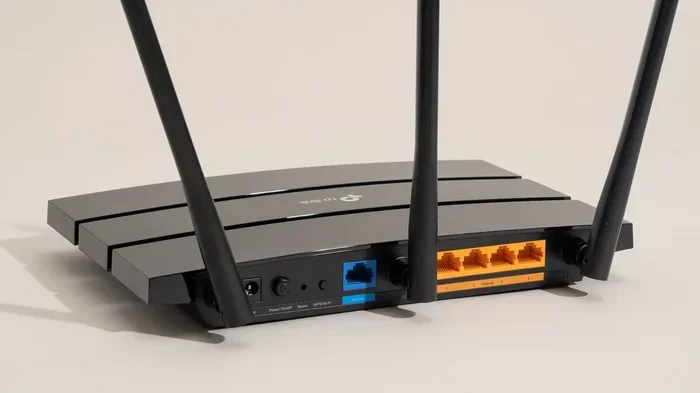
If you have an older router, it might be time for an upgrade. Newer routers handle multiple devices better and offer improved Wi-Fi performance. Look for routers that support the latest Wi-Fi standards, such as Wi-Fi 6 or Wi-Fi 6E. These standards are designed to manage heavy network traffic more efficiently.
A gaming-focused router can be especially helpful. These routers often include features like dedicated gaming bands, adaptive QoS, and lower latency modes. They are not just marketing gimmicks. These features genuinely improve the gaming experience, especially in households with many connected devices.
### Optimize Your Wi-Fi Channel
Your Wi-Fi router broadcasts on specific channels, just like a radio station. If your neighbors are using the same channel, their signals can interfere with yours. This interference can slow down your connection and increase your ping.
Most routers let you change the Wi-Fi channel in their settings. You can also use a free Wi-Fi analyzer app on your phone to see which channels are least crowded in your area. Switching to a less congested channel can improve your wireless connection quality and reduce lag during gaming sessions.
## Common Mistakes That Make Gaming Slow Down Wi-Fi
### Leaving Downloads Running in the Background
One of the most common mistakes is leaving game downloads or updates running while you game. These downloads use a large portion of your available bandwidth and can cause significant lag. Even if you are not actively downloading, some apps continue to sync or upload data in the background.
To avoid this, pause all downloads and uploads before you start playing. Check your download manager or game launcher to make sure nothing is running. This one simple habit can dramatically improve your gaming experience and keep your Wi-Fi responsive for everyone.
### Ignoring Router Placement
Where you place your router matters more than most people realize. If your router is tucked away in a closet, behind a TV, or on the floor in a corner, the Wi-Fi signal has to travel through walls and obstacles. This weakens the signal and increases latency.
Place your router in a central, open location in your home. Keep it elevated and away from large metal objects or electronics that can cause interference. A better router placement can improve your Wi-Fi speed and stability without spending a single dollar on new equipment.
### Using an Overcrowded Network
If you have many devices connected to your Wi-Fi and they are all active at the same time, your network can become overwhelmed. Each device takes a share of the available bandwidth. When the total demand exceeds what your internet plan can provide, everyone suffers.
Consider disconnecting devices that are not in use. You can also set up a separate network for guests or smart home devices. This keeps your gaming traffic separate and reduces the chance of congestion. Some people even set up a dedicated gaming network on a secondary router to isolate gaming traffic completely.
## Expert Tips for Better Gaming Over Wi-Fi
### Switch to the 5 GHz Band
Most dual-band routers offer two frequency bands: 2.4 GHz and 5 GHz. The 2.4 GHz band has a longer range but is slower and more prone to interference. The 5 GHz band is faster and less crowded, making it a better choice for gaming.
Check your device settings and connect to the 5 GHz network whenever possible. You may need to manually select it, as some devices default to the 2.4 GHz band. The speed and stability improvement can be significant, especially in homes with many wireless devices competing for the same connection.
### Keep Your Router Firmware Updated
Router manufacturers regularly release firmware updates that fix bugs and improve performance. These updates can address connectivity issues and improve how your router handles network traffic. Keeping your router up to date is a simple step that often goes overlooked.
Check your router settings or the manufacturer website for the latest firmware version. Many modern routers also offer automatic updates. If yours does not, make a habit of checking every few months. A well-maintained router performs better and lasts longer.
### Use a Wi-Fi Range Extender If Needed
If your gaming setup is far from your router, the signal strength may be weak. A Wi-Fi range extender can boost the signal to distant parts of your home. This can reduce lag and improve stability for devices that are too far from the router.
However, range extenders can sometimes introduce their own latency. They work best when you need coverage in a specific area and cannot move your router closer. For the best results, consider a mesh Wi-Fi system, which provides stronger and more consistent coverage throughout your home.
## Frequently Asked Questions
Does gaming slow down Wi-Fi for other devices?
Gaming itself uses very little bandwidth, so it does not significantly slow down other devices. However, if you are downloading a game or update, that can use up most of your available bandwidth and slow things down for everyone on the network. The real issue is usually network congestion from multiple active devices, not the gaming itself.
Is Wi-Fi good enough for competitive gaming?
Wi-Fi can work for competitive gaming, but a wired Ethernet connection is always better. Wireless connections are more prone to interference and slight delays that can affect your reaction time in fast-paced games. If you are serious about competitive play, plugging in with a cable will give you the most consistent and lowest latency connection possible.
How much internet speed do I need for gaming?
Most online games only need 1 to 5 Mbps of download speed. But what matters more than speed is latency and consistency. A 50 Mbps connection with low ping is better for gaming than a 200 Mbps connection with high ping. Focus on a stable connection with minimal packet loss for the best gaming experience.
Can too many devices on Wi-Fi cause gaming lag?
Yes, absolutely. When many devices are active on the same network, they share the available bandwidth. If other devices are streaming, downloading, or video calling at the same time, your gaming traffic can get delayed. Using QoS settings on your router can help prioritize gaming traffic and reduce lag caused by other devices.
Does closing background apps on my PC help gaming performance over Wi-Fi?
Yes, closing unnecessary apps and background processes can help. Some apps use your network in the background for updates, syncing, or data transfers. These activities compete with your game for bandwidth and can increase latency. Before gaming, close any apps that are not essential and pause any ongoing downloads or uploads.
Will upgrading my internet plan fix gaming lag over Wi-Fi?
Not always. If your lag is caused by network congestion or wireless interference, a faster internet plan may not help much. Gaming needs low latency and a stable connection more than it needs raw speed. Before upgrading your plan, try optimizing your router settings, reducing the number of active devices, and switching to the 5 GHz band.
## Conclusion
So, does gaming slow down Wi-Fi? The answer is nuanced. Gaming itself uses very little bandwidth and does not significantly slow down your network on its own. But the downloads, updates, and network congestion that come with gaming can cause real problems for you and everyone else on your connection. The key is understanding the difference between active gameplay and background data usage.
By using QoS settings, keeping your router optimized, and reducing background activity, you can enjoy smooth gaming without ruining the Wi-Fi experience for others. A wired connection is always the best choice for serious gaming, but a well-configured wireless setup can work great too. Take the time to understand your network, make a few adjustments, and you will notice a real improvement in your gaming performance and overall Wi-Fi experience.
Key Takeaways
- Gaming uses minimal bandwidth: Most online games need only 1-5 Mbps, which is very little compared to streaming or downloads.
- Latency and ping matter more than speed: A fast connection with high lag can ruin your gaming experience more than a slow one.
- Network congestion is the real culprit: When other devices use the Wi-Fi at the same time, gaming can slow things down for everyone.
- A gaming router helps: Quality of Service (QoS) settings let you prioritize gaming traffic on your home network.
- Wired connections beat wireless: If you want the best performance, plugging in with an Ethernet cable is always better than relying on a wireless connection.
- Background downloads are sneaky: Updates and patches running in the background can eat up your bandwidth and cause lag during gameplay.
Frequently Asked Questions
What is Does Gaming Slow Down Wi Fi?
Does Gaming Slow Down Wi Fi is an important topic with many practical applications.