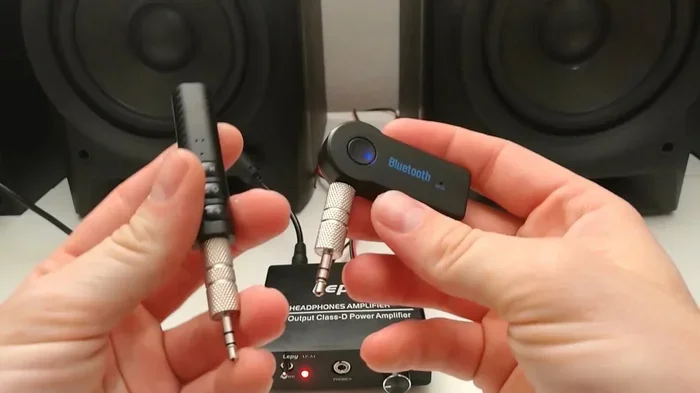
Do You Have To Be Connected To Wi Fi To Use Bluetooth
No, you do not need Wi-Fi to use Bluetooth. Bluetooth is a standalone wireless technology that connects devices directly without any internet connection. You can pair headphones, keyboards, mice, and speakers using Bluetooth alone. However, some Bluetooth features may require Wi-Fi for specific tasks like streaming online content or updating device firmware.
Have you ever tried to pair your wireless headphones or keyboard and thought, “Do I need Wi-Fi for this?” You are not alone. Many people assume that all wireless technologies need an internet connection. But the truth about Bluetooth is simpler than you might think.
The short answer is no. Bluetooth does not require Wi-Fi to work. It uses its own wireless signal to connect devices directly. Whether you are at home, in a coffee shop, or in an airplane, Bluetooth can function on its own. Let us dig into exactly how this works and why it matters for your everyday devices.
Understanding the difference between Bluetooth and Wi-Fi can save you a lot of frustration. It also helps you troubleshoot when something does not connect the way you expect. In this article, we will walk through everything you need to know about using Bluetooth without Wi-Fi. We will cover how the technology works, what you can do offline, and when Wi-Fi actually comes into play.
Key Takeaways
- Bluetooth works independently: Bluetooth uses its own wireless frequency and does not need Wi-Fi to function between devices.
- Many everyday tasks are offline: Pairing a keyboard, mouse, or Bluetooth speaker works without any internet connection at all.
- Wi-Fi matters for specific features: Streaming online content, firmware updates, or smart home integration may need Wi-Fi alongside Bluetooth.
- Bluetooth range is limited: The wireless connection typically works within 30 feet, regardless of Wi-Fi availability.
- Bluetooth and Wi-Fi are different: They use separate frequencies and serve different purposes, even though both are wireless technologies.
📑 Table of Contents
- How Bluetooth Works Without Wi-Fi
- What You Can Do With Bluetooth Offline
- When Wi-Fi Does Matter for Bluetooth
- Bluetooth vs Wi-Fi: Key Differences
- Common Bluetooth Problems and How to Fix Them
- Quick Tips for Better Bluetooth Use
- Expert Insights on Bluetooth and Wi-Fi
- Frequently Asked Questions
- Conclusion
How Bluetooth Works Without Wi-Fi
Bluetooth is a wireless communication standard built into billions of devices. It was designed to let gadgets talk to each other over short distances. The key thing to understand is that Bluetooth creates its own local connection between two devices. It does not need to reach the internet.
The Bluetooth Frequency and Protocol
Bluetooth operates on the 2.4 GHz wireless frequency band. This is a dedicated radio frequency that is separate from your Wi-Fi signal. When you pair two devices, they communicate directly through this radio link. No router is involved. No internet service is needed.
Think of it like a walkie-talkie. Two walkie-talkies can communicate with each other even if there is no cell tower nearby. Bluetooth works the same way between your devices. They send and receive signals directly to each other.
Bluetooth Pairing Process
When you pair a new device, here is what happens behind the scenes:
- One device becomes discoverable and broadcasts a signal.
- The other device picks up that signal.
- They exchange pairing keys to establish a secure link.
- Once paired, they can communicate without any internet.
This entire process happens over the air, using radio waves. Your Wi-Fi network plays no role in it. This is why you can pair a new keyboard or mouse in a room with no Wi-Fi at all. The Bluetooth pairing is a direct device-to-device handshake.
What You Can Do With Bluetooth Offline
There is a long list of things you can do with Bluetooth that never require an internet connection. Here are the most common examples that people use every day.
Wireless Audio Devices
Bluetooth headphones and earbuds are a perfect example. You can listen to music stored on your phone without Wi-Fi. The audio streams directly from your phone to your headphones over Bluetooth. This is why you can still enjoy music on a flight or in a remote cabin.
Similarly, you can connect a Bluetooth speaker to your laptop and play local files. No internet needed. The audio just flows from one device to the other through the Bluetooth link.
Input Devices
Wireless keyboards and mice work entirely through Bluetooth. You can type on a Bluetooth keyboard or navigate with a Bluetooth mouse without ever being online. This is especially useful for presentations, typing on tablets, or setting up a clean workspace.
In fact, if you want to connect a mouse to Bluetooth, the process is the same whether you have Wi-Fi or not. The mouse talks directly to your computer through its own wireless signal.
File Transfers Between Devices
You can also transfer files between devices using Bluetooth. This works offline. Whether it is photos, documents, or videos, the transfer happens directly between the two gadgets. It is slower than Wi-Fi Direct or a cable, but it works anywhere.
Wearable Devices
Many smartwatches and fitness trackers use Bluetooth to sync with your phone. Basic tracking functions work offline. Your watch can count your steps and record your heart rate without needing the internet. The data syncs later when a connection becomes available.
When Wi-Fi Does Matter for Bluetooth
While Bluetooth itself does not need Wi-Fi, there are situations where having both technologies active makes a difference. Let us look at when Wi-Fi becomes relevant.
Streaming Online Content
If you want to stream a Netflix show through your Bluetooth headphones, you need Wi-Fi for the streaming part. The Bluetooth just carries the audio from your device to your headphones. But the content itself comes from the internet. So you need both technologies working together in these cases.
Smart Home Devices
Many smart home devices use Bluetooth for setup and local control. But they often need Wi-Fi to connect to cloud services. For example, a smart lock might pair with your phone over Bluetooth. But remote access from anywhere usually requires Wi-Fi or a cellular connection.
Firmware and Software Updates
Some Bluetooth devices need internet access to download updates. A wireless keyboard might get new layout support through a firmware update. The Bluetooth connection handles the transfer, but the update file itself comes from the internet via Wi-Fi.
Bluetooth Tethering and Hotspot Sharing
Some people use their phone’s internet connection to share with other devices. While this is usually done through Wi-Fi hotspot or USB tethering, Bluetooth tethering is also possible. In this case, Bluetooth acts as a bridge, but the actual internet comes from Wi-Fi or cellular data.
Bluetooth vs Wi-Fi: Key Differences
It helps to understand how Bluetooth and Wi-Fi differ. They are both wireless, but they serve very different purposes.
| Feature | Bluetooth | Wi-Fi |
|---|---|---|
| Primary Purpose | Connect devices directly | Connect to the internet |
| Range | About 30 feet | Up to 150+ feet |
| Power Usage | Low | Moderate to high |
| Internet Required | No | Yes |
| Speed | Slower | Faster |
| Setup | Simple pairing | Network configuration |
As you can see from the table, these two technologies complement each other. They are not competitors. Your phone uses Wi-Fi to get online and Bluetooth to connect to your wireless earbuds. They work side by side, each doing what it does best.
Can a Bluetooth Device Be Hidden?
Yes, you can make your Bluetooth device be hidden from other devices. Most phones and computers let you toggle visibility off. This does not affect the Bluetooth connection itself. It just stops other devices from seeing your gadget in their discovery list. This is useful for privacy, especially in crowded places like airports or offices.
Hiding a Bluetooth device has nothing to do with Wi-Fi. It is purely a Bluetooth setting. Your device stays connected to whatever it is already paired with, even while hidden.
Connecting Multiple Devices via Bluetooth
Modern Bluetooth technology allows one device to connect to multiple peripherals at once. For instance, a Bluetooth keyboard can connect to 2 computers and switch between them. This works entirely offline. No Wi-Fi is involved in the switching process. It is all handled through the Bluetooth protocol.
Common Bluetooth Problems and How to Fix Them
Even though Bluetooth does not need Wi-Fi, people often run into issues. Here are the most common problems and quick fixes.
Device Not Showing Up During Pairing
If a device does not appear in your Bluetooth list, try these steps:
- Make sure the device is in pairing mode.
- Turn Bluetooth off and back on.
- Restart both devices.
- Check that the device is within range (about 30 feet).
- Remove old pairings and try fresh.
None of these steps require Wi-Fi. They are all about the Bluetooth connection itself.
Audio Lag or Glitching
If your Bluetooth headphones have a delay, it is usually a range or interference issue. Move closer to the source device. Keep away from microwaves or USB 3.0 devices, which can interfere with the 2.4 GHz signal. This has nothing to do with your Wi-Fi strength.
Slow File Transfers
Bluetooth file transfers are inherently slower than Wi-Fi transfers. If you need to move large files, consider using a cable or Wi-Fi Direct instead. But for small files like photos or documents, Bluetooth works fine offline.
Quick Tips for Better Bluetooth Use
Here are some practical tips to get the most out of your Bluetooth devices without relying on Wi-Fi:
- Keep devices charged. Low battery can weaken the Bluetooth signal and cause dropouts.
- Stay within range. Most Bluetooth devices work best within 10 to 30 feet of each other.
- Update firmware when possible. Use Wi-Fi occasionally to keep your Bluetooth devices up to date.
- Forget old pairings. Too many saved devices can slow down the Bluetooth connection.
- Use airplane mode wisely. Airplane mode turns off Wi-Fi and cellular but usually leaves Bluetooth on. This is perfect for offline Bluetooth use during flights.
Expert Insights on Bluetooth and Wi-Fi
Bluetooth and Wi-Fi have evolved together over the years. Newer versions of Bluetooth, like Bluetooth 5.0 and later, offer better range, faster speeds, and lower power consumption. These improvements make offline Bluetooth experiences even better.
Industry experts often point out that Bluetooth was designed to be a simple, low-power alternative to cables. Its core purpose is device-to-device communication, not internet access. This design philosophy is exactly why Bluetooth works so well without Wi-Fi.
When you are setting up a new device, always check what it needs for full functionality. Basic connectivity like audio, input, and file transfer works offline. But features like voice assistants, cloud syncing, and streaming need an internet connection. Knowing this difference helps you set realistic expectations.
Frequently Asked Questions
Can I use Bluetooth headphones without Wi-Fi?
Yes, absolutely. Bluetooth headphones connect directly to your device using their own wireless signal. You can listen to locally stored music or audio without any internet connection. Wi-Fi only matters if you are streaming content from the internet.
Does Bluetooth use internet data?
No, Bluetooth does not use any internet data. It operates on its own radio frequency and creates a direct connection between devices. Your data plan is not affected by Bluetooth usage at all.
Can I pair a Bluetooth keyboard without Wi-Fi?
Yes, you can pair a Bluetooth keyboard without Wi-Fi. The pairing process is a direct device-to-device handshake over radio waves. Once paired, the keyboard works perfectly for typing, even in airplane mode or offline environments.
Why does my Bluetooth keep disconnecting?
Bluetooth disconnections are usually caused by distance, interference, or low battery. Moving closer to the paired device often fixes the issue. Wi-Fi interference is rare but possible since both use the 2.4 GHz band. Switching to the 5 GHz Wi-Fi band can help reduce this.
Can I use Bluetooth in airplane mode?
Yes, most devices let you turn Bluetooth on while in airplane mode. Airplane mode disables Wi-Fi and cellular connections but keeps Bluetooth active. This is perfect for using wireless headphones or keyboards during flights.
Do all Bluetooth speakers need Wi-Fi?
No, not all Bluetooth speakers need Wi-Fi. A standard Bluetooth speaker plays audio directly from your device over the Bluetooth link. Wi-Fi is only needed for smart speakers that stream from online services like Spotify or Alexa.
Conclusion
The bottom line is clear. You do not need Wi-Fi to use Bluetooth. Bluetooth is a self-contained wireless technology that connects devices directly. Whether you are using wireless headphones, a keyboard, a mouse, or a speaker, Bluetooth works on its own. It was built this way from the start.
That said, Wi-Fi becomes important when you want to stream online content, update device software, or access cloud-based features. Think of Bluetooth as the bridge between your devices and Wi-Fi as the bridge to the internet. They work together but serve different roles.
Next time you pair a new gadget, do not worry about your Wi-Fi connection. Just go ahead and pair it. Your Bluetooth will do its job, no internet required. Understanding this simple fact can make your tech life easier and less frustrating.