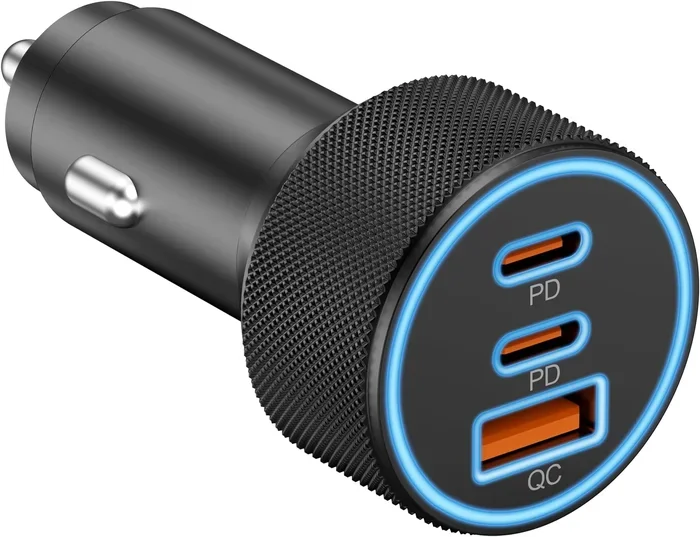
Can You Use A USB C Charger In A Car While Traveling
Yes, you can use a USB C charger in a car while traveling, and it is one of the most convenient ways to keep your devices powered on the road. Modern cars and portable adapters make USB C car charging simple, fast, and safe for almost all devices. This guide covers everything you need to know about charging compatibility, power delivery, and choosing the right car adapter for your travel setup.
Road trips are amazing. There is nothing quite like hitting the open road with your favorite music playing and your devices ready to go. But here is the thing. When you are on the road for hours, your phone battery dies fast. Your tablet follows soon after. And if you are traveling for work, your laptop becomes essential.
This is where a USB C charger comes in. More and more people are asking whether they can use a USB C charger in their car while traveling. The short answer is yes. The longer answer is that it depends on a few things we will walk through together. Whether you are road tripping across the country or just commuting to work, understanding how USB C charging works in your vehicle can save you a lot of hassle.
In this guide, we will cover everything. From charging compatibility to power delivery, from picking the right car adapter to avoiding common mistakes. By the end, you will know exactly how to keep all your devices powered up on the road.
Key Takeaways
- USB C chargers work in cars: Most modern vehicles and portable adapters fully support USB C charging for phones, tablets, and laptops.
- Check your car’s USB port type: Not all car USB ports deliver the same power, so understanding the difference between USB A and USB C matters.
- Power delivery (PD) is key: A USB C charger with PD technology ensures fast and safe charging for demanding devices like laptops.
- Use the right cable: The quality and type of your USB C cable directly affects charging speed and safety.
- Safety first: Always use certified chargers and avoid cheap knockoffs that can damage your devices or your car’s electrical system.
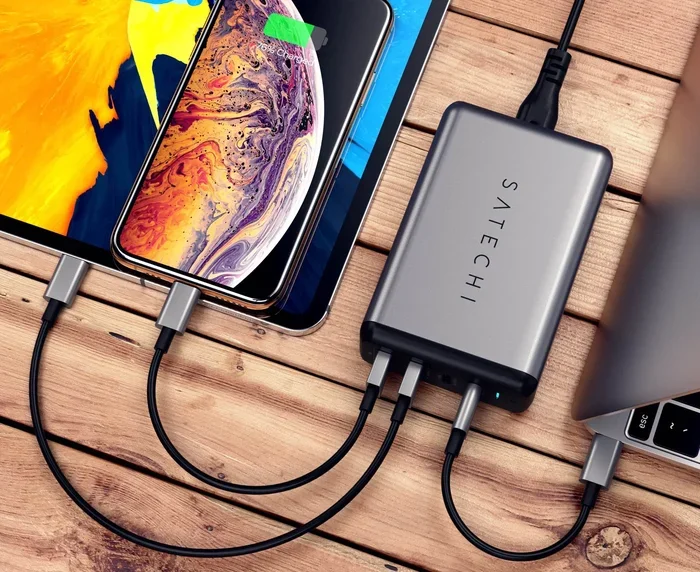
- Multiple devices are easy: With a quality USB C car charger hub, you can charge several devices at once while traveling.
📑 Table of Contents
- What Is a USB C Charger and Why Does It Matter for Cars?
- Can You Use Any USB C Charger in a Car?
- How Fast Can You Charge with USB C in a Car?
- Safety Tips for Using a USB C Charger in Your Car
- Best USB C Car Chargers for Travelers
- Common Mistakes People Make When Charging USB C Devices in Cars
- Can You Use a USB C Charger for Multiple Devices at Once?
- Final Thoughts
What Is a USB C Charger and Why Does It Matter for Cars?
Before we dive into using a USB C charger in your car, let us talk about what it actually is. USB C is a type of connector that has become the standard for most modern devices. Laptops, phones, tablets, headphones, and even some portable batteries now use the USB Type C design. It is small, reversible, and supports faster data transfer and power delivery than older USB types.
Here is why this matters for car travel. Older cars often came with USB A ports. These are the flat, rectangular ports you find in many dashboard setups. USB A ports are fine for basic charging, but they are slow. They usually deliver around 5 watts of power. That is barely enough to keep your phone from dying, let alone charge a laptop.
A USB C charger can deliver much more power. With Power Delivery (PD) technology, a USB C port can push up to 100 watts. That means your laptop charges in the car just like it does at home. For travelers, this is a game changer. You do not need to carry a bulky power brick. One USB C cable can handle almost everything.
USB C vs USB A in Vehicles
It helps to understand the difference between these two port types. USB A is older and slower. It is still common in many cars, especially older models. USB C is newer, faster, and more versatile. Some newer vehicles come with built-in USB C ports already. If your car does not have one, you can easily add support with an adapter.
Here is a quick look at how they compare:
- USB A: Delivers up to 7.5 watts in most cars. Slower charging. Works with older cables and devices.
- USB C: Delivers up to 100 watts with PD support. Fast charging. Works with modern devices and cables.
- Compatibility: USB C is backward compatible with USB A using adapters. But USB A cannot do what USB C can do natively.
The takeaway is simple. If your car has a USB C port, you are already set. If it does not, a small adapter or a USB C car charger will do the trick.
Can You Use Any USB C Charger in a Car?
This is one of the most common questions people ask. The answer is mostly yes, but with a few important caveats. Not all USB C chargers are created equal. Some are designed specifically for wall outlets. Others are built for cars. And some work for both.
When you plug a USB C charger into your car, you need to make sure it gets the right input. Most car USB C chargers are designed to plug into a cigarette lighter socket or a 12-volt power outlet. These chargers then convert your car’s 12-volt power into the 5-volt or 9-volt signals your devices need. Wall chargers do not work this way, so you cannot just plug a wall charger directly into your car.
What to Look for in a USB C Car Charger
Not all car chargers are worth your money. Here are the features you should look for when shopping for a USB C car charger:
- Power Delivery Support: Look for a charger that supports USB PD. This ensures fast and safe charging for laptops and phones.
- Wattage: A charger rated for at least 30 watts is great for most travelers. If you charge laptops, aim for 60 watts or more.
- Multiple Ports: A charger with both USB C and USB A ports lets you charge multiple devices at once. This is perfect for families or group trips.
- Compact Size: You do not want a bulky charger taking up space in your car. Look for something portable and lightweight.
- Safety Certifications: Always choose chargers with UL certification or similar safety standards. Cheap, uncertified chargers can be dangerous.
One thing to keep in mind is that your car’s electrical system plays a role too. If your car has a weak battery or an old alternator, even the best charger might not perform well. Most modern vehicles handle USB C charging just fine, but it is worth knowing your car’s limits.
How Fast Can You Charge with USB C in a Car?
Charging speed is a big deal when you are on the road. Nobody wants to wait hours for a device to charge. With a USB C charger, you can get surprisingly fast results. But the speed depends on several factors working together.
Understanding Power Delivery and Fast Charging
Power Delivery is the technology that makes fast USB C charging possible. It is a protocol that lets your charger and your device negotiate the right amount of power. Your phone might pull 18 watts. Your laptop might pull 60 watts. The charger and device talk to each other and agree on a safe power level.
Here are some typical charging speeds you can expect with a good USB C setup in a car:
- Smartphones: Most phones charge from 0 to 50 percent in about 30 minutes with a 20-watt USB C charger.
- Tablets: Charging is usually a bit slower because of larger batteries, but still much faster than USB A.
- Laptops: With a 60-watt or higher charger, most laptops will charge while you drive. Some may even charge faster than when idle at home.
The charging cable you use matters just as much as the charger itself. A cheap or damaged cable can slow things down significantly. Always use a high-quality USB C cable that supports the power level you need. Look for cables rated for at least 60 watts if you are charging laptops.
Does Your Car Make a Difference?
Yes, it does. The type of car you drive affects how well USB C charging works. Newer cars with dedicated USB C ports often have better power delivery built right into the dashboard. Older cars that rely on aftermarket adapters might have slightly less consistent performance.
If you are using a portable charger plugged into your cigarette lighter, the quality of that charger makes all the difference. A reliable car adapter will maintain steady power even on bumpy roads. A cheap one might cut out or deliver inconsistent power, which can actually harm your devices over time.
Safety Tips for Using a USB C Charger in Your Car
Safety is something nobody wants to think about when they are just trying to charge their phone. But car charging comes with a few unique risks. The good news is that following some simple tips can keep you and your devices safe.
Avoid Cheap Knockoff Chargers
This is the number one rule. Cheap, unbranded chargers might save you a few dollars, but they can cause real problems. They may overheat, deliver inconsistent power, or even damage your car’s electrical system. Always buy from reputable brands and look for safety certifications on the packaging.
Do Not Leave Chargers Plugged In When the Car Is Off
Even when your car is turned off, the USB port may still draw a small amount of power. Over time, this can drain your car battery. If you are not actively charging, unplug your charger when the engine is not running. This is a simple habit that can save you from a dead battery on a Monday morning.
Watch for Overheating
If your charger or cable feels hot to the touch, unplug it. A little warmth is normal during charging. But excessive heat is a warning sign. Remove the charger from the outlet, let it cool down, and check for damage before using it again.
Use the Right Cable for the Right Device
Not all USB C cables are the same. Some are rated for data transfer only. Others handle power delivery. Using the wrong cable can result in slow charging or no charging at all. If you are trying to charge a laptop in the car, make sure your cable supports the wattage your laptop requires.
For people who like to organize their travel gear, you might appreciate keeping a small spreadsheet of your charging setup. If you have ever struggled with Excel and a line that wont delete, you know how frustrating small tech issues can be. Keeping your travel notes organized helps you stay prepared.
Best USB C Car Chargers for Travelers
Not all car chargers are worth the money. After testing and reviewing many options, here are some of the best USB C car chargers for travelers who want reliable performance on the road.
Anker Nano II 4-in-1
This compact charger packs a punch. It has a USB C port with 67-watt power delivery, which is more than enough for most laptops. It also includes USB A ports for older devices. The small size makes it perfect for tossing in a glove box or center console.
UGREEN 65W Car Charger
With 65 watts of total output and dual USB C ports, this charger is great for families or anyone traveling with multiple devices. It supports fast charging and has built-in safety features to protect your devices.
Belkin Boost Charge Pro
Belkin is a trusted name in accessories. This charger offers solid power delivery and a durable build. It is slightly pricier, but the quality and reliability are worth it for frequent travelers.
Spigen ArcStation Pro
An affordable option that still delivers good performance. It supports 30 watts of USB C charging and has a compact design. Great for casual travelers who do not need the highest wattage.
RAVPower 72W GaN Car Charger
This charger uses GaN (Gallium Nitride) technology, which makes it smaller and more efficient than traditional chargers. With 72 watts of total output and three ports, it can handle almost anything you throw at it.
Common Mistakes People Make When Charging USB C Devices in Cars
Even with the right gear, people still make mistakes that slow down their charging or damage their devices. Here are the most common ones to avoid.
Using a Low-Quality Cable
This cannot be stressed enough. The charger might be great, but if your cable cannot handle the power, you will get slow charging or nothing at all. Invest in a good quality USB C cable that is rated for the power level you need.
Ignoring Your Car’s Power Output
Not all cars provide the same amount of power through their USB ports. Some older models only provide 1 to 2 amps, which is very slow. If you have a newer car with a USB C port, it likely provides more power. Check your car’s manual if you are unsure.
Charging While Driving Intensively
If you are driving hard, your car’s alternator is working overtime to power the engine. In these moments, your charging speed may drop. This is normal and not something to worry about. Once you ease off the accelerator, charging speed usually returns to normal.
Not Cleaning the USB Port
Dust, lint, and crumbs can build up in your car’s USB ports over time. This can cause poor connection and slow charging. A quick clean with a toothpick or compressed air can make a big difference. If you use multiple accessories in your car, you might also want to check out the advantages and disadvantages of a computer mouse to see if a wireless mouse is a good addition to your in-car workspace setup.
Can You Use a USB C Charger for Multiple Devices at Once?
Yes, you can. In fact, this is one of the biggest advantages of using a USB C charger in your car. Many car chargers now come with multiple ports, including USB C and USB A. This means you can charge your phone, your partner’s phone, a tablet, and even a laptop all at the same time.
The key is to get a charger with enough total wattage to share between all your devices. A 60-watt charger split between two devices will still charge them both at a good speed. But if you try to charge four laptops on a 30-watt charger, things will be slow for everyone.
For travelers who carry a lot of gear, a USB C hub car charger is a great investment. These devices combine a car charger with a USB hub, so you can charge your devices and connect peripherals at the same time.
Final Thoughts
Using a USB C charger in a car while traveling is not only possible, it is one of the best upgrades you can make for your road trips. The speed, convenience, and compatibility of USB C make it the clear choice for modern travelers. Whether you are driving across town or coast to coast, a good USB C car charger keeps your devices powered and ready for anything.
Remember to choose a charger with Power Delivery support, use high-quality cables, and follow basic safety practices. Avoid cheap knockoff products and always check your car’s power capabilities. With the right setup, you will never have to worry about a dead battery again.
The road is full of adventure. Make sure your devices are ready for it. A reliable USB C charging setup in your car is a small investment that pays off every time you hit the road.
Frequently Asked Questions
Can I plug a USB C wall charger into my car?
No, you should not plug a wall charger directly into your car. Wall chargers are designed for AC power outlets, not your car’s 12-volt system. Instead, use a car-specific USB C charger that plugs into your cigarette lighter or 12-volt power outlet. These chargers are built to handle your car’s voltage safely.
Why is my USB C charger charging slowly in the car?
Slow charging usually comes down to a few things. Your cable might not support fast charging. The charger might not have Power Delivery support. Or your car’s USB port might only provide low power output. Try using a different high-quality cable and a charger rated for higher wattage to see if your speed improves.
Is it safe to charge my laptop with a USB C charger in the car?
Yes, it is safe as long as you use the right equipment. Make sure your charger supports at least 60 watts of Power Delivery. Use a cable rated for the same wattage. Most modern laptops with USB C charging will work perfectly in a car. Just avoid charging while your car battery is low or the engine is off.
Do all new cars have USB C ports?
Not all of them, but most cars made after 2020 include at least one USB C port. Older models and budget cars may still only have USB A ports. If your car does not have USB C, you can easily add it with a portable car charger that plugs into your cigarette lighter socket.
Can I use a USB C charger to charge multiple devices at once in my car?
Absolutely. Many USB C car chargers come with multiple ports, including both USB C and USB A. Just make sure the total wattage of your charger is enough to handle all your devices at once. A 60-watt or higher charger is ideal for charging multiple devices simultaneously without slowing down.
What should I look for when buying a USB C car charger?
Look for Power Delivery support, at least 30 watts of output for general use, and safety certifications like UL listing. If you charge laptops, go for 60 watts or more. Choose a compact design that fits your car’s console easily. Multiple ports are a bonus if you travel with others or carry several devices.