Does Disconnecting From Wifi Really Change Ip Address
Disconnecting from WiFi can change your IP address, but it depends on your network setup and internet provider. Most home networks use dynamic IP addresses assigned by your router, so unplugging and reconnecting often gives you a new one. Understanding how this works helps you troubleshoot network issues and protect your privacy online.
Have you ever wondered what happens to your IP address when you turn off your WiFi and turn it back on? It is a simple question, but the answer is more interesting than you might think. Many people disconnect from WiFi every day without giving their network settings a second thought. Yet, that quick unplug-and-reconnect could change the way your device talks to the internet.
The short answer is yes, disconnecting from WiFi can change your IP address. But it is not always guaranteed. Whether your IP shifts depends on several factors, including your internet provider, your router settings, and the type of IP address your device uses. In this guide, we will walk through everything you need to know about how WiFi disconnections affect your IP, why it matters, and how you can take control of your network.
Let us break it all down in plain, simple terms. No tech jargon. No confusing jargon. Just clear answers you can use right away.
Key Takeaways
- Disconnecting from WiFi often changes your IP address: Most ISPs assign dynamic IPs that can shift when you reconnect.
- Static IPs stay the same: If your device or network uses a fixed IP, disconnecting won’t change it.
- Your router plays a big role: The router assigns local IPs, while your ISP assigns public IPs.
- DHCP lease time matters: The longer your lease, the less likely your IP changes on reconnect.
- You can check your IP easily: Use free online tools or built-in device settings to see your current IP.
- Changing your IP has privacy benefits: It can help with troubleshooting and avoiding IP-based restrictions.
📑 Table of Contents
- What Is an IP Address and Why Does It Matter?
- How Does WiFi Disconnecting Affect Your IP Address?
- When Does Your IP Address Actually Change?
- Static vs Dynamic IP Addresses
- How to Check If Your IP Address Has Changed
- Why Would You Want to Change Your IP Address?
- Common Mistakes People Make About IP Addresses and WiFi
- Expert Tips for Managing Your IP Address
- Conclusion
What Is an IP Address and Why Does It Matter?
Before we dive into the disconnecting part, let us cover the basics. An IP address is like a mailing address for your device on the internet. Every phone, laptop, tablet, and smart home gadget has one. Without it, your device cannot send or receive data online.
There are two main types of IP addresses you should know about:
- Public IP address: This is the address your internet service provider (ISP) assigns to your entire network. The outside world sees this IP when you visit websites or use apps.
- Private IP address: This is the address your router gives to each device inside your home network. It stays local and does not go out to the wider internet.
Think of it like a house. Your public IP is the street address. Your private IP is the room number inside the house. Both are important, but they serve different purposes.
Now, here is where things get interesting. When you connect to WiFi, your router hands out private IPs to your devices. And your ISP assigns a public IP to your router. Both of these can change under certain conditions.
How Does WiFi Disconnecting Affect Your IP Address?
So what actually happens when you disconnect from WiFi? Does your IP address instantly vanish and get replaced? Not exactly. Let us walk through the process step by step.
The Role of Your Router
Your router is the traffic cop of your home network. When you connect a device, the router assigns it a private IP address. This process is called DHCP (Dynamic Host Configuration Protocol). When you disconnect, the router may hold onto that IP for a set period of time called the DHCP lease.
If you reconnect within the lease window, your router might give you the same private IP again. But if the lease expires while you are offline, a new device could take your old IP, and you would get a different one when you return.
The Role of Your Internet Service Provider
Your ISP controls your public IP address. When you disconnect from WiFi, your router loses its connection to the ISP. When you reconnect, the ISP may assign a brand-new public IP or reassign the same one. This depends on your ISP’s policies and how they manage IP pools.
Most residential ISPs use dynamic IP addresses, which means your public IP can change from time to time. Business plans often use static IPs, which stay fixed no matter how many times you disconnect.
Does Disconnecting From WiFi Always Change the IP?
Here is the honest answer: not always. If you simply toggle WiFi off and back on within a few minutes, chances are high you will get the same IP address back. The DHCP lease keeps your private IP reserved, and your public IP may not change either.
However, if you leave WiFi off for a longer period, the odds of getting a new IP go up. The lease expires, and the system starts fresh. This is the most reliable way to trigger an IP change through disconnection.
When Does Your IP Address Actually Change?
Understanding when your IP changes helps you take control of your network. Here are the most common situations where a disconnect from WiFi leads to a new IP:
After a Long Disconnect
If you turn off your router or disconnect from WiFi for several hours or overnight, your DHCP lease likely expires. When you reconnect, both your private and public IPs may be different.
After a Router Restart
Restarting your router is one of the fastest ways to force a new IP. When the router boots back up, it re-establishes its connection with the ISP and may receive a fresh public IP. This is a common trick for people dealing with IP-based restrictions or website blocks.
After Your ISP Lease Expires
Your ISP also has its own lease on your public IP. Even if you never touch your router, your public IP can change when the ISP lease renews. Some ISPs do this daily, while others keep the same IP for weeks or months.
When You Switch Networks
Moving from your home WiFi to a coffee shop WiFi, for example, gives you a completely different IP. Each network has its own router and its own pool of addresses. This is why your IP looks different at home versus at work.
Some people also look into extending WiFi with an ethernet cable to improve their connection. While this does not directly change your IP, a more stable connection can reduce unexpected network drops that sometimes trigger IP renewals.
Static vs Dynamic IP Addresses
Not all IP addresses behave the same way. The difference between static and dynamic IPs is crucial when you are asking whether disconnecting from WiFi changes the IP address.
Dynamic IP Addresses
Dynamic IPs are the most common for home users. They are temporary and can change whenever your device reconnects to the network. Most routers use DHCP to assign these addresses automatically.
Benefits of dynamic IPs include:
- Easier network management for your router
- Better security since your IP shifts regularly
- No manual configuration needed
Static IP Addresses
A static IP stays the same every time you connect. You or your network admin manually set it. This is common for servers, printers, and smart home devices that need a consistent address.
With a static IP, disconnecting from WiFi will not change your address. The device keeps its fixed IP regardless of how many times it goes offline and comes back.
Which One Do You Have?
Most home users have dynamic IPs without even realizing it. You can check your network settings to confirm. On most devices, go to your WiFi settings, look at the network details, and check for terms like DHCP or automatic IP assignment. If you see that, you are on a dynamic setup.
How to Check If Your IP Address Has Changed
Want to know for sure whether disconnecting from WiFi actually changed your IP? It is super easy to check. Here are a few simple methods:
Method 1: Use an Online Tool
Visit any free IP lookup site like whatismyip.com. Note your current IP, disconnect from WiFi, wait a few minutes, reconnect, and check again. If the number is different, your IP changed.
Method 2: Check Your Device Settings
On most phones and computers, you can view your current IP in the network settings. On iPhone, go to Settings, tap WiFi, and look next to your connected network. On Windows, open Command Prompt and type ipconfig. On Mac, go to System Preferences and click Network.
Method 3: Check Your Router Admin Panel
Log into your router by typing its IP address into your browser. Look for the DHCP client list. This shows all devices and their assigned IPs. Compare before and after a disconnect to see what changed.
These quick checks can save you a lot of frustration when troubleshooting network issues. And if you ever need to change your WiFi password from your phone, that is another easy way to refresh your network connection and potentially trigger an IP update.
Why Would You Want to Change Your IP Address?
You might be thinking, why does any of this matter? There are several practical reasons people want their IP to change:
- Privacy and anonymity: A new IP makes it harder for websites and trackers to follow you across sessions.
- Troubleshooting: Some network issues stem from IP conflicts. Changing your IP can fix connection problems.
- Accessing restricted content: Some websites and services block certain IP ranges. A new IP might get you back in.
- Security: If you suspect someone is targeting your IP, changing it adds a layer of protection.
Keep in mind that simply disconnecting from WiFi may not always give you a new public IP. If your ISP uses long lease times, you might get the same address back. For a more reliable change, restarting your router or contacting your ISP is often the best bet.
Some users also explore options like mesh WiFi systems to improve their home network coverage. While mesh systems do not directly change your IP, they can strengthen your connection and reduce the random drops that sometimes cause unexpected IP renewals.
Common Mistakes People Make About IP Addresses and WiFi
There are a few misconceptions floating around about IP addresses and WiFi disconnections. Let us clear some of them up:
Myth 1: Disconnecting Always Changes Your IP
As we covered, this is not always true. Short disconnections often keep your IP the same because the lease is still active. Only longer disconnections or router restarts reliably trigger a change.
Myth 2: Your Private and Public IPs Always Change Together
Your private IP (assigned by your router) and public IP (assigned by your ISP) operate independently. One can change while the other stays the same. This is an important distinction to understand.
Myth 3: VPNs and WiFi Disconnects Do the Same Thing
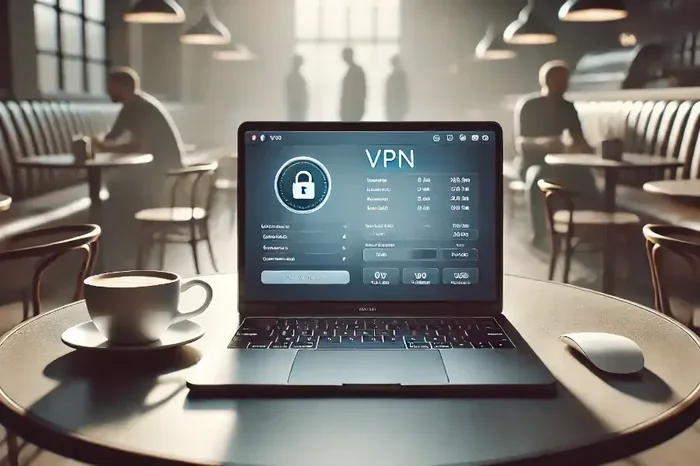
A VPN masks your IP and routes traffic through a different server. Disconnecting from WiFi simply renews your connection. They are different tools for different purposes. If you want to stream Netflix from your phone to a projector while using a VPN, for example, your IP appears different to the streaming service, which is not the same as a WiFi disconnect changing your IP.
Myth 4: More Disconnects Mean Better Privacy
Constantly turning WiFi on and off does not make you significantly more private. Your ISP and the websites you visit use many other tracking methods beyond your IP address. For real privacy, consider a VPN, not just repeated disconnections.
Expert Tips for Managing Your IP Address
Want more control over your IP? Here are some practical tips from networking pros:
- Restart your router regularly. This is the simplest way to refresh your public IP without any extra tools.
- Set a shorter DHCP lease time. In your router settings, you can reduce the lease duration so devices get new IPs more frequently.
- Use a VPN for consistent IP masking. A VPN gives you a new IP every time you connect, regardless of your WiFi status.
- Reserve static IPs for key devices. If you want your smart home gadgets to always have the same local IP, reserve them in your router settings.
- Check with your ISP about static IP options. Some ISPs offer static IPs for a small monthly fee if you need a fixed address.
If you are dealing with WiFi dead zones in your home, you might also consider whether an AC unit could be affecting your WiFi signal. Physical obstacles like walls and appliances can weaken your connection and cause unexpected disconnects that affect your IP lease.
Another useful tip: if you want to see your WiFi password quickly, you can check your WiFi password from a QR code on many modern routers. This makes it easy to reconnect devices without typing in long passwords every time.
Conclusion
So, does disconnecting from WiFi change your IP address? The answer is yes, but with some important caveats. Short disconnections may not change anything, while longer ones or router restarts often do. Your private IP depends on your router’s DHCP settings, and your public IP depends on your ISP’s policies.
The key takeaway is this: disconnecting from WiFi is one way to potentially change your IP, but it is not a guarantee. If you need a reliable IP change, restarting your router or using a VPN is your best bet. Understanding how your network works gives you more control and confidence every time you connect.
Take a few minutes today to check your current IP, review your router settings, and experiment with a longer disconnect. You might be surprised at how much your network changes with just a simple toggle. And remember, if you ever need to connect to WiFi without a WiFi adapter, there are other solutions out there that can help keep your devices online no matter what.
Stay curious, stay connected, and keep learning about how your network works. The more you know, the more you can take charge of your online experience.
Frequently Asked Questions
Will disconnecting from WiFi for a few minutes change my IP address?
Probably not. Most routers keep your IP reserved during short disconnections because the DHCP lease is still active. You would need to stay disconnected for a longer period, usually several hours or more, for the lease to expire and trigger a new IP assignment.
How long do I need to disconnect from WiFi to get a new IP?
There is no set time, but leaving WiFi off for several hours or overnight increases the chances of getting a new IP. The exact time depends on your DHCP lease duration, which is usually set between a few minutes and 24 hours by your router.
Does turning off my router change my IP address?
Yes, turning off your router and then turning it back on is one of the most reliable ways to get a new public IP address. When the router restarts, it reconnects to your ISP and may receive a different IP from the available pool.
Can I change my IP address without disconnecting from WiFi?
Yes, you can use a VPN to change your public IP without touching your WiFi connection. You can also release and renew your IP through your device’s network settings, which forces a new address from your router without fully disconnecting.
Is it safe to disconnect from WiFi to change my IP?
Absolutely. Disconnecting from WiFi is completely safe and does not harm your device or network. It is a standard troubleshooting step that many people use to resolve connection issues and refresh their network settings.
Why does my IP address stay the same after disconnecting?
Your IP stays the same if your DHCP lease has not expired and your ISP has not reassigned a new public IP. Both your router and ISP have their own lease timers. If both are still active during your disconnect, you will likely get the same IP back when you reconnect.