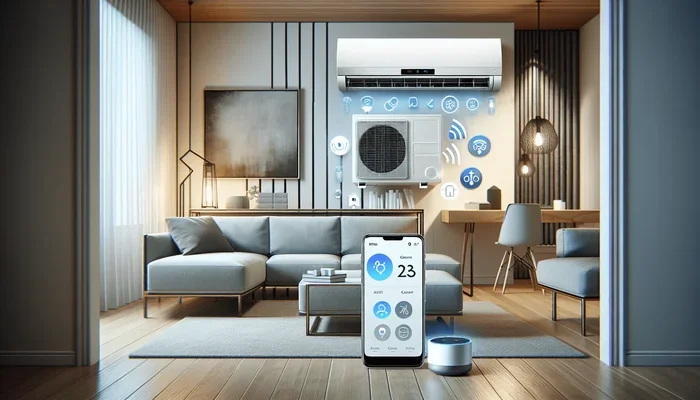
Do Carrier Mini Splits Have Wi Fi And Smart Control
Do Carrier Mini Splits Have Wi-Fi? Yes, many Carrier mini split systems come with built-in Wi-Fi connectivity and smart control features that let you manage your indoor climate from anywhere. These ductless cooling and heating systems work with mobile apps, voice assistants, and smart home platforms for effortless energy efficiency and comfort.
Do Carrier Mini Splits Have Wi-Fi? This is one of the most common questions homeowners ask when shopping for a ductless mini split system. The short answer is yes. Many Carrier mini split units come with Wi-Fi connectivity and smart control features built right in. But the full story goes deeper than that.
If you are considering a Carrier air conditioner or heating system for your home, understanding the smart features available can make a big difference. You want comfort, convenience, and energy efficiency all in one package. That is exactly what modern mini split systems deliver when equipped with wireless technology.
In this guide, we will walk through everything you need to know about Wi-Fi-enabled Carrier mini splits. We will cover how the smart controls work, which models support them, and how you can get the most out of your system. By the end, you will have a clear picture of whether a Wi-Fi mini split is the right choice for your home.
Key Takeaways
- Wi-Fi Built-In: Most modern Carrier mini splits offer wireless connectivity for remote control and monitoring.
- Smart App Control: The Carrier Home app lets you adjust settings from your phone or tablet.
- Voice Assistant Support: These systems work with Alexa, Google Assistant, and other smart home platforms.
- Energy Savings: Smart controls help reduce energy consumption through programmable schedules and zone management.
- Easy Installation: Wi-Fi-enabled Carrier units integrate smoothly into existing smart home setups.
- Multiple Models: Not all Carrier mini splits have Wi-Fi, so check the model before purchasing.
- Remote Diagnostics: Smart features allow for troubleshooting and system alerts right from your device.
📑 Table of Contents
- What Are Carrier Mini Splits And How Do They Work?
- Do Carrier Mini Splits Have Wi-Fi Connectivity?
- Smart Control Features Of Carrier Mini Splits
- Benefits Of Wi-Fi Enabled Mini Splits
- How To Set Up Wi-Fi On Your Carrier Mini Split
- Common Mistakes To Avoid With Wi-Fi Mini Splits
- Expert Insights On Carrier Mini Split Smart Controls
- Comparing Carrier Mini Splits With And Without Wi-Fi
- Quick Tips For Getting The Most From Your Carrier Mini Split Wi-Fi
- Conclusion
What Are Carrier Mini Splits And How Do They Work?
A mini split system is a type of ductless cooling and heating unit that lets you control the temperature in individual rooms or zones. Unlike traditional central HVAC systems, mini splits do not require bulky ductwork. This makes them ideal for homes without existing ducts, additions, or rooms that never seem to reach the right temperature.
A basic mini split has two main parts. The outdoor unit holds the split system compressor and condenser. The indoor unit, often called the air handler, blows conditioned air directly into the room. These two units connect through a small hole in the wall, which houses the refrigerant lines and electrical connections.
Why Choose A Mini Split Over Traditional Systems?
There are several reasons homeowners prefer ductless mini splits over conventional systems:
- No Ducts Needed: You save on installation costs and avoid energy losses through leaky ducts.
- Zone Control: Each indoor unit operates independently, so you cool or heat only the rooms you use.
- Energy Efficiency: Many mini splits use inverter technology, which adjusts compressor speed to match demand.
- Quiet Operation: Indoor units run very quietly, often below 20 decibels.
- Easy Installation: A professional installer can set up a mini split in a single day.
Now, let us talk about the smart features that make these systems even more appealing. The question “Do Carrier Mini Splits Have Wi-Fi” leads us directly into the world of smart home integration and wireless control.
Do Carrier Mini Splits Have Wi-Fi Connectivity?
Yes, many Carrier mini split models come with built-in Wi-Fi. This feature allows the system to connect to your home wireless network and communicate with your smartphone, tablet, or smart home hub. You can control your indoor climate from anywhere with an internet connection.
Not every Carrier mini split unit includes Wi-Fi, though. The availability depends on the model and the series you choose. Higher-end models in the Carrier Infinity line almost always include wireless connectivity as a standard feature. Budget-friendly models may require a separate Wi-Fi module or adapter to gain smart capabilities.
How Does The Wi-Fi Connection Work?
Setting up Wi-Fi on a Carrier mini split is straightforward. The indoor unit has a built-in wireless module that scans for available networks. You simply follow the on-screen prompts on the unit or through the companion app to enter your network credentials. Once connected, the system links to the Carrier Home app on your phone.
The wireless connectivity works over your standard home Wi-Fi network. You do not need any special hubs or bridges in most cases. The system communicates through your router, just like any other smart home device.
Which Carrier Mini Split Models Support Wi-Fi?
Here are some popular Carrier mini split series that include Wi-Fi enabled features:
- Carrier Infinity Series: Premium line with full smart control and energy management features.
- Carrier Performance Series: Mid-range option with solid smart features and reliable performance.
- Carrier Comfort Series: Budget-friendly choice that may require an add-on Wi-Fi module.
Before purchasing, always check the product specifications. Look for terms like “Wi-Fi ready,” “Wi-Fi enabled,” or “smart control compatible.” This ensures you get exactly what you need without surprises.
Smart Control Features Of Carrier Mini Splits
The smart control features of Wi-Fi-enabled Carrier mini splits go far beyond simple on-and-off switching. These systems offer a range of capabilities that make managing your home climate effortless and intuitive.
Mobile App Control
The Carrier Home app is the central hub for controlling your mini split system. Through the app, you can:
- Adjust temperature settings from anywhere.
- Create daily and weekly programmable schedules.
- Monitor real-time energy usage and costs.
- Receive maintenance alerts and system notifications.
- Control multiple zones independently from one screen.
The app is available for both iOS and Android devices. It uses a clean, simple interface that anyone can navigate. You do not need to be tech-savvy to take advantage of these features.
Voice Control Integration
One of the most popular smart home features is voice control. Carrier mini splits with Wi-Fi work with major voice assistants including Amazon Alexa and Google Assistant. This means you can adjust your temperature using simple voice commands.
Imagine walking into a hot room and simply saying, “Turn on the AC in the living room.” The system responds immediately. You can also ask about the current temperature, set timers, or check energy usage. It is a level of convenience that traditional thermostats simply cannot match.
Geofencing And Smart Scheduling
Many Wi-Fi-enabled mini splits offer geofencing capabilities. This feature uses your phone’s location to automatically adjust the system based on whether you are home or away. When you leave, the system enters an energy-saving mode. When you return, it starts cooling or heating before you arrive.
You can also set up smart schedules that follow your daily routine. For example, you can program the system to lower the temperature at night and raise it before you wake up. Over time, these features lead to significant energy savings and lower utility bills.
Multi-Zone Control
Carrier mini splits excel at zone-based climate control. With Wi-Fi connectivity, you can manage multiple indoor units from a single app. Each zone operates independently, so the bedroom can be cool while the living room stays warm. This level of customization is perfect for families with different preferences.
The multi-zone capability also helps with energy efficiency. You are not wasting energy cooling or heating rooms that nobody is using. Instead, you focus on the spaces that matter most.
Benefits Of Wi-Fi Enabled Mini Splits
Adding Wi-Fi connectivity to your Carrier mini split brings several tangible benefits. Let us look at why this feature is worth considering.
Enhanced Energy Efficiency
Energy efficiency is one of the biggest advantages of smart mini splits. With remote access and programmable schedules, you avoid running the system unnecessarily. The inverter technology in Carrier units already saves energy by modulating compressor speed. Wi-Fi controls add another layer of optimization.
Studies show that smart thermostats and connected systems can reduce energy consumption by 10 to 15 percent. For a ductless cooling and heating system, those savings add up over time.
Convenience And Comfort
The ability to control your indoor climate from your phone is incredibly convenient. You can make adjustments while sitting on the couch, lying in bed, or even when you are away from home. Forgot to turn off the AC before leaving? No problem. Just open the app and shut it down remotely.
This level of remote control also works well for vacation homes or rental properties. You can check on the system, adjust settings, and receive alerts without being physically present.
System Monitoring And Diagnostics
Wi-Fi-enabled Carrier mini splits can send real-time alerts about system performance. If something is off, such as a filter needing replacement or a sensor malfunction, you get notified immediately. This remote diagnostics feature helps you catch small problems before they become expensive repairs.
Some models even provide detailed energy reports that show your usage patterns over time. This data helps you make informed decisions about your climate control habits and settings.
Future-Proofing Your Home
Investing in a Wi-Fi-enabled mini split is a step toward a fully connected smart home. As more devices become wireless and interconnected, having a system that integrates with smart home platforms keeps your home current. You are not just buying a cooling unit. You are investing in a smart home device that grows with technology.
How To Set Up Wi-Fi On Your Carrier Mini Split
Setting up Wi-Fi on a Carrier mini split is a process most homeowners can handle without professional help. Here is a quick overview of the steps involved.
- Download the Carrier Home app from the App Store or Google Play.
- Create an account using your email address.
- Turn on the indoor unit and access the settings menu.
- Navigate to Wi-Fi setup and select your home network.
- Enter your Wi-Fi password and wait for the connection to establish.
- Add the unit to the app by following the on-screen prompts.
- Test the connection by adjusting the temperature remotely.
If you run into issues during setup, make sure your router is within range of the indoor unit. A strong and stable wireless connection is essential for smooth operation. You can also consult the user manual or contact Carrier support for guidance.
Tips For A Smooth Setup
- Place the indoor unit within 30 feet of your router for the best signal strength.
- Use a 2.4 GHz Wi-Fi network, as most mini split systems do not support 5 GHz.
- Keep your Wi-Fi password handy during the setup process.
- Update the firmware of your mini split unit before connecting to Wi-Fi.
- Restart your router if you experience connectivity issues.
Common Mistakes To Avoid With Wi-Fi Mini Splits
While setting up and using a Wi-Fi-enabled Carrier mini split is generally straightforward, there are some common mistakes to watch out for.
Ignoring Firmware Updates
Firmware updates keep your system running smoothly and securely. Skipping these updates can lead to connectivity issues or missed features. Make it a habit to check for updates through the Carrier Home app every few months.
Weak Wi-Fi Signal
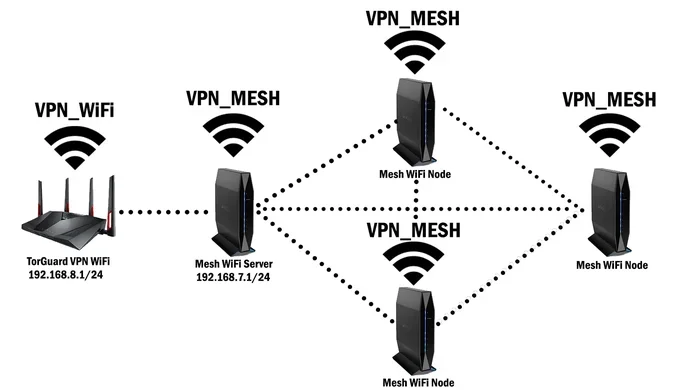
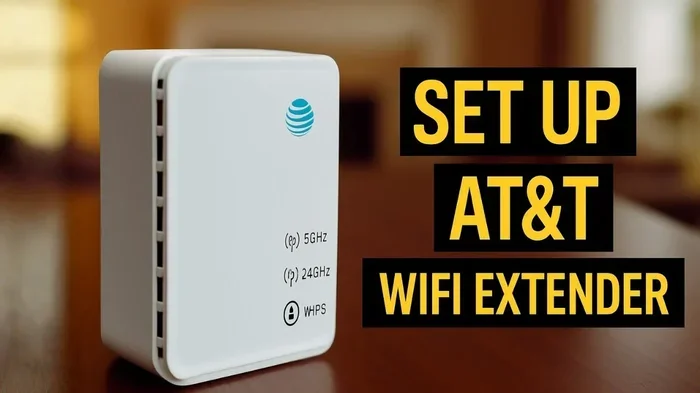
A weak wireless signal causes lag, disconnections, and unresponsive controls. If your indoor unit is far from the router, consider using a Wi-Fi extender or mesh network system. A strong wireless connectivity setup ensures reliable performance.
Not Using Smart Features
Many homeowners connect their mini split to Wi-Fi but never explore the smart features. This defeats the purpose of having a connected system. Take time to set up schedules, explore the app, and try voice commands. You will quickly see the value of these tools.
Choosing The Wrong Model
Not all Carrier mini splits come with Wi-Fi out of the box. Buying a model that lacks smart features means you will miss out on remote control and energy management. Always verify the specifications before making a purchase.
Expert Insights On Carrier Mini Split Smart Controls
Industry experts agree that Wi-Fi-enabled mini splits represent the future of residential climate control. According to HVAC professionals, the combination of inverter technology and smart connectivity delivers unmatched energy efficiency and user comfort.
Experts also highlight the importance of choosing the right model for your needs. A larger home with multiple rooms benefits greatly from multi-zone mini split systems with full Wi-Fi control. Smaller spaces may not need all the advanced features, but having Wi-Fi still adds convenience and flexibility.
When it comes to Carrier air conditioner systems, the brand has consistently been at the forefront of innovation. Their integration of smart controls into mini splits reflects their commitment to meeting modern homeowner demands for connectivity, efficiency, and ease of use.
Comparing Carrier Mini Splits With And Without Wi-Fi
To help you decide whether a Wi-Fi-enabled Carrier mini split is worth the investment, let us compare the two options side by side.
| Feature | Wi-Fi Enabled | Non-Wi-Fi Model |
|---|---|---|
| Remote Control | Yes, via app from anywhere | No, only with physical remote |
| Voice Control | Yes, with Alexa and Google | No |
| Energy Monitoring | Real-time usage tracking | Limited or no tracking |
| Programmable Schedules | Advanced scheduling options | Basic timer functions |
| Geofencing | Yes, auto-adjusts based on location | No |
| System Alerts | Push notifications and emails | No alerts |
| Price Difference | Slightly higher upfront cost | Lower initial price |
| Long-Term Savings | Higher energy savings | Moderate savings |
As you can see, the Wi-Fi-enabled models offer significantly more value over time. The slightly higher upfront cost is often offset by energy savings and the convenience of smart controls. For most homeowners, the smart features are well worth the investment.
Quick Tips For Getting The Most From Your Carrier Mini Split Wi-Fi
- Use the Carrier Home app daily to track your energy usage and adjust settings.
- Set up geofencing so your system automatically adjusts when you leave or arrive home.
- Create weekly schedules that match your routine for maximum energy efficiency.
- Link your mini split to Alexa or Google Assistant for hands-free control.
- Check for firmware updates regularly to keep your system running at peak performance.
- Place your router strategically to ensure a strong and stable connection to the indoor unit.
- Explore multi-zone control if you have multiple indoor units for different rooms.
Conclusion
The answer to “Do Carrier Mini Splits Have Wi-Fi” is a clear and definitive yes for many models in the Carrier lineup. These Wi-Fi-enabled mini splits bring a new level of convenience, energy efficiency, and control to your home. With smart app control, voice assistant integration, and advanced scheduling features, managing your indoor climate has never been easier.
Whether you are building a new home, upgrading an existing system, or replacing an old unit, a Carrier mini split with Wi-Fi is a smart investment. The ability to control your ductless cooling and heating system from anywhere, monitor energy usage, and receive real-time alerts adds tremendous value to your daily life.
Take the time to explore the available models, compare features, and choose the one that best fits your home and budget. With the right Carrier air conditioner setup, you will enjoy comfortable temperatures, lower energy bills, and the peace of mind that comes with a fully connected smart home system.
Start your journey toward smarter climate control today. A Wi-Fi-enabled Carrier mini split is more than an air conditioner. It is a gateway to a more comfortable, efficient, and connected home.
Frequently Asked Questions
Do all Carrier mini splits come with Wi-Fi built in?
No, not all models include Wi-Fi. Higher-end series like the Carrier Infinity line typically have it as standard. Some budget models may require a separate Wi-Fi module or adapter to gain smart control features. Always check the product specifications before purchasing.
Can I control my Carrier mini split when I am not at home?
Yes, as long as your mini split is connected to Wi-Fi and your phone has internet access. You can use the Carrier Home app to adjust temperature, change modes, and monitor system status from anywhere in the world. This is one of the biggest advantages of Wi-Fi-enabled mini splits.
Does Wi-Fi on a mini split increase energy consumption?
No, the Wi-Fi module itself uses very little power. In fact, the smart controls can help you save energy through programmable schedules, geofencing, and usage monitoring. The energy savings from smart features typically far outweigh any minimal power used by the wireless connection.
Can I connect my Carrier mini split to Alexa or Google Home?
Yes, most Wi-Fi-enabled Carrier mini splits are compatible with Amazon Alexa and Google Assistant. You can use voice commands to adjust temperature, turn the system on or off, and check the current status. Setup is done through the respective smart home app on your phone.
What should I do if my mini split loses Wi-Fi connection?
First, check your home router to make sure it is working properly. Restart both your router and the indoor unit. Ensure the unit is within range of your Wi-Fi signal. If the problem persists, consult the user manual or contact Carrier customer support for troubleshooting steps.
Is it difficult to set up Wi-Fi on a new Carrier mini split?
No, the setup process is simple and user-friendly. You just need to download the Carrier Home app, enter your Wi-Fi credentials through the unit or app, and follow the on-screen instructions. Most homeowners complete the setup in under 10 minutes without any professional help.