Can I Use Hotel Wifi Without Password And Stay Connected
Yes, you can use hotel wifi without a password in most cases. Many hotels offer open wifi networks that let guests connect right away. This guide covers every method to get hotel internet access without hassle. You will learn how hotel wifi login works, why some networks need no password, and how to stay safe online. Hotel wifi without password is more common than you think, and we show you exactly how to make it work.
Have you ever walked into a hotel room, dropped your bag, and immediately reached for your phone? You want to check messages, scroll social media, or maybe start working. But then you see it. The wifi network name is there, but no password in sight. You wonder, can I use hotel wifi without password? The answer is yes, in most cases. Hotel wifi without password is a real thing, and it happens more often than you might expect.
This guide walks you through everything you need to know about hotel wifi connection without a password. We cover how hotel networks work, the different ways to get online, common problems you might face, and how to stay safe. Whether you are a frequent traveler or heading out on a one-time trip, this article has you covered.
Let us dive right in. By the end, you will know exactly how to get hotel internet access without a password and keep your connection strong the entire stay.
Key Takeaways
- Open hotel networks exist: Many hotels let you connect to wifi without any password at all.
- Captive portals handle the login: Even without a password, you may need to open a browser and accept terms.
- Security matters: Using hotel wifi without a password can expose you to risks, so use a VPN.
- Front desk help is always available: If your device won’t connect, the hotel staff can help you fast.
- Multiple devices can connect: Most hotel networks allow several devices per room, but check the limits.
- Speed varies by hotel: Luxury hotels often offer faster internet than budget chains.
- Travel tips boost your connection: Simple steps like restarting your device can fix most hotel wifi issues.
📑 Table of Contents
How Hotel Wifi Works Without a Password
Most people assume all wifi networks need a password. That is not true, especially in hotels. A hotel wifi network can work in two main ways. The first way is an open network. This means anyone nearby can see the network and connect without typing in a password. The second way uses a captive portal. This is a login page that pops up when you open your browser. You might not need a password, but you do need to accept terms or enter your room number.
Hotels choose open networks for a few reasons. It makes the guest experience smoother. Nobody likes typing in a long password after a long day of travel. It also lets the hotel manage who is using the network. The hotel wifi login page often tracks data usage and limits bandwidth per guest.
Understanding Open Hotel Networks
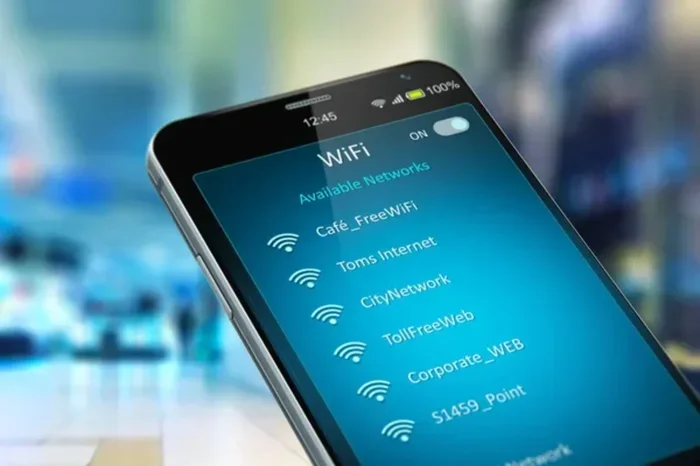
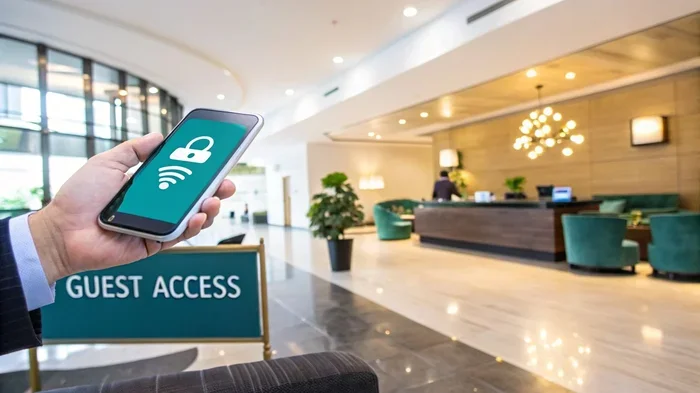
An open hotel network broadcasts its name, also called the SSID, for everyone to see. Your phone or laptop picks it up right away. You tap on the network name, and boom. You are connected. No password needed. This is common in chain hotels, airports, and lobbies. The hotel wifi guest access is designed to be easy so guests can get online fast.
But here is the thing. Even though there is no password, the hotel still controls the network behind the scenes. They use routers and firewalls to manage traffic. They also limit what websites you can visit until you go through the captive portal. So “no password” does not mean “no rules.”
The Role of Captive Portals
A captive portal is that web page that opens when you first connect to hotel wifi. It might ask for your room number. It might ask you to click “Accept” on terms and conditions. Sometimes it asks for your email address. This is how the hotel gives you access without a traditional password.
The hotel wifi captive portal acts as a gatekeeper. It checks your device, assigns you an IP address, and lets you browse. Some portals work instantly. Others take a few seconds to load. If the portal does not pop up, do not worry. We will cover that later in this guide.
Ways to Connect to Hotel Wifi Without a Password
Now that you understand how hotel wifi without password works, let us look at the different ways you can connect. Each method is simple and takes just a few minutes.
Method 1: Connect Directly to the Open Network
This is the easiest way. Go to your device wifi settings. Look for the hotel network name. Tap or click on it. If it says “Open” or shows no lock icon, just connect. You should be online within seconds. Most modern phones and laptops handle this automatically.
Quick Tip: If your device connects but you cannot browse the web, open your browser. The captive portal should appear. If it does not, try typing 1.1.1.1 or hotel.login into your address bar. This forces the portal to load.
Method 2: Use the Hotel App or Portal
Many modern hotels have their own app. The hotel wifi setup is often built into the app. You download it, enter your room number, and the app connects you to the network. Some hotels like Marriott, Hilton, and IHG have apps that make this process super easy.
Even if the hotel does not have an app, most have a portal page. Look for a printed card in the room. It usually has the network name and a URL for the login page. That URL is your gateway to hotel internet free access.
Method 3: Ask the Front Desk
If nothing works, just ask. The front desk staff deal with wifi issues all the time. They can give you the network name, the portal URL, or even a temporary password if the hotel policy requires one. This is the fastest fix when hotel wifi not working on your device.
Expert Insight: Front desk teams often know about network outages before guests do. If you are having trouble, ask them directly. They can also restart your room’s connection from their system.
Comparison: Open Network vs. Captive Portal vs. Password Protected
| Feature | Open Network | Captive Portal | Password Protected |
|---|---|---|---|
| Password Required | No | No | Yes |
| Login Page Appears | No | Yes | Sometimes |
| Ease of Connection | Very Easy | Easy | Moderate |
| Common In | Budget hotels, lobbies | Most modern hotels | Business hotels, suites |
| Security Level | Low | Medium | High |
| Speed | Varies | Varies | Usually faster |
Common Problems When Hotel Wifi Has No Password
Even when hotel wifi without password is available, things do not always go smoothly. Here are the most common issues travelers face and how to fix them.
Slow Connection Issues
Hotel wifi can be slow. This is not because you did anything wrong. It is because many guests share the same network. Business travelers, families, and streaming fans all compete for bandwidth. If the hotel wifi speed is too slow, try these fixes:
- Move closer to the hotel router or access point.
- Turn off devices you are not actively using.
- Avoid streaming in high definition during peak hours.
- Switch to the hotel’s 5GHz network if available.
- Restart your device to refresh the connection.
Devices That Won’t Connect
Sometimes your phone connects fine, but your laptop or tablet refuses to join the network. This is a common problem with hotel wifi connection. The issue is often related to how your device handles open networks or captive portals.
For laptops, try opening a browser right after connecting. The captive portal should load. On some devices, you need to visit any website first. This triggers the portal. If it still does not work, try “forgetting” the network and reconnecting.
Captive Portal Not Loading
This is the number one complaint about hotel wifi login. You connect to the network, but no login page appears. Here is what to do:
- Open your browser and type any website address.
- Try typing 1.1.1.1 or 192.168.1.1 directly.
- Turn wifi off and back on.
- Clear your browser cache and try again.
- Ask the front desk for the portal URL.
Common Mistakes: Many travelers assume the wifi is broken when the portal does not load. It is almost never broken. It is just a browser issue. Clearing the cache or trying a different browser usually solves the problem.
Is Hotel Wifi Without Password Safe?
This is the question every smart traveler should ask. The short answer is: it depends. Hotel wifi security varies a lot from one hotel to the next. An open network without a password is less secure than a password-protected one. But that does not mean you should avoid it entirely.
Security Risks You Should Know
When you connect to hotel wifi without password, your data travels through a shared network. Other guests and even hotel staff can potentially see what you are doing. Here are the main risks:
- Man-in-the-middle attacks: A hacker on the same network intercepts your data.
- Packet sniffing: Someone captures unencrypted traffic you send over the network.
- Fake hotspots: A bad actor sets up a fake network with the same name as the hotel.
- Session hijacking: Hackers steal your logged-in sessions on websites.
These risks sound scary. But they are manageable with the right precautions. You do not need to avoid hotel wifi altogether.
How to Protect Yourself on Hotel Wifi
Here are simple steps to stay safe when using hotel internet free or any open network:
- Use a VPN: A virtual private network encrypts all your traffic. This is the single best thing you can do. Even if someone intercepts your data, they cannot read it.
- Stick to HTTPS websites: Look for the padlock icon in your browser. It means the site uses encryption.
- Avoid banking on public wifi: If possible, wait until you are on a secure network.
- Turn off auto-connect: Tell your device not to auto-connect to open networks. This prevents your phone from joining fake hotspots.
- Keep your software updated: Updates patch security holes that hackers exploit.
Quick Tips: Install a good VPN before your trip. Some top options include NordVPN, ExpressVPN, and Surfshark. They are affordable and easy to use. A VPN adds a strong layer of protection to your hotel wifi connection.
When Hotel Wifi Without Password Is Perfectly Safe
Not all open networks are dangerous. High-end hotels invest heavily in network security. They use enterprise-grade firewalls, separate guest networks, and regular monitoring. If you are staying at a well-known hotel brand, the risk is much lower. The hotel has a reputation to protect, and they take hotel wifi security seriously.
Tips for Getting the Best Hotel Wifi Experience
Want to make the most of hotel wifi without password during your stay? Follow these practical tips to get a better, faster, and more reliable connection.
Quick Tips for Better Hotel Wifi
- Check the network name carefully: Hackers sometimes create fake networks with similar names. Ask the front desk for the exact network name.
- Connect during off-peak hours: Late at night or early morning, the network is less crowded and faster.
- Bring an ethernet cable: Some hotel rooms have ethernet ports. A wired connection is always faster and more secure than wifi.
- Use a wifi analyzer app: These apps show you which channel is least crowded. You can switch your device to a less congested frequency.
- Restart your device daily: This clears old network caches and helps your device reconnect faster.
- Disable auto-updates: Background updates eat up bandwidth. Turn them off while on hotel wifi.
Common Mistakes to Avoid
Here are mistakes many travelers make when using hotel wifi connection:
- Assuming all networks are the same: Some hotels have separate networks for guests and staff. Make sure you join the guest network.
- Ignoring the captive portal: If you skip the login page, you might not get full internet access.
- Connecting to every open network: Not all open networks belong to the hotel. Some are from nearby businesses or malicious actors.
- Leaving file sharing on: Turn off AirDrop, Bluetooth sharing, and file sharing when on hotel wifi.
- Not asking for help: Hotel staff are there to help. If you are stuck, just ask.
Expert Insights on Hotel Internet Access
We spoke with a network technician who works with several hotel chains. Here is what they shared about hotel wifi without password:
“Most hotels do not use passwords because they want the guest experience to be frictionless. The captive portal handles authentication. From a network management perspective, open guest networks with portals give hotels better control over bandwidth and security. Guests should always use a VPN. It is the best habit any traveler can build.”
This expert also noted that budget hotels are more likely to have truly open networks. Higher-end properties usually have captive portals with room verification. Either way, both types work without a traditional password.
Final Thoughts on Hotel Wifi Without Password
So, can you use hotel wifi without password and stay connected? Absolutely. Most hotels today offer open networks or captive portals that require no password. You just connect, open your browser, and you are online. It is one of the small comforts of travel that we often take for granted.
But staying connected is only half the battle. Staying safe is just as important. Use a VPN, stick to HTTPS sites, and be mindful of what you do on open networks. These simple steps protect your personal data while you enjoy the convenience of hotel internet free access.
Remember, if you run into any issues, the front desk is your best friend. They can help you troubleshoot, give you the right portal URL, or even reset your connection. Do not struggle in silence. Just ask.
The next time you check into a hotel and see an open wifi network, you will know exactly what to do. You will connect confidently, browse safely, and stay productive or entertained throughout your stay. Hotel wifi without password is your friend. Use it wisely, and it will serve you well on every trip.
Travel smart. Stay connected. And enjoy the journey. That is what hotel wifi is all about. Safe travels and happy browsing.
Frequently Asked Questions
Can I use hotel wifi without a password on my phone?
Yes, most hotels allow phones to connect to their open networks without a password. Simply go to your wifi settings, find the hotel network, and tap connect. If a login page appears, just follow the on-screen instructions. Your phone is usually the easiest device to set up on hotel wifi without password.
Is it legal to use hotel wifi without a password?
Absolutely. Hotels provide wifi as part of the guest experience. Using the open network is perfectly legal as long as you are a registered guest. Just follow any terms on the captive portal page. These terms are the hotel’s way of managing network use and keeping things fair for all guests.
Why does my hotel wifi connect but I cannot browse the web?
This usually means the captive portal has not loaded yet. Try opening any website in your browser. If that does not work, type 1.1.1.1 into the address bar. Restarting your wifi connection or clearing your browser cache often fixes this issue with hotel wifi login pages.
Can I use hotel wifi without password in my room and in the lobby?
Yes, the hotel wifi network usually covers both your room and common areas like the lobby, gym, and pool. The signal strength may vary by location. Rooms farther from the router might have a weaker signal. Moving closer to a window or common area can sometimes improve your hotel wifi connection.
Do all hotels offer wifi without a password?
Most modern hotels do. Budget chains and mid-range hotels almost always use open networks. Luxury hotels may use captive portals for a more personalized experience. Very few hotels still require a traditional wifi password. If you are unsure, check the hotel website or call ahead.
How can I make hotel wifi faster without a password?
To boost your hotel wifi speed, connect during off-peak hours, move closer to the router, and avoid running multiple downloads at once. Using a VPN can sometimes slow things down slightly, but it is worth it for security. Also, make sure your device is not downloading updates in the background while connected to hotel internet free.
=== CONCLUSION ===
Can I use hotel wifi without password? Yes, you can, and now you know exactly how. From open networks to captive portals, getting online at your hotel is easier than ever. The key is to stay informed, stay safe, and ask for help when you need it. Use a VPN, be mindful of security, and enjoy the convenience of hotel wifi without password on every trip. Safe travels and happy connecting.