Can I Use Regular HDMI As HDMI ARC On My Home Theater
Yes, you can use a regular HDMI cable for HDMI ARC, but there are important limitations to understand. HDMI ARC works on most standard HDMI cables, but you may need a high-speed cable for the best audio quality. This guide covers everything you need to know about using HDMI ARC on your home theater system.
Key Takeaways
- Regular HDMI cables work for basic HDMI ARC: You do not always need a special cable for ARC to function.
- eARC requires a high-speed HDMI cable: If you want Dolby Atmos or advanced audio formats, upgrade your cable.
- Not all HDMI ports support ARC: Check your TV and soundbar labels to find the right port.
- HDMI ARC simplifies your setup: It sends audio back to your soundbar using one cable instead of two.
- Common issues are easy to fix: Most HDMI ARC problems come from settings, not cables.
- An optical cable is an alternative: If ARC does not work, you can still connect audio with an optical cable.
📑 Table of Contents
- Can I Use Regular HDMI As HDMI ARC On My Home Theater
- What Is HDMI ARC and Why Does It Matter
- Do You Need a Special HDMI Cable for HDMI ARC
- HDMI ARC vs. eARC: What Is the Difference
- How to Set Up HDMI ARC on Your TV and Soundbar
- Common HDMI ARC Problems and How to Fix Them
- Can You Use HDMI ARC With Any TV
- Best HDMI Cables for HDMI ARC and eARC
- Expert Tips for Getting the Most Out of HDMI ARC
- Frequently Asked Questions
- Final Thoughts
Can I Use Regular HDMI As HDMI ARC On My Home Theater
You just got a new soundbar or home theater system. You plug in an HDMI cable and wonder, “Does this even work with HDMI ARC?” It is a question a lot of people ask. The short answer is yes. You can use a regular HDMI cable for HDMI ARC in most cases. But the full story has a few important details you should know.
HDMI ARC stands for Audio Return Channel. It is a feature built into HDMI that lets your TV send audio back to your soundbar or receiver. This means you only need one cable to carry both video and audio. It makes your setup cleaner and easier to manage. But not all HDMI cables or ports are the same. And not all versions of HDMI support ARC the same way.
In this article, we will walk through everything you need to know. We will cover what HDMI ARC is, how it works, and whether your regular HDMI cable is good enough. We will also look at common problems and how to fix them. By the end, you will know exactly what cable to use and how to get the best audio from your home theater setup.
What Is HDMI ARC and Why Does It Matter
HDMI ARC is a special feature in the HDMI standard. It allows audio to travel in both directions on a single HDMI cable. Normally, HDMI sends video from a source device to your TV. With ARC, the TV can also send audio back out to a soundbar, AV receiver, or home theater system. This is a big deal for anyone who wants a simpler setup.
Before HDMI ARC existed, you needed separate cables for video and audio. You might use an HDMI cable for video and an optical cable for audio. That meant more cables, more ports used, and more clutter. HDMI ARC changed all that by combining audio and video into one connection.
How HDMI ARC Works
When you connect your TV to a soundbar using an HDMI ARC cable, the TV recognizes the soundbar as an audio output device. When you watch a show or movie, the audio signal travels from the TV to the soundbar through the same HDMI cable carrying the video. This is called audio passthrough. It keeps everything synced and simple.
HDMI ARC also supports CEC, which stands for Consumer Electronics Control. CEC lets you control multiple devices with one remote. For example, you can turn up the volume on your soundbar using your TV remote. You do not need a separate remote for the soundbar. This is a huge convenience for most home theater users.
HDMI ARC vs. Optical Audio: What Is the Difference
An optical audio cable is another way to connect your TV to a soundbar. It uses light to carry digital audio signals. Optical cables do not support HDMI ARC features like CEC. You cannot control your soundbar with your TV remote when using an optical connection.
HDMI ARC also supports more audio formats than optical. Optical cables are limited to compressed audio formats like Dolby Digital. HDMI ARC can handle uncompressed audio and advanced formats. For most people, HDMI ARC is the better choice. It is simpler, more versatile, and delivers better sound quality.
Do You Need a Special HDMI Cable for HDMI ARC
This is the most common question people ask. The answer is mostly no. A regular high-speed HDMI cable will work fine for HDMI ARC. But there are some exceptions. Let us break it down so you know exactly what to buy.
Standard HDMI Cables and ARC Support
Most HDMI cables you buy today support HDMI ARC. This includes standard High-Speed HDMI cables. If your cable was made after 2009, it likely supports ARC. The HDMI ARC feature is built into the HDMI specification itself. It does not depend on the cable being a special ARC cable.
So if you have an existing HDMI cable lying around, try it first. Plug it into the ARC port on your TV and your soundbar. Turn on HDMI ARC in your TV settings. If the audio plays through your soundbar, your cable works. You do not need to spend extra money on a special cable.
When You Do Need a High-Speed HDMI Cable
There is one situation where you should upgrade your cable. If you want to use eARC, which stands for Enhanced Audio Return Channel, you need a high-speed HDMI cable. eARC supports advanced audio formats like Dolby Atmos and DTS:X. These formats carry a lot of data and require a cable that can handle the bandwidth.
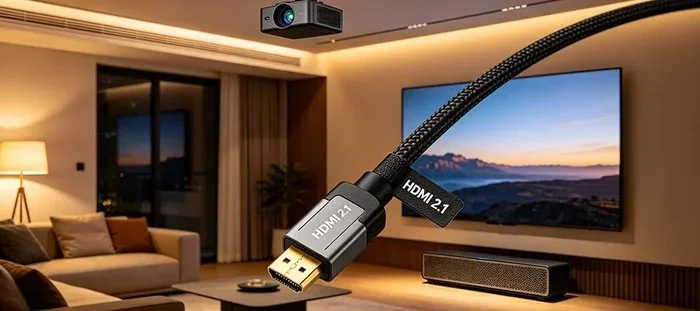
A regular HDMI cable may not be able to pass these uncompressed audio formats. You might experience audio dropouts or no sound at all. A high-speed HDMI cable rated for HDMI 2.1 ensures you can use eARC without any issues. If your TV and soundbar both support eARC, invest in a good high-speed cable.
HDMI ARC vs. eARC: What Is the Difference
HDMI ARC and eARC are closely related but not the same. Understanding the difference helps you choose the right setup for your home theater. Both use HDMI cables to send audio from your TV to your sound system. But eARC offers much more capability.
What eARC Brings to the Table
eARC stands for Enhanced Audio Return Channel. It was introduced with HDMI 2.1. eARC supports higher bandwidth, which means it can carry uncompressed audio. This includes formats like Dolby Atmos, DTS:X, and LPCM 7.1. These formats deliver immersive, theater-quality sound that regular HDMI ARC cannot handle.
eARC also fixes some of the limitations of regular HDMI ARC. It has better handshaking between devices. This means fewer connection issues and less audio delay. eARC also supports lip-sync correction, which keeps your audio and video perfectly in sync.
Comparison Table: HDMI ARC vs. eARC
| Feature | HDMI ARC | eARC |
|---|---|---|
| Audio Formats | Dolby Digital, stereo | Dolby Atmos, DTS:X, LPCM 7.1 |
| Bandwidth | Limited | High (up to 37 Mbps) |
| Cable Requirement | Standard HDMI cable | High-speed HDMI cable |
| CEC Support | Yes | Yes |
| Lip-Sync Correction | No | Yes |
| HDMI Version | HDMI 1.4 | HDMI 2.1 |
As you can see, eARC is the better option if your equipment supports it. But for basic setups, regular HDMI ARC works just fine for most people.
How to Set Up HDMI ARC on Your TV and Soundbar
Setting up HDMI ARC is easier than most people think. You do not need to be a tech expert. Follow these steps and you will be up and running in minutes.
Step-by-Step Setup Guide
- Find the ARC port on your TV. Look at the back or side of your TV. One of the HDMI ports will be labeled “ARC” or “eARC.” Plug your HDMI cable into that port.
- Connect the other end to your soundbar or receiver. Use the HDMI OUT (ARC) port on your soundbar or AV receiver.
- Turn on HDMI ARC in your TV settings. Go to Settings, then Sound, then look for HDMI ARC or Control for HDMI. Make sure it is turned on.
- Set your soundbar as the audio output. In your TV audio settings, select the HDMI ARC output as the default audio device.
- Test it out. Play a video on your TV and check if the sound comes through your soundbar.
Quick Tips for a Smooth Setup
- Turn off your TV and soundbar before connecting the HDMI cable. This helps with proper handshaking.
- If you have no sound, try unplugging the HDMI cable and plugging it back in.
- Make sure your HDMI cable is fully inserted into both ports.
- Check that your HDMI cable is not damaged or frayed.
- Update your TV firmware. Some TVs need the latest software to support HDMI ARC properly.
Common HDMI ARC Problems and How to Fix Them
Even with the right cable, HDMI ARC can sometimes give you trouble. Here are the most common issues and how to solve them.
No Sound Through Your Soundbar
This is the number one complaint people have with HDMI ARC. You watch a show and there is no sound coming from your soundbar. First, check that HDMI ARC is turned on in your TV settings. Next, make sure your TV audio output is set to HDMI ARC. Sometimes the TV defaults to its own speakers after a power cycle. You may need to change the audio output setting again.
Also, check the HDMI cable connection. A loose cable can cause no sound. Try unplugging and replugging the cable firmly. If that does not work, try a different HDMI port on your TV.
Audio and Video Are Out of Sync
Audio lag or lip-sync issues are common with HDMI ARC. This happens when the audio signal takes longer to process than the video signal. You may notice the dialogue does not match the actors’ mouths.
To fix this, look for a lip-sync or audio delay setting in your soundbar or TV menu. Adjust it until the audio and video match. Some TVs have an auto lip-sync feature that detects and fixes the delay automatically.
HDMI ARC Keeps Disconnecting
If your HDMI ARC connection drops out randomly, the cable might be the problem. A low-quality or damaged HDMI cable can cause intermittent disconnections. Try using a shorter, high-quality HDMI cable. Also, make sure the cable is rated for the HDMI version your devices support.
Another cause is CEC conflicts. CEC allows devices to communicate, but sometimes two devices fight for control. Turn off CEC on one of your devices and see if that fixes the issue. Each TV brand calls CEC by a different name. Samsung calls it Anynet+, LG calls it SimpLink, and Sony calls it BRAVIA Sync.
Can You Use HDMI ARC With Any TV
Not all TVs support HDMI ARC. It depends on the TV model and the HDMI ports it has. Most TVs made after 2009 support at least one HDMI ARC port. But older or budget TVs may not have this feature at all.
How to Check If Your TV Supports HDMI ARC
Look at the HDMI ports on the back of your TV. If one of them is labeled “ARC” or “eARC,” your TV supports it. You can also check your TV manual or the manufacturer website for specifications. Search for “HDMI ARC” in the features list.
If your TV does not support HDMI ARC, you still have options. You can use an optical audio cable to connect your TV to your soundbar. This will give you basic audio support, but you will lose CEC control. You will need to use your soundbar remote to adjust the volume.
Best HDMI Cables for HDMI ARC and eARC
Not all HDMI cables are created equal. If you want the best audio experience, choosing the right cable matters. Here is what to look for when buying an HDMI cable for ARC or eARC.
- High-Speed HDMI Cable: This is the minimum you need for HDMI ARC. It supports bandwidth up to 10.2 Gbps and handles most audio formats.
- Premium High-Speed HDMI Cable: This is certified by HDMI Licensing LLC. It guarantees support for 4K video and eARC audio.
- Ultra High-Speed HDMI Cable: This is the newest standard, rated for HDMI 2.1. It supports 8K video, 48 Gbps bandwidth, and full eARC capabilities.
You do not need to spend a fortune on an HDMI cable. A $10 to $15 high-speed HDMI cable works great for most HDMI ARC setups. Save your money for better speakers or a better soundbar instead.
Expert Tips for Getting the Most Out of HDMI ARC
Here are some pro tips that will help you get the best performance from your HDMI ARC setup. These are things the manufacturers do not always tell you.
- Label your HDMI cables. Use tape or labels to mark which cable goes where. This saves you time when troubleshooting.
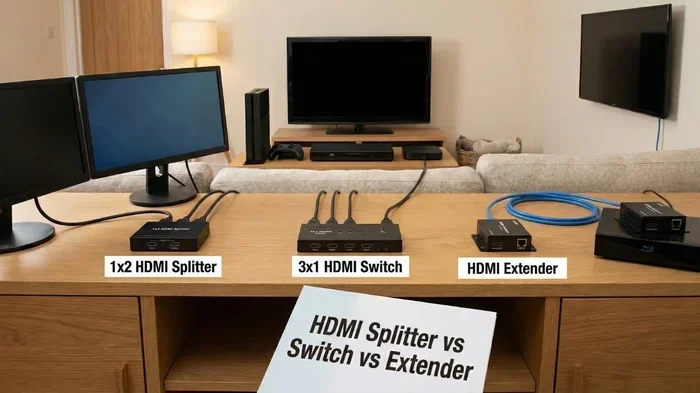
- Use an HDMI switcher if you run out of ports. Some HDMI switchers support ARC. This lets you connect multiple devices without losing the ARC feature.
- Keep your devices updated. Firmware updates often improve HDMI ARC compatibility and fix bugs.
- Avoid long HDMI cables for eARC. Keep eARC cables under 6 feet for the best signal quality. Longer cables can cause signal loss.
- Power cycle your devices regularly. Unplug your TV and soundbar for 30 seconds once a month. This clears the HDMI handshake memory and can fix weird audio issues.
Frequently Asked Questions
Can I use any HDMI cable for HDMI ARC?
Yes, most standard HDMI cables support HDMI ARC. A regular high-speed HDMI cable works fine for basic ARC setups. You do not need a special ARC-specific cable. Just make sure your cable is not damaged and is fully plugged in at both ends.
What is the difference between HDMI ARC and regular HDMI?
Regular HDMI only sends video and audio in one direction, from the source to the TV. HDMI ARC adds a return channel that sends audio from the TV back to your soundbar or receiver. This lets you use one cable for both video and audio, simplifying your home theater setup.
Do I need an eARC cable for Dolby Atmos?
Yes, if you want to pass Dolby Atmos or other advanced audio formats, you need eARC. eARC requires a high-speed HDMI cable rated for HDMI 2.1 or higher. A regular HDMI ARC cable cannot carry the uncompressed audio data needed for Dolby Atmos.
Why is my HDMI ARC not working even with the right cable?
The most common cause is that HDMI ARC is not enabled in your TV settings. Go to your TV sound settings and make sure HDMI ARC or Control for HDMI is turned on. Also check that your TV audio output is set to the HDMI ARC port. Restarting both devices can also fix the issue.
Can I use HDMI ARC and optical audio at the same time?
No, you should not use both at the same time. Your TV will only output audio through one source at a time. If you have HDMI ARC connected, disable the optical output in your TV settings. Using both can cause audio conflicts and confusion.
Is HDMI ARC better than Bluetooth for connecting a soundbar?
Yes, HDMI ARC is generally better than Bluetooth for a home theater setup. HDMI ARC delivers higher audio quality, supports more audio formats, and has less latency. Bluetooth can compress audio and introduce slight delays. For the best sound experience, use HDMI ARC whenever possible.
Final Thoughts
So, can you use regular HDMI as HDMI ARC on your home theater? The answer is yes, in most cases. A standard high-speed HDMI cable will handle HDMI ARC just fine for everyday use. You do not need to buy expensive or specialized cables unless you are using eARC for Dolby Atmos or other advanced audio formats.
HDMI ARC is a great feature that simplifies your home theater setup. It cuts down on cables, lets you control your soundbar with your TV remote, and delivers solid audio quality. If your TV and soundbar both support HDMI ARC, take advantage of it. You will be glad you did.
Just remember to check your TV settings, use the right HDMI port, and keep your cables in good condition. If you run into issues, the fixes are usually simple and quick. With the right setup, HDMI ARC makes your home theater experience better and more enjoyable. So go ahead, plug in that cable, and start watching your favorite movies with rich, immersive sound.