Can I Plug A USB Into My Car And Play Music Right Now
Yes, you can plug a USB into your car and play music in most modern vehicles. Whether you use a USB flash drive, your smartphone, or a portable media player, connecting via USB offers a reliable and convenient way to enjoy your favorite tunes. This guide covers everything you need to know about USB music playback in cars, from setup to troubleshooting common issues.
You are driving down the highway. Your phone is dying. Your playlist is stuck on shuffle. And all you want is to hear your favorite song without using up your battery. So you grab a USB cable and think, “Can I plug a USB into my car and play music right now?”
The short answer is yes. In most cases, you absolutely can. Plugging a USB into your car to play music is one of the simplest and most reliable ways to enjoy your personal audio library on the road. Whether you are using a USB flash drive, connecting your smartphone, or plugging in a portable music player, the process is straightforward. But there are a few things you should know before you plug in.
This guide will walk you through everything. From understanding how car USB ports work to troubleshooting common problems, you will find all the answers you need. Let us get into it.
Key Takeaways
- USB music playback works in most cars: Nearly all vehicles made after 2010 support USB connections for audio.
- File format matters: Your USB drive or device must use compatible formats like MP3, WAV, or AAC for smooth playback.
- Charging and music can run together: A USB connection typically powers your device while playing audio simultaneously.
- Troubleshooting is simple: Most USB connection issues can be fixed with a cable swap, format check, or port cleaning.
- Bluetooth is an alternative: If USB doesn’t work, Bluetooth offers a wireless backup for car music.
- New technology brings both benefits and limits: USB car features continue to evolve with advantages and some drawbacks.
📑 Table of Contents
- What Happens When You Plug USB Into Your Car
- What Devices Can You Connect Via USB
- Best File Formats for USB Music in Cars
- Advantages of Using USB to Play Music in Your Car
- Disadvantages and Limitations of USB Music in Cars
- How to Set Up USB Music Playback in Your Car
- Common USB Music Problems and How to Fix Them
- USB vs Bluetooth: Which Is Better for Car Music?
- Expert Tips for Getting the Most From USB Car Music
- The Future of USB Car Audio
- Final Thoughts
What Happens When You Plug USB Into Your Car
When you plug a USB cable into your car, something interesting happens behind the scenes. The car’s infotainment system recognizes the connected device. It reads the files stored on it. Then it sends the audio signal to your car speakers. All of this happens in seconds.
Most car USB ports serve two purposes. They charge your device and they transfer data. When you connect your phone or USB drive, the car system accesses the music files stored on it. You can then control playback using your car’s dashboard screen or knobs.
The experience varies from car to car. Some vehicles display album art and song titles. Others show only basic track names. The quality of the audio depends on your car’s sound system and the USB cable you use.
How Car USB Ports Differ From Regular Ports
Car USB ports are not the same as the ones on your computer. They are designed for durability and constant use. They handle vibrations, temperature changes, and frequent plugging and unplugging.
There are two main types of car USB ports:
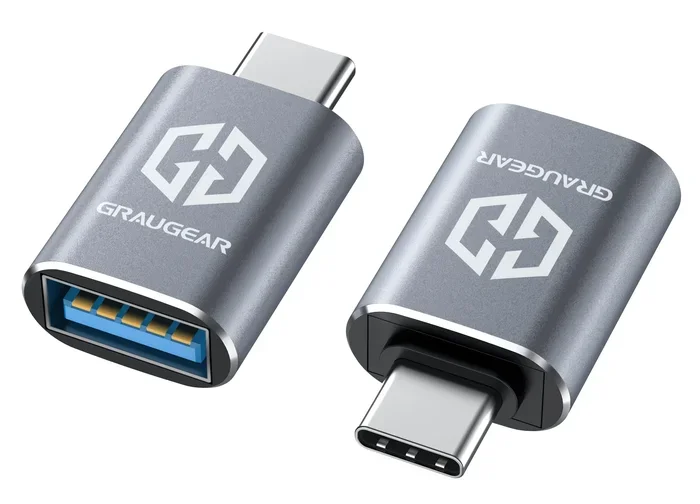
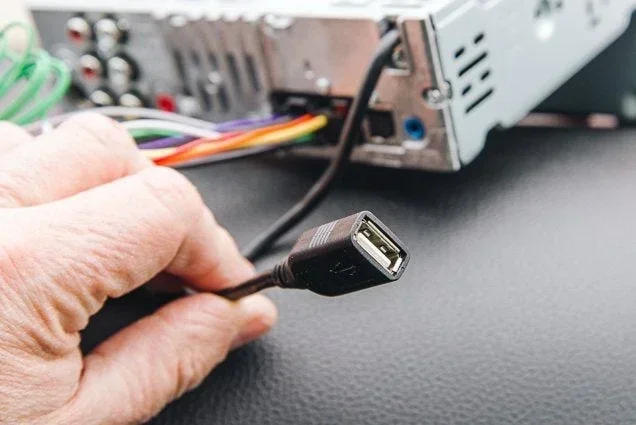
- Type A ports: The classic rectangular port found in most cars. This is what you plug standard USB cables into.
- Type C ports: A newer, smaller, reversible port found in more modern vehicles.
Both types can play music. Type C ports offer faster data transfer and better power delivery. But Type A ports remain the most common in cars today.
What Devices Can You Connect Via USB
You might be surprised by how many devices work with car USB ports. The list is longer than most people think. Here are the most common devices you can plug in:
USB Flash Drives
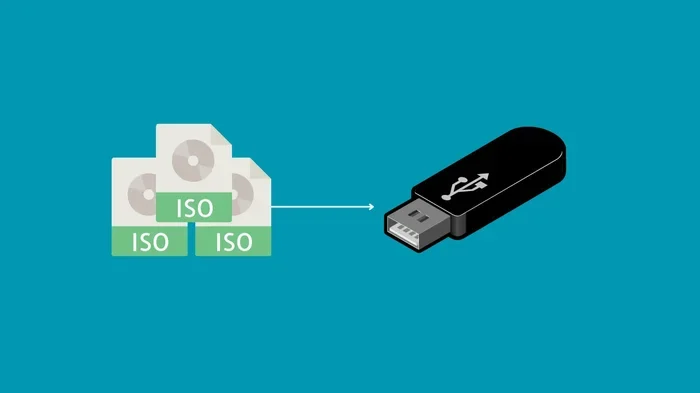
A USB flash drive is one of the easiest ways to play music in your car. You simply load your favorite songs onto the drive, plug it in, and start listening. No phone needed. No Bluetooth pairing required.
Most car stereos support USB drives formatted as FAT32 or NTFS. You can store hundreds or even thousands of songs on a single drive. This makes USB drives a great option for long road trips.
Smartphones
Connecting your smartphone via USB is another popular option. When you plug in your phone, the car system reads the music apps and files stored on it. You can use Apple Music, Spotify, or your local music library.
One major benefit is that your phone charges while you play music. This means you never run out of battery during a drive. It also keeps your phone screen available for navigation.
Portable Music Players
Old school but still useful. Devices like iPods or portable MP3 players connect perfectly to car USB ports. Many people still prefer these for their simplicity and dedicated music storage.
GPS and Navigation Devices
Some portable GPS units also double as music players. When plugged into a car USB port, they can output audio through your car speakers. This is a great two-in-one solution.
Best File Formats for USB Music in Cars
Not all audio files work the same way in every car. Your car’s infotainment system supports specific file formats. If your music files are not in a compatible format, they will not play. This is one of the most common reasons people ask, “Why won’t my USB music work in my car?”
Here are the most widely supported formats:
| File Format | Compatibility | Audio Quality |
|---|---|---|
| MP3 | Universal support | Good |
| WAV | Most car systems | Excellent |
| AAC | Wide support | Very Good |
| FLAC | Some premium systems | Lossless |
| WMA | Good support | Good |
| OGG | Limited support | Good |
MP3 remains the safest choice. It works on nearly every car system. WAV files offer the best quality but take up more space. FLAC is great for audiophiles but only works on higher-end car stereos.
Before loading music onto a USB drive, check your car’s manual. It will list the supported formats. This small step saves a lot of frustration later.
Advantages of Using USB to Play Music in Your Car
Using a USB connection for car music has many benefits. Here is why so many drivers prefer it over other methods:
Reliable Connection
Unlike Bluetooth, a USB connection does not drop or glitch. The audio streams smoothly without interruptions. You do not have to worry about the connection breaking when you hit a bump in the road.
Charging While Playing
Your device gets charged while you listen to music. This is a huge advantage on long drives. You arrive at your destination with a full battery and a full playlist.
No Pairing Required
With Bluetooth, you need to pair devices every time. With USB, you just plug in and go. It is faster and more convenient, especially for daily commutes.
Better Audio Quality
A direct USB connection often provides better sound quality than Bluetooth. The digital signal transfers without compression loss in many cases. Your music sounds cleaner and more detailed through your car speakers.
Access to Large Libraries
A USB flash drive can hold thousands of songs. Your phone can hold even more. You are not limited to a few playlists or a handful of tracks. You have your entire music library at your fingertips.
Simple and Universal
Almost every car made in the last decade has a USB port. It is a universal standard. You do not need special adapters or extra equipment. Just grab a cable and plug it in.
While USB has many advantages, it is worth noting that new technology always comes with trade-offs. Understanding both sides helps you make the best choice for your setup.
Disadvantages and Limitations of USB Music in Cars
USB music playback is not perfect. There are some limitations you should know about before you rely on it completely.
File Format Restrictions
As mentioned earlier, not all file formats work in every car. If your music is in an unsupported format, you will not hear anything. You may need to convert files before loading them onto a USB drive.
USB Port Damage
Car USB ports can wear out over time. Frequent plugging and unplugging causes the port to loosen. A loose port means an unreliable connection. In some cases, you may need to repair or replace the port.
Cable Quality Matters
Cheap USB cables can cause problems. They may not transfer data properly. They might charge slowly or not at all. A poor-quality cable can also damage your car’s USB port over time.
Limited Compatibility with Some Phones
Some smartphones do not play well with car USB systems. Certain Android phones require specific settings to enable USB audio. iPhones sometimes have compatibility issues with older car stereos.
No Wireless Option
A USB connection requires a physical cable. This limits your mobility. You cannot walk away from the car while music plays. Bluetooth or wireless alternatives offer more freedom in this regard.
Every technology has its pros and cons. Understanding the limitations of USB car audio helps you use it more effectively. If USB does not work for your situation, there are other options available.
How to Set Up USB Music Playback in Your Car
Setting up USB music playback is simple. Follow these steps and you will be listening to your favorite tunes in minutes.
Step 1: Prepare Your USB Drive or Device
If you are using a USB flash drive, make sure it is formatted correctly. Most car systems work best with FAT32 formatting. You can format a drive on your computer using built-in tools.
Load your music files onto the drive. Organize them into folders by artist, album, or genre. This makes browsing easier once the drive is connected to your car.
Step 2: Connect the Cable
Plug one end of the USB cable into your device or flash drive. Plug the other end into the car’s USB port. Most cars have at least one USB port in the front. Some vehicles have ports in the back seat area too.
If your car only has a USB port for charging and not data, you may need a different solution. Check your car manual to confirm the port supports audio data transfer.
Step 3: Select USB as the Audio Source
On your car’s infotainment screen, select USB as the audio source. This is usually found in the source or media menu. The car system will scan the connected device and display available music.
Step 4: Start Playing Music
Browse your music library and select a song or playlist. Use your car’s controls to adjust volume, skip tracks, or pause playback. Some cars let you control everything from the steering wheel buttons.
Quick Tips for Better USB Music Performance
- Use a short, high-quality USB cable for the best connection.
- Keep your USB drive or phone clean and free of dust.
- Avoid using USB hubs or extensions. Plug directly into the car port.
- Update your car’s infotainment software if possible.
- Store music files in a single folder for faster loading.
Common USB Music Problems and How to Fix Them
Even with the best setup, you might run into issues. Here are the most common problems and their solutions.
Car Does Not Recognize the USB Device
This is the most common issue. Try unplugging the cable and plugging it back in. If that does not work, try a different USB cable. The cable might be faulty or incompatible.
Check that your device is not locked. Some phones require you to unlock the screen and select “File Transfer” mode when connected via USB. Without this setting, the car cannot access your music files.
Music Files Will Not Play
If the files will not play, check the file format. Convert unsupported files to MP3 or WAV using a free audio converter. Also make sure the files are not corrupted. Try playing them on your computer first.
Poor Audio Quality
Buzzing or crackling audio usually means a bad cable. Replace the USB cable with a higher-quality one. Also check if your car has a ground loop isolator. This small device can improve audio quality significantly.
USB Port Not Working
Try a different USB port in your car if available. If only one port works, the other may be damaged. Clean the port with compressed air to remove dust and debris. A loose port may need professional repair.
Music Stutters or Skips
Interrupted playback often happens with low-quality USB cables. It can also occur if the USB drive is nearly full. Free up some space on the drive and try again. Using a USB 3.0 cable can also improve stability.
Most USB music issues have simple fixes. You do not need to be a tech expert to solve them. Start with the basics and work your way through the list above.
USB vs Bluetooth: Which Is Better for Car Music?
Many drivers wonder whether USB or Bluetooth is the better option for playing music in the car. Both have their strengths. The right choice depends on your needs and preferences.
USB offers a wired, stable connection. It charges your device and provides high-quality audio. Bluetooth offers wireless freedom but may compress audio quality. Bluetooth also requires pairing and can occasionally disconnect.
If audio quality and reliability matter most, USB is the better choice. If convenience and wireless freedom are your priority, Bluetooth wins. Many drivers use both depending on the situation.
Some modern cars offer both USB and Bluetooth. This gives you the best of both worlds. You can switch between wired and wireless whenever you want.
Expert Tips for Getting the Most From USB Car Music
Here are some expert-level tips to enhance your USB music experience in the car:
- Organize your music library before loading it onto a USB drive. Create folders by genre, artist, or mood. This makes it much easier to find the right song while driving.
- Use high-quality USB cables. A good cable ensures stable data transfer and better charging. Look for cables from reputable brands with proper shielding.
- Keep your car’s software updated. Manufacturers often release firmware updates that improve USB compatibility and audio performance.
- Test your setup before a long trip. Do not wait until you are on the highway to discover a problem. Test everything at home first.
- Consider a USB car adapter with multiple ports. If you travel with passengers, extra ports let everyone connect their devices.
- Be mindful of copyright and licensing. Only load music you own or have the right to play in public spaces.
These small steps make a big difference. They ensure your USB car music setup works flawlessly every time you hit the road.
The Future of USB Car Audio
USB technology continues to evolve. New cars are coming with faster USB ports and smarter infotainment systems. Some vehicles now support wireless USB connections and seamless smartphone integration.
The trend toward digital music means USB will remain relevant for years to come. Even as wireless technology advances, the reliability of a direct USB connection keeps it valuable. Manufacturers are also improving access control systems for car connectivity, making it safer and more user-friendly.
Understanding how USB works in your car today prepares you for whatever comes next. The basics stay the same even as the technology improves.
Final Thoughts
So, can you plug a USB into your car and play music? Absolutely. It is one of the easiest and most reliable ways to enjoy your favorite songs while driving. Whether you use a flash drive, your smartphone, or another device, USB connectivity delivers solid performance.
The key is to know your car’s capabilities. Check supported file formats. Use quality cables. Organize your music properly. And when issues arise, use the troubleshooting tips above to fix them quickly.
USB car music playback is not going anywhere. It remains a staple feature in vehicles around the world. With the right setup, you can turn any drive into a personalized concert. Plug in, press play, and enjoy the ride.
As new technology continues to shape our driving experience, USB connectivity will only get better. Embrace it. Enjoy it. And keep your playlist rolling no matter where the road takes you.
Frequently Asked Questions
Can I plug any USB cable into my car to play music?
Most USB cables will work, but a high-quality data cable gives the best results. Some cheap cables only charge devices and do not transfer audio data. Use a cable that supports both data transfer and charging for the best experience.
What file format works best for USB music in cars?
MP3 is the most universally supported format. WAV offers the best quality but takes up more space. Check your car’s manual for a list of supported formats before loading music onto a USB drive.
Why does my car not recognize my USB device?
This usually happens because of a faulty cable, incorrect file format, or a locked phone. Try a different cable, make sure your files are in a compatible format, and unlock your phone when connecting it via USB.
Can I charge my phone and play music at the same time via USB?
Yes, most car USB ports charge your device while playing music. This is one of the biggest advantages of using USB over Bluetooth. Your phone stays powered up throughout your drive.
Is USB or Bluetooth better for car music?
USB provides more stable connections and better audio quality. Bluetooth offers wireless convenience. If audio quality and reliability matter most, USB is the better choice. If freedom from cables is your priority, go with Bluetooth.
Do all cars have USB ports that support music playback?
Not all USB ports in cars support music. Some are charging-only ports. Check your car’s manual to confirm which ports handle audio data. Most cars made after 2012 have at least one port that supports music playback.